Rane Performer
MacBook Pro M2 Max 14”
Newest version of djay 5.4.2
I don’t have a video sorry, but it takes slip mode 3 or 4 presses to work properly. I don’t use it often, but it’s inconsistent. Not sure why.
Rane Performer
MacBook Pro M2 Max 14”
Newest version of djay 5.4.2
I don’t have a video sorry, but it takes slip mode 3 or 4 presses to work properly. I don’t use it often, but it’s inconsistent. Not sure why.
Does the problem occur when you press the button on the controller or also when you activate Slip Mode directly in the software? Maybe there is a technical defect. I had that once with a cue button and a controller.
It happens when I press the slip button on the Rane Performer. I hadn’t tried to activate it by just touching the laptop, because well, why would I? lol The are so many issues with djay pro and the Rane Performer.
It might help to narrow down the problem. That’s pretty easy to check. You’re right that there are problems with the interaction with the Performer. But that doesn’t rule out other possibilities.
There’s something else you should check: When you go into the MIDI editor and press the button on the controller, is the signal recognized, displayed, and assigned accordingly? If so, it’s not the controller; if not, it’s probably not a software problem.
Hi @jmoak311,
Thanks!
Ok, the controller is in a custom table in my trailer. Might not be able to check until I get to my event early next week.
Okay, sounds good @jmoak311
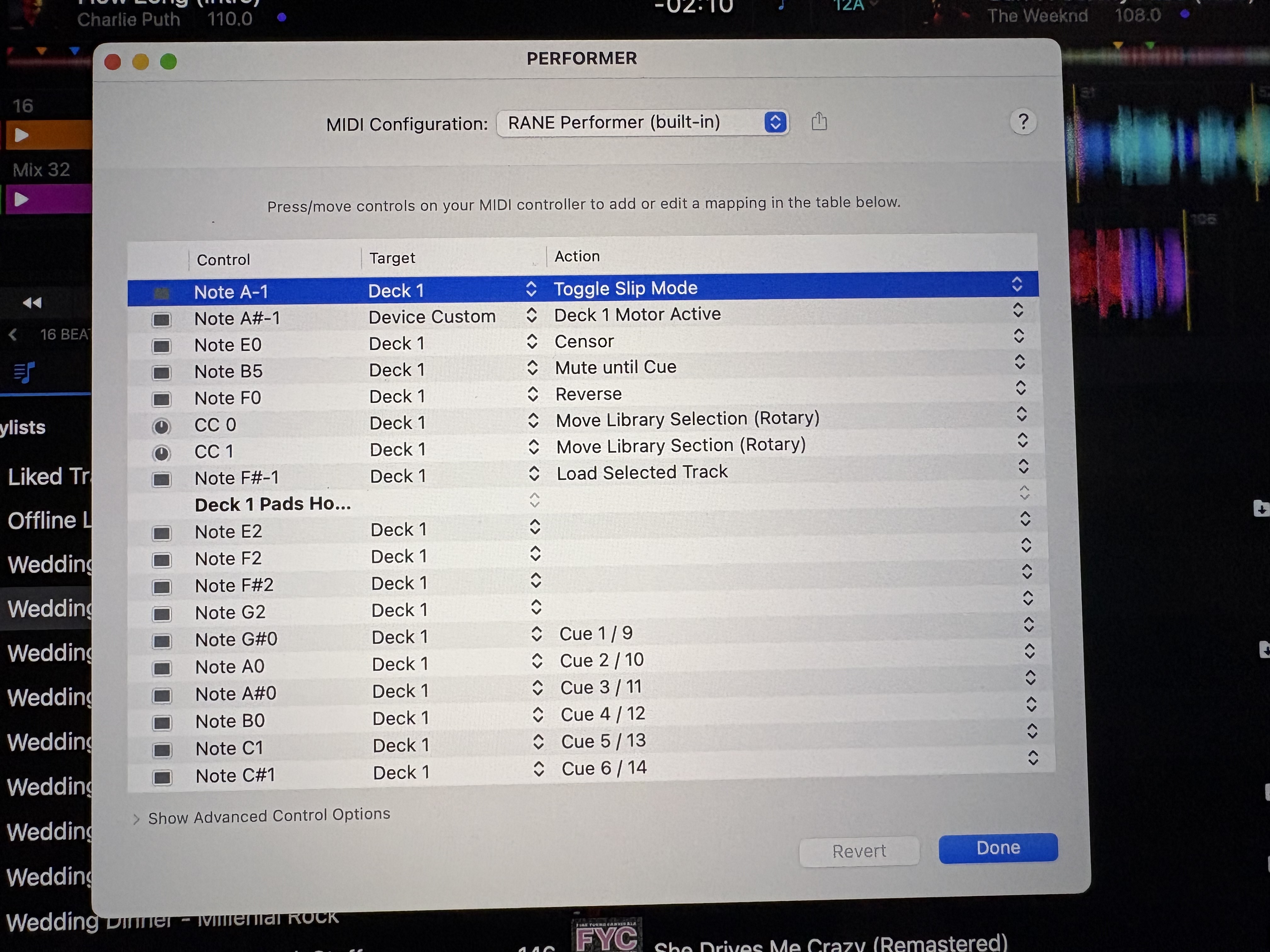
Still having trouble with slip mode. I meant to mess with it during setup but tried it during dinner and nothing happened. Opened the midi section and this is what I saw.
I’m no expert with the midi maps. It worked once. Not sure what I did but I noticed the slip button was flashing when it worked. Every other time I would push the slip button then stop and start the deck quickly and it would just stop and start at the exact same spot in the track.
Maybe it’s a djay pro thing. When slip mode was enabled in serato it would work when stopping and starting the deck. Maybe it worked in djay pro when I was scratched the platter with slip mode engage.
I always used it by stopping the deck on the last beat of a bar the starting back on the one. It just gave a quickly vinyl break delay. Sorry if that doesn’t make sense lol.
Hi @jmoak311, yeah, I’m not sure I follow you here. Can you please share a short video to help clarify what is happening in djay vs how it behaves in Serato? Thanks!
Thanks for the video @jmoak311. That definitely clarifies things. In djay, Slip Mode doesn’t work with the Play/Pause button like it
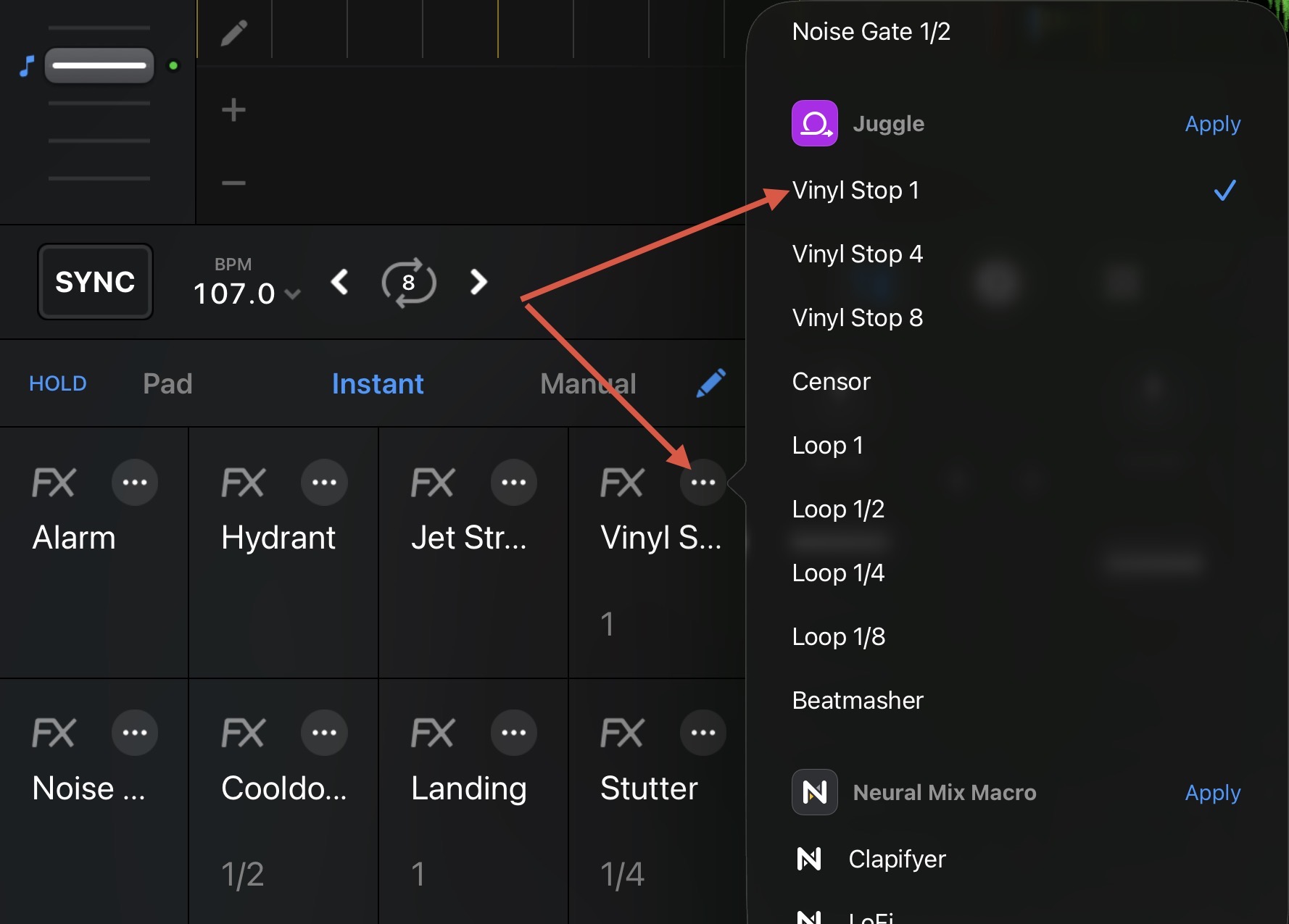
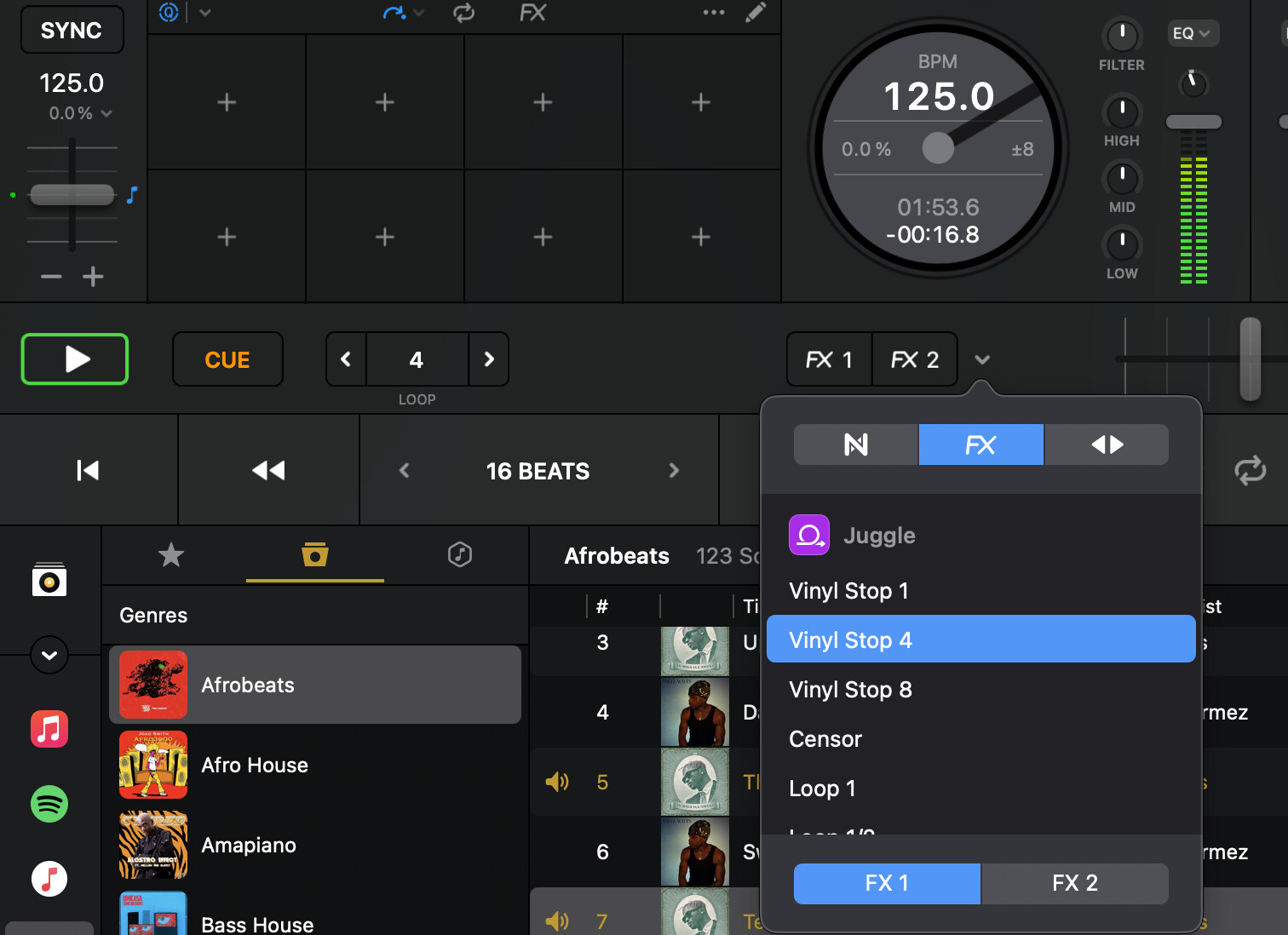
does in Serato. However, you could use the Vinyl Stop FX to achieve similar results. You can either use the Instant FX pads or the new FX1 / FX2 buttons on either side of the crossfader. You could use the onscreen controls or MIDI map this to a free button.
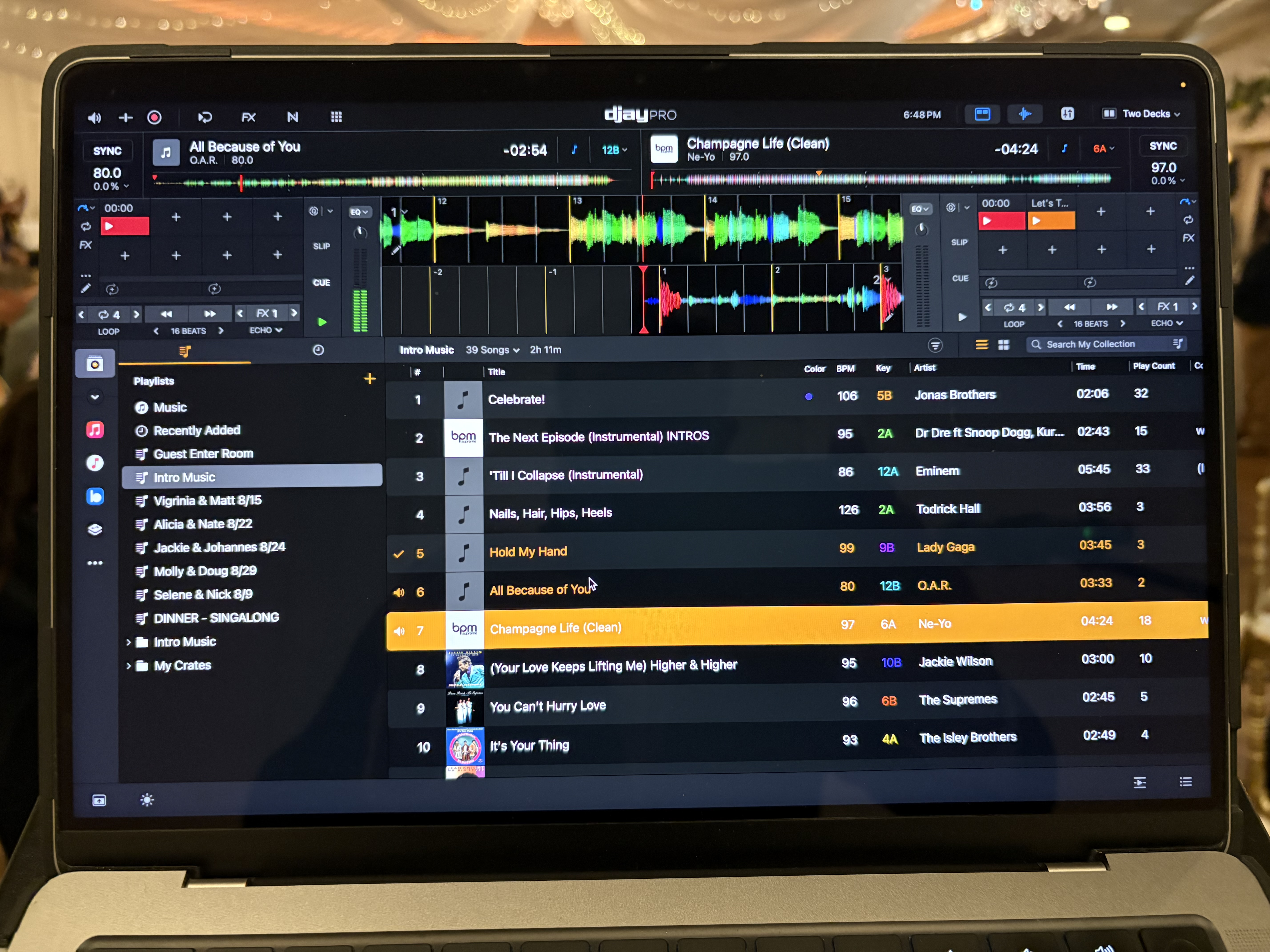
As for your horizontal waveform length compared to Serato, you can move the horizontal waveform to the top of the screen so you get full screen with waveforms.
Ahh bummer! Maybe I’ll give that a shot or just use instant doubles to achieve the same effect.
I know you can you add the full waveforms aboveor below but that just takes away to much of the library for my liking. Stick to the no jogs option. No one else really rocks it like that I know
Sounds good. Thanks for the follow up @jmoak311