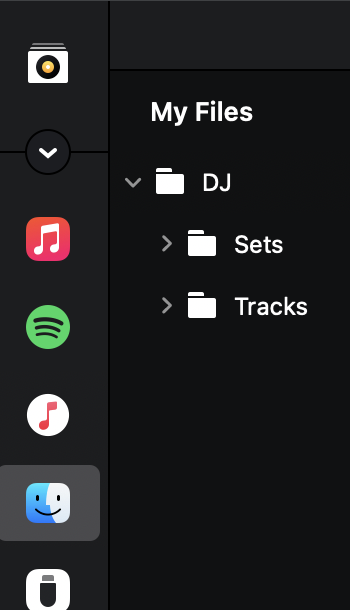
Hi guys I am new to DJAY PRO coming from Traktor. Trakto allows me to create Smart Playlists using the criteria “File Path contains [Folder Name]”. This automatically generates my crates based on my actual hard drive structure without needing to manually re-tag thousands of files.
Currently, djay Pro only allows Smart Playlists based on metadata tags (Genre, BPM, Artist, etc.).
Requested Feature:
Please add “File Path” (or “Location”) to the list of available filters in Smart Playlists, with operators like:
contains
starts with
does not contain
Why this matters:
Seamless Migration: Many power-user DJs organize their tracks by folders on their hard drives. Allowing file-path filtering makes switching to djay Pro instant and seamless.
Automated Workflows: DJs who produce or download music across multiple devices rely on folder structures. File-path filters bridge the gap between operating system organization and DJ software organization.
This single addition would make djay Pro’s library management incredibly powerful and user-friendly for mobile and club DJs alike.
Hi @Derek_Collins, welcome to the Community! Thanks for the suggestion! I’ll share this with our devs for consideration. In the meantime, please use the blue Vote button at the top left of this page so we can gauge user demand for this feature.
You might also want to check out the External Apps > TR Collection source in djay.
Alternatively, OneLibrary might also be worth investigating:
Hi @Slak_Jaw , thank you for those. I tried the External Apps > TR Collection but it only shows normal playlists and not the smart playlists from the Traktor Library.
This to me looks like the simple option for sure, but maybe anyone could tell me otherwise? Does it pull in meta data that Traktor did not store on the MP3? Or is there any complications that I am not aware of?
It displays all the metadata and you can add / remove columns, just like in other library sources. I’d suggest just giving it a go. It’s fairly non destructive, and can just remove the folder/s if it’s not right for you.
One thing you won’t get is the ability to select a parent folder and it open all the files in the sub folders at that level. So you couldn’t have a Trance folder, and then folders by year in that folder, and then click Trance to see all years. You can only view each folder in isolation.
I am also a recent convert from Traktor and I was a bit puzzled why the smart list filters for let’s say genre doesn’t allow me to just say contains “techno” and instead requires me to tick all genres that include some variation of techno.
If I understand correctly that means I need to update the smart list every now and then to include new genre variations that include the word techno manually. With the contains feature I wouldn’t really have to worry about “Hardtechno”, “Hard Techno” and “Techno (Peak / Driving)” being separate genres when I want my smart playlist to be as broad as possible without doing too much manual work when I add new tracks to my library.
Also it would be really nice if we can have a filter that allows to filter by source (i.e. source is local tracks or source is Spotify for example). Because this is similar to the suggestion above I didn’t want to create a new post for it.
Quick update on this one guys. So I solved the automation for the smart playlists in relation to my folder structure.
So what I did is, I built a script with the help of ChatGPT and Apple’s shortcuts app. Every time I open DJAY pro the script scans my music folders and changes the genre of every track in that folder to what the folder name is. Then in DJAY I have smart playlists based on Genre that automatically update when files are added.