NOTE: Please use the search function above before posting to avoid creating duplicate topics.
- Lenovo Ideapad C340
- Windows 11 home
- 5.6.9.
- none
- 25H2
- Please consider sharing a short video or screenshots to help clarify your issue
A) SUMMARY OF ISSUE:
- same songs get stuck in deck in automode
B) DETAILED STEPS TO REPRODUCE:
- Make playlist with songs: On the floor - Jennifer Lopez 4:45 , Atemlos durch die nacht-Helene fisher 3:40 on spotify (more other songs to test). then start automix on that playlist. these songs get stuck.
C) EXPECTED RESULTS:
- Both songs get loaded in de deck, but stay there and never will be replaced by other song in the playlist.
D) ACTUAL RESULTS:
- One deck stays on the same song.
I have a video, but because i’m new, i’m not able to upload.
1 Like
Hi @JeroenDutchy1, thanks for the setup details an repro steps. I’ve given you upload permissions now. Please share your video.
Also made a test playlist on spotify with the problem songs: TEST DJAY: Spotify
This new playlist does the same thing
Thanks for the video @JeroenDutchy1. Can you please provide a full screen recording instead so I can see everything at once?
- Press Windows + Shift + R.
Or open Snipping Tool from Start, click the video-camera icon, then New.
- Drag from one corner of the monitor to the opposite corner so the selection covers the entire screen.
- Turn Microphone and System audio on or off from the toolbar if those toggles are available (they are in current Snipping Tool versions).
- Click Start. There is a short countdown.
- Do what you want to record. Pause if needed.
- Click the red Stop button.
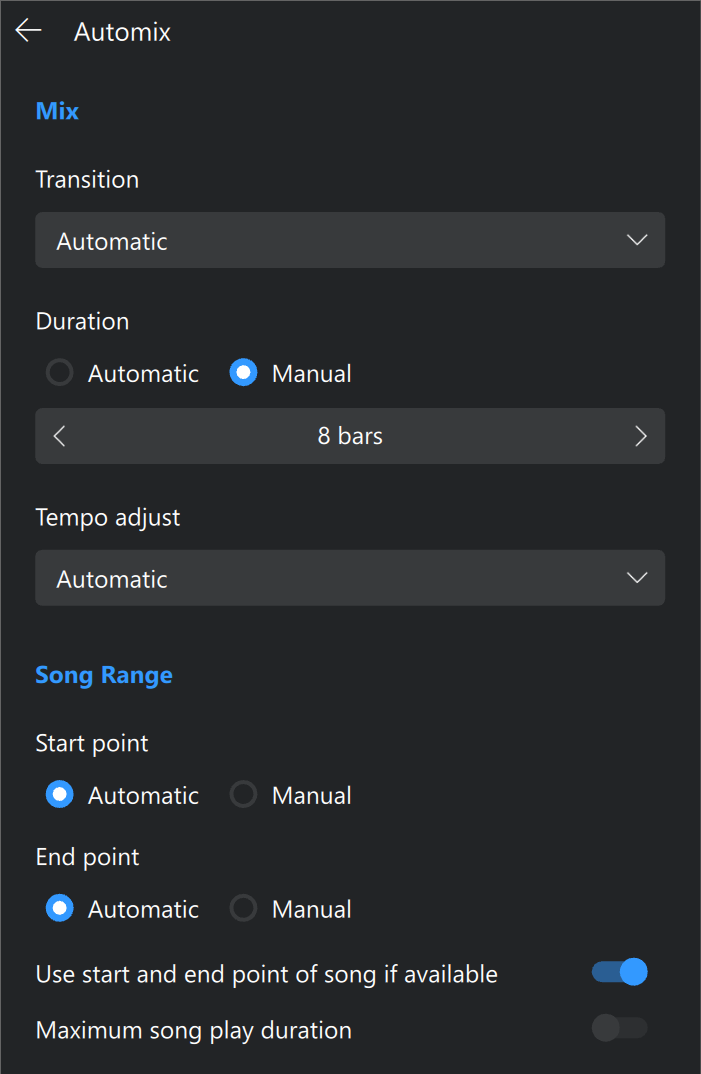
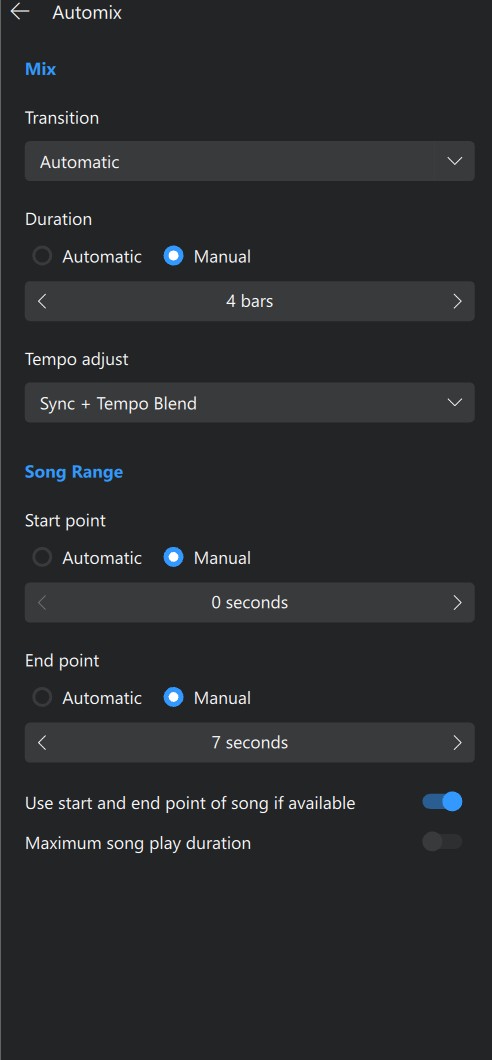
Can you please also share a screenshot of your djay Settings→Automix menu?
I noticed that it is not with all songs from spotify. the songs that came along with this problem, i put in the playlist i mentioned earlier.
Hi @JeroenDutchy1, thanks for the recording and the settings screenshot, that makes it much clearer. Your video shows exactly what you described. Once “On The Floor” lands in Deck 2, it never gets swapped out. Each time it finishes, it rewinds to the start and plays again, and every new song from the playlist gets loaded into Deck 1 instead.
Another user on 5.6.9 ran into the same pattern this week while playing straight from a Spotify playlist. It went away once they rebuilt the playlist in My Collection. Can you give that a try?
- Click Stop Automix.
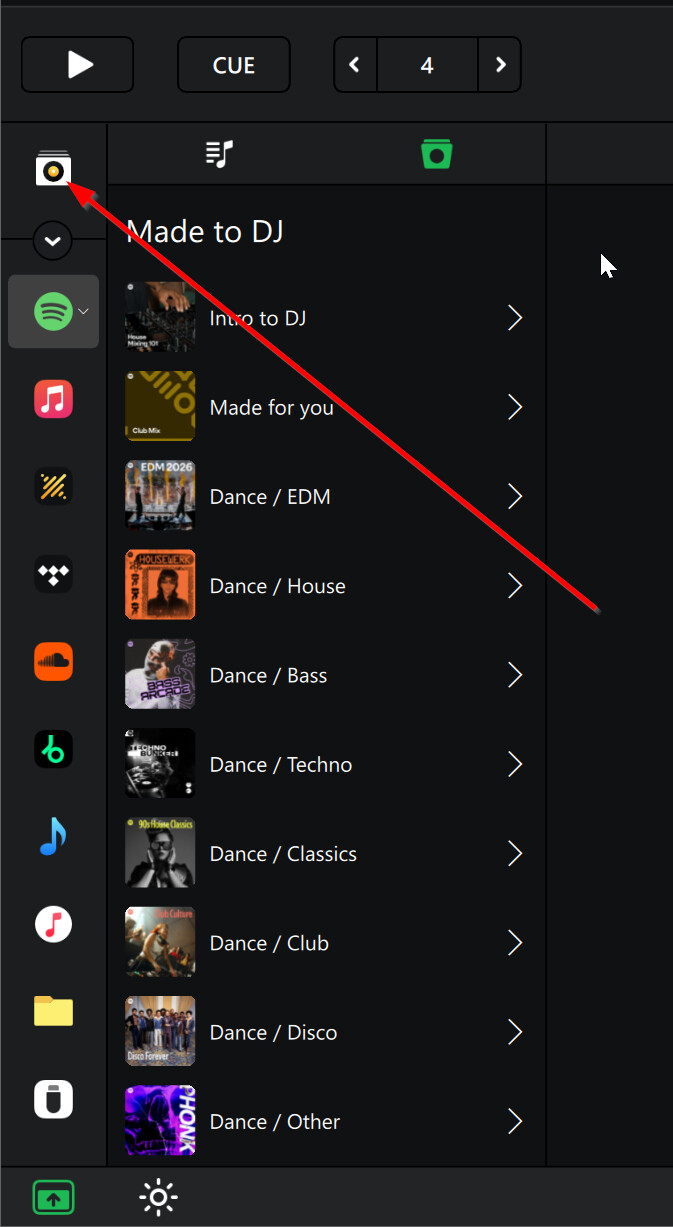
- Click My Collection, open the Playlists browser, then + > Add Playlist. [screenshot: My Collection + menu showing Add Playlist]
- Drag the songs from your TEST DJAY playlist into the new playlist.
- Select the new playlist and start Automix from the Automix side panel.
Feel free to skip through songs the same way you did in your video so we can compare the two runs directly. Let me know if “On The Floor” still gets stuck. I hope that helps!
I have the video taken with making the new playlist. As you see, the problem stays. I have now also tthe problem that de new playlist not automaticly go to the automix (when this is stopped)
I have run through more playlists in the same way with automix. The songs who get stuck are now all in the TEST DJAY playlist…. It seams that there is something in these songs that triggers this problem.
Maybe the problem sits in the metadata of these songs…..
The song ‘on the floor’ i found twice in spotify (same version). when i take the other song, the problem is gone.
The version of the song ‘atemlos durch die nacht’ has only one original version on spotify. (second version is live version).
Thanks for your quick replies.
(I’m a mostly a home user and sometimes i have a event, so no pressure from my side)
in the meantime I have run through some other playlists and found more songs who get stuck. Not all, but some. I copied them all to the TEST DJAY playlist, maybe you find similar info in eg the metadata…
Hi @JeroenDutchy1,thanks for testing so thoroughly, and nice find with the second copy of “On The Floor”. It suggests the problem is tied to those specific Spotify entries rather than your settings.
One thing I spotted in your video: the new playlist was created under Spotify in the sidebar, so Automix is still playing from the Spotify source. The fix that worked for the other user was a playlist in My Collection. Could you give that a try with your TEST DJAY songs?
- Click My Collection in the sidebar, not Spotify.
- Open the Playlists browser, then click + > Add Playlist.
- Drag the songs from TEST DJAY into the new playlist.
- Select the new playlist and start Automix, then test the same way as before.
If you can, please also paste the Spotify links for both versions of “On The Floor” so I can pass them to the team. Thanks for your patience!