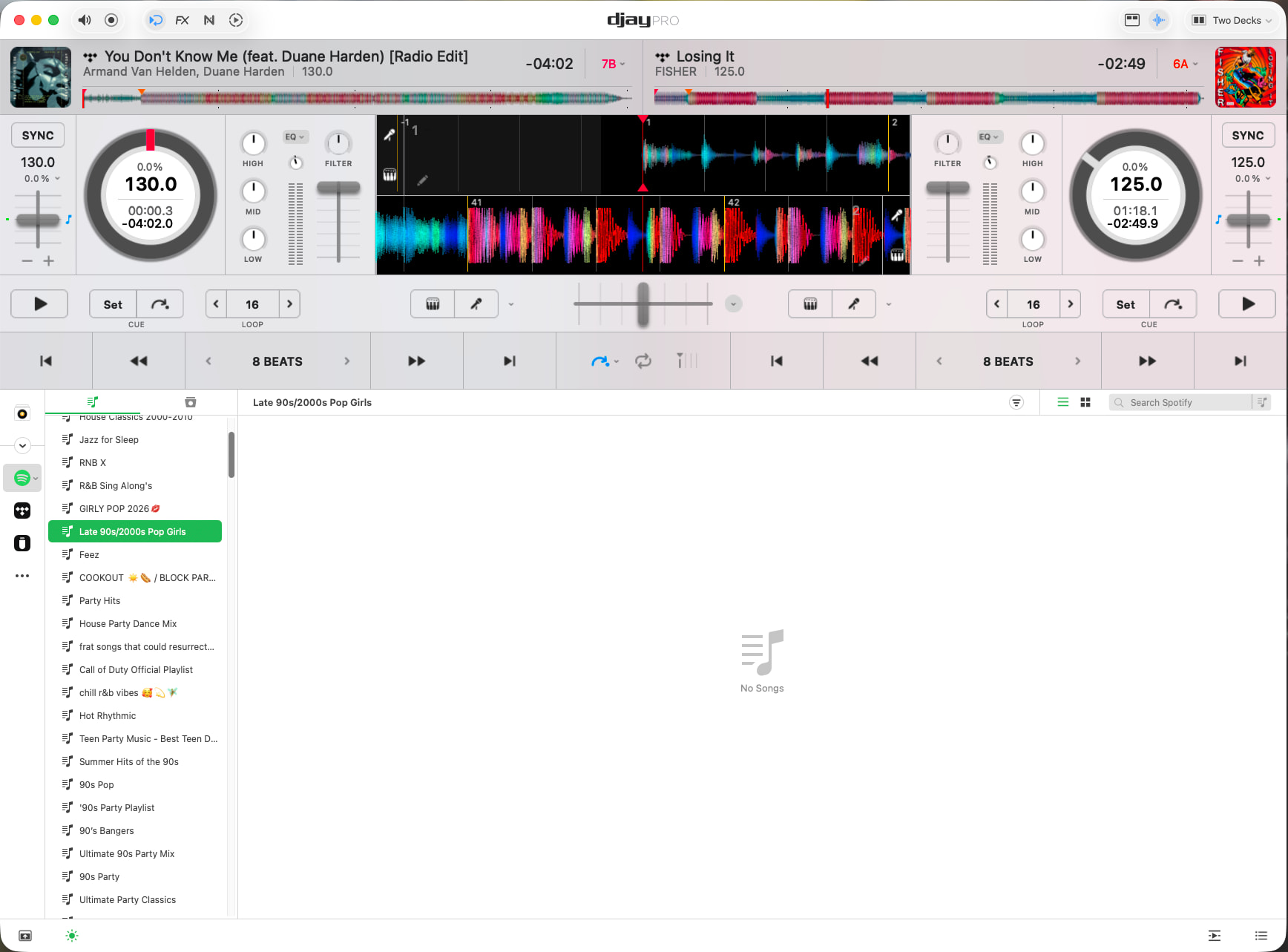
I’m having the same issue after upgrading to iOS 26.5 last evening on my iPhone 18 Pro Max. When you select a saved library, I see Add Songs…, then I tap on Add Songs…, and I try to add from the same saved library, and then it shows No Songs in that or any library.
Hopefully, others will come here and comment about this new issue/bug, as well.
I’m experiencing the same problem. I’m assuming it’s a Spotify error, as there haven’t been any recent updates to Djay Pro, and I used Spotify a few days ago.
I’m running MBP M1, MacOS Tahoe 26.3.1, DJay Pro 5.6.4. I reside in the United States, no VPN.
After restarting, launch djay and only log into Spotify within djay.
If that doesn’t work, please log out of Spotify again, close djay and try using a VPN set to a country other than the USA to see if that helps. Thanks!
NOTE: Please use the search function above before posting to avoid creating duplicate topics.
Device model (e.g. 2020 iPad Air 4th Gen):
Version of operating system (e.g. macOS 14.4.1):
Version of djay (e.g. 5.1.2):
Hardware/controllers used (e.g. Reloop Mixon 8 Pro):
Hardware firmware version (e.g. 1.0.1):
Please consider sharing a short video or screenshots to help clarify your question
YOUR QUESTION:
Logged into Spotify. Music is not loading into DjayPro. It just says “No Sounds” Please help. I’ve even downloaded the software again…still not working
Hi @Kbias1, welcome to the Community! Please use search before creating new topics. I have merged your new topic with this existing one. Please review above and answer the questions I posted previously. I’ve also shared some steps to try. Thanks!
Attempted all troubleshooting steps on both macOS Sonoma (14.8.3) on an M2 Macbook Air as well as my iPhone 17 Pro Max running iOS 26. Both djay pro apps show NO SONGS on any Spotify search or playlist. I was using this fine just last night and messing with Crossfades etc. Please fix, I purchased this specifically for the Spotify integration and have curated playlists that are needed for an event I’m DJ’ing on Sunday. I went to the venue today to test my equipment and can’t do anything.
FYI. The spotify outage yesterday had no effected on the djay pro app as I was using it all evening up until 11pm ET on 5/12/26, this was after spotify’s outage was resolved. I had used the app both before and after the outage.
After restarting, launch djay and only log into Spotify within djay.
If that doesn’t work, please log out of Spotify again, close djay and try using a VPN set to a country other than the USA to see if that helps. Thanks!