NOTE: Please use the search function above before posting to avoid creating duplicate topics.
- Device model (e.g. 2020 iPad Air 4th Gen): iPhone 18 Pro Max
- Version of operating system (e.g. macOS 14.4.1): 27.0.1
- Version of djay (e.g. 5.1.2): 5.6.9
- Hardware/controllers used (e.g. Reloop Mixon 8 Pro): Note:JasonSwizzle has been using Apple touchscreen devices since version 1.0.1!
- Hardware firmware version (e.g. 1.0.1):
- Please consider sharing a short video or screenshots to help clarify your issue
A) SUMMARY OF ISSUE:
- Portions of a stem enter an another portion of the track. Please keep in mind that I’m still experiencing the loss of 4 stem separation.
B) DETAILED STEPS TO REPRODUCE:
- Loaded up a fresh copy on an open track and played it at the exact cue point.
C) EXPECTED RESULTS:
- Loading up the new track would correct the issue
D) ACTUAL RESULTS:
Thanks for the video and setup details @JasonSwizzle. Very strange behaviour for sure - I’ve never seen this one before. I tested this with the same song from Tidal on my setup and was not able to replicate it.
- Are you using any additional streaming services other than Tidal?
- Do you have this same song as a local mp3 file?
- Do you have a different remix of this track?
- You say that it happens with other songs as well? Can you please capture a similar video of the issue with a different song? Thanks!
Sorry for my late reply SJ! I’m only using Tidal when this happens. Let me see if I can replicate it with MP3. I don’t have a remix made yet!
Here’s an example I found, but instead of the issue playing, it mutes itself. Notice the waveform in deck 1.
Thanks for the additional info and video @JasonSwizzle. You’re on the iPhone 18 Pro Max and this is happening alongside the missing 4-stem option, so I suspect this is related to the iPhone 18 Neural Mix issue the team is already looking at.
A few quick checks would help narrow it down:
- Open the waveform options on the deck where it happens and see if Slip is on. If it is, turn it off and see whether the stems still jump.
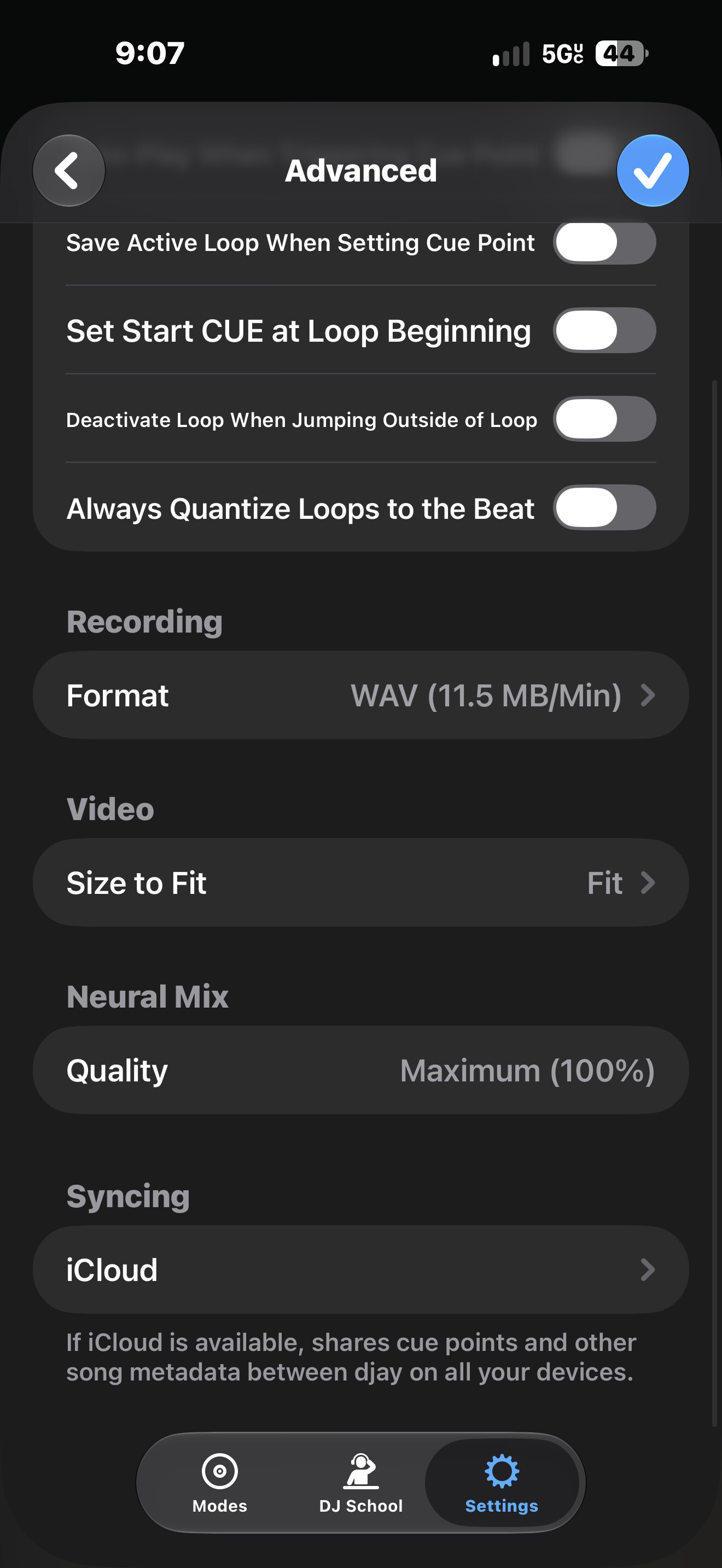
- Check Settings > Advanced > Neural Mix > Quality and tell me which level it shows.
- Let me know how the MP3 test goes.
Okay… I loaded up a different set, and was able to sort of replicate the problem!
Here’s a longer video that shows slip mode off:
What it seems to do is glitch up whenever I leave Djay, but it corrects itself when I return to the app at the beginning of the loop.
Loaded up tracks from a different source other than Tidal (local file), and was able to replicate the problem… again!
@JasonSwizzle great work, that’s a big help.
Your last video shows exactly what you described. Both decks are looping, so the mix should repeat the same way every time round, and it does until djay goes into the background. Then the audio stops lining up, and it doesn’t settle until deck 1’s loop restarts after you’re back in djay. It happened twice in that video.
Thanks for checking Quality and Slip as well. Both look normal, so we can rule them out. Until there’s a fix, keep djay in the foreground while loops are playing. If it does glitch, try restarting the loop and let me know if that brings it back right away.
A few things that would help narrow it down:
- Does it happen with no loop active, just a track playing while you switch apps?
- Does it happen with all stems turned up, so Neural Mix isn’t isolating anything?
- Any luck with the MP3 test?
Thanks!
Hi again @JasonSwizzle, our engineering team looks to have identified the issue and is working on a fix which should be included in an upcoming update. Likely 5.6.10. Thanks!
Hello @JasonSwizzle, djay 5.6.10 was released today and should address this issue. Thanks!