


I think tempo soft takeover can be optional it confuses me a lot while djing with djay Pro I’m used to controlling my tempo slide on the mixer without looking at the software I’m so confused I think tempo soft takeover should be an optional looking forward to a response
2 Likes
Yes it is optional.
Did you switch off tempo blend in crossfader fx?
Did you set your sync mode to sync only?
Mine blends. Don’t set as mine

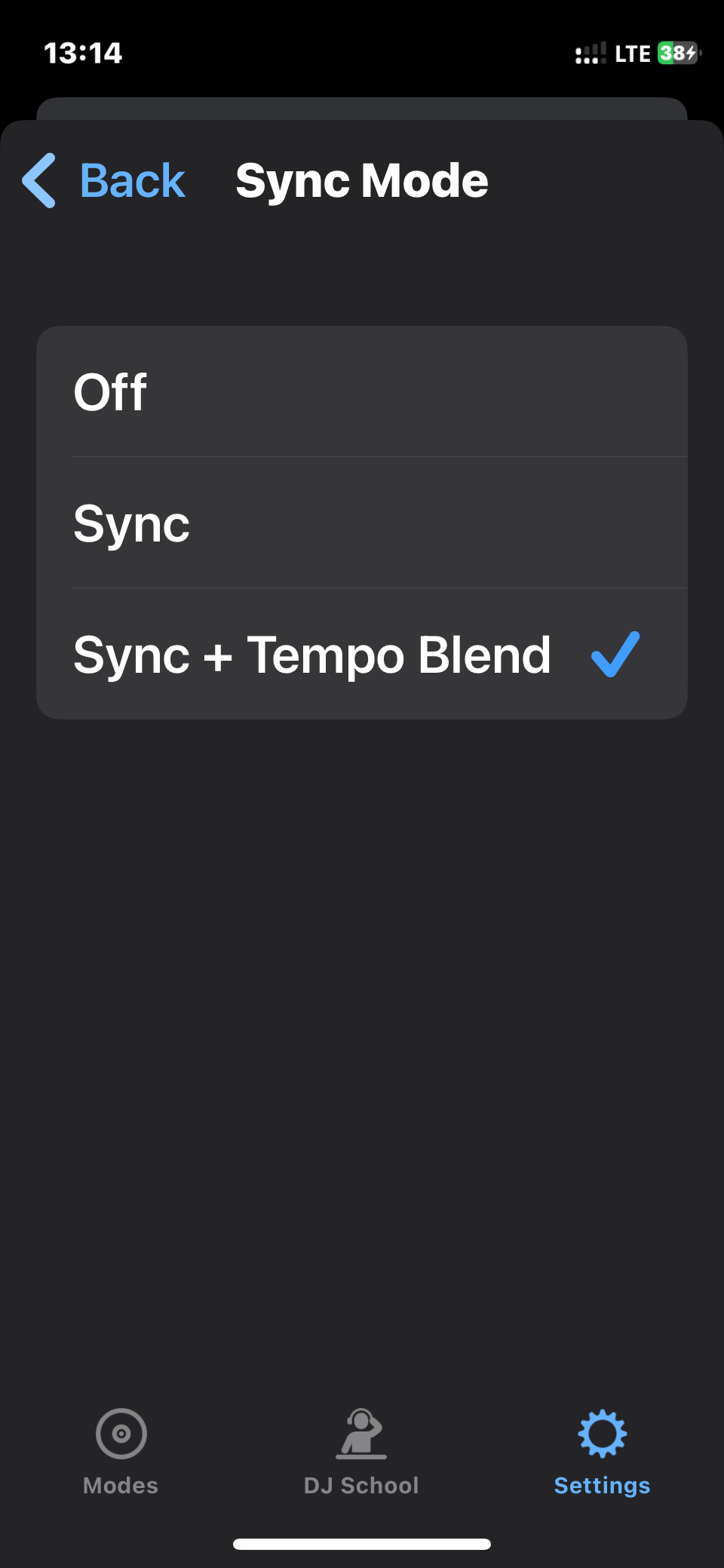


This is my settings while djing with a connected controller my tempo slider on the controller doesn’t match with the software in sync and sometimes i won’t realize it while mixing if that happens my beatmatching goes awfully
In that case I didn’t get your issue well. Pictures or videos of the issue speak better.
I can only guess: that when moving your tempo slider the bpm does not change? If so, i get you and it’s normal. You just have to “pick it up” first (i,e, may have to move the slider in the opposite direction first till it reaches where the bpm is, picks it up, then it will begin to change the bpm as you go back)
Hopefully that’s the issue. If not, reply with explanatory pictures.
Yes that is the issue and it happens while in sync with DJ Pro but while I use Serato DJ Pro simple sync it doesn’t happen that way bcos anywhere my pitch slider is on my controller it picks up immediately while adjusting the tempo …is there a way i can make the tempo slider works like simple sync of Serato
4 Likes
I agree. It’s one of the little annoyances I have with djay Pro.When you are mixing quickly, sometimes it can mess up your flow or ruin your timing.
3 Likes
Yes that so annoying i wish djay can have a simple sync option like serato and the wave form also should be easier to beat match via looking at d wave
Ua, am kinda used to it because i come from rekordbox which does exactly the same as djay
1 Like
I understand im coming from serato dj things are getting confused anyway in trying to learn to use it anyway but I would still appreciate it a lot if I could mix it like I was on Serato
Hey man, love your vids on YouTube. I may be confused, but if you guys are talking about turning soft takeover off it can done. See my comment below. Although I may be misinterpreting the thread.
1 Like
Thanks! That seemed to fix the issue. I appreciate the tip!
1 Like
Are you talking about turning soft takeover off? As in that annoying feature where the pitch fader won’t respond unless you throw it back and forth a few times? If so, this can be done in midi. Just open midi, touch the fader, or find it under each deck, click advanced options, and turn off pick up mode. If I use sync I always use the pitch fader to match the tempos before I hit sync. I’m not against sync clearly, but I really only use it for tricks on tracks that swing wildly out of tempo. That way when you turn sync off, the track is at the tempo it’s meant to be at, and moving the fader responds in real time.
If that’s not what you’re talking about my apologies lol.
1 Like
Thanks for sharing @jmoak311
1 Like


