- Device model (e.g. 2020 iPad Air 4th Gen): iPad Air 3rd gen
- Version of operating system (e.g. macOS 14.4.1): iPad OS 18.5
- Version of djay (e.g. 5.1.2): 5.6.1
- Hardware/controllers used (e.g. Reloop Mixon 8 Pro): Pioneer DJ DDJ-400
- Hardware firmware version (e.g. 1.0.1): not sure
I continuously monitor the trim. As recommended whenever I see the red LED light up I adjust the trim accordingly. Whenever I touch trim knob, the volume suddenly drops as opposed to dropping gradually. During a set yesterday I noticed the same with the filter knob; i.e. no bass and when I touch the filter for the active track the bass comes back. This happens after a track change. I had Crossfader FX activated.
What makes it particularly annoying is you can clearly hear the sudden drop in volume so I quickly have to readjust.
I had the same behavior on my previous DDJ-SB3 so I would assume this is not controller related.
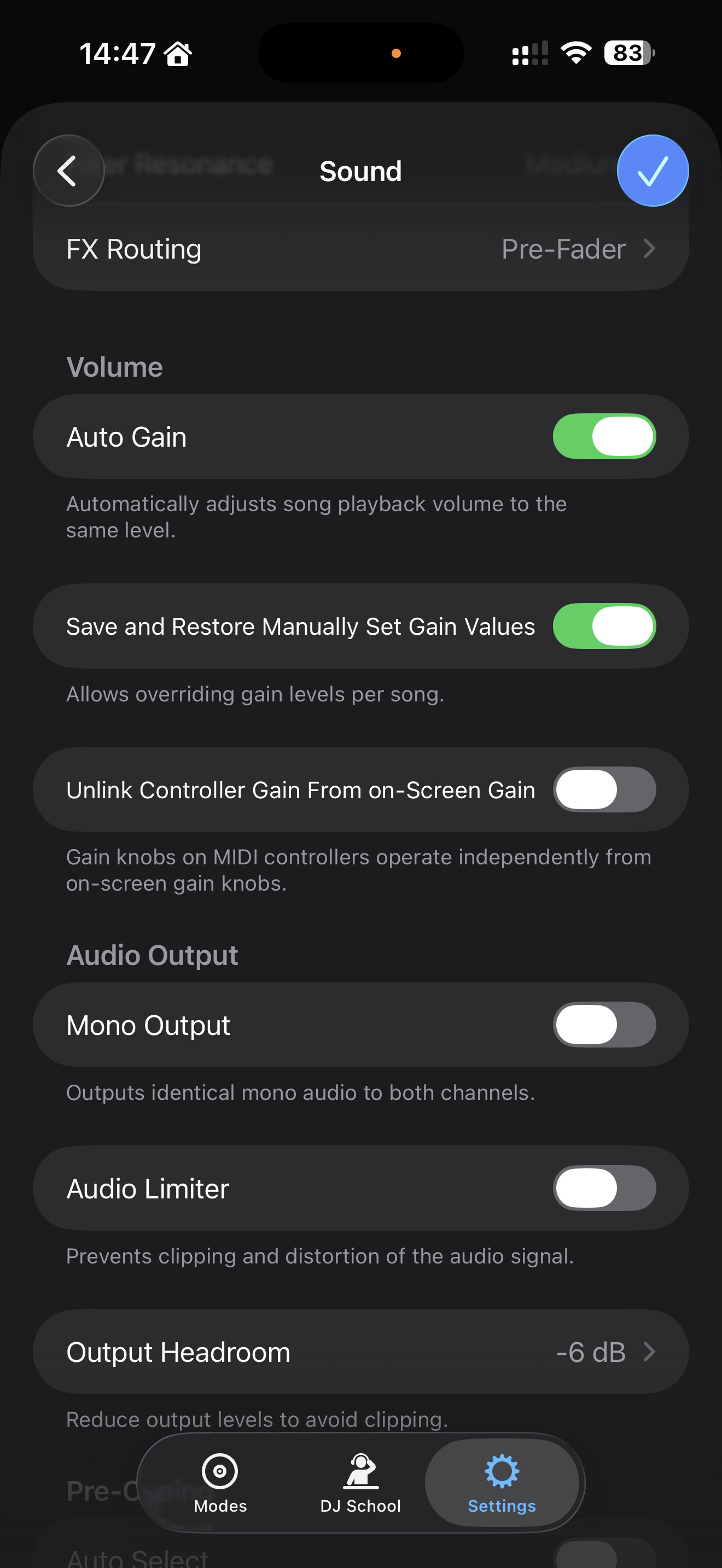
I think this has to do with auto gain. Let me try to explain: suppose that you gain knob on your controller is on level 3. Then when you load a new song and auto gain boost the gain to level 8, you gain knob on your controller is still level 3. So when you touch it, the controller send immediately a signal that the knob/gain is level 3, so you volume drops suddenly.
To disable this, turn off auto gain in the settings or unlink the gain know from the controller and software.
2 Likes
Thanks for the assist @LJsquare82. That is exactly right. @tfmeier please confirm if that solves your issue or not. Thanks!
2 Likes
Thanks. I’ll to disable auto gain later but to make sure I understand. I’m talking about the 2 trim knobs - one for each deck.
I play on deck 1 and have trim at the optimal level. Then I transition to deck 2 and may notice the trim level too high so I go and adjust and that’s when the sudden drops happen.
Also on your screenshot you have ‘Save and Restore Manually Set Gain Levels’ active. Is that related to this at all?
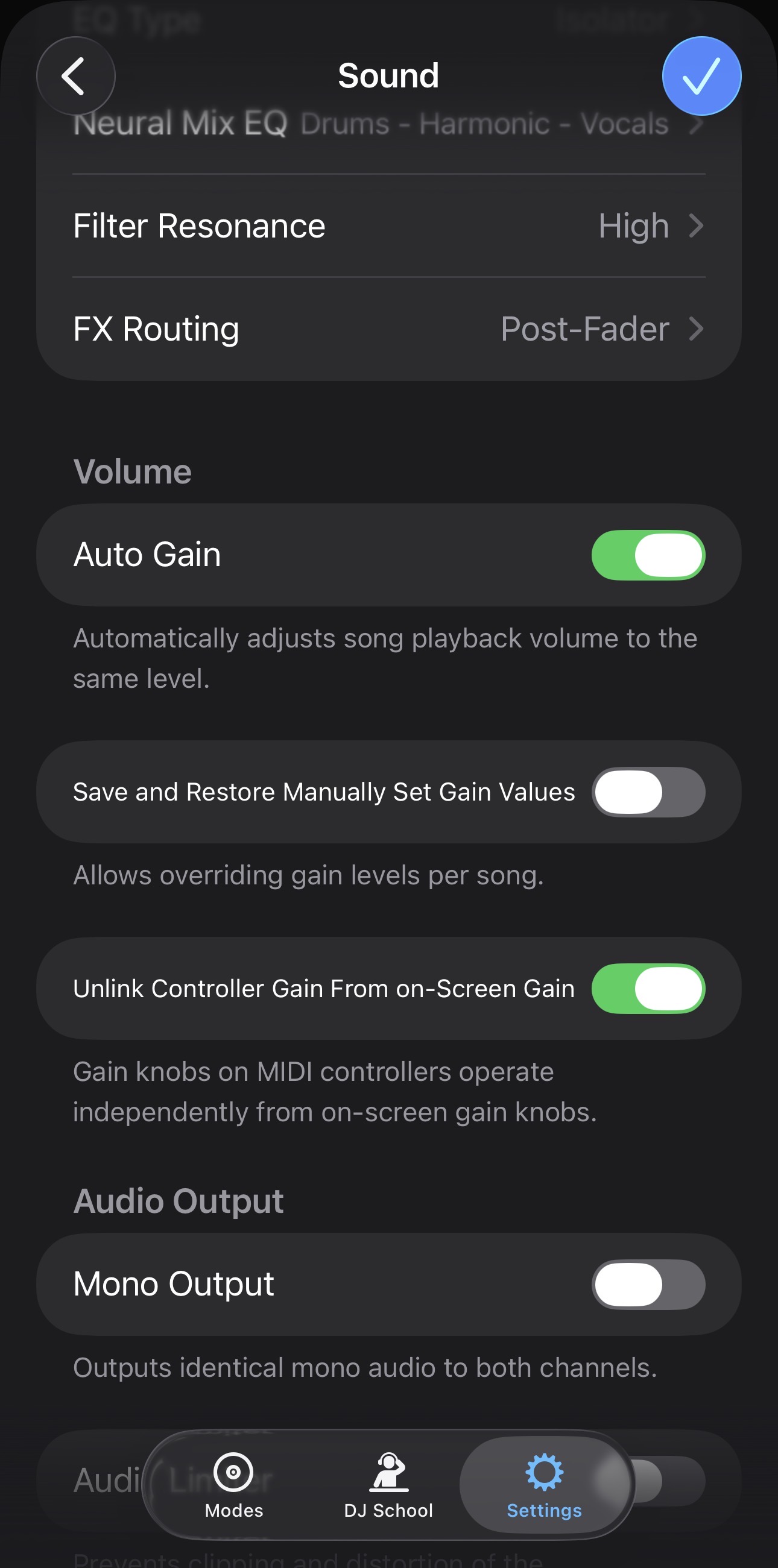
Hi @tfmeier, we are talking about Trim/Gain. These are typically the knobs above the EQs on most DJ hardware. These are the Volume settings that I personally find optimal.
- Auto Gain → On: in most cases this will automatically set the Trim/Gain for both decks so they are close to equal.
- Save and Restore Manually Set Gain Values → Off: this means djay will not remember any manual changes you make to gain values. I prefer to keep this off in case I make a gain adjustment in a situation where I’m playing a very quiet track against a very loud one. I prefer that djay does not remember these and always defaults to its Auto Gain analysis.
- Unlink Controller Gain From on-Screen Gain → On: I like to keep this on for those situations where the Auto Gain value isn’t quite perfect. Then I can make a small manual gain adjustment on my controller without the big jump in volume you are describing.
Give these settings a try and let me know.
1 Like
I am having the similar issue on my DDJ-FLX10 on which the trim knob on the 2nd channel seems stuck and the solution above may explain it. Attempts to slightly adjust the volume down will often lead to a spike in volume whereas attempts to slghtly increase the volume up results in a drop in volume. It is quite noticeable and only happens whe the trim needs correcting because a new track has caused red LED lights indicating the volume is too high.
The above explanations might be why… I’ll look under sound and see of there is similar options to those solutions shown above.
Device: M3 Macbook Air
Hi @userriddim, welcome to the Community! Please try these settings:
-
Auto Gain → On
-
Save and Restore Manually Set Gain Values → Off
-
Unlink Controller Gain From on-Screen Gain → On
Hello! It’s been a week since my last reply. I’m going to consider this topic completed for now so I can focus on others. However, please feel free to respond and we can definitely revisit this. Thanks!