Urgent Help Needed for those using RANE Four/Performer

  • Device model Mac Air M4
  • Version of operating system Version 26.1
  • Version of djay Latest 5.6
  • Hardware/controllers used Rane Four
  • Hardware firmware version Latest 1,80.18:

Hi All

I’m in need of some urgent assistance/guidance please regards use of the Rane Four/Performance with DJay Pro

I did post a few weeks ago about trying the Rane and long story short I’ve got 72 hours to try this controller before I have to return it to the supplier with the alternative being I go back to my Mixon 8 which I enjoy but I’ve had intiermitent jogwheel faults and I’m now on my second unit in 12 months

So, I’ve worked through a 2 hour tutorial of the Rane Four on Youtube and I’ve come across the below questions/queries in no particular order. I’ve read @Slak_Jaw is on a well deserved break but if anybody can help until he’s back this would be much appreciated as I am on a tight deadline

My findings/questions

In the Software there is no visual for the Crossfader just the words “External Mixer” in it’s place. I used to use the NM Cross Fader feature in DJP, which I’d mapped to an external Midi device, is this now redundant if I use the Rane Four?

It seems the Crossfader effects themselves work but with no visual crossfader in the software?

The three EQ dials don’t change in the software when I move them on the Rane Four controller, If I hit Shift and use the Nueral Mix Stems on EQ’s the dials move in the software but not for standalone EQ’s - is this correct/normal?

When in Four Deck Mode software doesn’t highlight selected deck e.g. 1 and 3 or 2 and 4, no decks light up, again is this the norm?

Shift & Start should be stutter cue but this doesn’t seem to work. Also the sample to master control buttom doens’t work but I’ve seen this has been commented on previously and I believe is not compatible

The big and major issue for me is that Sten split doesn’t work properly. I’ve seen this reported before when ploughing through previous threads but not sure it’s ever been resolved. I’ll attempt to send some videos responding to this topic below. When I select Stem Split there is a noticble audiable delay before this feature takes effect (which obviously doens’t sound great in a mix) the microphone vocal symbol in the software highlights yellow (as if it’s been solo’d) and the instruments take 2-4 beats before they become active. Hopefully if the videos upload below this will make more sense.l I don’t use Serato but have a subscription through my controllers and I tried it on Serato and this worked seamlessly so it’s got to be an issue within the DJP software or is it something in my settings? Major game changer for me this and I need to find a fix, only solution so far is to ensure it’s selected before I start the track. Obviously this is quite a big feature of this controller as I use Stems a lot so a real set back for me that this isn’t working as it should

Volume faders don’t change in the DJP software when moving them on the Rane Four so no visible display on screen of where the volume level is, again is this correct?

Controller not recognised via USB B, just USB A - Not sure why but in DJP my Rane Four is only noticed when I’m on USB A, should this be the case?

Parameter function doesn’t work within the software, can’t make changes to Loop Roll Pitch position/length etc when selecting the parameters, is this normal for the Rane 4?

Independent channel volume control has no effect in Djay Pro Software. For example on my Mixon 8 when I load a track the auto gain feature kicks in which sets the volume level but If I move the volume on the controller the volume level on the screen changes as I take ownership, doing this on the Rane the volume dial in the software doesn’t move as I manually move the levels on the controller, again is this correct or something I’ve done wrong?

Thanks in advance for any advice anybody can give me. I’ll attempt to use the controller more whilst I have it but first impresisons are it won’t be for me which is a real shame due to the many issues above

Thanks

Cuzer

I think you answered your own question, the Rane device has an external mixer installed, whereas the Mixon is purely a DJ controller.

1 Like

Thanks Stu, so am I right in saying features such as the NM crossfader just don’t work? Would that mean the EQ knobs and Cross fader don’t show or move in the software though? Struggling to understand that

Cheers

I don’t own one so can’t be 100% sure, but I think all the mixer controls on the Rane’s are actual hardware controls, so bass EQ is a proper mixer Bass EQ etc, meaning you can plug turntables into it and use it without a laptop. Same with the hardware FX, completely standalone.

2 Likes

Hi @Cuzer, I don’t have access to all the info regarding this hardware at the moment, but here’s what I can tell you for now.

  1. This is an External Mixer only device. This means all of the EQing, crossfading, channel volumes, etc. are handled internally within the hardware and not via the djay software. Some external mixer devices also send MIDI which allows djay to show the EQ, Crossfader, channel fader positions onscreen. I’m not sure if the Four also sends MIDI though. All I can suggest right now is to ensure you are using the (built-in) MIDI mapping and not a custom edit.
  2. The delay when activating STEM Split is a known limitation. djay analyzes Neural Mix operations only upon request, so the workaround is to make sure you do some kind on NM operation (like NM EQ) before trying to perform a NM Split.
  3. Other Known Limitations:
    a. Deck 1/2/3/4 indicators in the displays don’t change
    b. Sampler to deck 4 button is not supported
    c. When using SW FX, only 1/16, 1/8, 1/4, 1/2, 1, 2, 4, 8 Beats are selectable from the hardware. 3/4 and other odd beat intervals are not supported. When an unsupported beat interval is selected on screen, the hardware simply doesn’t show it.
    d. When using SW FX, deck 1/3 and 2/4 share the FX of Deck 1/2 respectively
    e. This controller is external mixer mode with a digital FX loop that sends audio after the faders for another round through djay to get post fader FX processed. However, this is only done when an FX is activated physically on the hardware (i.e. an FX lever “pulled”). This means that activating post fader FX from the djay UI using touchscreen/mouse/keyboard won’t work, since the hardware doesn’t know to activate the FX loop. Workarounds:
    • Set FX to Pre-Fader in djay Settings > Sound
    • Operate FX exclusively from the hardware controls
1 Like

Hi @Slak_Jaw

Thanks as always for your excellent support and taking the time to respond, especially when youre on vacation

I’ve been on the controller exclusively this weekend trying to decide whether to keep my previous Mixoon 8 or stick with The Rane and I’m completely torn

The Stem Split issue is a real game changer as this very much suits my style of mixing but I cannot get your reccomendation above to work at all. I’ve tried changing the NM EQ’s, using the NM Pads and isolating a stem etc but as soon as I select the Stem Split button the audio glitch/delay always happens as demonstrated in my videos. If you or anybody who uses the Four or Performer can show me a workaround for this or give me some more pointers that would be very helpful

I’m on the controller again all day tomorrow so will report back if any improvement

I’ve had no real issue with the effects so far on the FOUR but wil look again further tomorrow, the internal effects work fine on the Paddles and the reason I went for the FOUR over the FLX10 (rightly or wrongl) was the Paddle option as I like this way of dropping in instant effects

Many Thanks

Cuzer

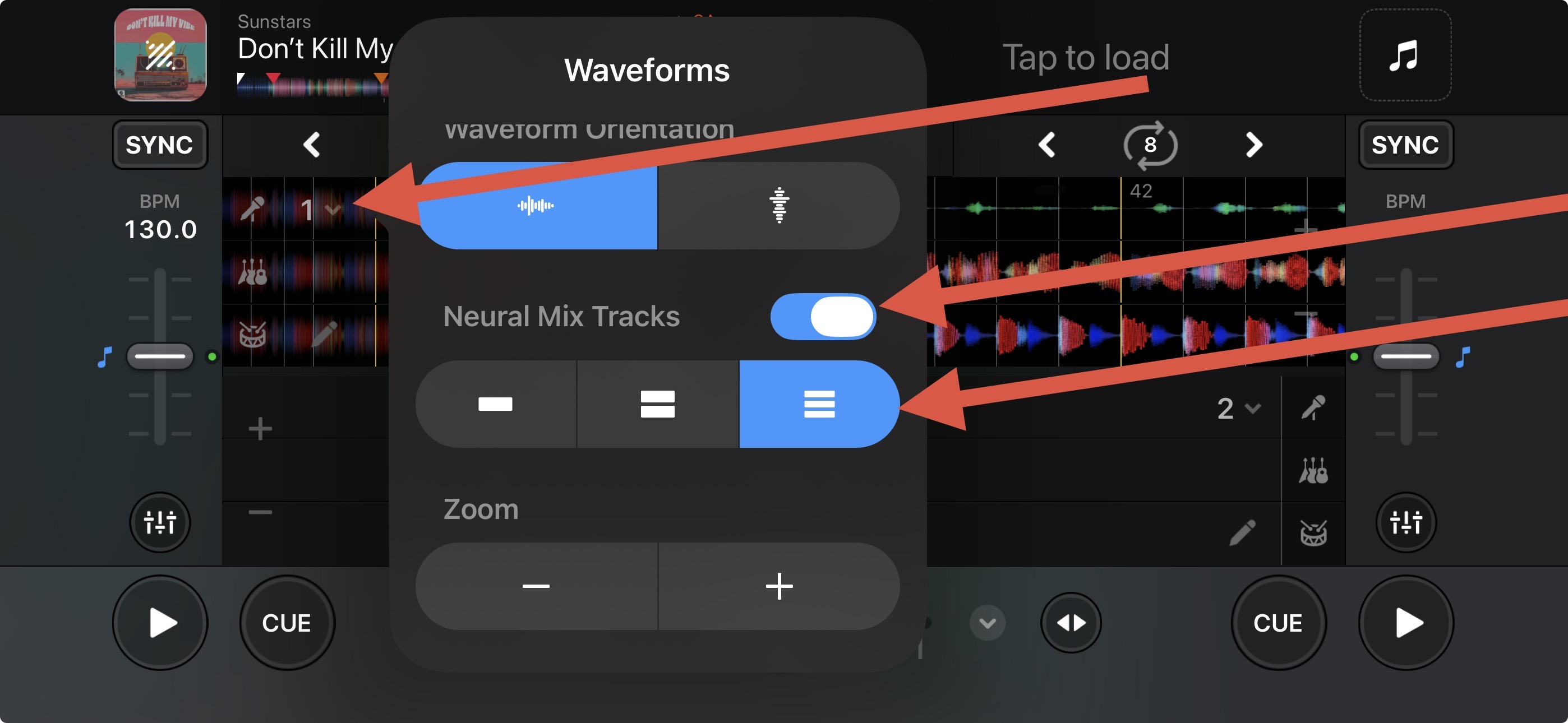
You’re welcome @Cuzer. Sorry that didn’t help with the issue. I don’t have access to a Four/Performer to check for myself. Maybe try switching to the Neural Mix Tracks multiple waveform display to see if that helps.

I use that anyway as standard @Slak_Jaw but that doesn’t work unfortunately

Cuzer

1 Like

Okay, it was worth a shot @Cuzer