The “most recent” Reloop product that’s made for djay was the Mixtour Pro and it’s already looking really good! I don’t have it but judging from videos and reviews online, I think it’s interesting!
The problem is, it’s advertised as a 4 deck controller but only features 2 channels for them.
I feel like if you want to have an easier time mixing with 4 decks/channels, then you need to have 4 channels on the mixer.
Hi @Nguy_n_Nam, I do not have any insider information regarding future hardware development at Reloop. However, given that the Mixtour Pro was co-designed by Laidback Luke specifically to be ultra-portable, I suspect a version with 4 physical channels is unlikely. You never know though - would love to be proven wrong. Maybe we’ll have some good news from NAMM in 2 weeks…
Also, I personally own a Mixtour Pro, and I find the toggle from Deck 1/2 to 3/4 to work quite well for 4 deck mixing. However, I mainly use Deck 3 for the odd Acapella and rarely mix with all 4 Decks at once.
Your intuition is correct. However, I cannot imagine that there is a version with four channel strips. That would compromise the concept of the Mixtour/Mixtour Pro. But as before: one never knows…
I would like to go on record that I’d love a 4 channel Mixtour Pro. I have a Roland dj-505 for Serato and even though it’s advertised as a 4 deck controller, without the extra faders etc for the other channels I have never gotten the hang of it and I don’t even attempt 4 decks on it anymore.
I’d say that there is definitely a market for a small modular 4 deck controller. But for Reloop, my solution would be to be able to link two Mixtour Pros together.
I would love a 4 channel version of the Mixtour Pro. I imagine it would be the size of two Mixtours next to each other. Still small enough to drop into a backpack together with an iPad.
Alternatively, it would be nice if you could daisychain two mixtours together through the usb-c port.
Thanks for sharing @Chris_R@BillPayer and @Kikeon. You could definitely use 2 Mixtour Pros side by side with djay and have one set to Deck 1/2 and the other to Deck 3/4. You cannot, however, daisy chain them to each other - you will need to connect them to your device directly or through a power USB hub.
Exactly! Just note that on iOS, you cannot manually choose which device acts as the soundcard. I can’t remember now how this works, but it’s either the first one connected or the last one connected that djay on iOS uses as the audio output.
I’ve been thinking about this, as I’m currently looking at changing my setup. I’ve come over from Serato and have been using my Roland DJ-505 with an ad-hoc midi map for Djay.
I love the look of the Mixtour pro, and the modular setup of the Mixtour pro plus two Denon LC6000s. But I also use vinyl, so I’m looking at replacing my Roland controller and adding one of the new Allen & Heath Xone:24C mixers.
I just can’t visualise how this would all work. Could the Mixtour pro control 4 channels and the Allen & Heath control two of the channels as DVS or analogue vinyl channels?
And still use the Mixtour Pro as a controller in this setup with a 4 channel mixer? I don’t use vinyl very often at all, but I would want it as an option. I was even thinking of one setup that I could use with vinyl and one setup to be used digitally.
No, I probably wouldn’t use the Mixtour Pro in combination with the 4-channel DVS mixer. I’d remove it from the equation to simplify my setup.
Maybe, 2 different setups would be better for you. Personally, I’d probably go with one setup that can do both rather than 2 different setups. Curious to hear what other users think though.
Ok adding my thoughts and recent experiences with the Reloop Mixtour Pro. A very solid controller and yes I do 4 deck mixing, waaay before the new technology footprints, via 4 turntables and a 4 channel mixer, example the Pioneer DJ djm500/600 now present day mixing style has led us to the Reloop Mixtour Pro ( currently own and use ), Alpha Theta ddj grv6 ( currently own and use ), Pioneer DJ ddj rev 1, rev 5 ( currently own and use ), Rane Four, Rane Performer ( owned, used and not using ) just to name a few for 4 channel mixing, in my opinion for that “bang for buck” thing I do HIGHLY RECOMMEND THE RELOOP MIXTOUR PRO, why for the whole party in a backpack thing, Ipad, Mixtour, battery charger, battery powered speakers, and just in case for recording a Tascam Portacapture x8 or Zoom H6, would I like to see a physical 4 channel of faders on a Reloop Mixtour Pro or as it may be branded Reloop Mixtour Pro XL ( just saying ) I would purchase and use in a heartbeat. Algoriddim DJay pro is the choice for that percentage of DJ’s that don’t want to be bound by Dj software “say so’s” for a choice of hardware, true Virtual Dj would be an alternative let alone a software to actually have, but we are talking about Algoriddim djay pro. Laidback Luke is heavily involved in the “think outside of the box” way of how djing has evolved. I started in 1982 so I can say that without conviction, the Reloop Mixtour Pro is a very hands on way of DJ’ing not only do you become “one” with it but you also become more creative, my God being on a plane and mixing in the air or on a train or subway doing mixes via your phone and the mixtour or even in the area I live which is between the Catskill and Adirondack mountain range makes this a PHENOMENAL piece of gear, a 4 channel version in the future let’s hope it happens. No matter what just make great mixes keep the dancefloor full, and the party vibe positive and alive
Ah, the Reloop Mixtour! I own the “OG” Mixtour (not pro) especially for smaller gigs. I love it’s portablity, and good mix of controls, and also the fact that the MIDI implementation is rather flexible with shift-layers and button combo’s.
The only thing I miss on it is a touchstrip like my NI X1 mk2 has. I originally DJ’ed with Traktor Scratch and DVS using an Audio4DJ, and then started adding an X1 mk2 controller for Fx and deck-controls. I found out that I basically could do anything I needed with the X1 mk2, even mixing tracks with changing BPM’s, by “riding” the touchstrip.
By adding the Mixtour to the X1 mk2 I have a very nice combo of soundcard, deck controls with 3band EQ, and touchstrip for pitchbending and the knobs on the X1 for either fx or neural mixing.
The only thing I need to get used to is the relative low output on the main outs of the Mixtour, I need to really give it maximum full clockwise +9dB gain to get a decent line level into the house pioneer mixers, where I could have 12 o’clock (middle) gain settings with my Audio4DJ. I’m thinking of bringing my NI Audio6 for higher output volume and use the Mixtour as a controller.
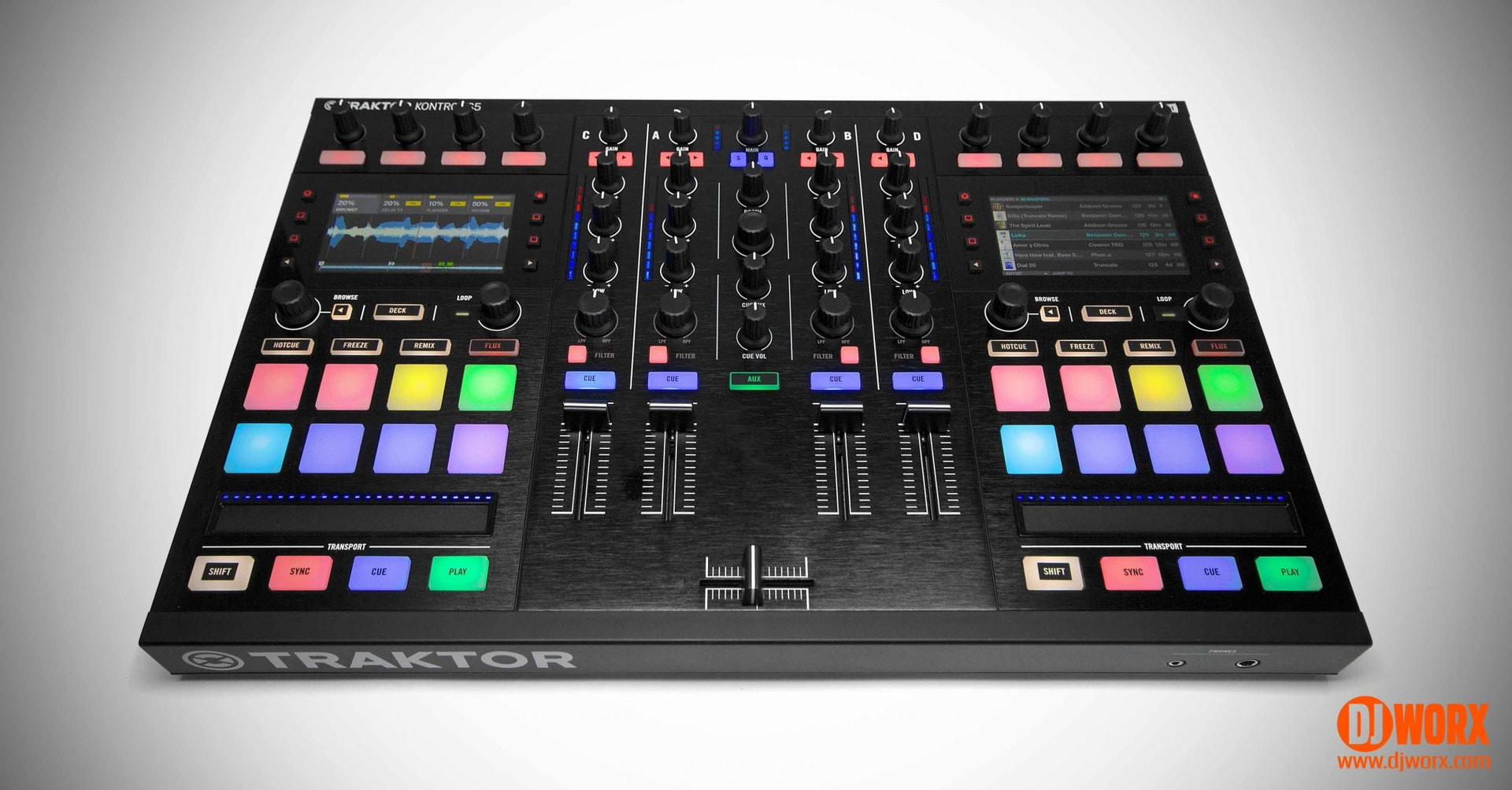
Anyway, talking about a 4channel version of the Mixtour… hmmm could be happening. I guess the original manufacturer that did something like this is probably NI with their (discontinued) S5:
Now with InMusic having acquired NI, it would not surprise me if they would revive such a classic “ahead of it’s time” device. Who knows!
BTW, Laidback Luke went back (again) to Pioneer, and is now using the classic 4xCDJ setup again, there is a YT video where he explains his reasoning. This doesn’t make the Mixtour anything less btw, as it’s more a commercial move.


 or even in the area I live which is between the Catskill and Adirondack mountain range makes this a PHENOMENAL piece of gear, a 4 channel version in the future let’s hope it happens. No matter what just make great mixes keep the dancefloor full, and the party vibe positive and alive