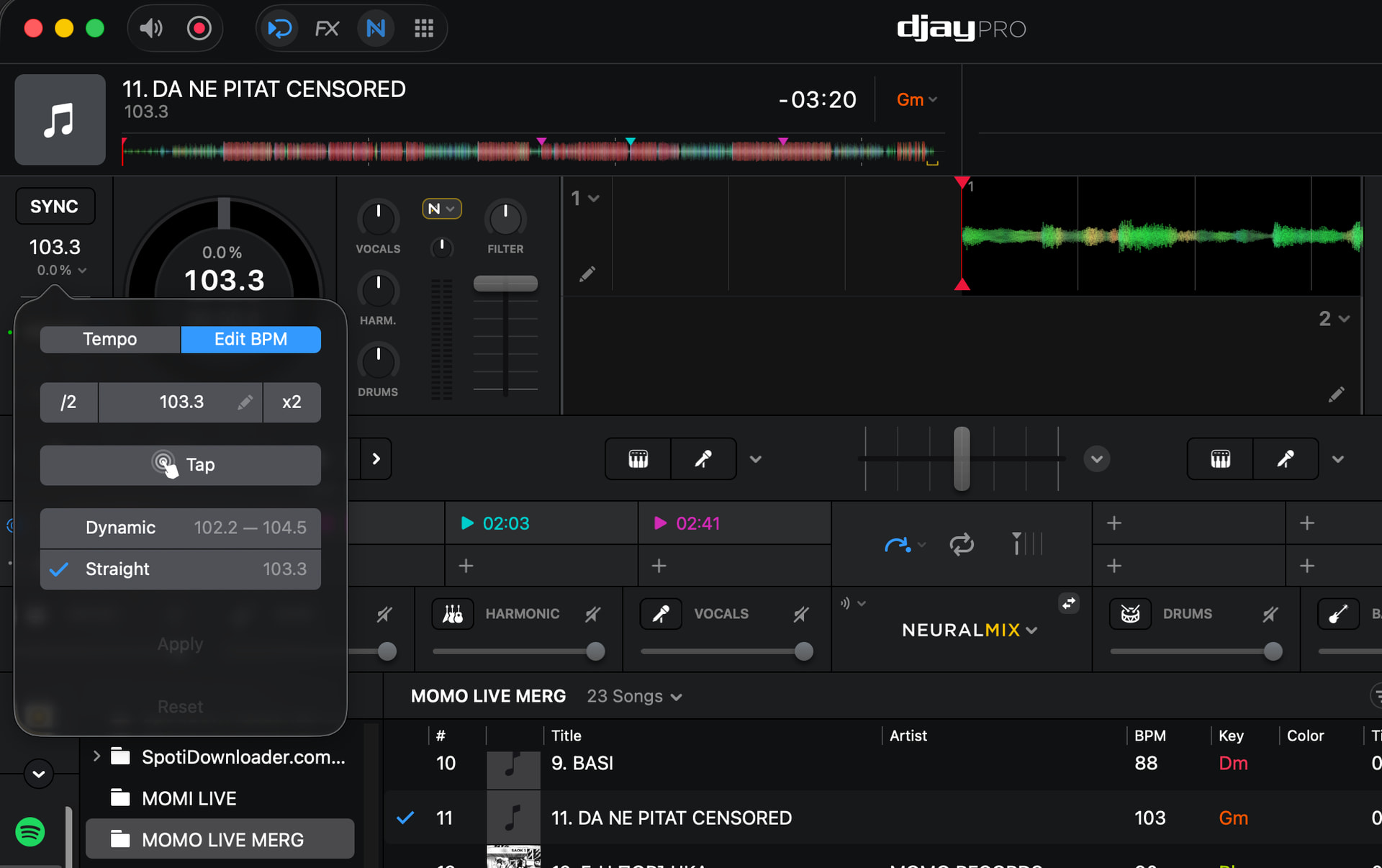
I am writing to express my growing frustration with a critical issue in my library that has been getting worse over the past couple of months.
I have discovered that many of my tracks are being analyzed with incorrect BPM values. For example, a track that is originally 87 BPM is being displayed as 103 BPM, even when set to a straight BPM. While my hot cues remain in place, they are no longer aligned properly due to the incorrect beat grid, which makes them unreliable during performance.
To work around this, I have been manually checking and correcting tracks by loading them into Serato to identify the correct BPM. Unfortunately, djay Pro does not fix these errors even after repeated analysis attempts.
At this point, I am preparing a new set and reviewing my folders. I’ve found that nearly half of my tracks—many of which already have carefully set cues—are now incorrectly analyzed. This is extremely concerning. If this issue occurs during a live performance, it could seriously disrupt my set.
I have been using djay Pro for over 3 years and have always been satisfied, but after the most recent updates, this BPM issue has significantly worsened and is now affecting a large portion of my library.
Please treat this as a high-priority issue. I rely on accurate BPM analysis for my workflow, and if this problem is not resolved soon, I will unfortunately have to consider switching back to Serato.
I would appreciate any guidance, fixes, or updates regarding this issue.
Hi @Merg, welcome to the Community! Sorry to hear you’re experiencing this issue. When creating new topics, please do not forget to answer the questions in our template with specific details about your setup not just “iPad” or “Latest Version”. This helps all of our community moderators to provide the most effective support to users with the utmost efficiency.
Device Model (ex. 2020 iPad Air 4th Gen):
Version of operating system (ex. iOS 17.3.1):
Version of djay (ex. 5.1.3):
Hardware/controllers used (ex. Reloop Ready):
Hardware Firmware Version:
Since this sounds repeatable, can you please capture and share a short screen recording of the issue?
Are you using streaming music or local music?
If local music, what file formats and where are the files stored?
I’ve attached screenshots below showing that Djay is analyzing the BPM incorrectly, while Serato displays the correct value. I always use local files and have played these tracks many times, so I’m not sure why songs that have already been analyzed and have cue points are now randomly showing incorrect BPM.
I’m using an M1 MacBook Air with the latest OS, and Djay Pro is also updated to the latest version. My files are in MP3 format, and I prepared this set directly on the laptop without using a controller. The hardware I typically use is the AlphaTheta GRV6, which is also running the latest firmware.
Of late I only get those glitches in serato, but extremely few tracks.
I am talking of less than 10 cases in the past months where serato displays 93bpm on a track that djay correctly analyses as 130bpm. Funny thing is: i hvae had and used exact same tracks before and they were fine. Could it be due to conflicts of multiple dj softwares?? Idk
I may have met like 5such cases in djay too but I have a 16000 track library.
Beauty of running 2 different dj platforms is that you get to correct it.
Yes it annoys that it happens.
Can you share some of your problem tracks here we test on our setups? Attach them
You’re welcome @Merg. Thanks for the additional info and screenshots. Can you please upload some of the songs you are having this issue with here or send them to me in a DM? Thanks!
Hello! It’s been a week since my last reply. I’m going to consider this topic completed for now so I can focus on others. However, please feel free to respond and we can definitely revisit this. Thanks!
Seems on my iPad .recently I have to keep redoing BPMS . Some tracks will read 50 but really is 100 so I doubled it. But when I close the software it goes back to 50. So it’s like 100 tracks that I’m fighting with