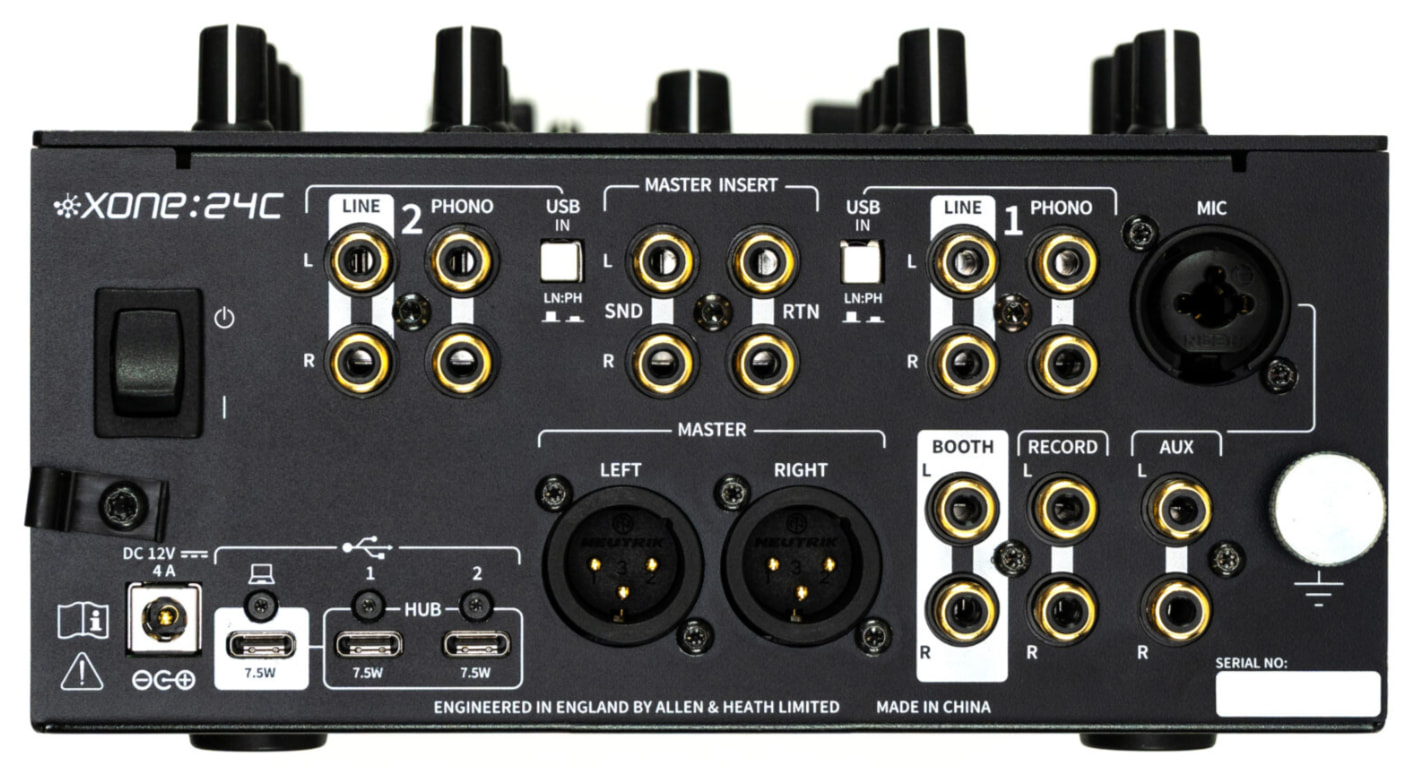
For some reason, I’m not able to get DVS pro mode to route properly in Djay pro. When enabled, only deck 1 will be recognized (using 2 turntables to phono in). My routing could be wrong, not sure.
I was able to get stream mode working fine (DVS), which makes no sense as DVS pro mode should work as well.
For anyone who has gotten DVS to work in DVS Pro mode - could you please share your routing settings? Or walk me through the routing?
Hi @lusidd, welcome to the Community! Sorry to hear you’re experiencing this issue. Please share the full details of your setup.
Device Model (ex. 2020 iPad Air 4th Gen):
Version of operating system (ex. iOS 17.3.1):
Version of djay (ex. 5.1.3):
Hardware/controllers used (ex. Reloop Ready):
Hardware Firmware Version:
Have you updated the firmware on the 24C?
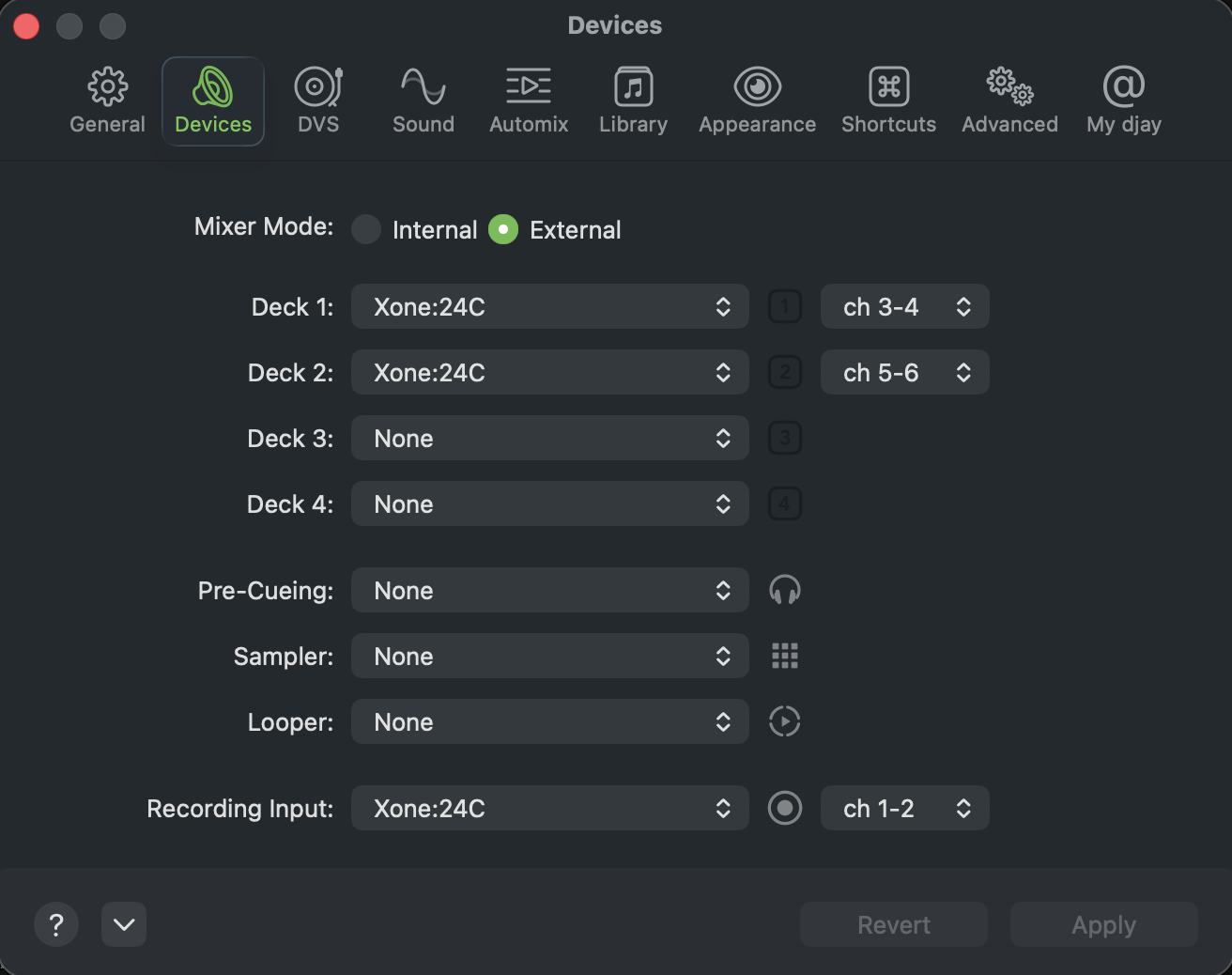
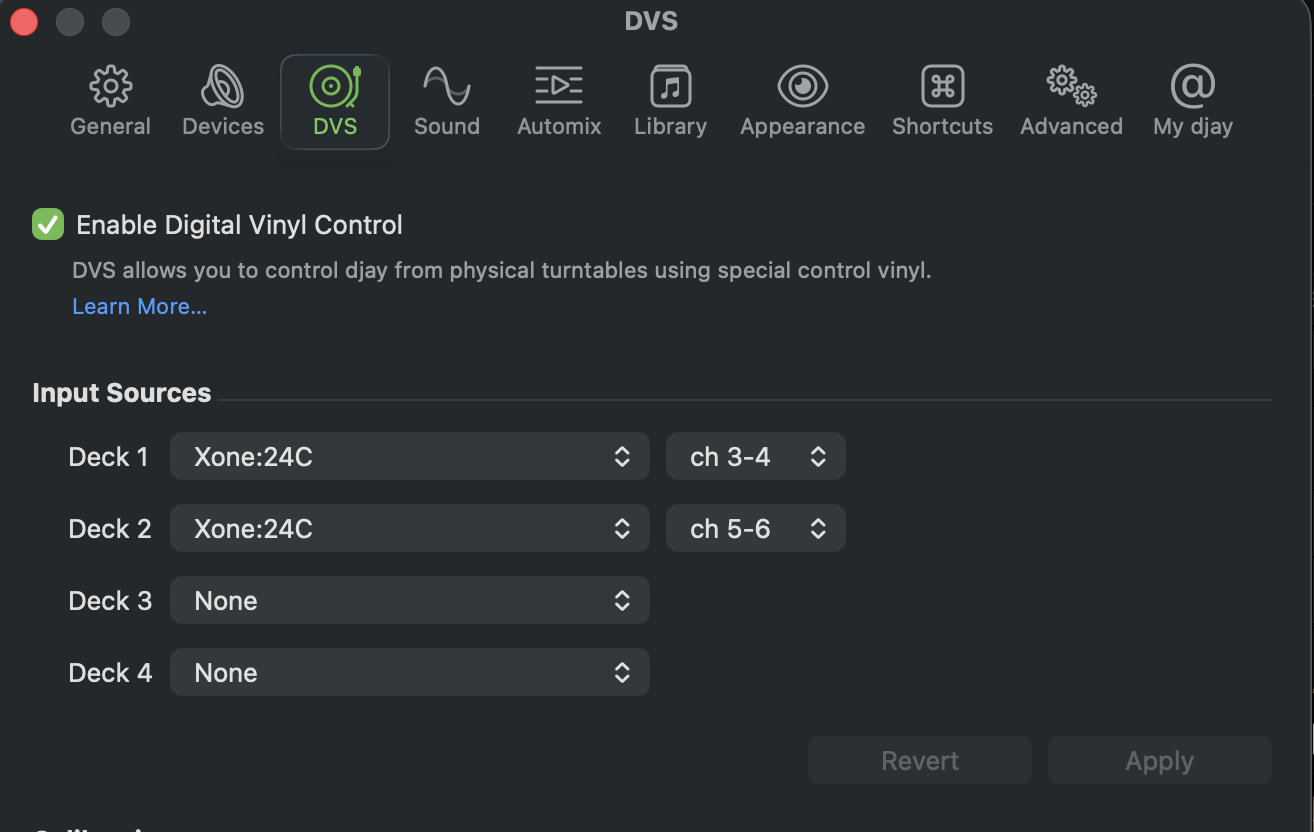
Please share screenshots of your Audio Devices settings and DVS settings.
In the meantime, here is some more info on setting up
DVS:
Device Model: 2021 M1 MacBook Pro
Version of operating system: MacOS Tahoe 26.3.1 (a)
Version of djay: 5.6.4
Hardware used: Xone:24C, 2x PDX-500
Hardware Firmware Version: The firmware for 24C is whatever it shipped with - there is no update or downloadable firmware that i’m aware of. The only resources on the Allen / Heath site for the 24C are windows drivers & the manual.
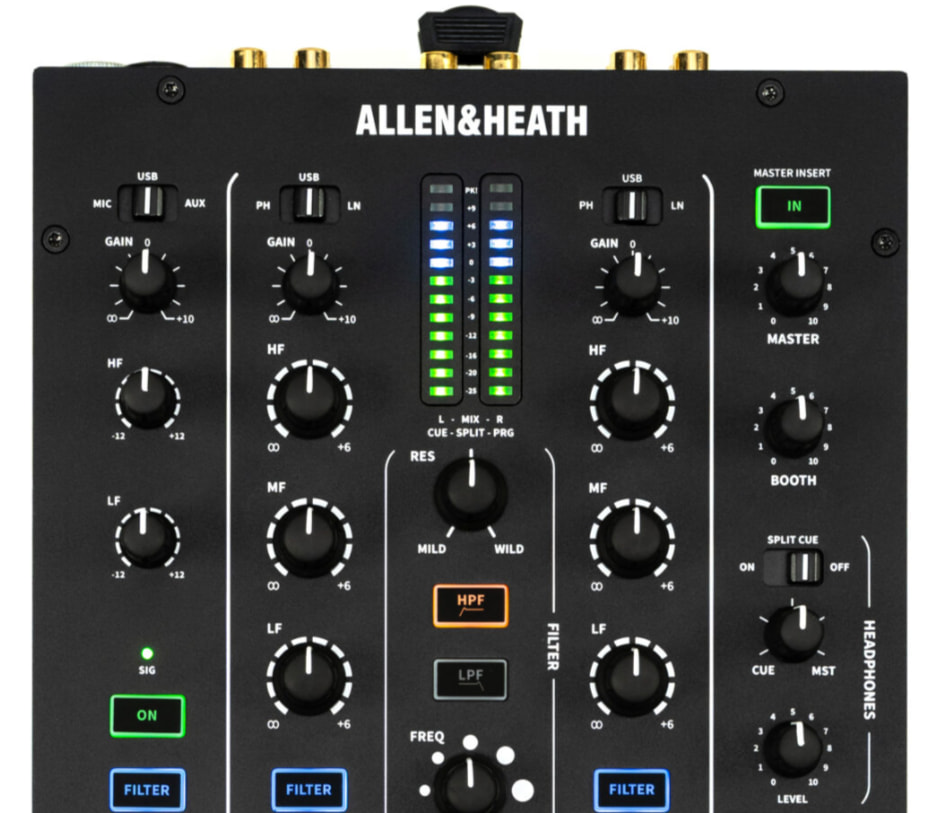
While in DVS Pro mode, both TTs are switched to phono, and connected to phono in on the 24C (phono switch pressed). The toggle for channels 1 & 2 are both set to USB. When calibrating DVS, channel 2 TT routes to Deck 1 scope, while channel 1 TT does not affect the other scope at all (or not deck 1 as it should). Weirdly, I can see my AUX signal light coming on when sending signal from channel 1 TT - though now that I think bout it, the AUX selector switch might have been set to USB instead of AUX, which might be where Djay is sending that signal; the manual does state:
Return audio aggregated on the host to the mixer by selecting USB input on Channel 1, Channel 2, and auxiliary Channel A.
However, this doesn’t explain channel 2 sending to signal to deck 1 (as far as i’m aware).
If I change the mode from DVS Pro to Stream, I can get calibration to pick up the time code vinyl with TT1 sending to deck 1 & TT2 sending to deck 2, and dvs works fine on my tracks.
Thanks for your help with this, it’s driving me crazy
Hi @lusidd, thanks for the additional information. I have moved your comments to their own topic to keep this discussion organized.
Please confirm that you have an active djay Pro subscription on your Mac.
What Control Vinyl are you using on each turntable?
Can you please confirm what you mean by “stream mode DVS” and “DVS pro mode”?
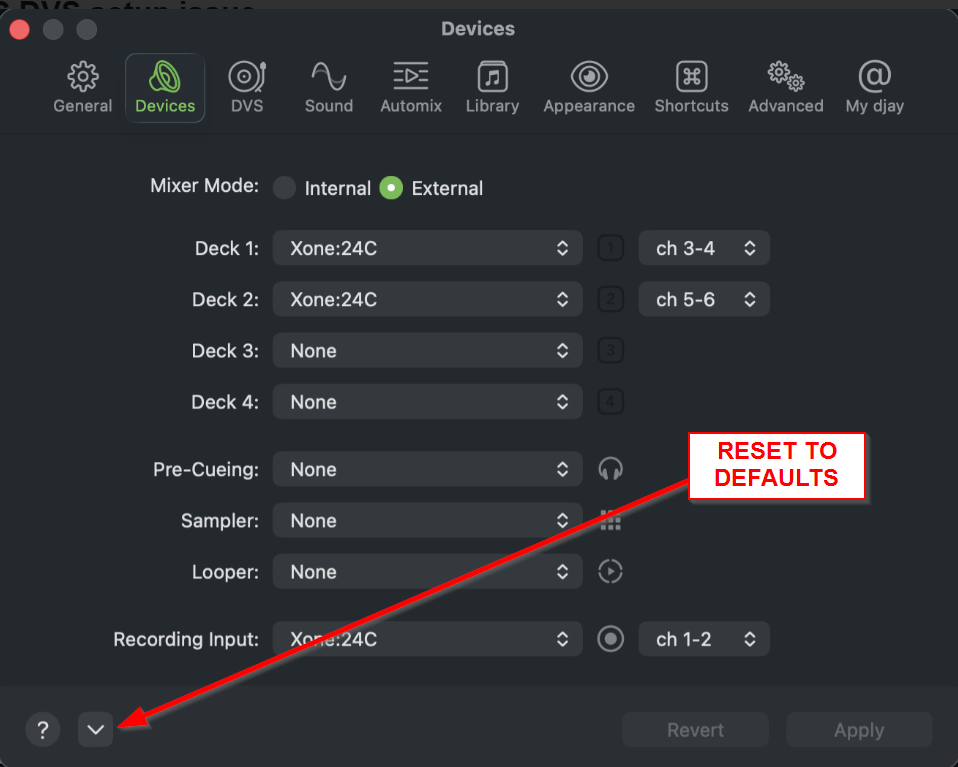
In the Devices Settings, please expand the dropdown menu and select Reset to Defaults then share a screenshot of the settings page again. I suspect you have routed these incorrectly. I’m pretty sure Deck 1 should be set to ch 1-2 and Deck 2 should be set to ch 3-4.
Hello! It’s been a week since my last reply. I’m going to consider this topic completed for now so I can focus on others. However, please feel free to respond and we can definitely revisit this. Thanks!
I’m getting the exact same issues. I’ve been pulling my hair out.
DVS Pro mode is a feature on the Allen & Heath mixer that you can set. I’ve been getting the same feedback through the other deck and it just refuses to play ball. Definitely a mixer issue.
Yep, tried that to no avail, dropped a message on the Allen & Heath Forum. Feel like more people would have the same issues, which leads me to think there was a faulty batch maybe?
Wondering if yours was the same, I’m also on a 2021 Macbook Pro M1 - 16” too, going to try hooking it up to my Intel iMac today and see if I have some similar issues…
Hello! It’s been a week since my last reply. I’m going to consider this topic completed for now so I can focus on others. However, please feel free to respond and we can definitely revisit this. Thanks!