**Once I download the app from the app store and try to open it, I get this error. “You can’t open the application “djay Pro” because it may be damaged or incomplete.”
Right after that the icon gets the this gray symbol**  **
**
Please help!**
**Once I download the app from the app store and try to open it, I get this error. “You can’t open the application “djay Pro” because it may be damaged or incomplete.”
Right after that the icon gets the this gray symbol** **
Please help!**
Delete and download again?
Hi @4in20, welcome to the Community! As @Mister_Tuur suggested, please delete the downloaded file, reboot your device, download the latest version from the official App Store, make sure you have admin privileges on your device and try installing again. Thanks!
I tried this many times. I even tried some code via terminal using terminal and nothing.
Unfortunately, the only source to download this is via the AppStore. Do you know if there ss there a direct link I could try downloading from?
Thanks.
djay is only available from the official App Store.
Are you using a 3rd party antivirus software?
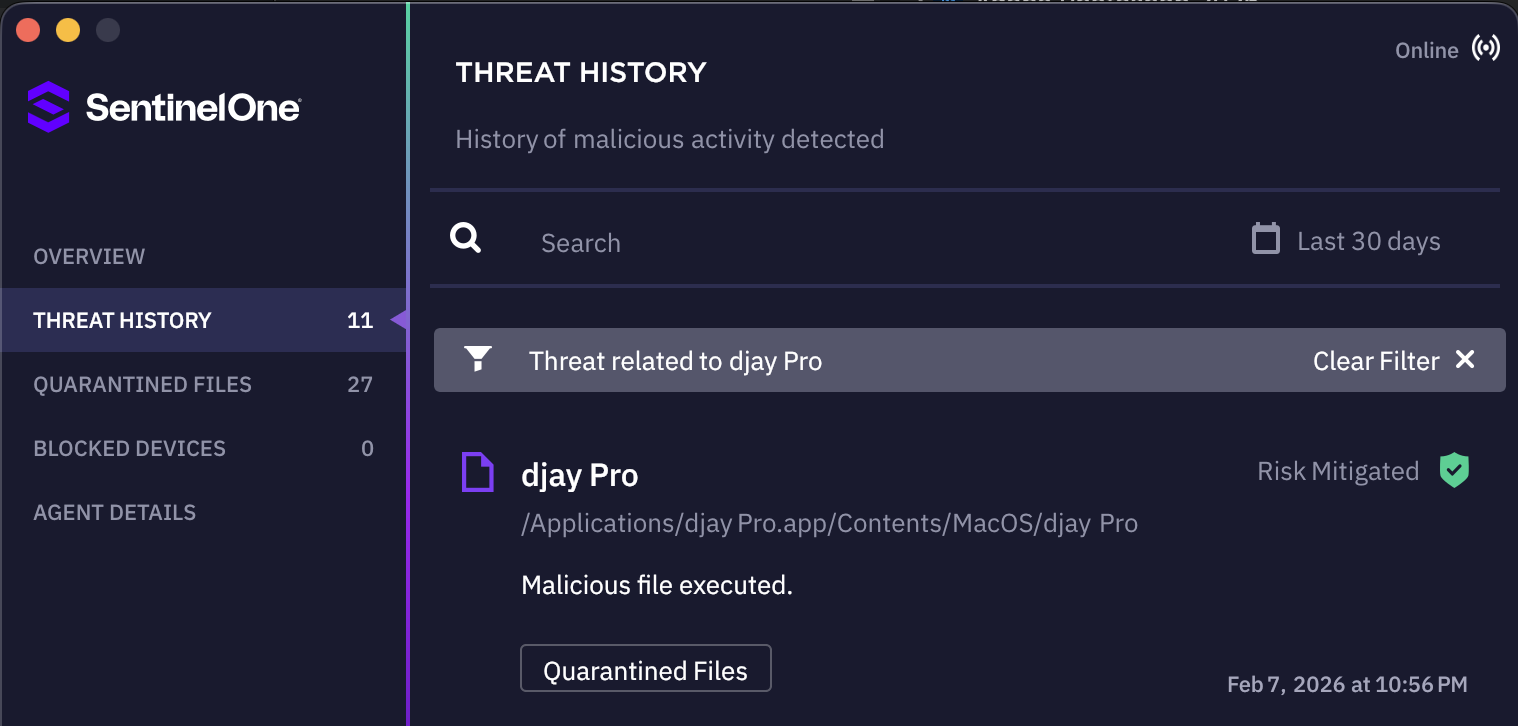
Good shout! I think you hit the nail in the head. I do have a 3rd party antivirus software called SentinelOne.
Unfortunately, I cannot turn it off. I even tried force quitting it in the Activity Monitor, but it doesn’t allow me to.
SentinelOne has been reported multiple times to conflict with many official apps.
WHY do u want to run antivirus in mac??? 
Didn’t you research??
Thanks for confirming @4in20, SentinelOne has known issues with djay. I recommend you reach out to them or temporarily uninstall it so you can properly install djay. I hope that helps!
Please refer to the related topic below for more info:
Hello! It’s been a week since my last reply. I’m going to consider this topic completed for now so I can focus on others. However, please feel free to respond and we can definitely revisit this. Thanks!
Hi again @4in20, Sentinel One informed us this morning that they fixed this on their side.
“This is an agent-side change, which means the customers will need to deploy macOS agent version 26.2.1 or higher.”
If a user is still seeing djay blocked:
1. They need to check their SentinelOne macOS agent version.
2. If it is below 26.2.1 , their IT administrator must update it.
3. Once updated to 26.2.1 or higher , djay should no longer be detected as VSearch/PUP.
4. If djay was previously quarantined, they may need to:
Restore it from quarantine, or
Reinstall djay after the agent update.