


Hi @djrynoevents and @DjLemart, I spoke with our development team and they’re aware of this request. While it’s on their radar for the future, it isn’t part of our current development focus. These decisions are always a balancing act, and right now our attention is directed elsewhere — but that doesn’t mean this won’t find its place down the road. Thanks for sharing your feedback, it genuinely helps shape where we go next!
@Slak_Jaw i appreciate the response, there is an overwhelming amount of people that want to just know something. Maybe a statement from them acknowledging the demand would help
Thank you
You’re welcome. The user demand is acknowledged. I can’t give you more than that at this point.
Thanks for the update @Slak_Jaw! I really feel like a lot of DJs are committed to SoundSwitch, and are therefore kinda committed to Serato, VDJ, or Engine. Many likely haven’t even given DJay a trial run. If DJay does get SoundSwitch integration, I’m sure it’ll be big news in the DJ community, and many DJs that are heavy SoundSwitch users are going to give DJay a serious try, and I’m sure there’s going to be a lot of conversions.
It kind of feels to me that Djay is a lot of DJs second favourite DJ software. When I say favourite, I mean that, like me, they love the software, but there are features that “force us” to use another piece of DJ software for real gigs. Which is a real shame.
Djay Pro supports Ableton Link, as does Soundswitch. Enable it on both and you can get this to sync via your internal network or adhoc between devices. Locks to the BPM better than the laptop mic.
Thanks for sharing @robertrl21
@robertrl21 that is not the point. In Soundswitch you have custom light shows for each track. Just syncing the BPM only helps to sync the BPM of standard loops but it does not give you the possibility of using the custom light shows and it also does not sync phrase. And that is kind of the point of Soundswitch.
I see. And you are correct. I must have missed the full intent of the use case and simply mentioned the BPM sync function of Ableton Link. Gratitude.
Dear @Slak_Jaw ,
I’d like to very much support this request for Djay Pro - SoundSwitch integration.
I will organize this post from a business / marketing point of view for future success of Djay Pro. And take into account the development workload I think is needed.
What does SoundSwitch actually do do do ?
SoundSwitch is the standard app for lighting control, based on the universal DMX Protocol.
SoundSwitch offers various auto modes, including based on BPM detection, and you can also drive every light of every fixture independently.
But this is not the killer feature. It comes below.
SoundSwitch has “autoscript”, in autoscript, it can learn (=listen to a song), then propose a lightshow for this, using the full beat grid, including build-ups, drops and so one. It will do so taking into account the lights and fixtures you have (huge database).
Then based on this first autoscript, the user can adapt the show manually to make a full light template for a song. This is the “Edit” (= preparation) mode. The “play” mode is called “Performance mode”.
When, in “Performance mode” connected to a listed DJ software,
It will know which song is played, switch from one light set to the other when you change song, or move the faders, including the crossfader. And when you play with the jogwheels, it will sync in real time (accelerating/decelerating light show, coming back, going forth). It will also follow all loops, and all changes in speed, every mix movement you make between two songs. It will also Jump on Cues. And the faders will also increase or decrease light intensity. It basically makes SoundSwitch follow your live set at every millisecond, so lights are perfectly in sync.
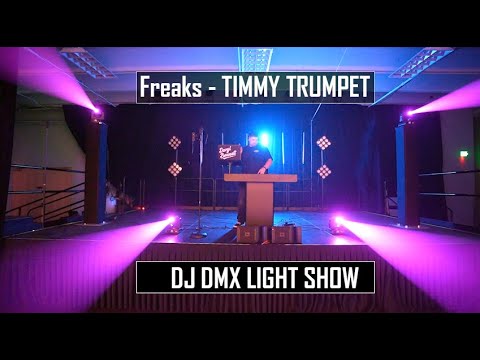
This is all very well illustrated in this video posted by @DJ_Reinaldo_Hits in another thread.
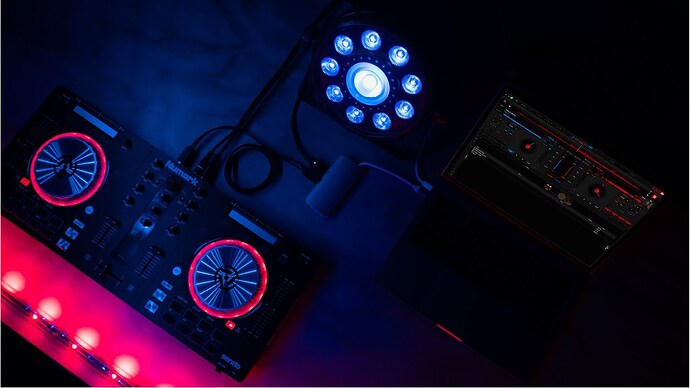
So, it is the perfect companion for DJay Pro, transferring all the lighting part to this companion app.
Should lighting management be built in Djay Pro ?
No, absolutely not.
Because, for example, SoundSwitch integrates a huge library or lights and fixtures, for many brands and models, and propose a lot of presets. So, it is a totally another hardware world (i.e. : lighting).
And what about Ableton
This doesn’t go deep enough, at all.
As can be easily understood by the description of functionalities above.
Why Djay Pro - SoundSwitch integration ?
Both target the same audience.
They are for the beginner / intermediate / advanced users.
Both are very complementary.
DJ’s using Djay Pro are probably also managing their lighting on their own.
We will set the lights to “auto” or “sound”, tap on the remote for some effects… that’s probably what everyone does in step one. But once you have set a foot in light programing and have easily built some dedicated lightset for some songs, there is no way back. The results are so rewarding. You only want more.
Actually, they are so complementary that Djay Pro is the obvious missing software in the SoundSwitch compatibility list. The picture below speaks for itself.
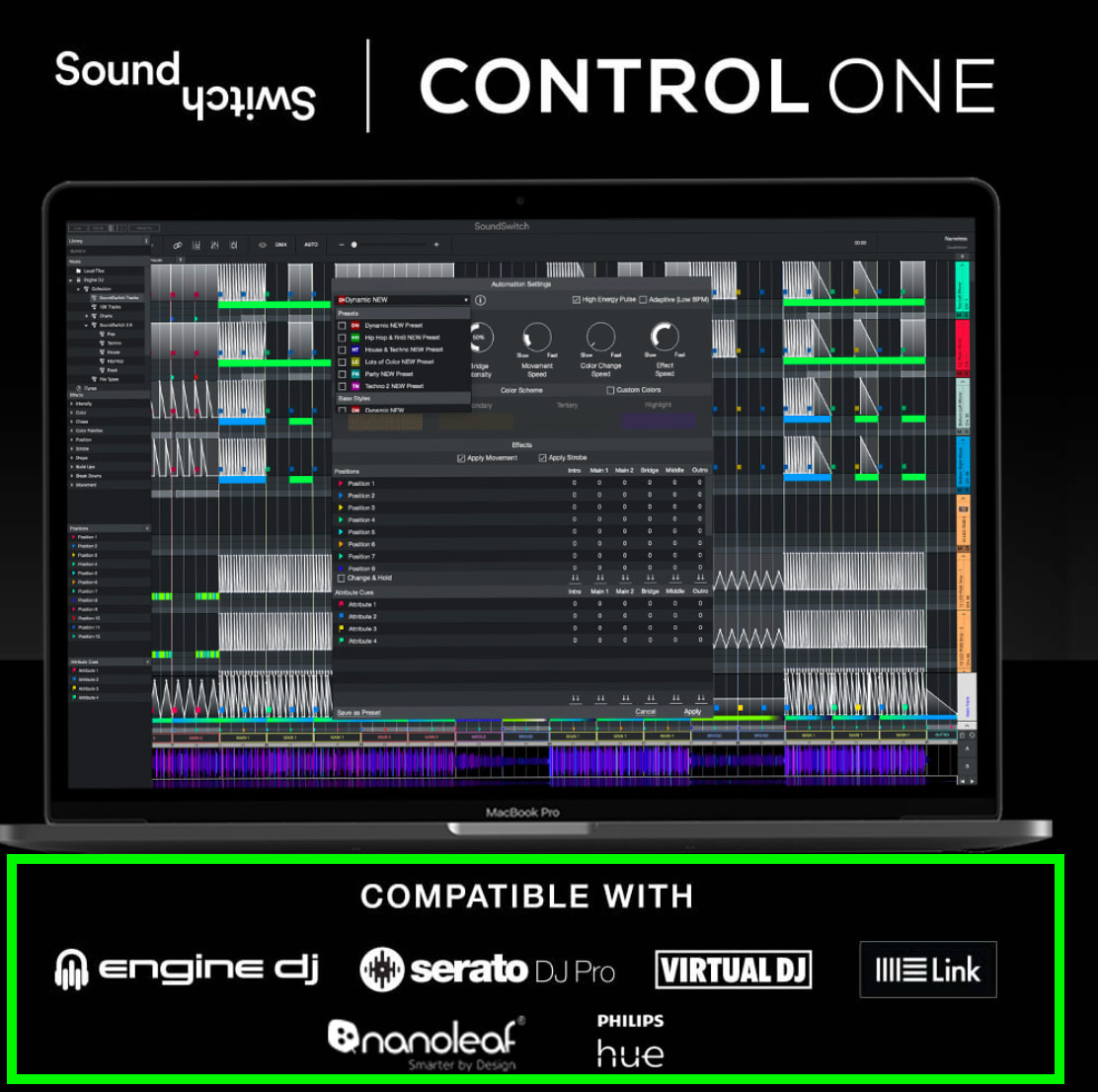
On the light side, it is even compatible with the whole Philips Hue environment.
Imagine all you can do…
What kind of work would this imply for Algoriddim ?
I think the work might actually be minimal. Seriously, I’ll explain why.
So it is a very good candidate for a High Win / Low Cost improvement.
Indeed, the info to be sent by Djay Pro to SoundSwitch is basically :
- The name of the song (probably on all active decks).
- Instant BPM.
- Possibly some beat grid info.
- The exact instant timing in the song (on all active decks).
- Faders and cross faders positions.
- Possibly gain/trim info.
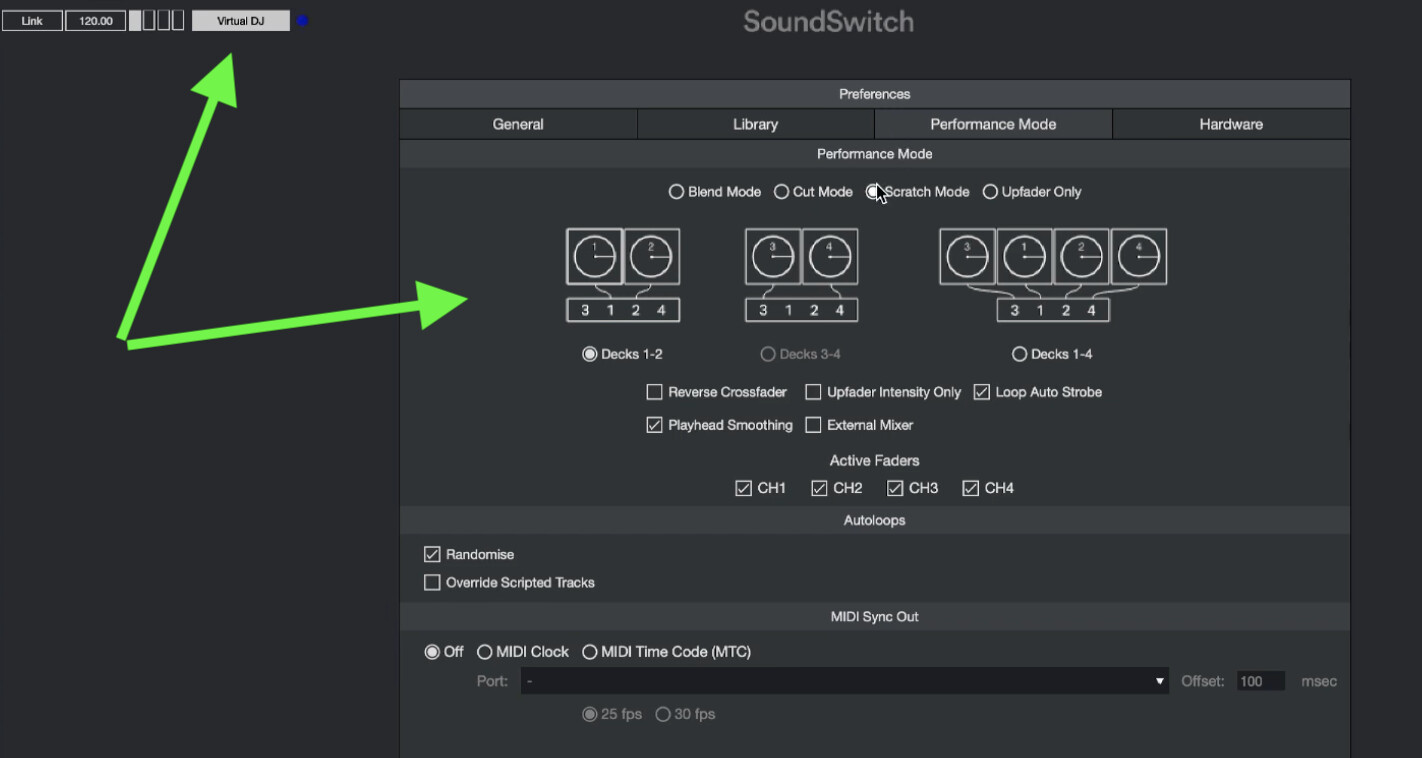
Going a bit further, Virtual DJ offers the possibility to map performance pads to send some basic commands to SoundSwitch (like Strobe, All Dark, Bright Room, or launch pre-programmed routines on SoundSwitch). As I am sure you understand, this is again super basic : It just sends a code to SoundSwitch, and SoundSwitch handles it. Like Djay would send “15” in some field. And SoundSwitch knows this means it has so launch preset “15”. This is a screenshot I extracted from the video above.

As another member (@Juan_Franco ) indicated in another post, this is all done via an open source protocol called Os2l (Open Sound to Light).
I don’t even think Djay Pro has to receive anything from the SoundSwitch app (except may be some check signals : received / not received).
So SoundSwitch is totally in slave mode.
Despite its huge success, SoundSwitch doesn’t work on Ipad yet.
So, the work is limited to MacOs and Windows versions of Djay.
Of course, I know everything is always more complicated than expected.
But I really think the scope of work is very well defined. There shouldn’t be tons of surprises.
On SoundSwitch side, they also have to add Djay Pro to their repertory of DJ Software.
This is mainly because SoundSwitch also needs to know when you are in two deck modes, or four deck modes (for example), and there are some parameters about the integration of the crossfader cut mode (for example. Because when scratching, you may or may not, want to have the lights reacting to scratching).
Partnership and licensing
This is very straightforward too.
SoundSwitch has its own license program (monthly, yearly, lifetime).
So, every part handles its client. No need for any cross fees.
The collaboration would only bring more users to each company : simple win/win.
Conclusion
SoundSwitch and Djay Pro share the same target audience.
They are both best in class.
Integration work is probably very reasonable (explained above).
Licensing models are separate. Very easy.
Easy crossbreeding for both companies, as this integration is a must.
Because indeed, I do think it is much more than a nice to have.
It is indeed a must have.
Now that I have a foot in this (light), I totally understand that some users of other DJ platforms are in a No-Go situation to switch to Djay Pro, as they would lose most of the light part (a significant part of the event).
As a punch line (but actually quite true), I would say Algoriddim not interfacing with SoundSwitch would mean that Algoriddim considers that light and sound are two totally separated worlds in a DJ event, having no meaning to cooperate, while we all know the opposite it true.
Especially for the target audience (we, us), who are doing all at once, but only have two hands, want to leverage on previous work, make every gig better than the previous one.
This request has already gathered 98 positive votes !
Thank you very much for the detailed breakdown and feedback @Davidv100. I have shared this with our dev team.
I will give one very clear example.
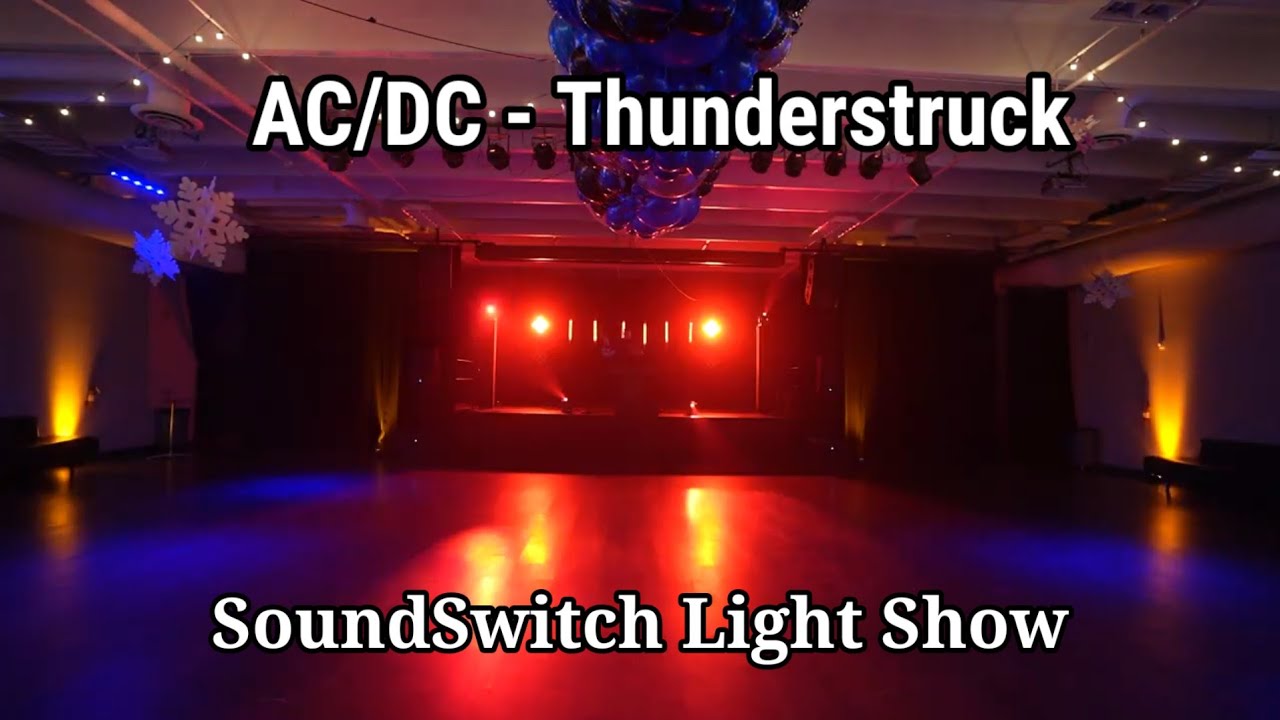
This DJ YouTuber has built his own little light show in SoundSwitch (I mean wedding style, this is not Tomorrowland, or Ultra, or whatever Ibiza or Berlin venue) for the song “Thundersrtuck” by AC/DC we all know.
When this work has been done one and for all in SoundSwitch, how to expect he would trash this in the dustbin by switching from Serato to Djay…
It took him less than a hour of hobby/funny work to build this.
And I am sure his audience does like it 10x the work he put in it.
How can you just return to lights in light “auto” or “sound” mode, doing whatever random stuff, just because you would want to use Djay… It won’t work.
I can only think : Wow, I want to do this too, with Djay Pro integrated with SoundSwitch : so fun to prepare, and even more to perform.
There is no future in sound and light separation.
It is more than time for Djay to catch the lighting train.
Thanks for sharing @Davidv100
Hello,
very good morning,
I am a new user who discovered Djay literally yesterday, I use soundswitch, and currently there is a function to detect the BPM automatically, that is half of what I ask of you, before continuing I am a 13 year old beginner dj, who is looking for a flexible dj software that gives me many possibilities, Djay is a software that I love, I tried it for 1 hour and it is the best software I have seen, now yes, I need your development team to do One thing, One Creates an option like Ableton live that can be activated that allows the software to send data through a port such as what track is playing and what BPM it has. You only have to do that so that the Soundswitch team can implement the port connection option in their software. network as Virtual DJ does. Another alternative may be that for now you do this in Djay, that in the Sound Output selection part there is the soundswitch option or in some way it is selected in the audio source of soundswitch as: Djay Master Out or as you wish, 1/3 of your users have been asking you for this for 3 years, I give them the options that I mentioned above, I am a Windows user and soundswitch must be implemented in Djay in MacOs and Windows versions, and I think that due to limitations, on mobile devices it should be Through Control One. I have had to give up Rekordbox just for that and I don’t want to give up this software so easily. Finally I wish you all a happy 2025.
Sincerely
Juan Diego Franco From Colombia
Hi @Juan_Franco, welcome to the Community! I have changed your topic from a General Discussion to a Suggestion so you and other users can upvote this topic.
- I don’t have access to Soundswitch myself to confirm, but djay already supports Ableton LINK so perhaps you can use this to achieve your goals?
a. Connecting Ableton Link | Algoriddim Support
b. Ableton Link: Connect music making apps with Ableton Live | Ableton - Can you please share more specific details of how Virtual DJ and Rekordbox integrate with Soundswitch?
- Also, there is an existing topic here for adding SoundSwitch support if you’d like to vote there: Add SoundSwitch Support
Hello,
first of all, thank you very much for your quick response, I didn’t think it would be so quick,
Continuing, it is true that if you can connect with soundswitch through Ableton link, the problem is that ableton establishes a fixed BPM, which we cannot change or something like that, which is a serious limitation for DJs, 2. Of course you I will mention how these two softwares connect, Virtual DJ: this uses the Os2l function for its acronym “Open sound to light” which is a protocol that sends data such as: what track is playing, the position of the track in the track, what BPM it has, what thing is modifying it, such as some Effect, in the case that a loop is applied, the lights will apply Strober, Etc. All this information is necessary so that the magic can be done in soundswitch, the BPM is used to synchronize the beats of the track with the Autoloops that are also quantized by measures of 4, 8, etc. The rest of the info is for the Scripted tracks, which is a long story, Rekordbox uses the same method through Ableton link but I tried it and it is horribly difficult to use and does not meet the requirements. I ask you to tell the developers to integrate the Os2l protocol to Djay, and it is with this that the soundswitch team will prepare the rest. For now you could start with sending the BPM if it seems most viable to you,
Thank you very much, I look forward to your response.
You’re welcome @Juan_Franco. Thank you for the addition info and details. This is super helpful. I will pass this onto the dev team for consideration.
In the meantime, here is some more info regarding SoundSwitch and Ableton Link:
The soundswitch reads the music as a whole, not just the bpm, when the music changes, the lighting effects scene also changes, with perfect interaction between Virtual DJ and Serato, Engine DJ, (Rekordbox has its own system in DMX), the only thing missing is Djay.

Funcionan con ableton Los scripted tracks?
Ableton only autoloops according to the bpm of the song


