Device model *: LG Gram 2024 32GB Ram, 2TB SSD, 12th Gen Intel(R) Core™ i7-1260P (2.10 GHz)
Version of operating system: Windows 11 Pro - 26200.7171
Version of djay (e.g. 5.1.2): 5.52 (Windows)
Hardware/controllers used: Rane Four and Reloop Buddy, but not relevant for this discussion
Please consider sharing a short video or screenshots to help clarify your question
YOUR QUESTION:
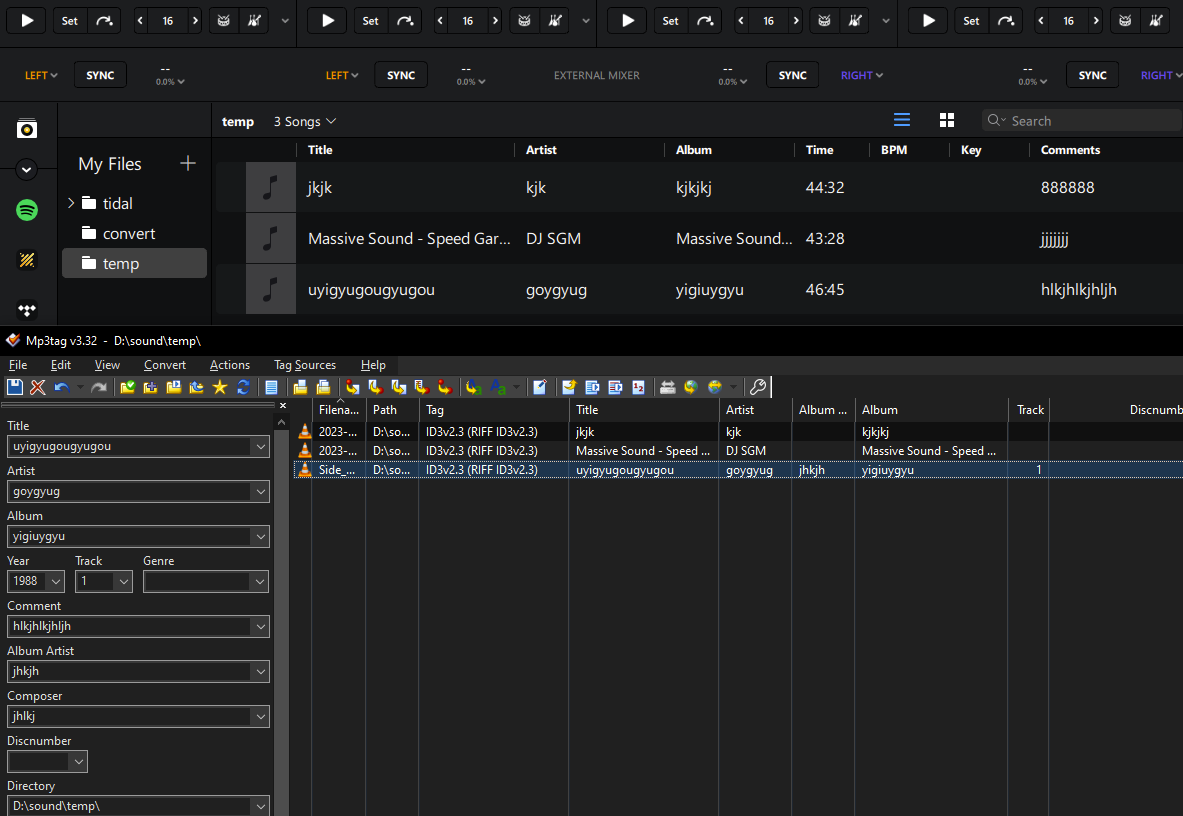
I have manually entered meta data in mp3Tag (v. 3.32 for Windows) for wav files, however the contents of the ARTIST field does not display in djay pro (v. 5.5.2 for Windows). The field is blank. I have reviewed this extensively with the developers of mp3Tag, who have duplicated the problem on their systems and advised me to contact Algoriddim to ask which solutions you may offer for this problem. So here we are. Can you please advise how to resolve this problem? It only happens with the ARTIST field. I do not have this problem with mp3 format files - only wav.
Thank you.
What value does Mp3tag show in the Tag column for files with a broken Artist field?
Could you provide a link to your conversation with mp3tag developers?
I was not able to reproduce this issue.
Why use WAV in the first place? WAV stores audio in uncompressed PCM format. When a PCM stream is compressed to FLAC and then decompressed back to PCM, the data is bit-for-bit identical. However, unlike WAV, FLAC has a well-defined metadata structure that ensures consistent reading of tags across different players and tools.
WAV is an old format, so methods for storing metadata were added later on. This has led to a situation where some software might ignore certain metadata chunks written by other applications.
I experienced many problems with MP3 metadata in the past—such as issues with text encoding—but I never had any issues with FLAC metadata. It seems rock solid.
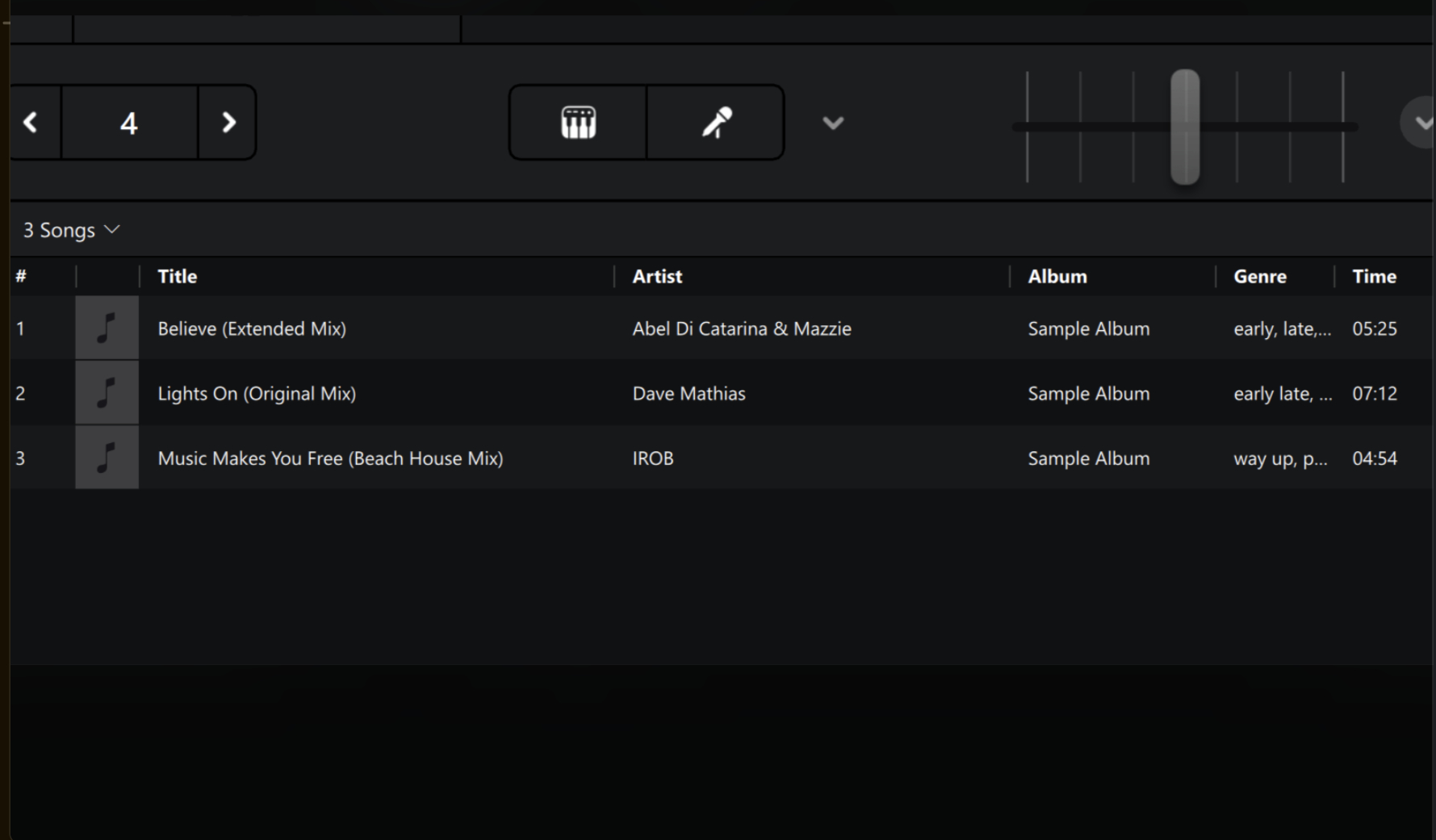
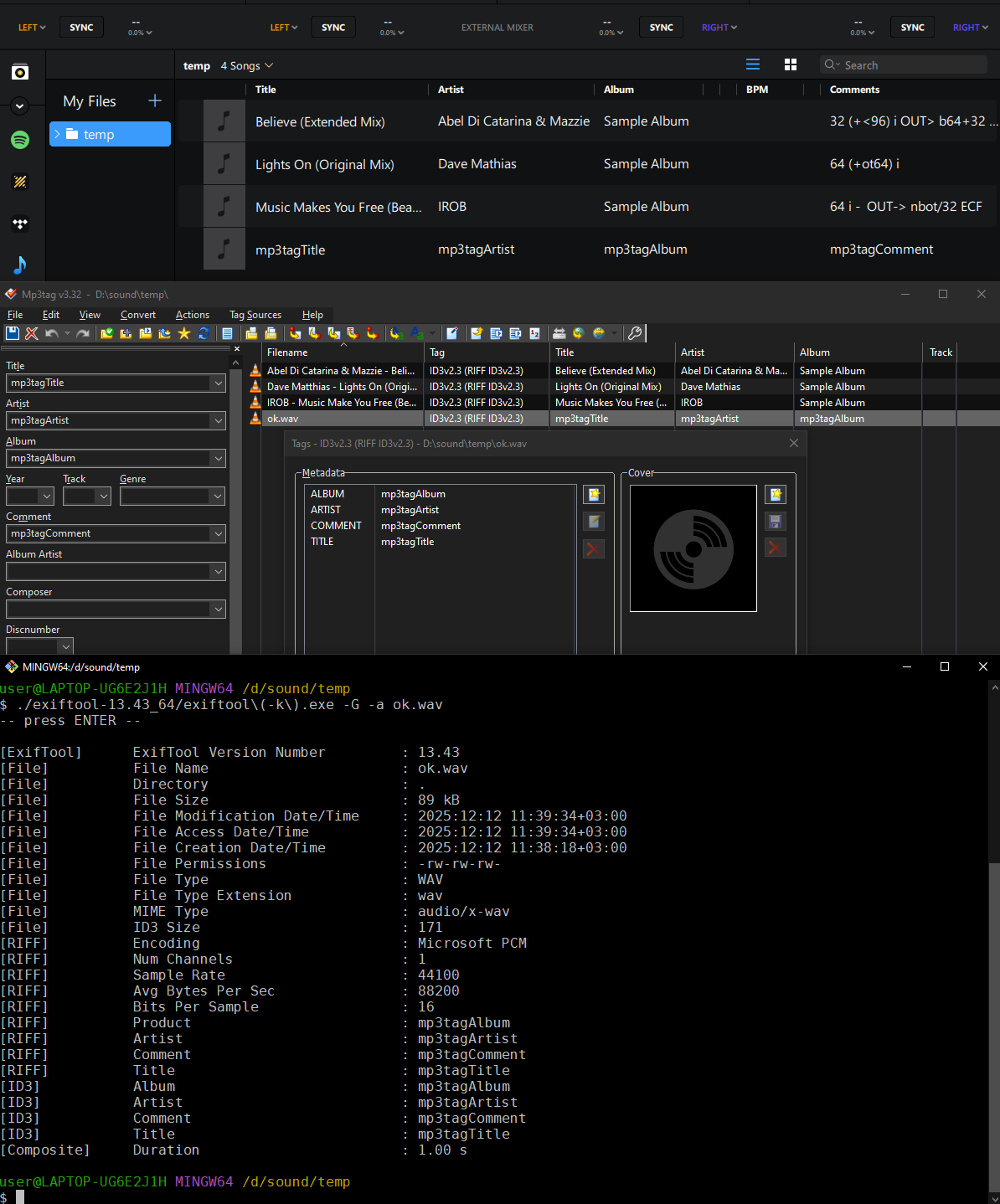
Anyway, I tried to reproduce this issue using Mp3tag 3.32 (64-bit) and Djay 5.5.2 on Windows 10. Tags written as RIFF (RIFF) and ID3v2.3 (RIFF ID3v2.3) are displayed correctly in Djay.
When I remove all tags (by right-clicking on a track and selecting “Remove tag”) and write new tags from scratch, they are saved as ID3v2.3 (RIFF ID3v2.3) and shown correctly in Djay.
I also found some WAV files recorded with the Windows built-in Recorder app, possibly around 20 years ago. These files do not contain any tags (the Tag column is empty), but after adding tags with Mp3tag, they appear correctly in Djay again.
What value does Mp3tag show in the Tag column for files with a broken Artist field?
Hi again @TheSilverStreak, our team was unable to reproduce this. Can you please upload some of the wav files that you are having issues with so we can investigate further? Thanks!
I am attaching three WAV files that do not have their ARTIST data ported from mp3Tag. Please note that none of my WAV files tagged in mp3Tag have successfully ported the ARTIST data into djay Pro. Also please note that this problem has been duplicated by others in the mp3Tag forum. Please relay to your team that in order to properly test this functionality, they must be using the English versions of both Windows 11 Pro and djay Pro, as others have indicated that it is then when they duplicate this problem.
I would like to ask for you to provide the exact Extended Tag language djay Pro is looking for in order to properly port the data from mp3Tag to djay Pro. I can then pass that onto the folks at mp3Tag.
Of note, I do not encounter this problem when porting the tag data to Serato - only when porting to djay Pro. So it’s possible the two apps are using two different exact Extended Tag language.
In closing, could you please send me some of the WAV files your team has successfully used to generate tags in mp3Tag and transfer the ARTIST field into djay Pro, since they haven’t been able to reproduce the issue on their end? (Again, using the current releases of Windows 11 Pro English version and mp3Tag English version.
Thanks very much for your time and your help.
Same here. I guess it means that there is nothing wrong with the files or the way Djay parses values from them. Something happens in later stages of processing or displaying.
Here is my test file. It is a 1-second sine wave created in Audacity 3.7.7. Tags were added in Mp3tag 3.32, and both RIFF and ID3 tags are present. Tags are encoded in UTF-16.
Hi again,
Thanks very much for your help and for sending that sample wav file. I downloaded it, opened it in djay Pro and unfortunately, the ARTIST field content still does not display. I opened the file in mp3Tag and added data in the GENRE field just to see if it would display in djay Pro. That GENRE content displays, but again, not the ARTIST field’s content. Please see attached screenshot.
Slak, can you please give me the exact language Djay Pro is looking for in the Extented Tag for the ARTIST field? I’d like to provide that to the people on the djay Pro side. (They’ve asked for it.) Thanks again all!
“I tested on Windows 11 Home running latest djay PRO which is as of today 5.6. My Windows are in English, I’m not sure what they mean by English version, but I guess it’s the language set by the OS as the main one.”
Hi again,
Thanks for that info. Please note: I am running Windows 11 PRO, not the HOME version. Not sure if that will make a difference, but it might.
I specified the English versions of both djay Pro and mp3Tag because others from the mp3Tag forum have told me they duplicated the problem I’m experiencing in the English versions of these programs, but not the German versions (which they use natively).
Also:
This question doesn’t make sense to me, as I don’t see any reason to believe such a thing exists.
According to the ID3v2.3 specification, the “Language” field exists only in frames like comments (COMM), text transcription (USLT, SYLT), and commercial frame (COMR).
All text information frames follow this structure: id, encoding, text string according to encoding.
Frames like artist, album artist and composer (TPE1, TPE2, TPE3) are text information frames. They contain only the encoding byte — no Language field by definition.
If “extended tag” refers to the optional Extended Header, it also lacks any Language field.
The specification doesn’t mention any additional fields or “extended tags” in standard text information frames. TPE1/TPE2/TPE3 have no extended structure.
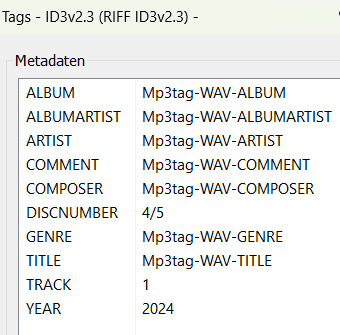
I was advised in the mp3Tag forums to ask Algoriddim’s developers for the specific tag Djay Pro is looking for with respect to importing WAV content for the ARTIST field. For example, for WAV metadata, mp3Tag uses the following - (see image). I’m trying to determine if there is a discrepency between the tag name for the ARTIST field that is used by Djay Pro vs the one used by mp3Tag.
I hope you get called out in both communities—here and on MP3tag—by the end of this thread. Just stop pushing and let developers do their jobs. You know, the real ones, not the imaginary kind you keep talking about.