


Unfortunately this didn’t work for me. I had tried this before submitting my ticket. I still see no device found.
I’m looking forward to the update. Is there any timeframe on when the update will come?
I’m in the same boat as @Tek. It did’nt work for me either.
1 Like
Heya - thanks for investigating & glad it’s not an issue isolated to just my setup.
Unfortunately resetting to defaults doesn’t seem to fix anything for me either. I’d tried this prior but still no luck.
2 Likes
Hi @Tek, @Hutsio and @P4blo, to clarify, the Main Output will still show “No device found”, however the actual audio should still work. Please test the actual audio output of your device after “Reset to Defaults” even if the UI still says “No device found”. Thanks!
Thank you @Slack_Jaw
Unfortunately, that workaround doesn’t apply in my case:
When I hit “Reset to Defaults”, i still see The Main Output dropdown shows “No Device Found”, and there are no options to select another device manually.
Additionally, No audio plays through the output, so djay isn’t finding the device as it’s default, even though it’s the system default.
I can use all other devices everywhere but main output.
Hope this is helpful! 
You’re welcome @Tek. Thanks for the additional info.
Hello, same issue as everyone else. Djay Pro 5.4 Windows 11. Worked great last week, then didn’t. I get audio out of booth out. But Sounds sub par. Nothing can be selected in main out. I’m glad there is a solution being worked in. But how long would we have to wait on an update to be rolled out?
Hi @Teazee, welcome to the Community! Did you try the “Reset to defaults” workaround above? The main out will still show “No device found”, but the actual audio output to your main channel might still work.
I’m in the same boat. No devices appear in the dropdown menu for Main Output. Really looking forward to that update!
Thanks for sharing @Per_Arne_Kobbevik
1 Like
Please I need help. I have the most recent version of the software. I have an event this weekend I must take care of. Please if anyone knows a fix please let me know.
Hi @Ruther_Tagala, welcome to the Community! Did you try the temporary workaround detailed above?
Hello again everyone. We can confirm that the issue seems to be purely in the UI, i.e. the audio output still works and will use the default output device, but you can’t switch between main output devices (because the menu doesn’t list the devices).
In that sense it will only affect users who want to use a non-standard configuration, e.g. switching to Bluetooth output. Everyone using a controller with a standard configuration should be fine. So, as outlined above, please use the Reset to Defaults button at the bottom of the Audio Devices menu and your controller should work as expected regardless of what the UI says.
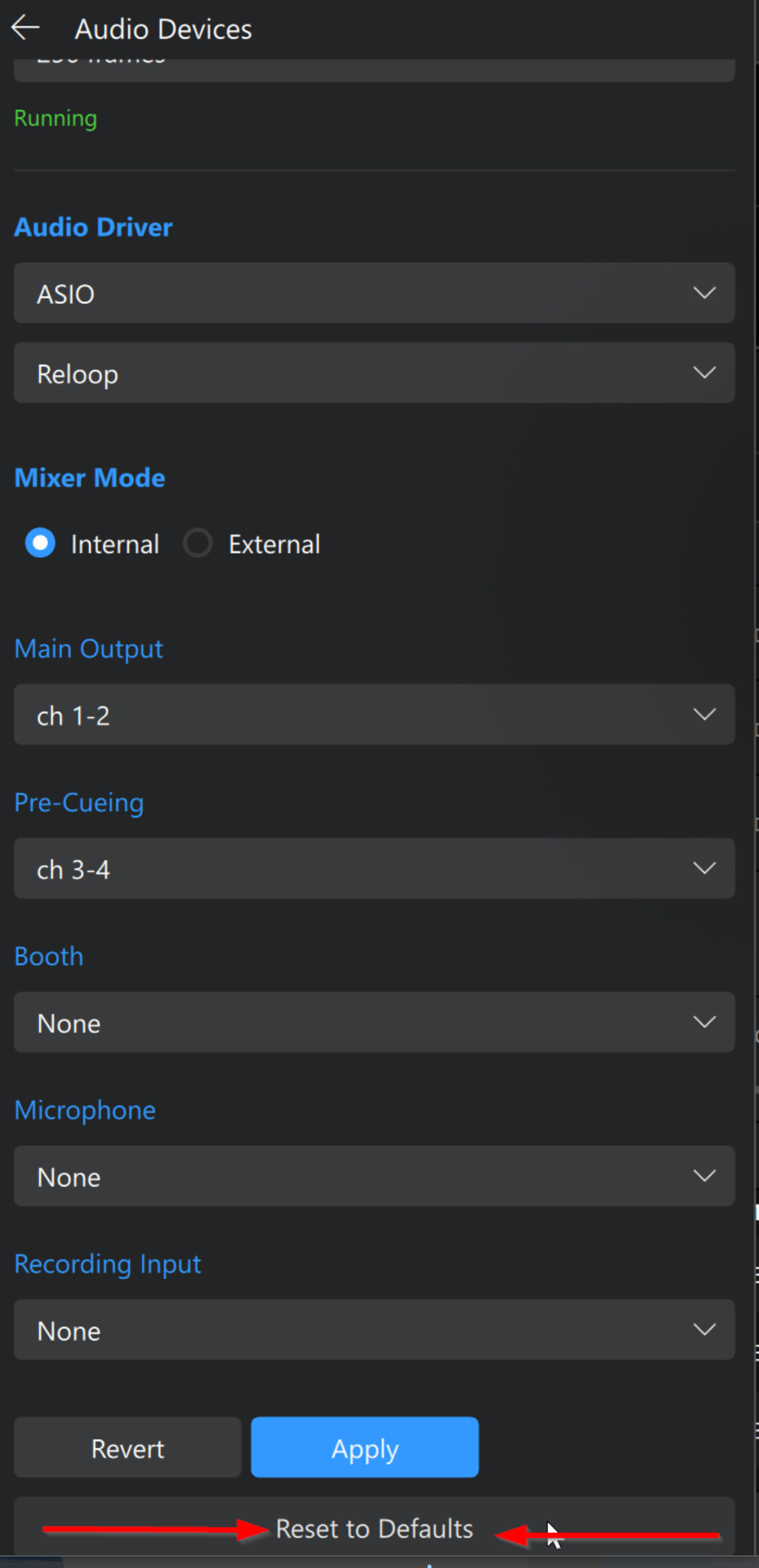
We can also confirm that a proper fix will be coming in the 5.4.2 update, but we don’t have an exact release date yet.
Unfortunately this workaround doesn’t work for me since I use an optical output independent from my controller as my primary output.
Every time I plug in the controller it defaults to that as the primary output & I can’t select anything else.
Hopefully the patch comes soon. At the moment I can’t use the software at all.
1 Like
Yes I tried it last night and still no luck. I will update when I try again.
No luck still the same. Please come out with the update soon because this weekend PST is really important for me.
Hi @Ruther_Tagala, can you please provide the full details of your setup?
Device Model (ex. 2020 iPad Air 4th Gen):
Version of operating system (ex. iOS 17.3.1):
Version of djay (ex. 5.1.3):
Hardware/controllers used (ex. Reloop Ready):
Hardware Firmware Version (ex. 2.7):
It should output to the default output (first in the list shown for pre-cueing etc.). If you have multiple audio devices connected it might not be outputting to the one you are expecting. Can you try disconnecting other audio interfaces or disabling them in the system device settings?
I agree with you. I purchased the app 2 months ago and due to various problems with the app, was only able to use it for 1 month.
I am debating pursuing with a refund at this point. Even if i have to do it via chargeback.
Same, this needs to be fixed ASAP!
Hi @mvz, welcome to the Community!
- Did you try the workaround outlined above? Audio device issue. Main output - No device found. - #39 by Slak_Jaw
- Are you using multiple audio devices?
- Can you please provide complete details about your setup?
Device Model (ex. 2020 iPad Air 4th Gen):
Version of operating system (ex. iOS 17.3.1):
Version of djay (ex. 5.1.3):
Hardware/controllers used (ex. Reloop Ready):
Hardware Firmware Version (ex. 2.7):


