


I’ve noticed since the new update with my automix on it’s playing the song that’s up next, but also playing the new song upon load and not allowing the original song to play on full.
1 Like
Hi @jmoak311, can you please share a screen recording from your Mac instead? Please also share a screen shots of your Automix settings including the Start/End and the Maximum Song Play Duration settings.
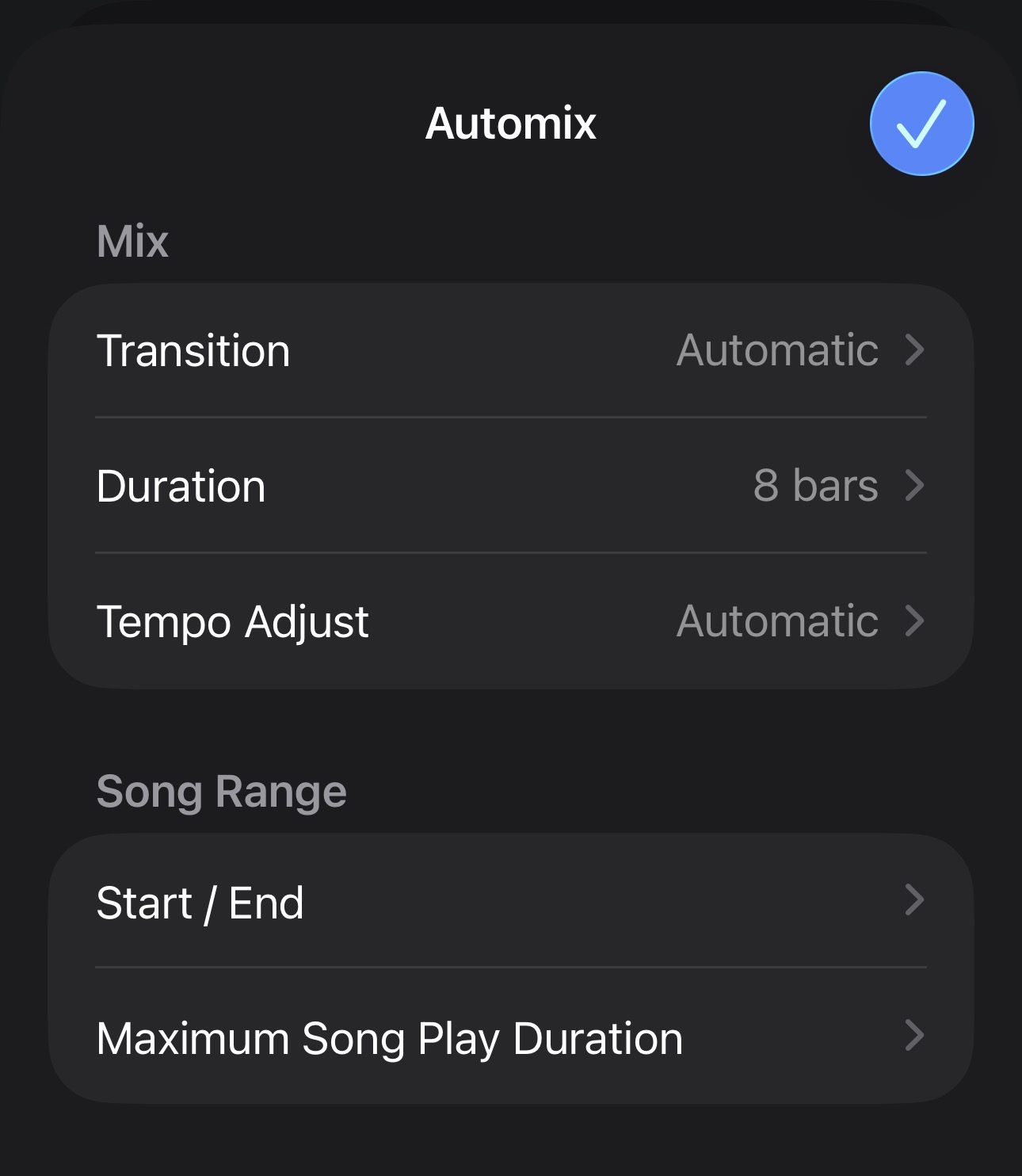
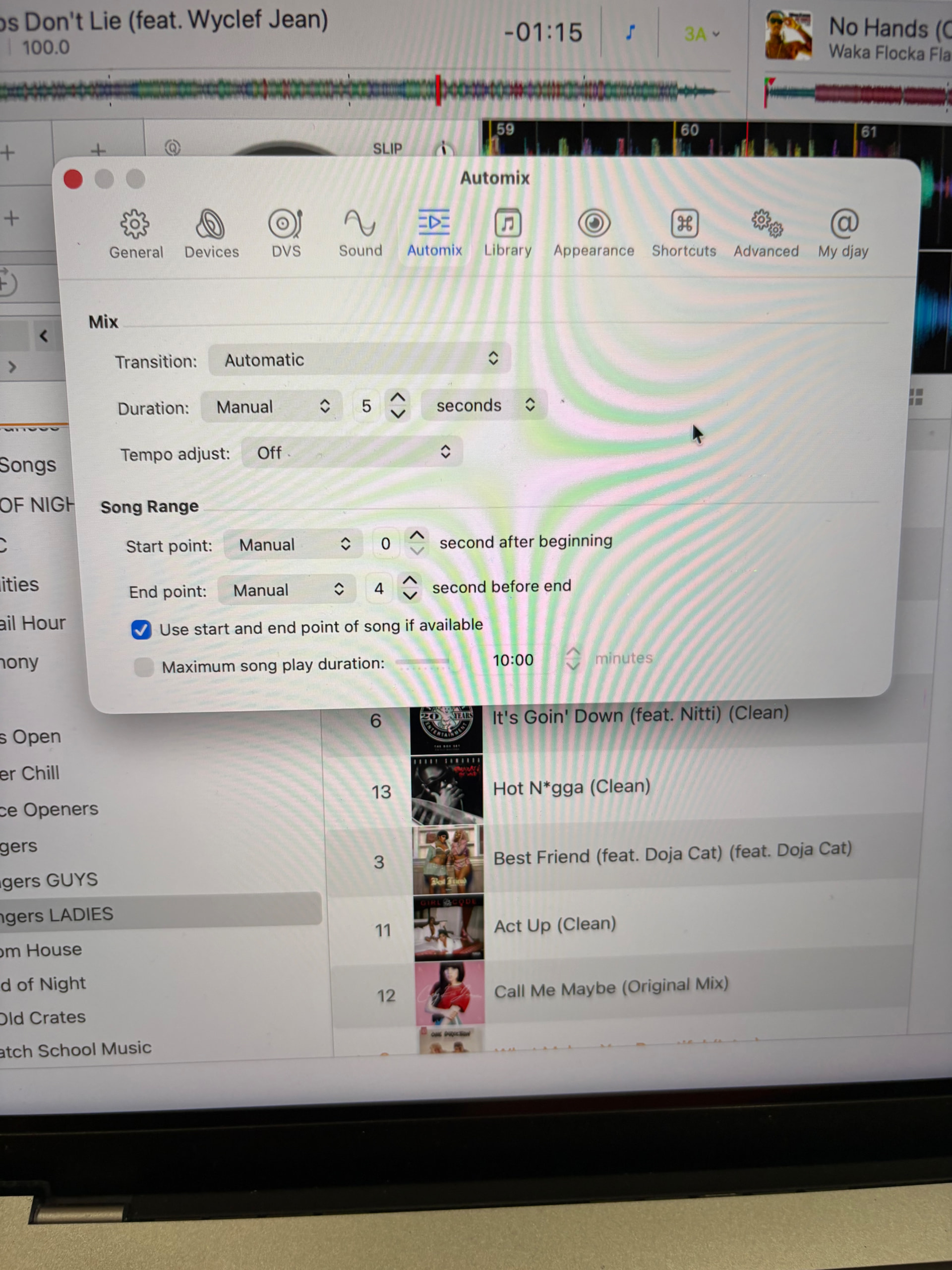
Been like this forever unless I hit something accidentally. I thought about restarting but my guests are here.
1 Like
Thanks for the screenshot @jmoak311. Can you please share a screen recording of the issue from your Mac rather than a hand held recording? Thanks!
No clue how to do that. I’ll try and figure it out. Not sure if it’s helpful but it’s only when I connect to my mixer (Rane one mkII). No issues when running dj not connected to mixer. It’s happening on my iPad as well.
I’m sorry for the sound, it’s the best I can do. The auto mix is half working when connected to my rane one mkII. You’ll notice it will switch to the next song but it starts playing it automatically. This is happening on the iPad also as soon as you plug it into the controller.
Not connected to the mixer it’s working as intended. Really hoping we can clear this up before my wedding tomorrow.
Thanks for the videos @jmoak311. Honestly, I’m still not sure what your issue is.
- Can you please explain step by step how you expect it to work when the hardware is connected and how it is actually working?
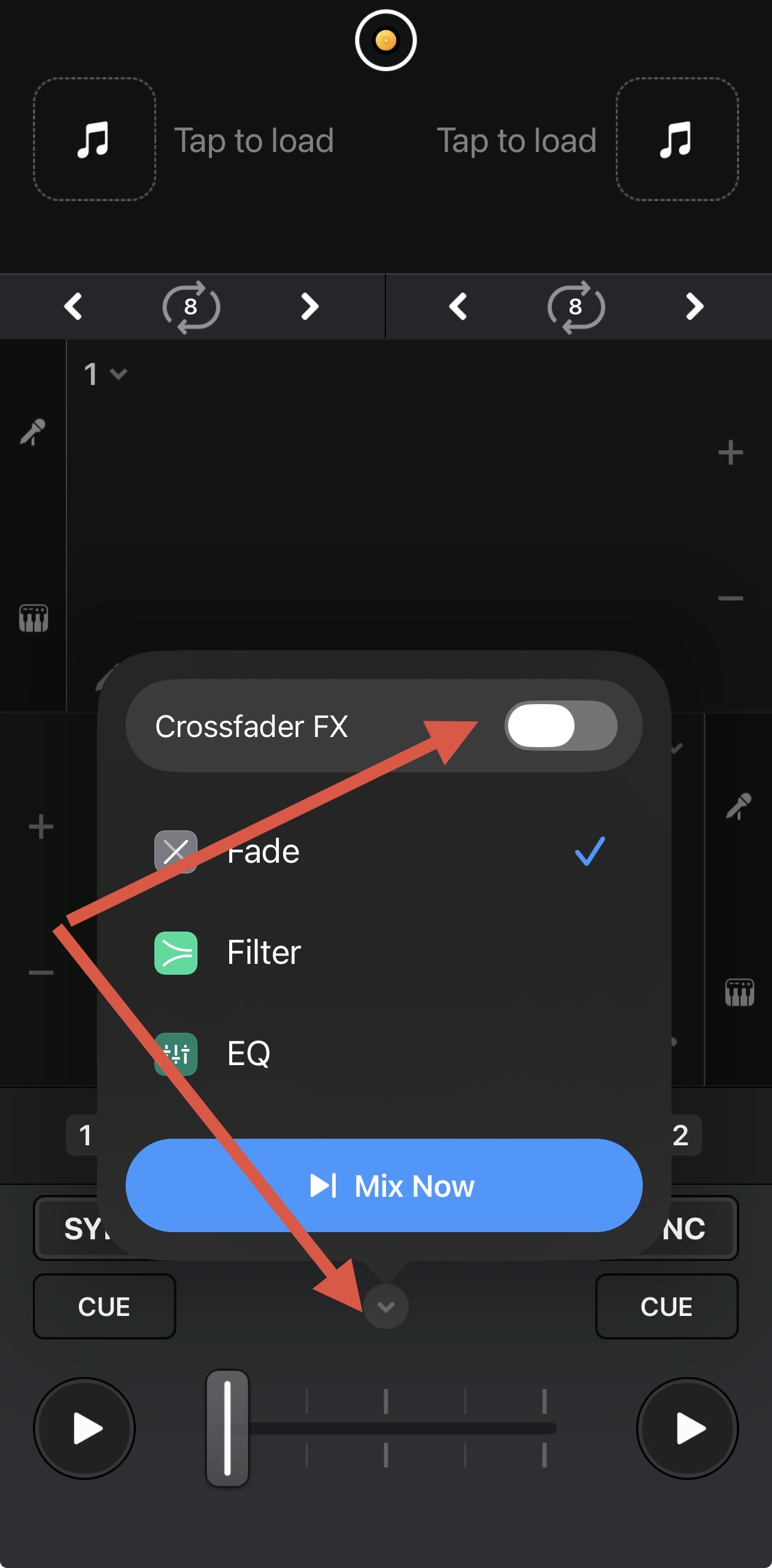
- Do you have Crossfader FX enabled when the hardware is connected AND when the hardware is not connected?
Thanks!
Automix is playing two song at a time when connected to the hardware. I’m sorry for the confusion. This only started happening with 5.6.6 update. Let me check the crossfader settings.
1 Like
No hardware. Working as intended
Once the hardware is connected, it will load the next song and play automatically. This only started happening after the 5.6.6 update.
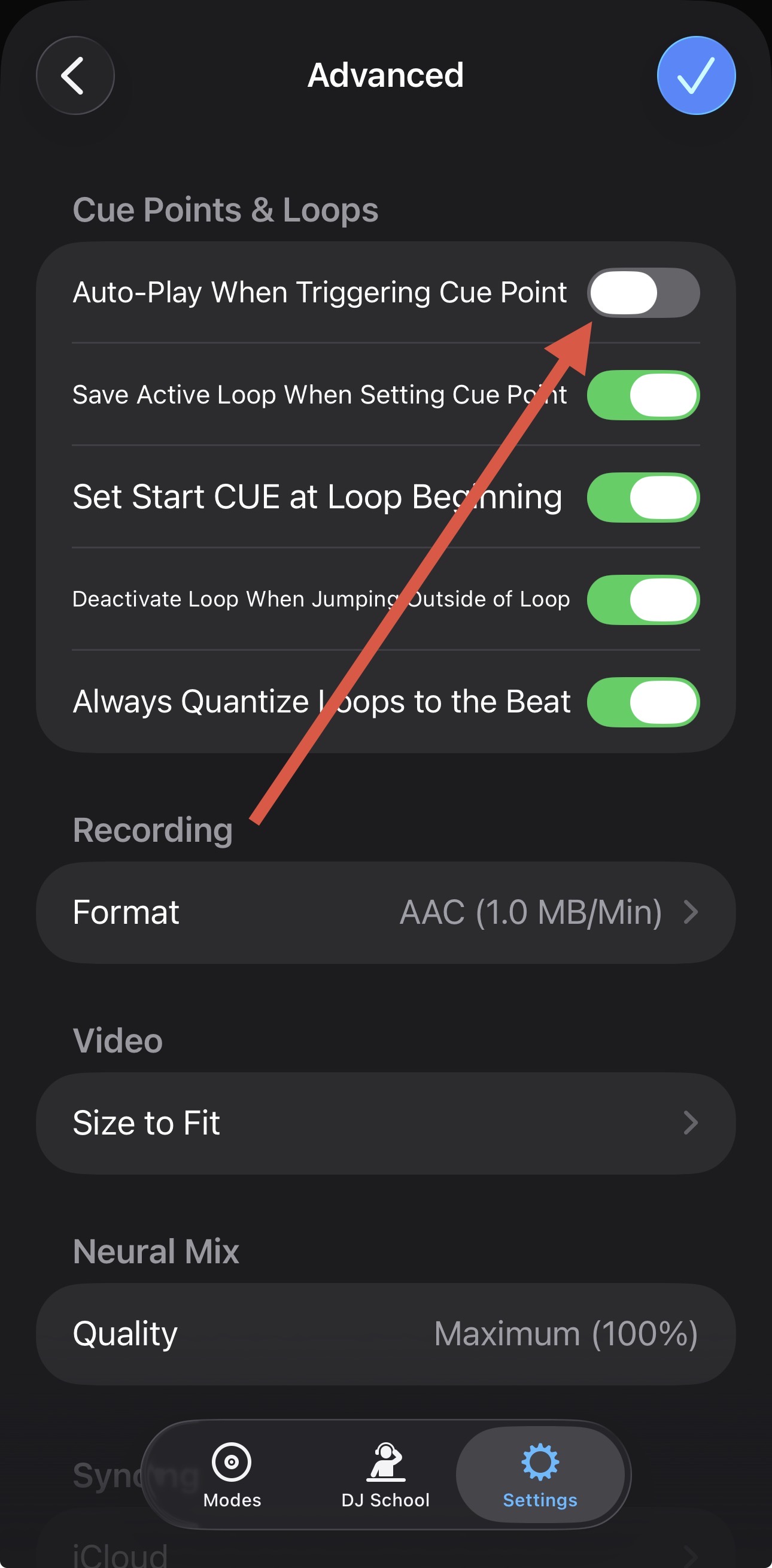
Thanks for clarifying @jmoak311. Now I see what you’re talking about. With your controller connected, please try disabling the following 2 settings in the djay Settings>General:
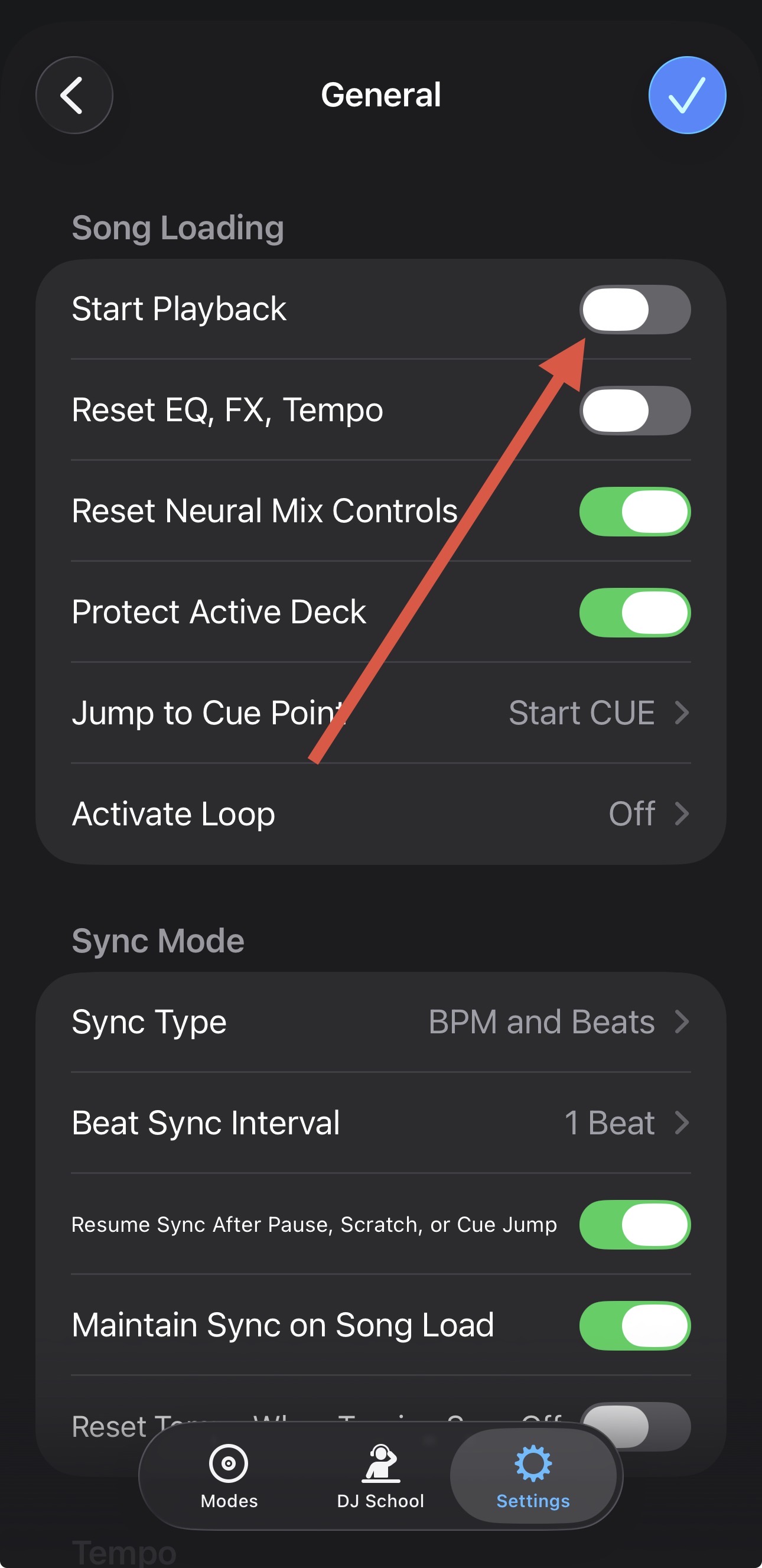
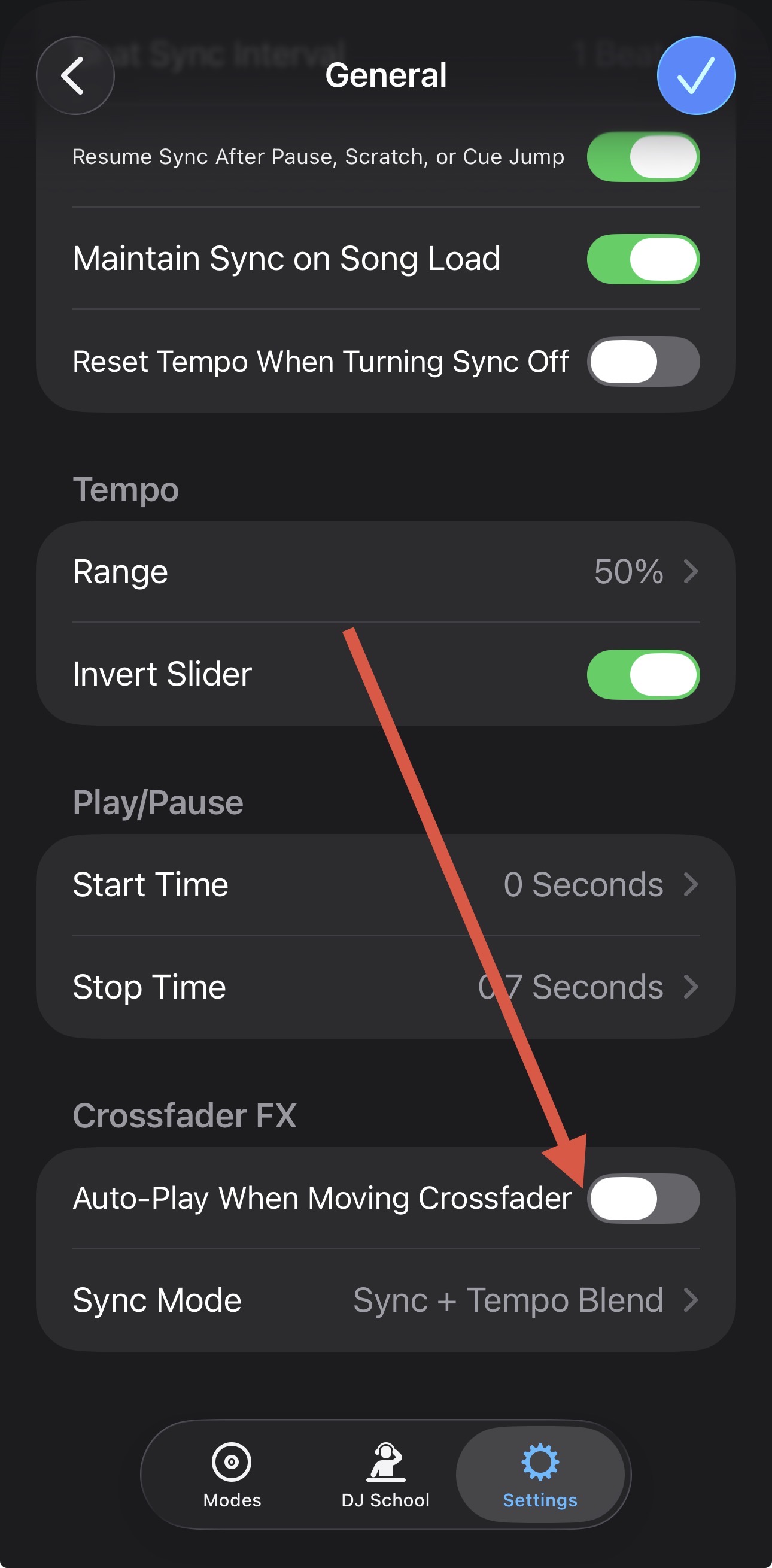
1 Like
Those are my default settings always. This has only happened since the newest update. It did not behave this way at my event Saturday. Can one revert back to a previous version?
1 Like
I’m not sure it’s relevant, but yesterday I Dj’d a middle school event and while people were arriving I was trying to auto mix a clean Spotify playlist and that’s when the issue started. Could be irrelevant, not sure.
I’m not sure what else to suggest @jmoak311. Maybe try disabling Crossfader FX?
The only way to revert to a previous djay version is if you have a full system backup via something like TimeMachine.
I’ve tried everything. I’ve been at this for hours and I have an event tomorrow.
I’ve tried toggling it off and on, nothing. I can run my iPad into my external mixer with it not connected to the controller to get by for tomorrow. If it’s up related to the new update I’m sure I won’t be the only person having this issue over the weekend.
do you have an external mixer to try and duplicate? I don’t own an internal unit.
Sorry @jmoak311, I don’t have access to a RANE One to test for myself plus our hardware engineering team doesn’t work on the weekends. Also Automix is working as expected with these settings and my Mixtour Pro.
You could try a fresh djay installation to see if that clears up the issue. I suggest that you backup your djay Media Library database and any custom MIDI mappings, then uninstall djay, reboot your device, and reinstall the latest version of djay.
You can find the files above in the following locations:
iOS: using the Files App, navigate to Locations->On My iPhone/iPad->djay->User Data
macOS: How to find your djay data and move it to a new device | Algoriddim Support
Windows: How to find your djay data and move it to a new device | Algoriddim Support
Copy the files to a new location or external drive before uninstalling djay. After reinstallation, you can simply copy these files back to their original locations to maintain your Hot Cues, Saved Loops, My Collection Playlists, History and Queue.


