


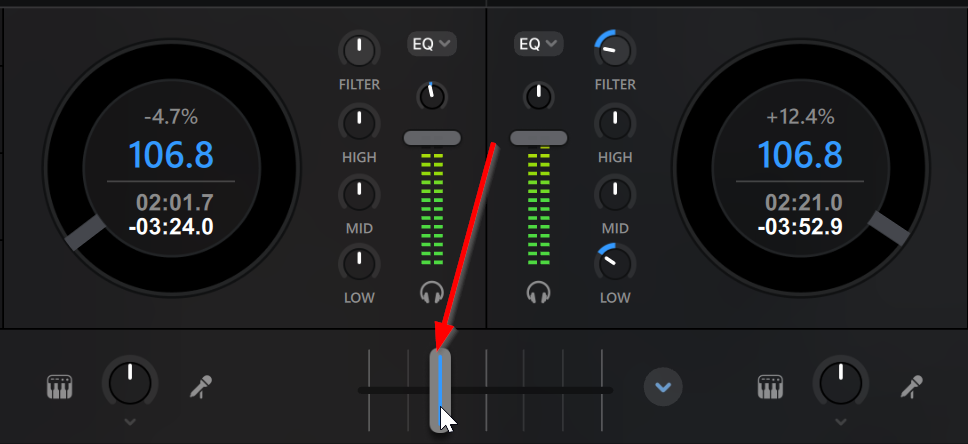
Hi @JustineB, @Chirro_Peres, @Lukitoz and @DjTjay, this bug is specifically isolated to the opening and closing of the CFX pop-up menu. So, as long as you open it once to select your desired CFX type, slide the Crossfader FX switch to On and close the menu without reopening it, the CFX should work as expected. You can tell that CFX are ON when the vertical line on the Crossfader is Blue instead of Grey. Here are 4 potential workarounds:
- Perform the CFX transition by moving the onscreen Crossfader from one side to the other with your mouse.
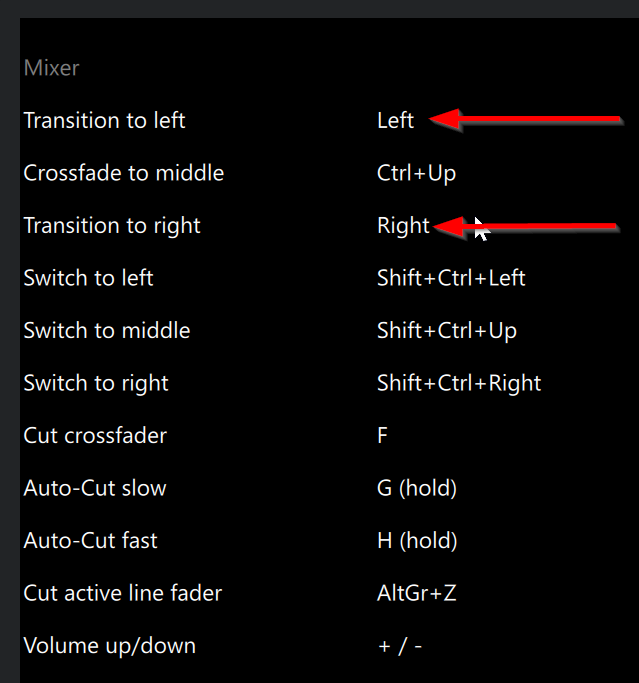
- Perform the CFX transition using the built-in keyboard shortcuts: Left and Right arrow keys.
- Perform the CFX transition using the physical Crossfader on your DJ Controller.
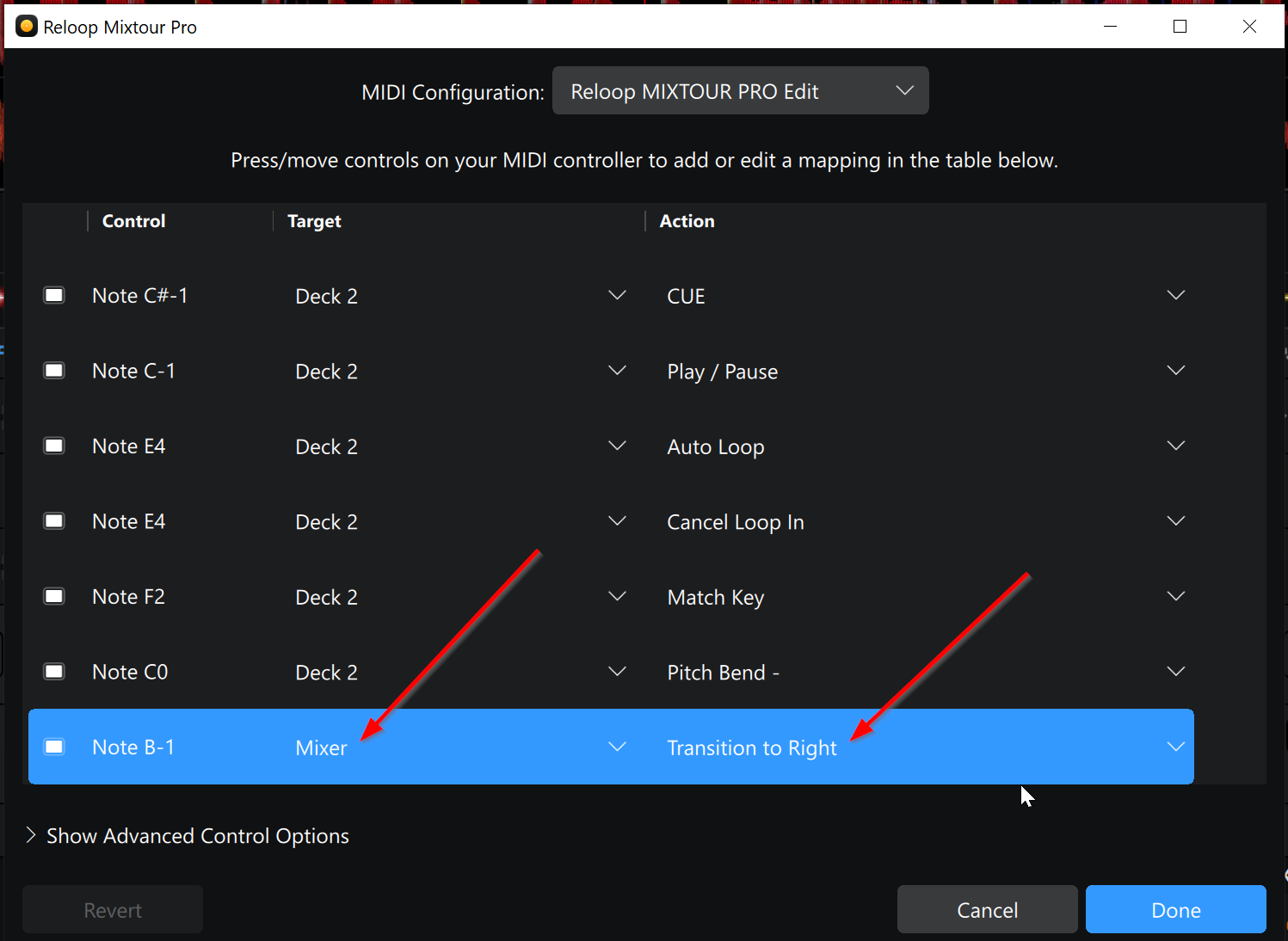
-
MIDI mapping buttons on your DJ controller to Target>Mixer and Action>Transition to Left/Right.
Here’s a demo video of this working by sliding the Crossfader with the mouse. Also, I have temporarily marked this post as the solution so it’s easier to locate in the thread. When the official fix is released I will notify you all here. I hope that helps!


