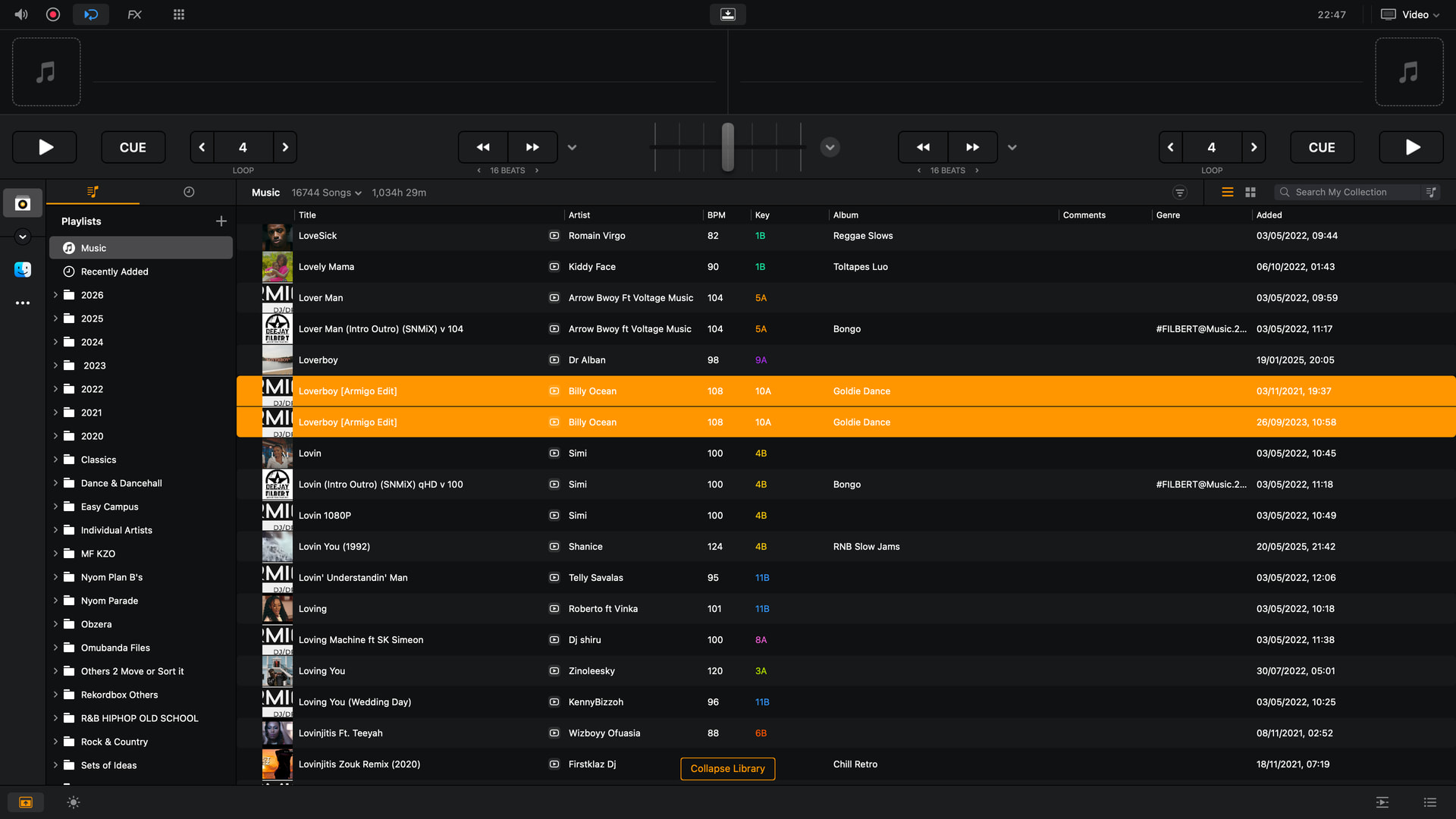
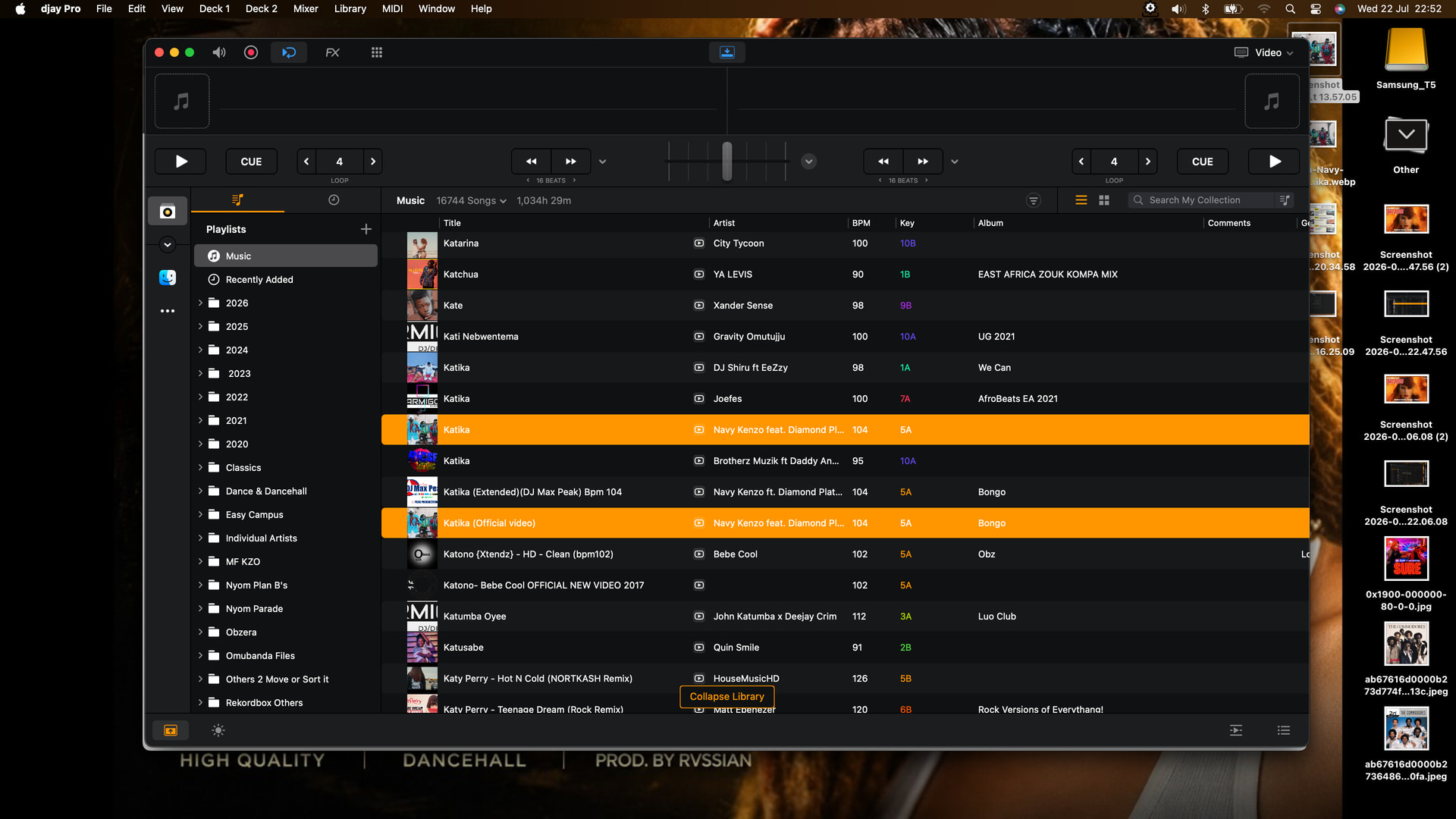
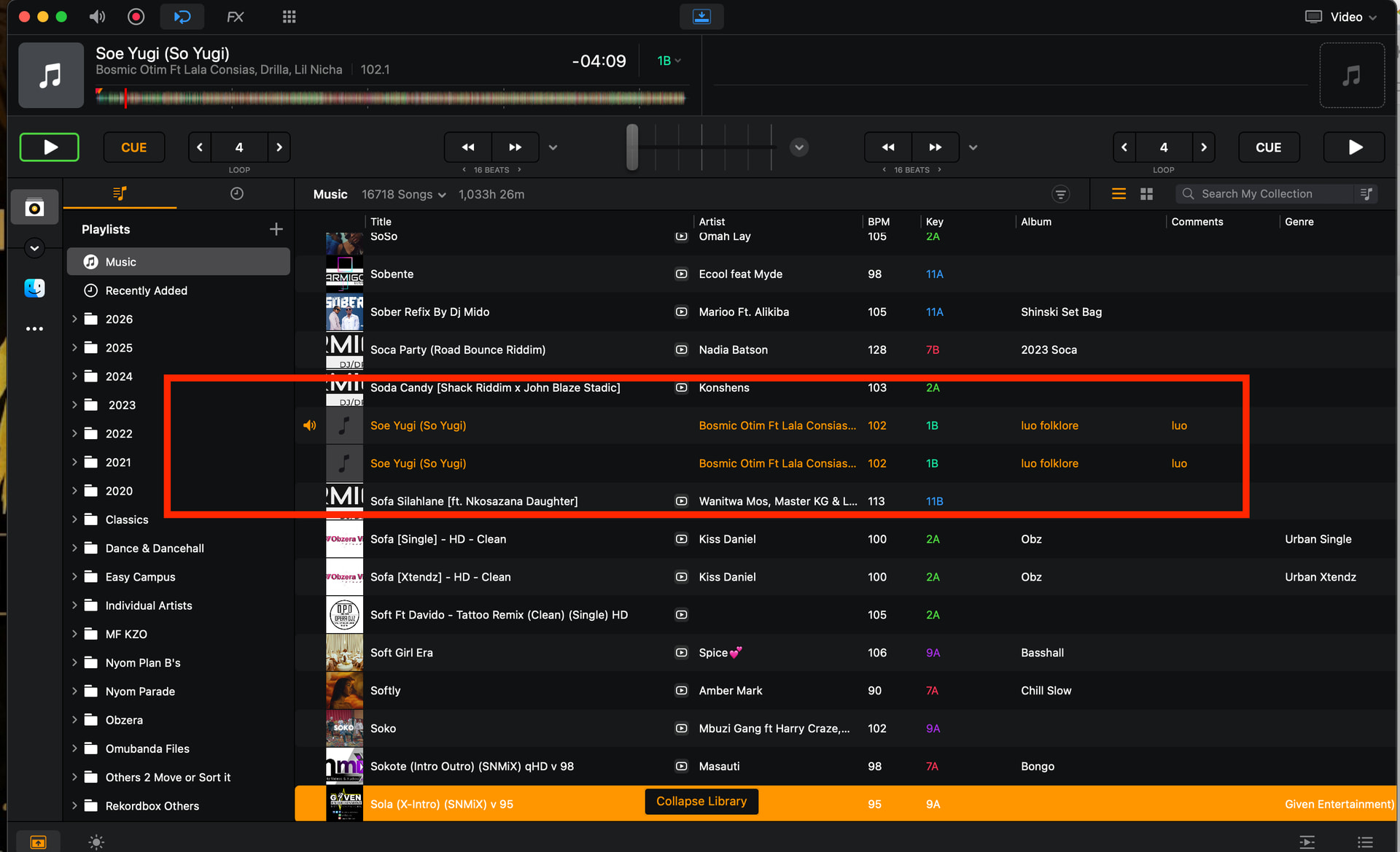
That’s what we’re calling “ghosting” and trying to figure out why and how to avoid it. No action required if you don’t have ghost file, just follow advice, re:
Yes, exactly. And that’s what should be implemented by design.
Kind of, but not directly. MixMasterG’s youtube video explains a djay database design flaw; potentially it’s a root cause, but I ain’t no techie to know
With djay open, move a track from internal to external drive, then drop it back into djay deck.
Best way to delete ghosted file:
In Finder, Delete the actual file into bin
Quit and relauch djay
Run “Relink missing file” and delete library entry for the file (and the ghost)
Re-import the file back into djay (and into the respective playlists)
Hey @Armigo, thanks again for the deep dive on this one! I believe your forensic work basically closes the diagnosis. A few things now line up cleanly:
The “untouched” 4 weren’t untouched. Your Shenseea audit (Serato-era blank tags → later kid3 retag → CCC clone across drives) is the pattern — every ghost traces back to something changing in the file. So there’s no mystery category left; it’s file changes all the way down.
Bulk is the trigger, not single edits. Your fresh-file test is a key finding here: one file edited in Serato and kid3 was captured cleanly, no ghost. Single/small edits seem to reconcile fine; bulk edits are what cause the duplicates. I think this is one of the sharpest leads we’ve had.
Your fast repro, move a track to another drive with djay open, drop it back on a deck, djay warns that moving files while it’s running needs a relaunch to detect the new location. Loading it before that reconciles is likely what creates the second entry. One thing to note — that route creates a duplicate with a different file-path, so your CSV/Url method likely won’t flag those; it only catches the same-path bulk-edit ghosts. Two slightly different flavors.
On the “exorcism” — your instinct that plain deletion is unsafe is right: some ghosts likely hold unique playlist placements, and decoupled ones could hold unique cue points. Ideally a full fix has to merge those into one entry, not just delete duplicates. I’ll note this explicitly for engineering.
Your delete → relaunch → relink → re-import procedure is a valid manual clean, but re-importing fresh loses the cues and playlist placement you just worked to preserve. So it’s a per-track option, but probably not a library-wide cure.
On the decoupling, I agree it reads as transient, most likely a side-effect of the library still settling while you were stress-testing it hard - let’s park this unless it resurfaces.
This is now solid, reproducible, and corroborated across users and versions — so I’ll compile it all for engineering with your CSV inventories and samples. Thanks again for the great troubleshooting and forensic work here Armigo!
Follow-up questions:
For the move-to-create-a-ghost repro, please check that ghost’s Url: does it match the original’s path or differ?
Any rough sense of the bulk threshold? e.g. does a batch of 20 ghost while 10 doesn’t? Even a ballpark will help engineering troubleshooting.
When you ran your delete → relink procedure, did the deleted files reliably show up under Relink Missing Files?
Does the bulk trigger care about which field changed (Title/Artist vs Comment vs artwork), or is it purely edit-count?
Updated Suggested Workarounds:
Do all tagging before import, in one pass. Since bulk post-import edits are the trigger, get files fully tagged before they reach djay, and avoid batch re-tagging a collection that’s already imported.
Don’t move or replace files on disk while djay is open. Quit djay first, move/replace, then relaunch so it reconciles instead of spawning a second entry.
If you must remaster in place, for now, accept it’ll likely ghost, and use Armigo’s delete → relaunch → relink → re-import cycle per track — knowing it costs you that track’s cues and playlist spots.
Before deleting any ghost, consolidate first: put both entries in the same playlists and keep whichever has the better cue points, so you don’t lose curation. (This is Armigo’s approach and it’s the safe one until a potential merge option exists.)
Ghost took on the new Url, original too ‘self-healed’ and took on the new url - and indeed the 2 were immediately coupled.
Note: Like I said before, ghosting is still unpredictable. An attempt just now, i failed to ghost on the same file as light (library, on relaunch still “healed” and auto-corrected itself to the new url), Pay special attention: It neither created a duplicate with a different filepath, nor a ghost today (nice!).((Failed video upload))
Ballpark: 400 did ghost for me. 10 didn’t
Yes, consistently.
For me, it was purely edit-count, but you must take into account, nearly 100% of my bulk edits were only in mass-deleting MIK energy comments field in serato.
Thanks again @Armigo! Super helpful. I’ve compiled everything and reported it to our engineering team for further analysis. I’ll report back when I have more news.
Can you both please share some screenshots of what these Ghost files look like within the djay library?
Our engineer thinks the most likely reason for duplicate/ghost imports is that the TitleID has somehow changed. So either the title/artist/duration value is different. To confirm, could you both please perform the following on one of your ghost files?
Open Terminal — press Cmd + Space, type Terminal, hit Return.
Type avmediainfo followed by one space. Don’t press Return yet.
Open a Finder window and find your audio file.
Drag the file from Finder and drop it onto the Terminal window. The full path fills itself in.
Press Return.
In the output, look for the line reporting duration.
Then repeat this with the same track on your other device that is running a different macOS version.
Share screenshots of the duration line for both.
Step 4 is doing real work, not just saving typing — your filenames contain spaces and & characters, which break the command if typed manually. Dragging handles all of that automatically.
Different from what?
Sorry can you re-explain " Run command avmediainfo <path to file>" process step-by-step to a novice? I know how to paste a stated command into terminal, but then how should I proceed? I Pasted avmediainfo into terminal.
Please define <> - what is it and how do I proceed? A screen recording with some narrative could help
Both?
Also keep in mind there’s no actual physical duplicate files to compare the “differences” if that was the intention of this command.
Hi @Armigo, thanks for the screenshots. Wow - sorry, reading my post back now, I can see that I did a poor job wording and explaining it.
What it’s comparing. Not the ghost against the original. It’s comparing the same file, read by two different machines. The theory is that different macOS versions might compute a slightly different duration for the same audio file, and since duration is part of how djay identifies a track, a mismatch would make it think it’s looking at a new track. That test is really aimed at @DjBigBasha, who’s running macOS 26.5.1 on one Mac and Ventura 13.x on the other.
Since you’re single-machine, the literal test doesn’t apply to you. But you have something arguably better: that abandoned 1TB HDD with the pre-edit copy of the Shenseea file. Running this on the old copy and the current edited copy would tell us whether tag editing itself changes the reported duration — which is the other half of what we’re chasing.
Instructions:
The <> brackets are just placeholder notation — they mean “put your thing here.” You don’t type the brackets. So avmediainfo <path to file> means: type avmediainfo, then the file’s location. Nothing happened when you pasted avmediainfo alone because you gave it no file to look at.
The easy way, which avoids typing paths entirely:
Open Terminal — press Cmd + Space, type Terminal, hit Return.
Type avmediainfo followed by one space. Don’t press Return yet.
Open a Finder window and find your audio file.
Drag the current Shenseea file from Finder and drop it onto the Terminal window. The full path fills itself in.
Press Return.
In the output, look for the line reporting duration.
Then repeat this with the that abandoned 1TB HDD with the pre-edit copy of the Shenseea file.
Share screenshots of the duration line for both.
Step 4 is doing real work, not just saving typing — your filenames contain spaces and & characters, which break the command if typed manually. Dragging handles all of that automatically.
Thanks! Again, sorry about the poor initial request. I will go back and edit it…
Too late, sir. I wiped it clean yesterday - sold HDD off.
All I have now is the SSD with singular files and their library ghosts
Unable to upload screen recordings here - must be my poor 3G
1
I have an automated (nearly daily) CCC backup task destined to a NAS storage that happens every midnight as long as my work SSD is plugged to the mac on wifi - so essentially is impossible to have a backup copy that differs from my work SSD. And as you have been following, I have managed to exorcise (manually) all my pre-existing ghost records - last ghost exited yesterday, and a CCC backup followed almost immediately at midnight.
2
My library is 100% mp4 files - and for some reason this entire week I am not able to upload media files online succesfully, no matter the size (internet issues i guess - upload goes to 90%+ and fails)
3
I am gonna try a small collection of some random mp3’s on a separate thumb drive (backed up only once to my mac) and see if really I can recreate some ghosts off them. This might take a few days though (of waiting for ghosts if any).
Will report back
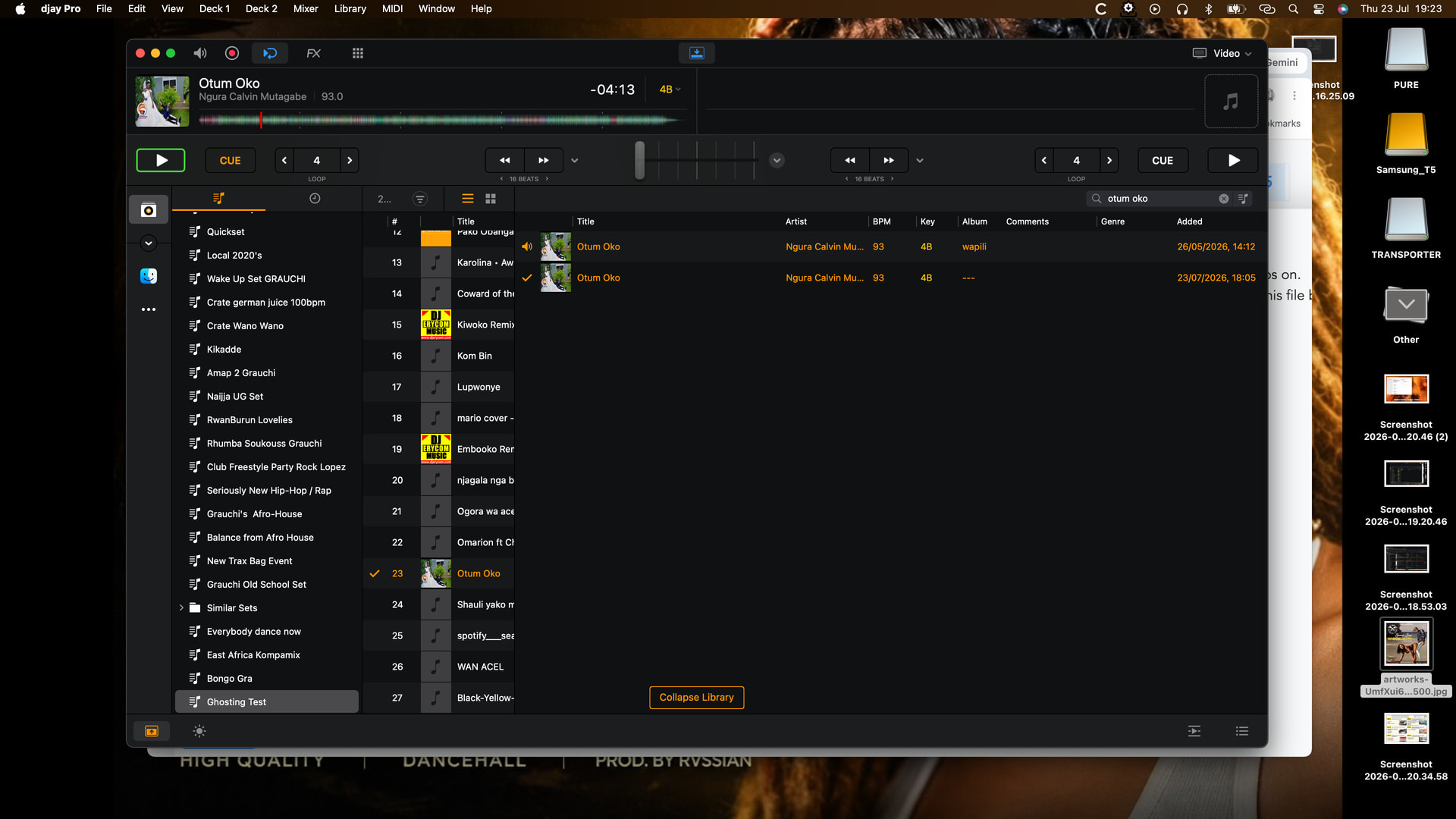
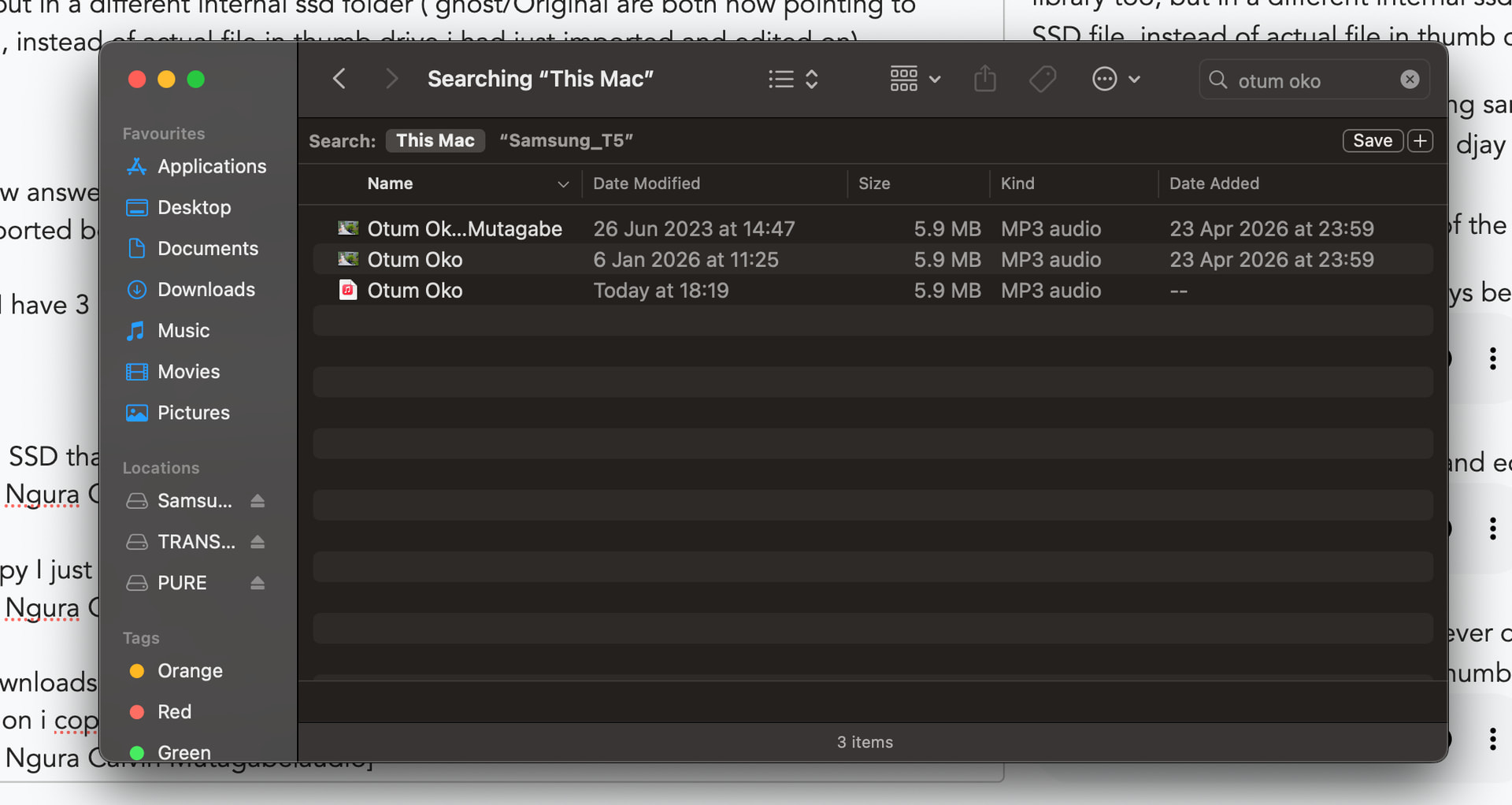
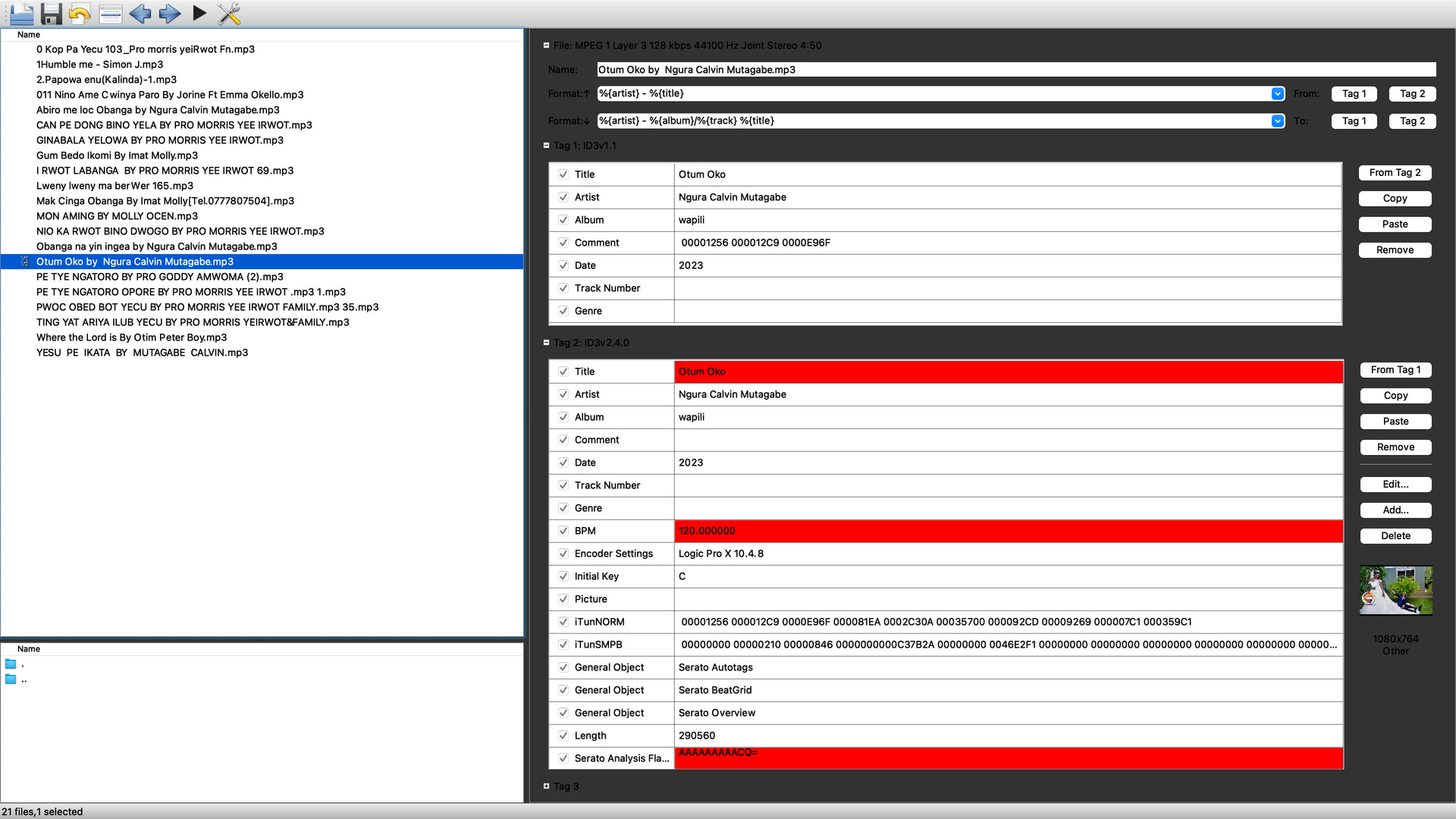
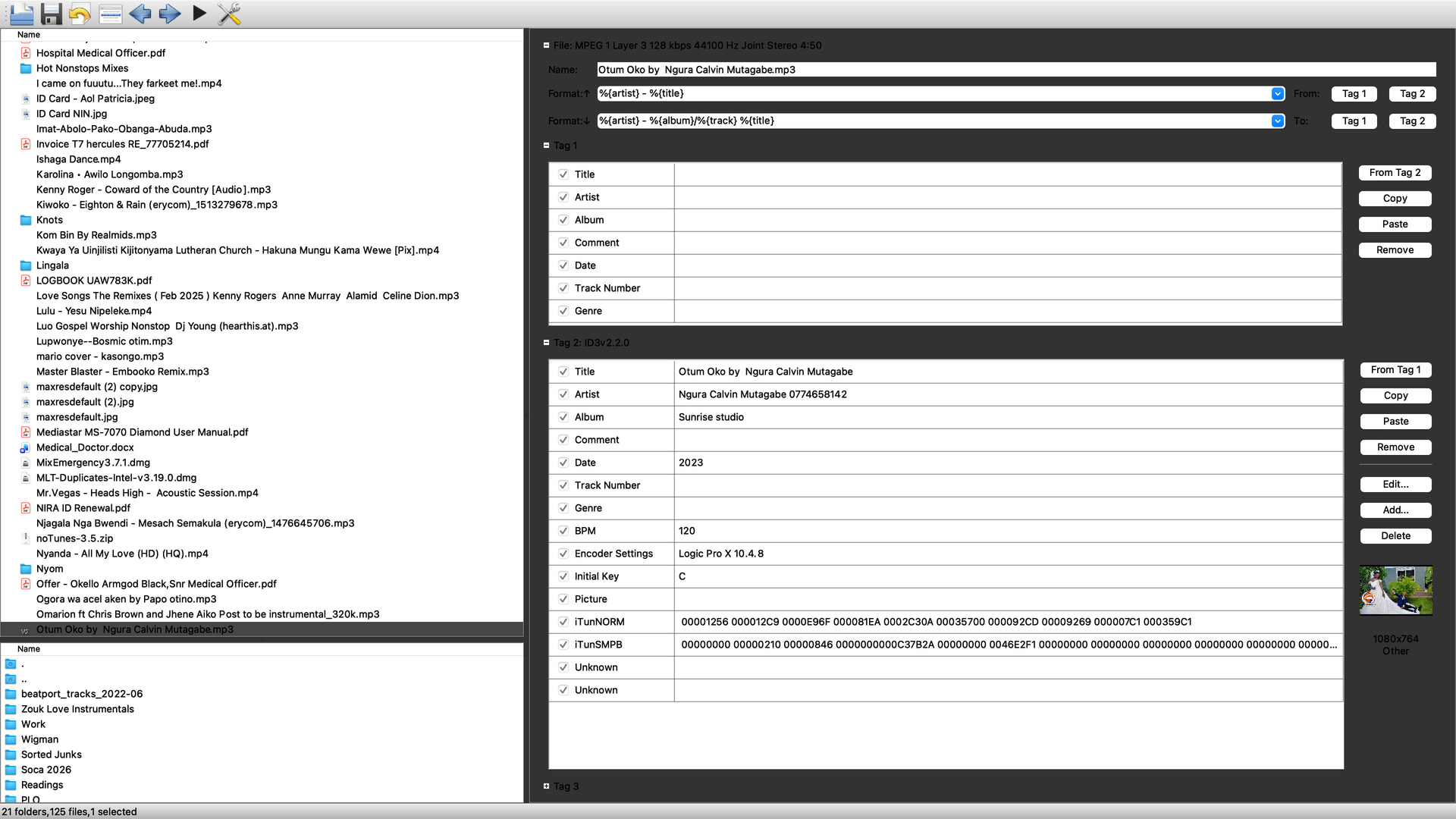
This decoupled ghost has creeped into my library (i had forgotten fact that this file belonged in my library too, but in a different internal ssd folder ( ghost/Original are both now pointing to internal SSD file, instead of actual file in thumb drive i had just imported and edited on).
This brings a new answer too: having same track (though file-named differently, in different locations), if imported both/all into djay library, AND id3 tag externally edited in any, may cause ghosting.
For the record: I have 3 instances of the same file "Otum Oko"as shown; 1 each in thumbdrive, Downloads and in another internal ssd subfolder
Okay, wow! Super helpful as always @Armigo - thanks for all the careful observations and details. Let me digest this and share everything with engineering. I’ll get back to you soon.
This also looks like the mixmaster G issue, where Djay seems to use the first found file with the same Artist - Title - Length combination. So you imported from the thumb drive and while the combination is the same on the internal ssd both entries in the database now point to the ssd which was first found. It could be that while you imported the ssd version earlier it is more on top in the database, while scanning for the combination that file link is found first. But these are all assumptions / possibillities
I totally agree, the assumptions were about the stuff in my post: It probably finds the ssd record first while it was added to the library before the version on the thumb drive.