I would like to sync my mac to my iphone, using icloud, and looks like this is what i can do based on your reply here, but before i commit i wanna make sure that its doable , here is my plan
I already have multiple playlist and smartlist on day My Collection
I Wanna Move all the music to a folder in the icloud drive, then I relink all music on djay mac to the new folder
Once im done, im gonna make the folder on my iphone files app offline always/download , then ill copy and the djay media library files from my mac to my iphone
Will this work? And will all my, cue, loops linked on both devices?
Hi @echa0361, I would not recommend the method you’ve proposed. Other users have attempted similar work flows and the results were not ideal. They experienced many “greyed out” songs on iOS. Please note that djay on iOS is sandboxed and stores files differently than macOS, so a copied desktop library lands with every track unlinked. djay on iOS, currently has no “Relink Missing Files” tool to fix them (that feature is macOS only). You’d be re-importing everything by hand.
You are much better off using the iTunes/Music App on macOS method to manage and transfer your local music files to iOS. Alternatively, you could use OneLibrary if your “master” djay library lives on macOS. Note that OneLibrary is read-only on iOS so you cannot write changes made on the iOS version of djay back to the macOS version. I hope that helps!
Manually transfer the djayMediaLibrary database file to the other device. This database contains all your cue points, saved loops, My Collection Playlists, History, Queue and other metadata.
A. I highly recommend you backup the database files to a new located or external drive before you do this.
B. On macOS it can be found in ~/Music>djay.
C. On iOS you can find the database using the Files app in On My iPhone>djay>User Data.
D. Close djay on both devices FIRST
E. Make sure you Replace the database file when you copy it so it doesn’t rename the file and create a duplicate.
Transfer the audio files to the other device (e.g. via iTunes/Music, USB drive, etc.)
Relink the audio files on the new device to the items in the media library. This is done by selecting and reimporting the files into My Collection.
NOTE: For macOS to iOS, the recommended way to manage and transfer the actual audio files is still to use the iTunes/Music App as this is much simpler and more reliable. In most cases Step 3 above is not required as djay can usually find the tracks in My Collection in the iTunes library automatically.
right now, i use one library and copy all collection into my phone, but this way does not sync, any changes i makes on my mac does not reflect on my iphone
my goal is my main workhorse is my mac, but i want every changes i do (cues,loops,grouping, key change) i makes it sync to my iphone
i want to be able to play with both my mac and my iphone, with iphone as backup that i can use anytime and evcerything the same between iphone and macs
so i can use thhe apple music app to store my music, but still use djay my collection, copy the media database from mac to iphone, as long as the music is downloaded to my iphone, it will sync everything correct?
oh in my mac my music just lives in a folder in the music folder on finder, i moved them there from rekordbox cloud and then import to djay my collection using the external app
OneLibrary: this method has the advantage that it includes cue points, saved loops and other metadata.
So, the workflow is a bit simpler.
However, you need to delete the files on your iPhone before updating via the OneLibrary USB so you don’t end up with duplicates.
iTunes/Music App + iCloud Sync + djayMediaLibrary: this method is a bit more manual, but is the most reliable way to have your iPhone match your Mac setup without “greyed out tracks”. It’s also more bi-directional.
Enabling iCloud sync on your Mac and iPhone will automatically sync your cue points, saved loops and other metadata between the two devices.
iCloud sync works automatically and is bi-directional. So if you add cue points on your iPhone, they will automatically be added to the same song on your Mac.
However, this does not include your My Collection Playlists, Queue or History. To sync these between devices, you need to manually copy the djayMediaLibrary database from the “master” device to the secondary one (ex. Mac to iPhone) as described above. Make sure you close djay on both your Mac and iPhone before you copy the database.
If you create new My Collection playlists on your iPhone, you can then manually copy the djayMediaLibrary from there back to your Mac.
As long as you are not adding new local songs directly to your iPhone, this is the workflow that I think works best for most macOS/iOS users.
Okay, so keep all my music in the Apple Music App , upload to icloud and sync between mac and phone and copy djay media library database, i dont need to use apple music to DJ, just to keep my music correct?
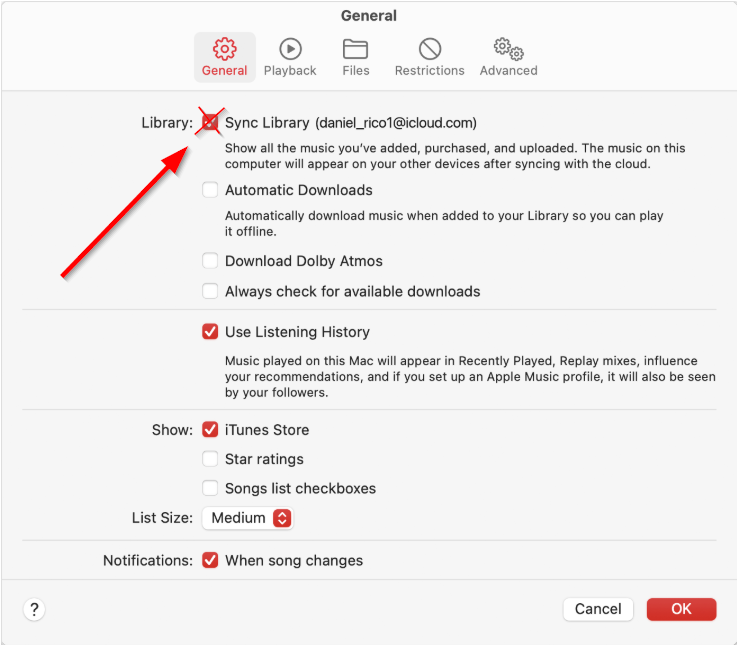
If you also use Apple Music Streaming or have an iTunes Match subscription, make sure to DISABLE the Sync Library option in the General Settings. You do not want to use this as Apple will sometimes replace a specific song with one from its online library that it thinks is the same. So, you may end up with a “radio” version replacing a special “DJ edit” of the same song.
Enable iCloud Sync on both your Mac and iPhone (as outlined in the linked topics above) so that your hot cues and loops update automatically between both devices.
If you make changes to your My Collection Playlists on one device, simply manually copy the djayMediaLibrary database to the other device.
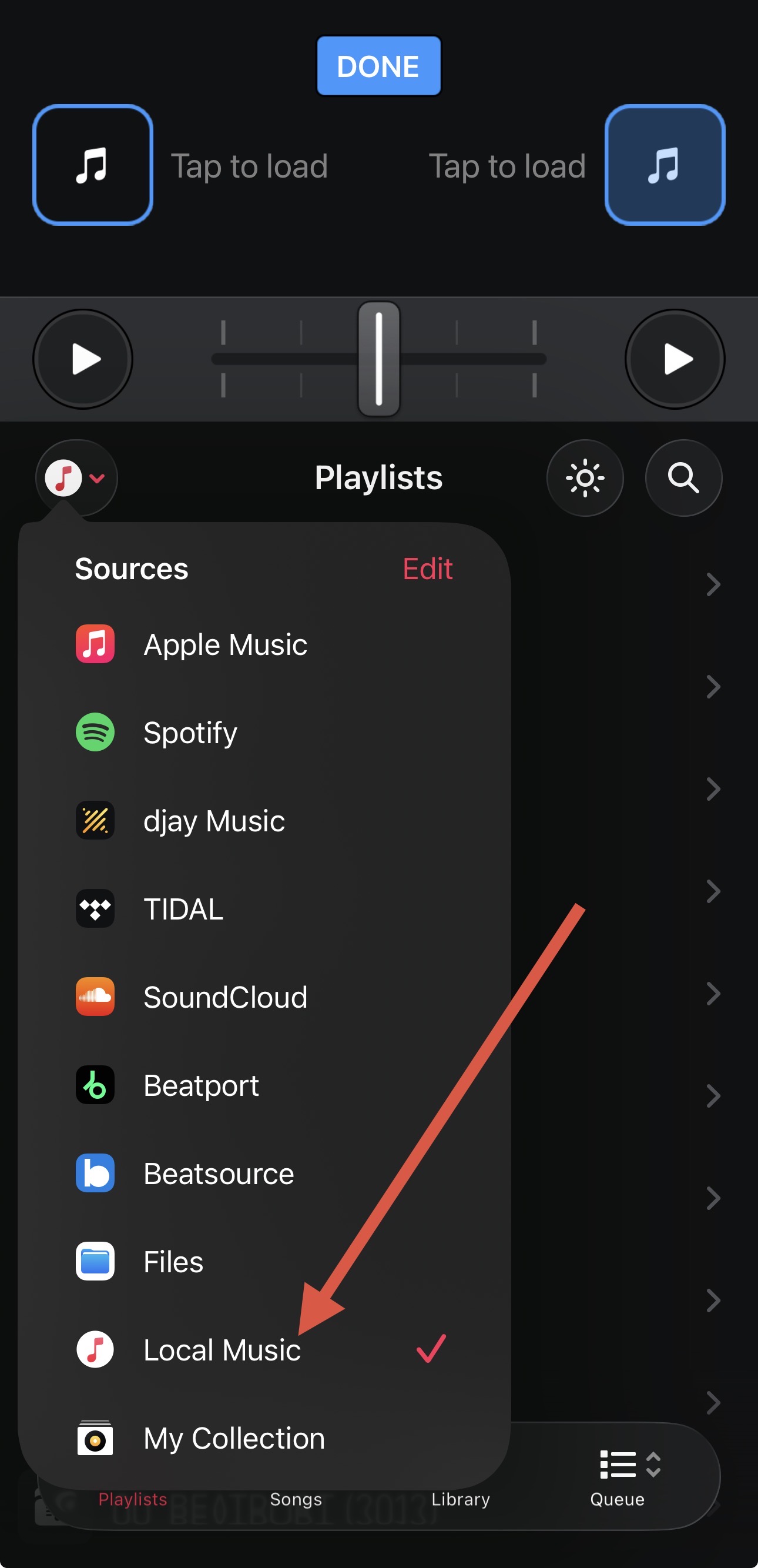
You do not need to use the Local Music Source or Apple Music Source on your Mac or iPhone to DJ from. You will still make all your playlists in the My Collection Source and DJ from there.
Excellent. Please let me know if you have any additional questions @echa0361. Would be great if you could follow up on how it works out as well. Thanks!
Hi @echa0361, our discussion above inspired be to put together a complete list of instructions for macOS and iOS users. Please review and let me know if I missed anything or if you have any suggestions. Thanks!
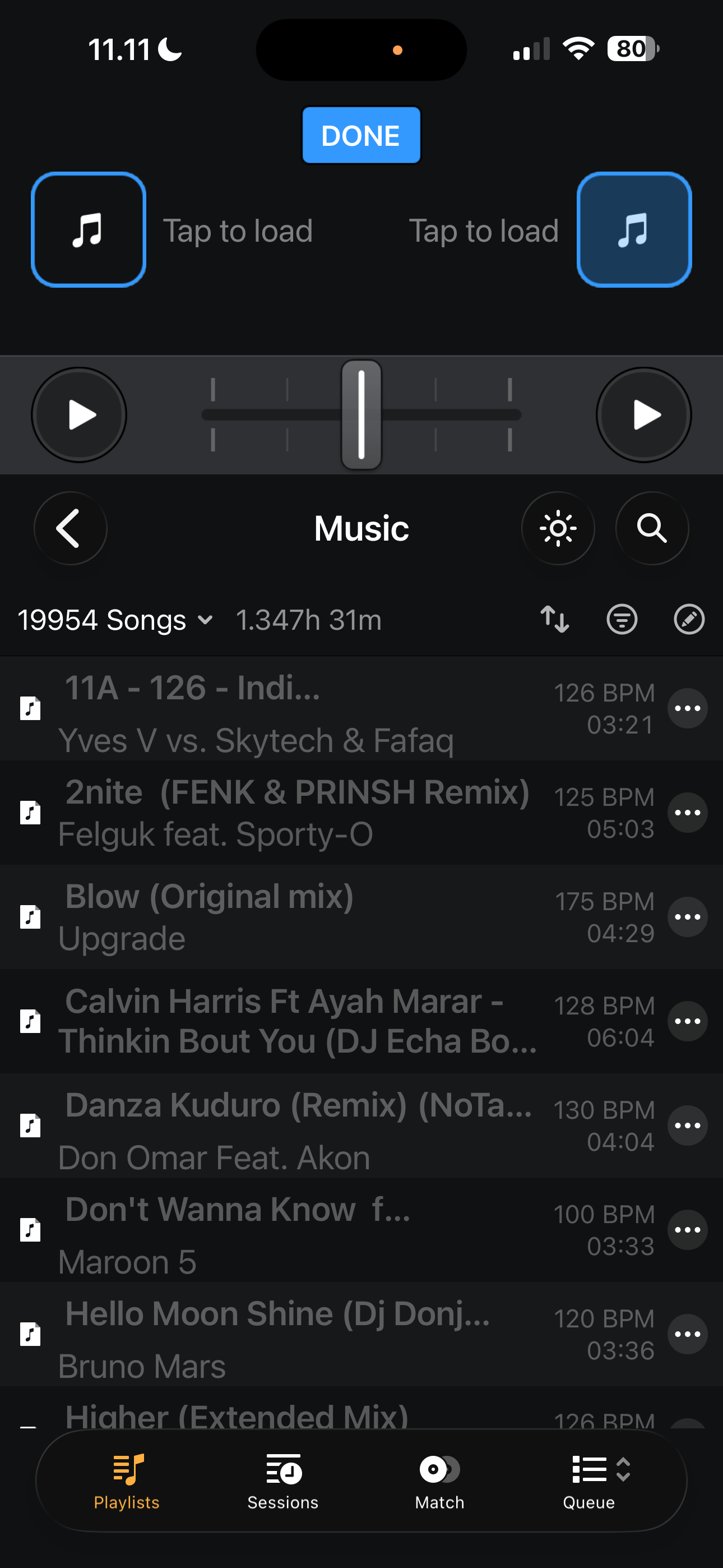
Yes, it does appear on the local music ,!but greyed out an the my collection, i was hoping to be able to use my collection because i use that on my mac
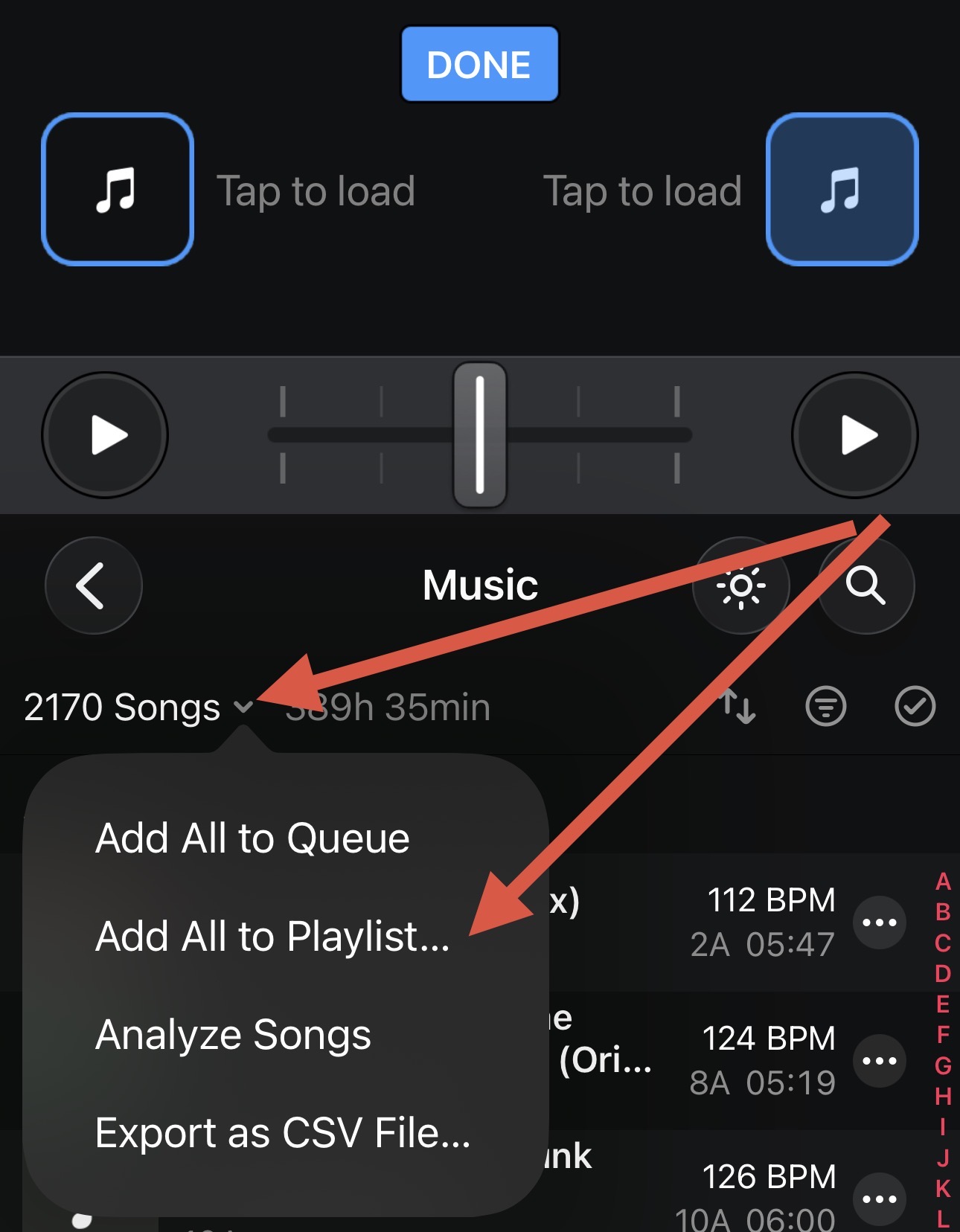
Try selecting the dropdown menu in Local Music for the main Music folder then Add All to Playlist… and select the main Music Playlist in My Collection.