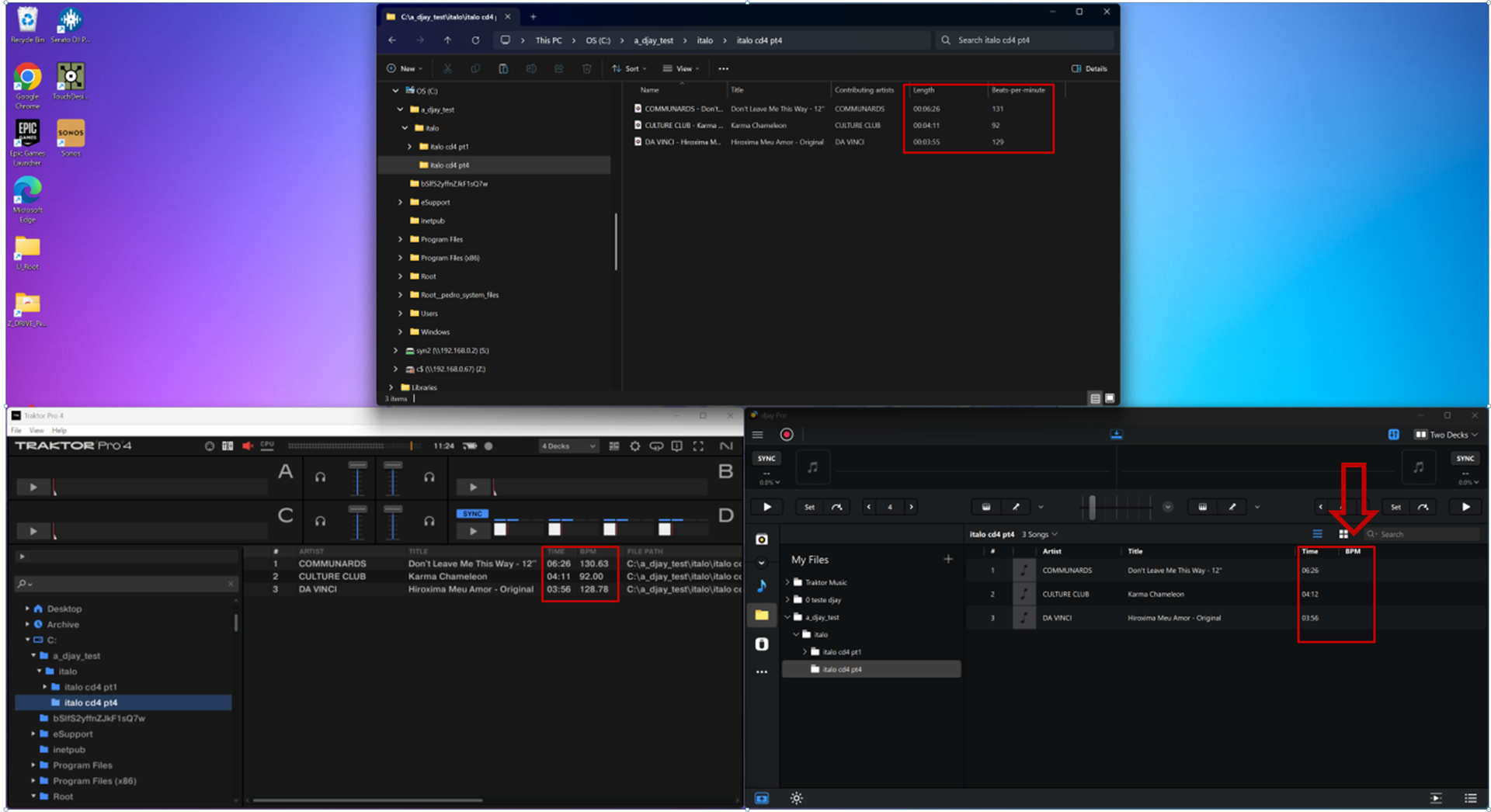
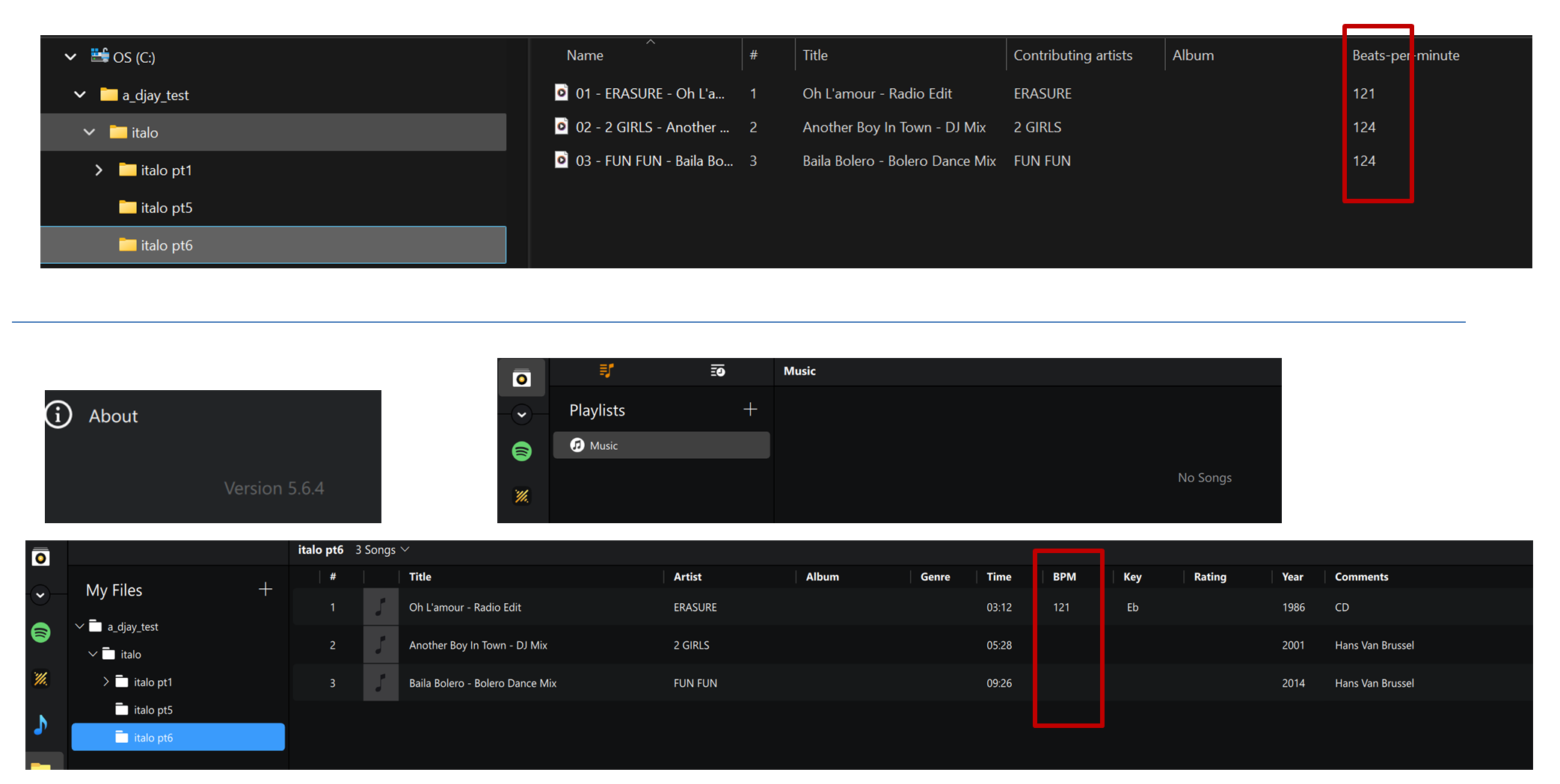
Thanks for the detailed info and screenshot @dj_estrela - this is very helpful. I’ve shared this with our engineers for further review.
Are you also experiencing this issue with the 5.6.4 release or only with the Beta release?
confirmed on stable 5.6.4
—–
another example, on an empty collection, where some files work, and some files are broken
Thanks for confirming @dj_estrela
Hi again @dj_estrela, can you please share some mp3 files that you’re having this issue with? You can send them to me via DM. Thanks!
For easy and convenient music management, using Traktor playlists and importing them into Djay will display them correctly.
The Windows version of Djay doesn’t seem to be able to directly read MP3 tags, so BPM and comment tags aren’t reflected. This is probably a design limitation.
This has been the case since version 5.0.
Thanks for sharing @megamema
@megamema it is very clear that tracks on a database work fine
instead, my point is that I use OS-folders exclusivelly as my DJ playlists
more info:
Thanks for the MP3s via DM @dj_estrela. I’ve shared them with engineering.
@Slak_Jaw can I ask if engineeringwas able to recreate the windows problem using my private mp3 examples?
This is my #1 reason I cannot use djay - i have no playlists
Hi again @dj_estrela, thanks for the folllow up. Let me check with engineering on Monday and get back to you.
Hi again @dj_estrela, can you please confirm what you mean by “I have no playlists"? We are not sure we understand how that’s related to this specific issue, which seems like it can be worked around by analyzing tracks in djay, correct?
sorry, this is not the case
please see step 3: analysed files still do not show the BPM on the djay explorer node
what you mean by “I have no playlists"?
it means that I only use OS-folders to organize my music.
thus i dont have software-specific playlists inside Djay / Traktor / Rerkordbox etc
Thanks for clarifying @dj_estrela
Hi again @dj_estrela, engineering has identified the issue and is working on a fix which should be included in an upcoming update (likely 5.6.9). Thanks!
thanks, I will test it extensivelly when the fix arrives
–
this is my top-2 reason why I still use traktor:
(top-1 reason is the impossibility to run the Preview player on the Browser encoder
Preview Player: enable Seeking with the Browser encoder - #7 by Slak_Jaw )
You’re welcome @dj_estrela
Hi again @dj_estrela, djay 5.6.9 was released today and should address this issue.
confirmed, 5.6.9 solved this issue
this makes a huge difference to my workflow!
Great to hear! Thanks for confirming @dj_estrela