External Mixer Sync Behaviour

Hardware :
DJ Mixer Pioneer DJM 750 mk2, DJM 900, DJM A9
Software : Djay Pro for Mac Os, since 5.2

Problem description :
Deck 1, playing at 125 bpm
Deck 2, song loaded, original bpm = 115, press sync, press play, both songs play at 115 bpm.

Expected behaviour :
Deck 1, playing at 125 bpm
Deck 2, song loaded, original bpm = 115, press sync, press play, both songs play at 125 bpm.

Comment : I’ve noticed this ONLY happens when using external mixer VIA hardware mixer like DJM A9, or DJM 900.

Solution 1 :
Strangely enough, this problem does not happen when DJ Pro is used with Denon DJS1 (sound card), connected to any hardware mixer via rca cables, even though it is also external mixing.

Solution 2 :
This problem NEVER happens when used with internal mixing, with a midi controller like Pioneer FLX4, or Alpha Theta GRV6, or Traktor Z1 as midi mixer.

I found also one user with simmilar experience, but the thread is closed long time ago. I’m just guessing that the majority of users is using Djay Pro with midi mixers, or other midi gear, so there are no simmilar reports, but it is very frustrating when the bpm is jumping up or down each time the song is loaded.

Cheers
2 Likes

Update :
Last night i’ve had problem even with Denon DJS1 as soundcard connected via rca cables to external mixer Pioneer DJM A9.

Deck 1 is active and playing @ 126 bpm, deck 2 has song loaded, sync active, original bpm 128. Right after pressing play, deck 1 is being glued to deck 2, even though deck 1 was active and it was a master.

Important : Sync Mode is BPM and Sync, Beat sync interval is 1 beat

When used with sync type BPM Only, everything is fine, but i cannot use Ableton Link and my live played songs cannot be beatmateched throughout the whole song with some house beats.

Can anyone please help and solve this mystery?
Thank you!

1 Like

Hi @ytmusic, welcome to the Community! Sorry to hear you’re experiencing this issue. When creating new topics, please do not forget to answer the questions in our template with specific details about your setup not just “iPad” or “Latest Version”. This helps all of our community moderators to provide the most effective support to users with the utmost efficiency. Thanks!

Device Model (ex. 2020 iPad Air 4th Gen):
Version of operating system (ex. iOS 17.3.1):
Version of djay (ex. 5.1.3):
Hardware/controllers used (ex. Reloop Ready):
Hardware Firmware Version (ex. 2.7):

  1. Please share screenshots of your djay Settings>Devices.
  2. Since this sounds repeatable, can you please also capture and share a short video of the issue to help clarify what’s happening? Thanks!

Hi,
I did not know what to write as i have several setups, i have experienced same things on every setup. My macs are all Mac Os Ventura 13.4.1, M1, M2, M2Pro. I have 2 Djay pro subscriptions.
My Djay Pro is always the latest version.
I have access to many different Pioneer Mixers which i used for testing.
What frustrates the most is this problem not being predicatble.
I also tried mapping the Sync Master option to midi, but it did not change the behaviour.

The last thing i will try, when using an external mixing, with a hardware mixer is turning Ableton
Link on first, then starting the session.

1 Like

Thanks for the additional info @ytmusic

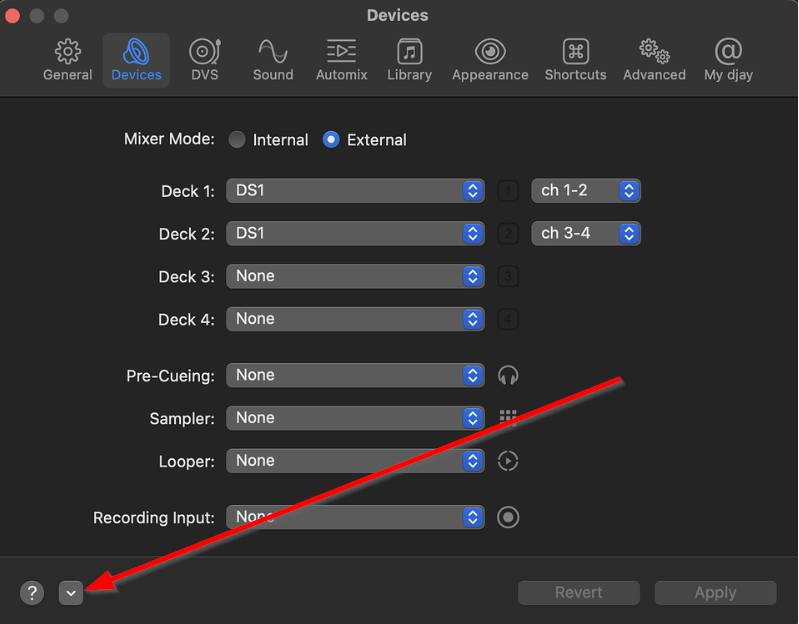
Thanks @ytmusic, please select the pop-up menu at the bottom left and press Reset to Defaults then share another screenshot.

One more information :
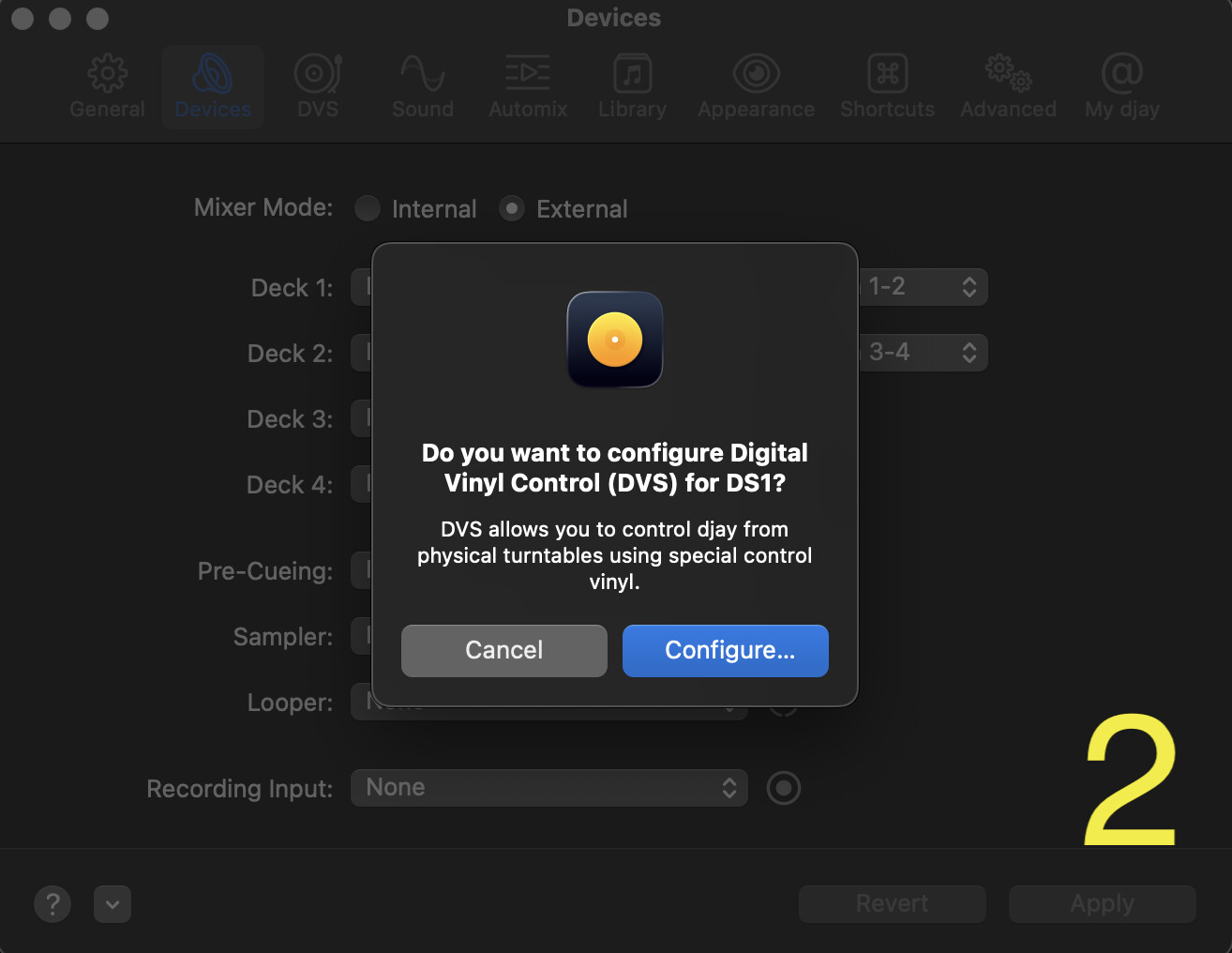
Every time i connect to sound device or a mixer via usb, i get a pop up asking to configure mixer. In all cases i refuse(cancel configuration), as i do not see the need of configuring software for dvs, because i’m using cdjs connected to mac directly via usb.

Back to following your instructions:

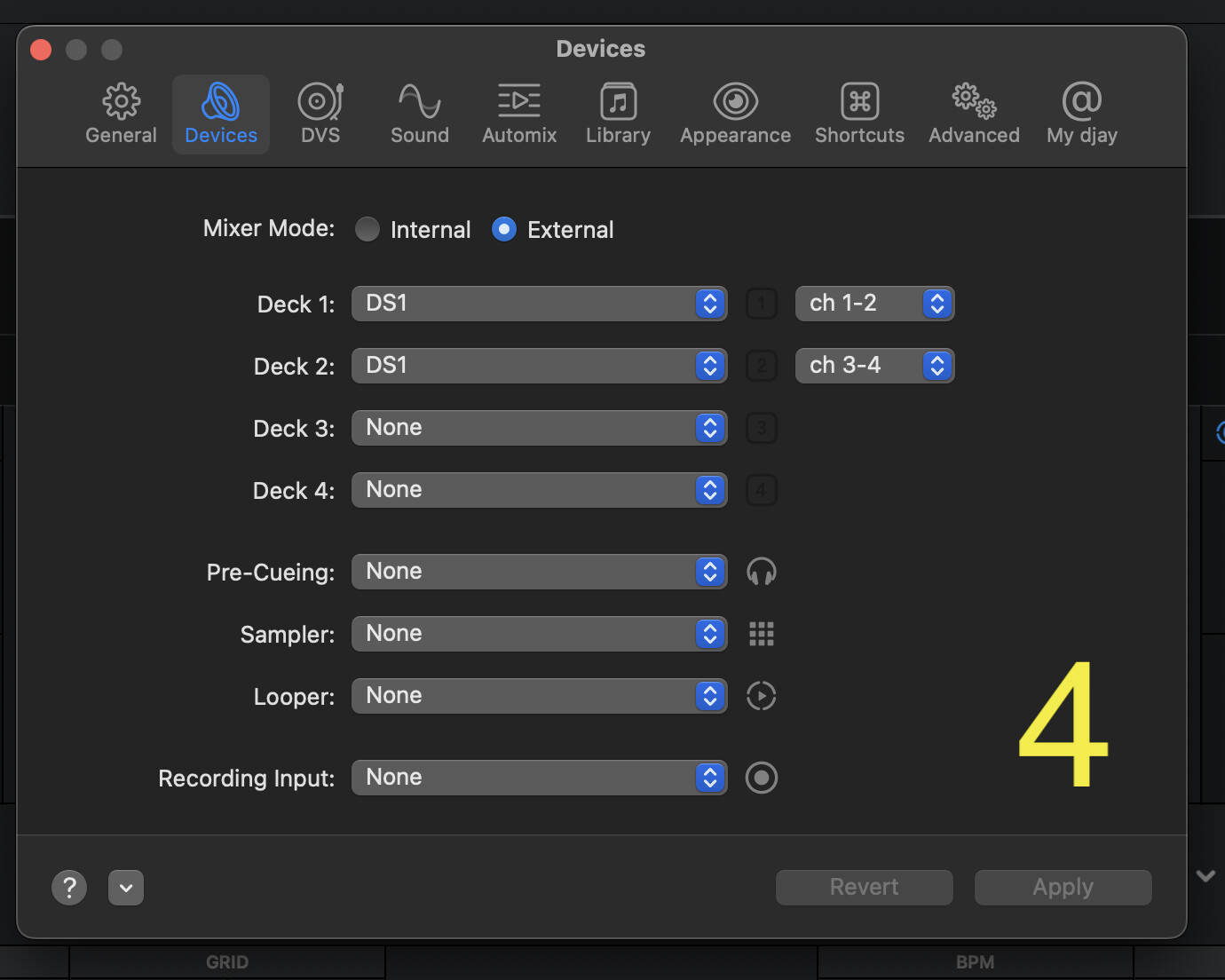
this is initial state, i have my Denon DJS1 connected :

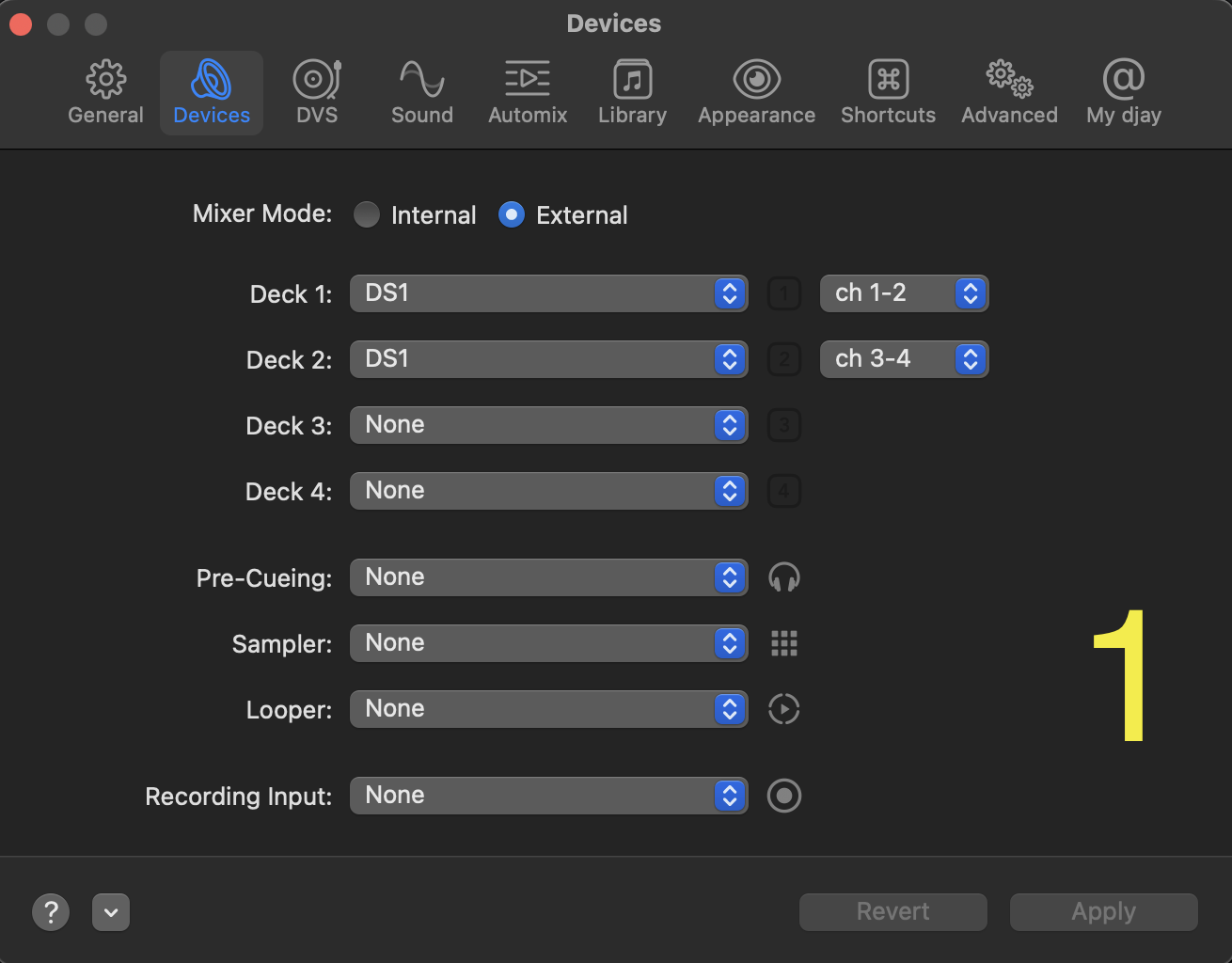
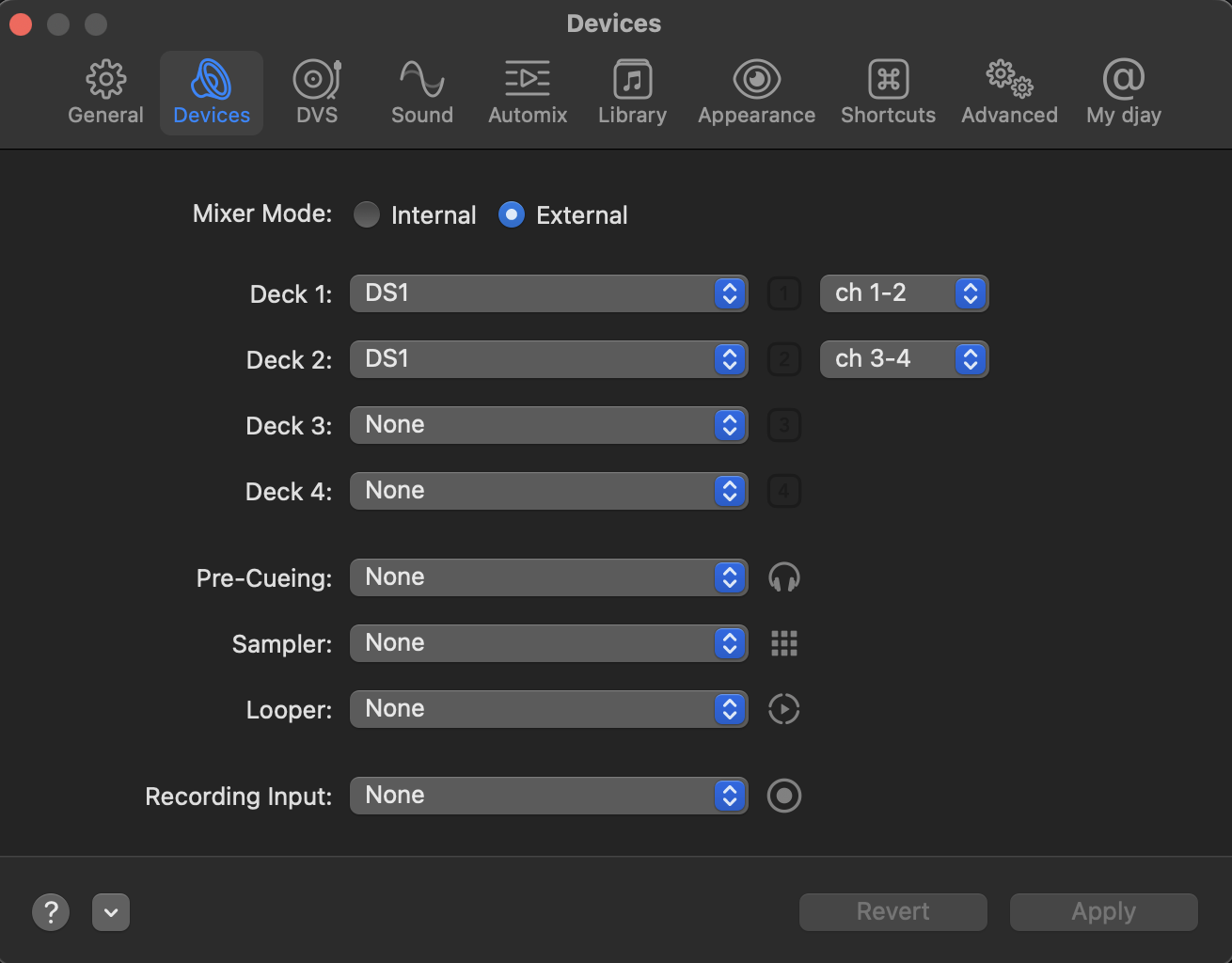
This is what i see after i followed your instructions and clicked reset

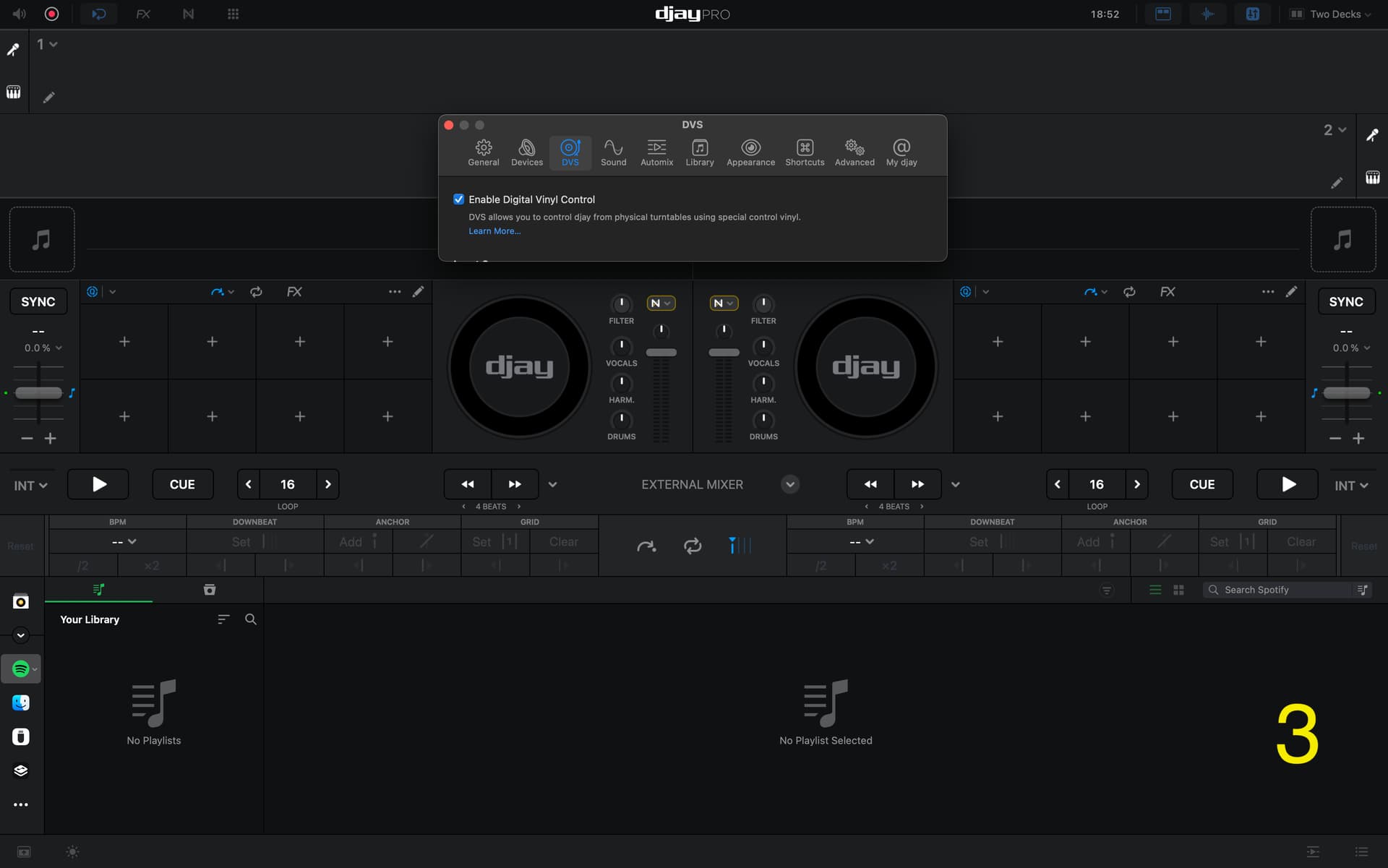
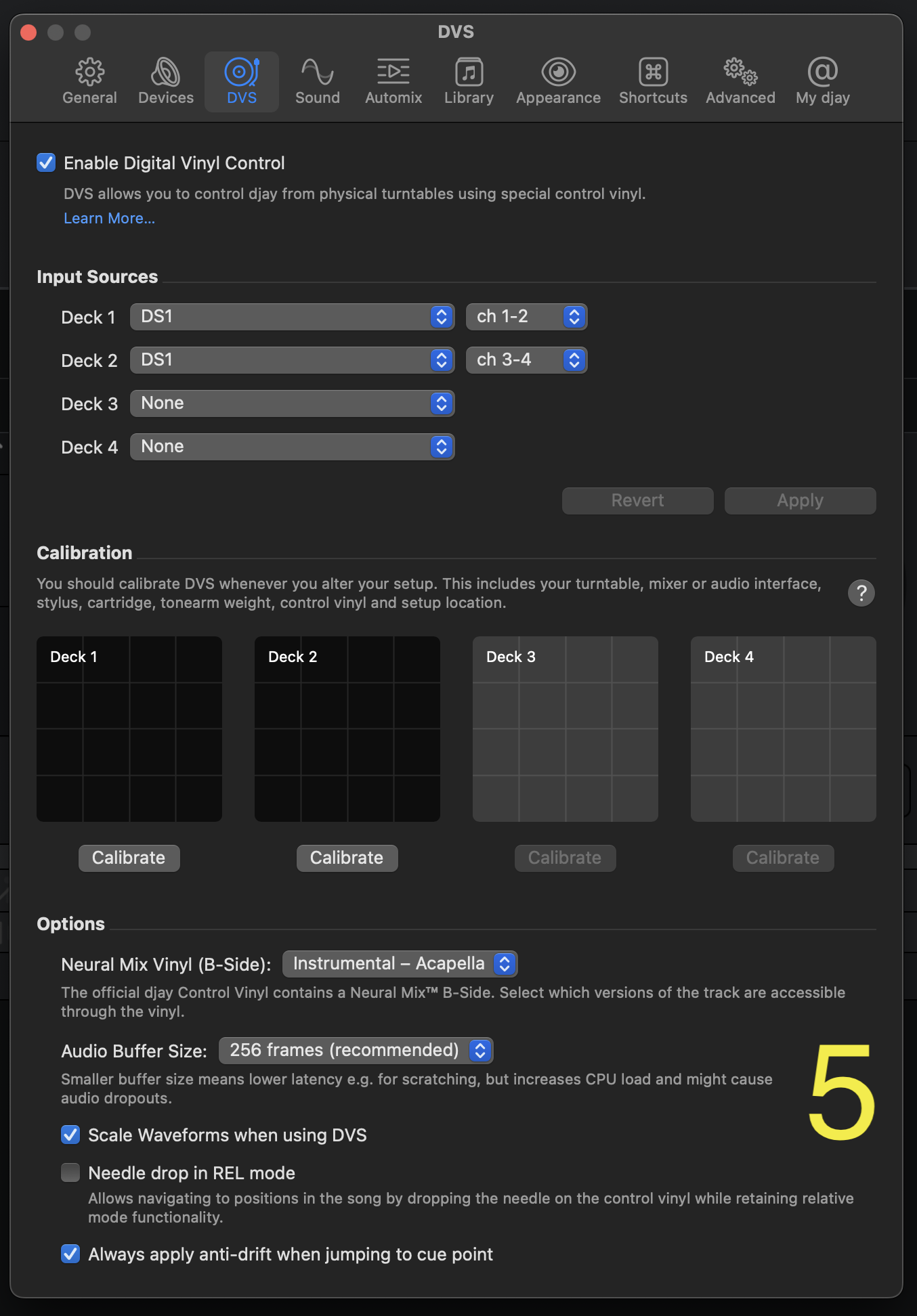
This is what i see after reset. It moved me to Dvs settings tab, and it was not capable of resizing (see picture).
I had to choose any other tab in order to get default size window:

This is the state of Devices tab, after i clicked reset, i see no difference:

This is the state of DVS window tab

Hi @ytmusic, thanks for the additional details. I have passed this onto our hardware team to see if this is enough information for them to reproduce the issue. In the meantime, if you are able to capture the issue on video that would be very helpful in clarifying to the team what exactly is happening. Thanks!

Thank you.
I would love to be able to predict the behavior, but as i mentioned before, i do not know what do to, or what not to do in order to achieve/avoid this type of sync behaviour.

One night i play with Pioneer DJM 750 mk2, everything is great, the other night i get the described problems, same thing with DJM 900 nxs, DJM 900 nxs2, DJM A9, DJM 850.

The only “predictable” and expected behaviour is when the DJay Pro is being used with internal mixing selected. I can then use Traktor Kontrol Z1, as my mixer, and then it’s the best dj software.

Here’s a question for hardware team :
When selected DJay Pro internal mixing, the system has certain state of faders, and crossfader, so it knows which one is master and which one is slave, based on the state of the channel faders or/and crossfader.
When selected external mixing, djay pro turns off software crossfader, so that is one thing not telling sync what state it is currently at. Also i am not sure if the software gets the information from the mixer regarding the current position of the channel faders.
In some systems (lets take Rekordbox, but i think Traktor is the same with internal mixing), the sync system does not know which one is master or does not turns it to master if the channel fader is not all the way up. Here in Djay pro, if it is set to external mixing, both faders are up, so the system might be getting confused which is master and which is slave.

I did not look into if the supported mixers have mapped software channel faders to the hardware faders. Could that be the initial solution? For example if i take DJM A9, connect usb directly from laptop to mixer, turn on midi mode on A9, and map faders.

I also tried bypassing the problem, by turning on the ableton link first, then starting the session.
it is doing well when used with steady grid,but when used with live drummer songs - it jumps and sounds artificial.

Hi @ytmusic, thanks for the additional info. This clarifies things. I believe this is the problem. If you’re using an external mixer that is not officially supported by djay on macOS there is no MIDI data being transmitted so no way for djay to determine which deck is the master. I could be wrong, but I’m pretty sure using sync with an external mixer that is not officially supported is not going to work. Here’s our list of currently supported hardware on macOS.

I did check all the lists.
What frustrates the most is that i had more problems with supported mixers.
I have DJM A9 (on supported list) twice a week in front of me, and it never works as expected.
DJM 900 NXS2 as well.

If the hardware team can confirm that it is all about the fader position in order to sync work as it should be - that would be great news.
I will be mapping every mixer’s channel faders to djay’s channel faders.
i know i might be losing the automix feature if i midi map channel faders to hardware channel faders.

That’s also helpful information. I’ll share this with the team as well.

1 Like

I have another feedback. Last week i tried using Pioneer DJM 850. Just after playing 3 songs, i have experienced the same problem i previously described. I tried to change it by midi mapping faders last night.

I tried using Pioneer DJM 850 again last night.
I did not use DVS to control the software, i only used midi, Traktor Kontrol X1 mk2, for transport control, hotcues, etc. So DJM 850 as external mixing, and Traktor x1 mk2 for transport controls.

I connected laptop and DJM 850 via usb. I enabled midi on the DJM 850. I mapped djay pro channel faders to corresponding channel faders on the DJM 850.
After mapping, i turned both channel faders down.
I loaded song into deck 1, press play.
i loaded song into deck 2, press sync, press play.
Works as it should be, without problems.

Now the problem was that there was no cueing possible as when the channel is down, there is no sound from the cue.
I decided to stop midi, and it worked great.

I believe there is a connection between starting the first song, and hitting the first sync, and the position of the faders, when it is external mixing, as i had simmilar problems even with supported mixers, like DJM A9.

1 Like

Thanks for the additional info @ytmusic. I’ve shared this with the rest of the team.

I think i found out the reason.

Im on Djm a9 at the moment.

I started using channels 1 and 2 on the mixer. First two channels.
And experienced same problem like before.

I went in midi mapping and saw that djay pro is mapped :
Djm a9 channel 1 = djay pro channel 3
A9 channel 2 = djay pro = 1
A9 chabnel 3 = djay pro =2
A9 chabnel 4 = djay pro = 4

When i switched to A9’s 2&3 everything is fine.

Other mixers should be mappable, as i see double functions per midi message.
Help me make djm 750 mk2 usable, as most gear is user with midi or hid for transport control.