Importing iTunes into My Library (topic renamed)

Good morning everyone. I’m having a problem with Djay Pro 5.5.2, freshly installed on a MacBook Pro 15-inch with macOS Monterey 12.7.6.

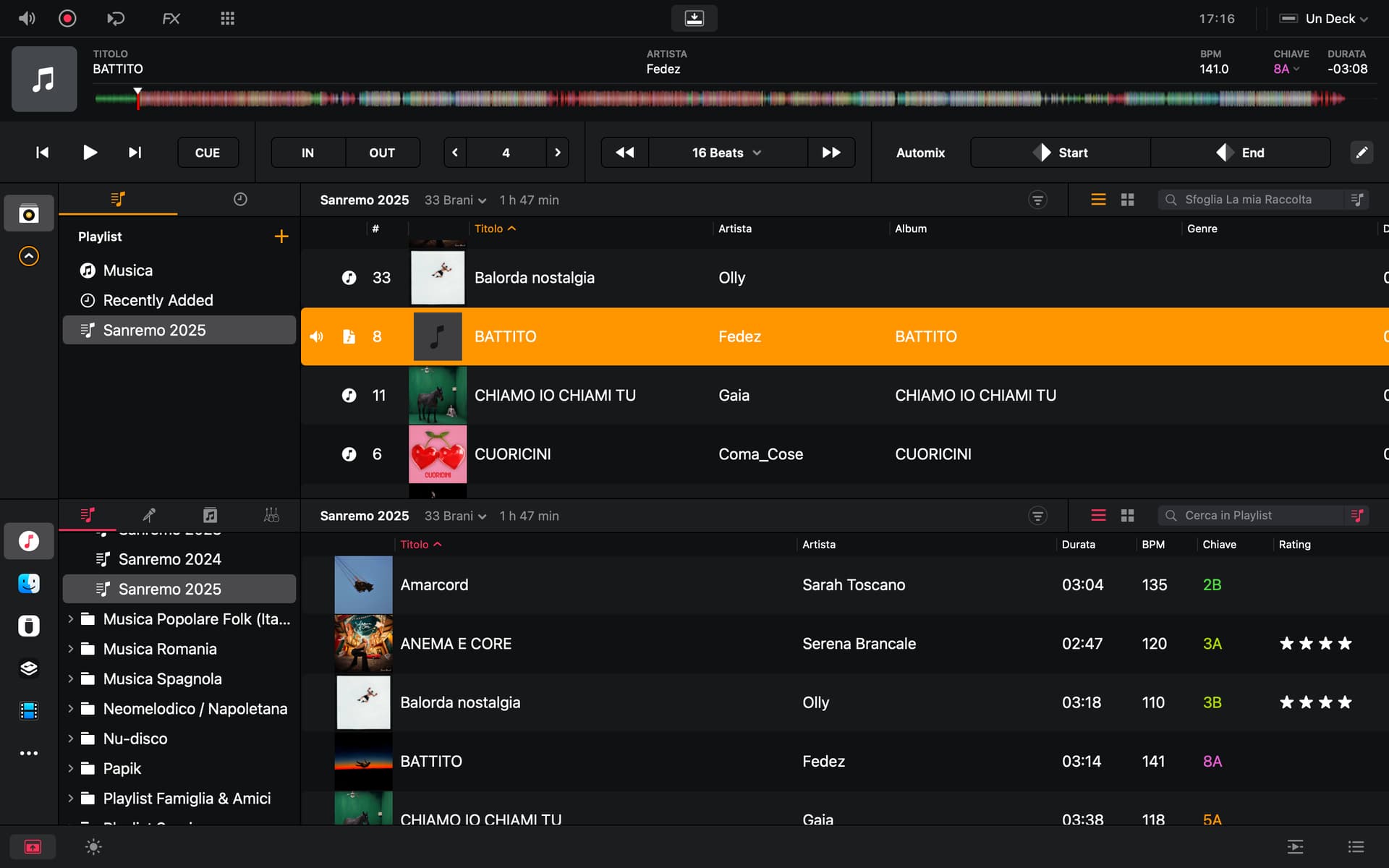
I tried moving a playlist to my library, but the song covers don’t appear.

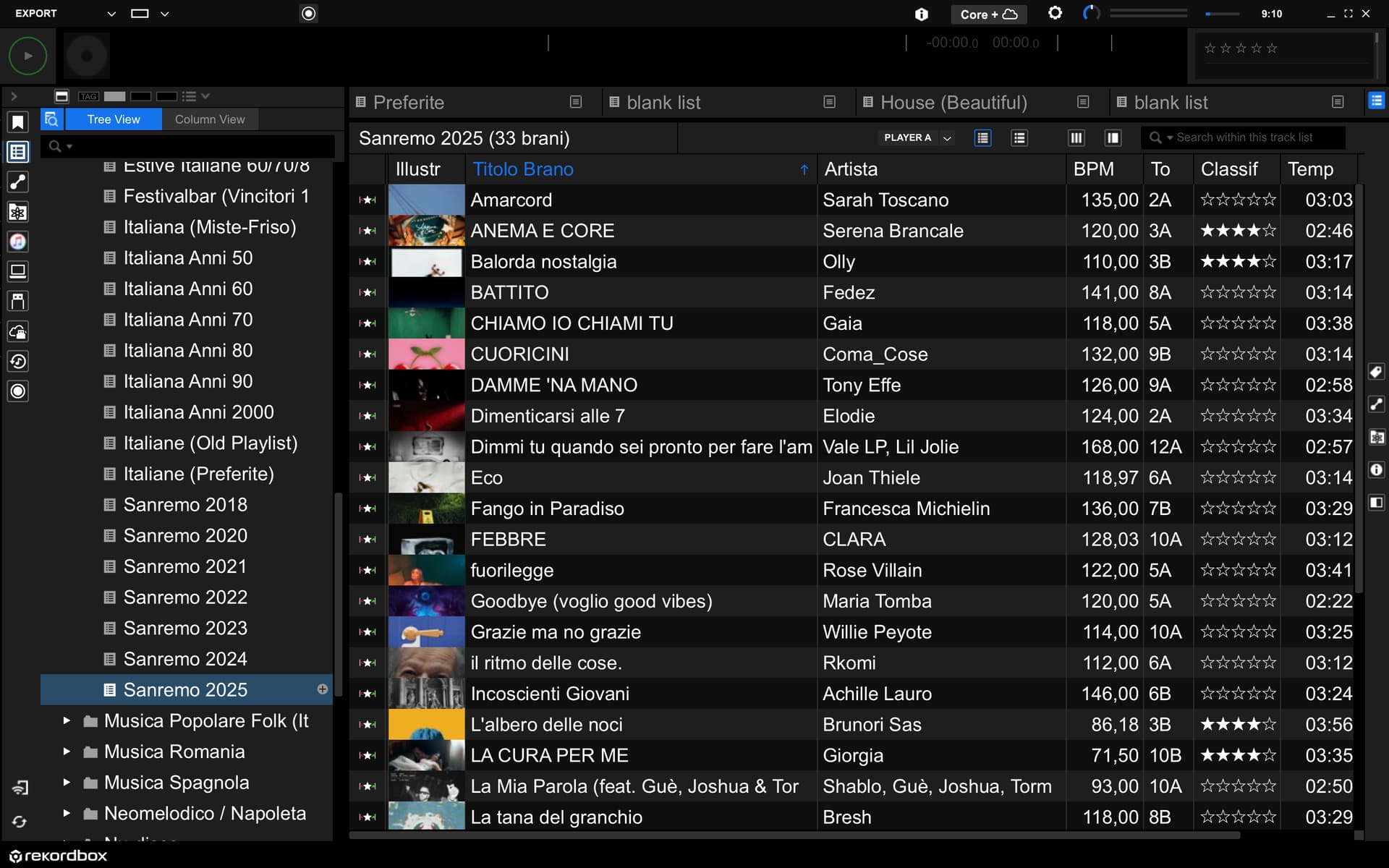
They also appear in Rekordbox when I transfer to a USB stick.

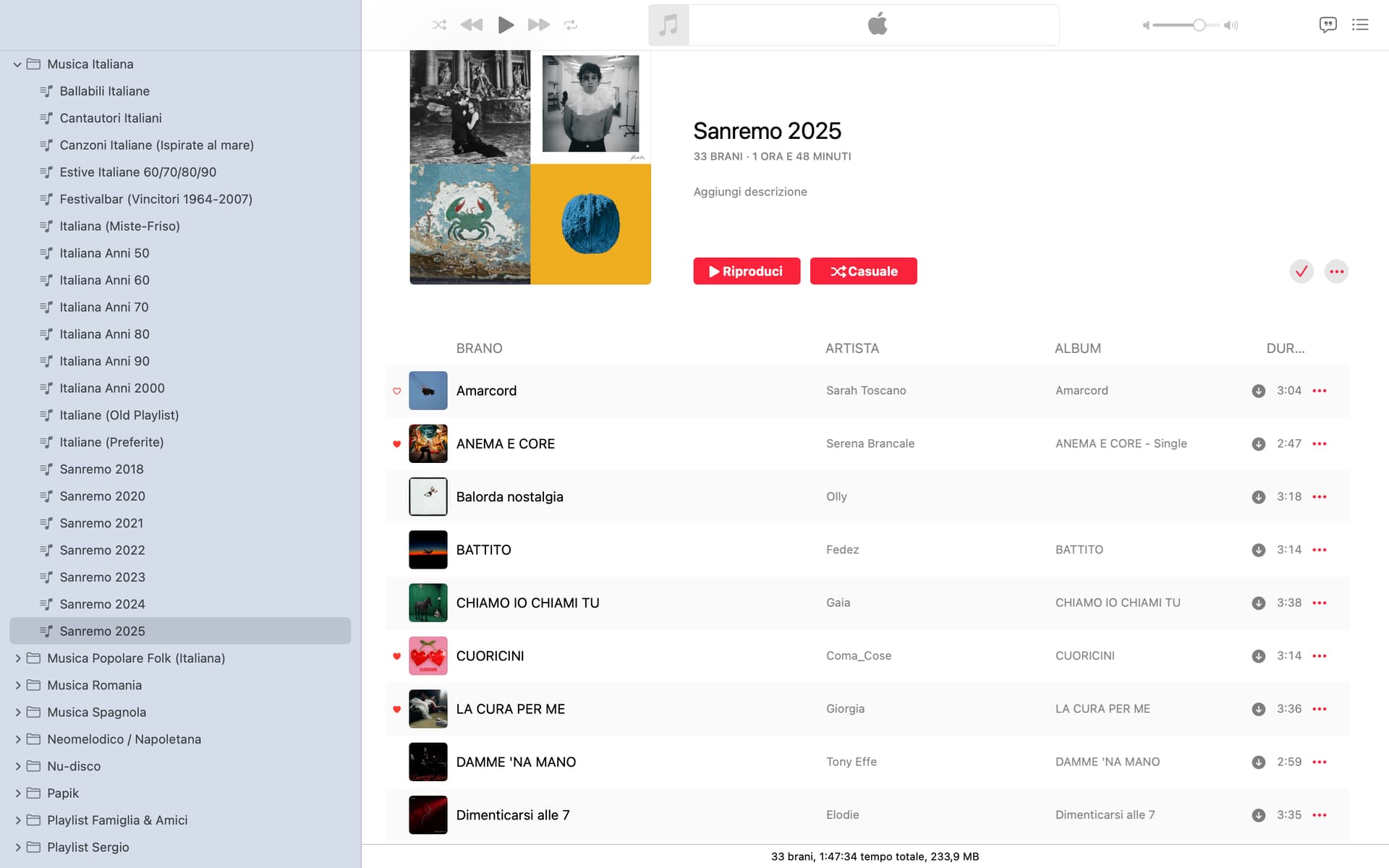
They appear in iTunes (Music).

When I open Djay Pro and select iTunes (Music) as the source, they appear.

I tried moving a playlist as a test, but the song covers don’t appear.

Why is this happening?

I also noticed that there’s no way to include the cover art in my library, as I can easily do in Rekordbox if it’s missing.

Any suggestions to resolve my issue would be greatly appreciated.
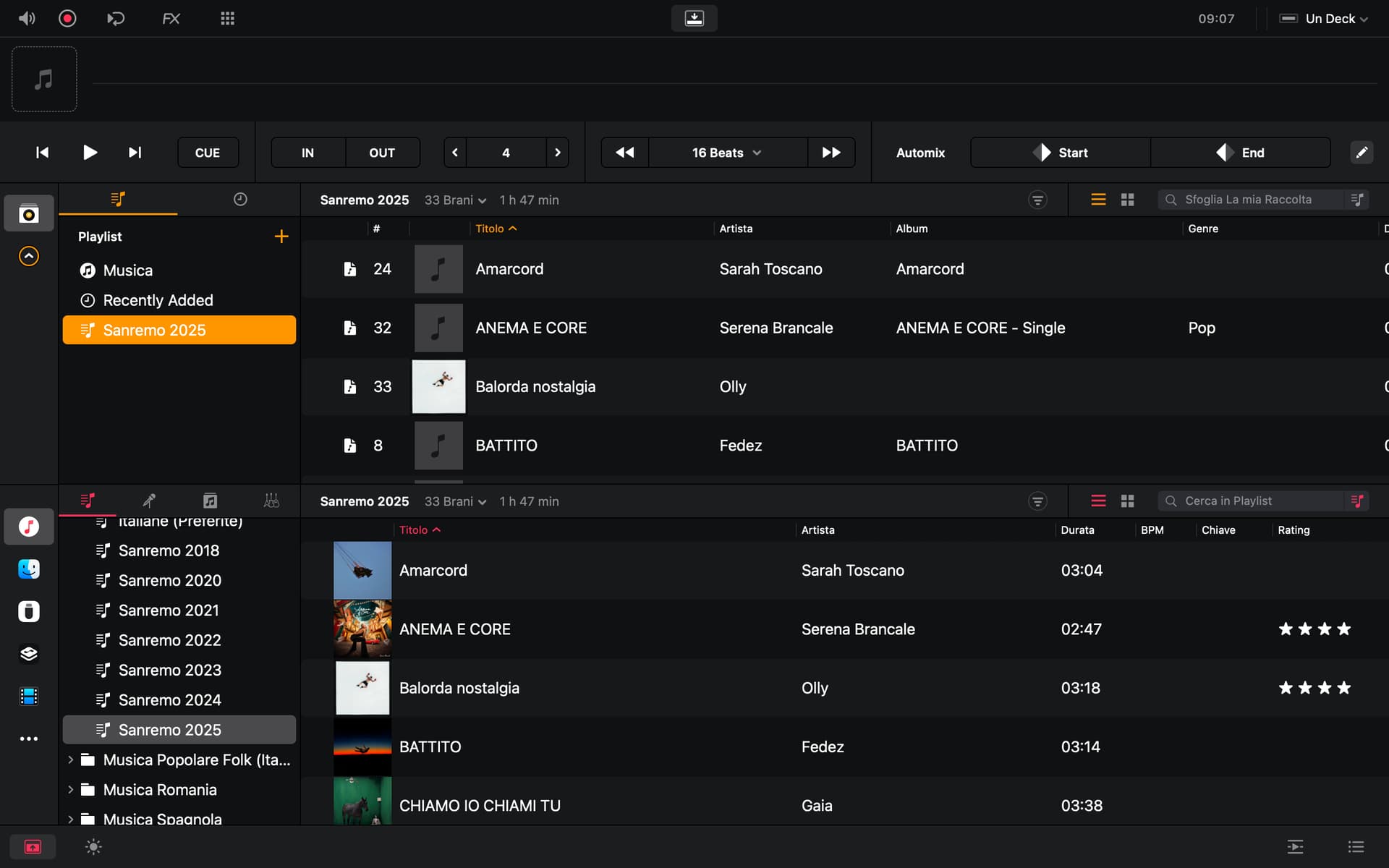


Hi Armigo. Thank you for your interest. The artwork doesn’t appear when I load it onto the deck.

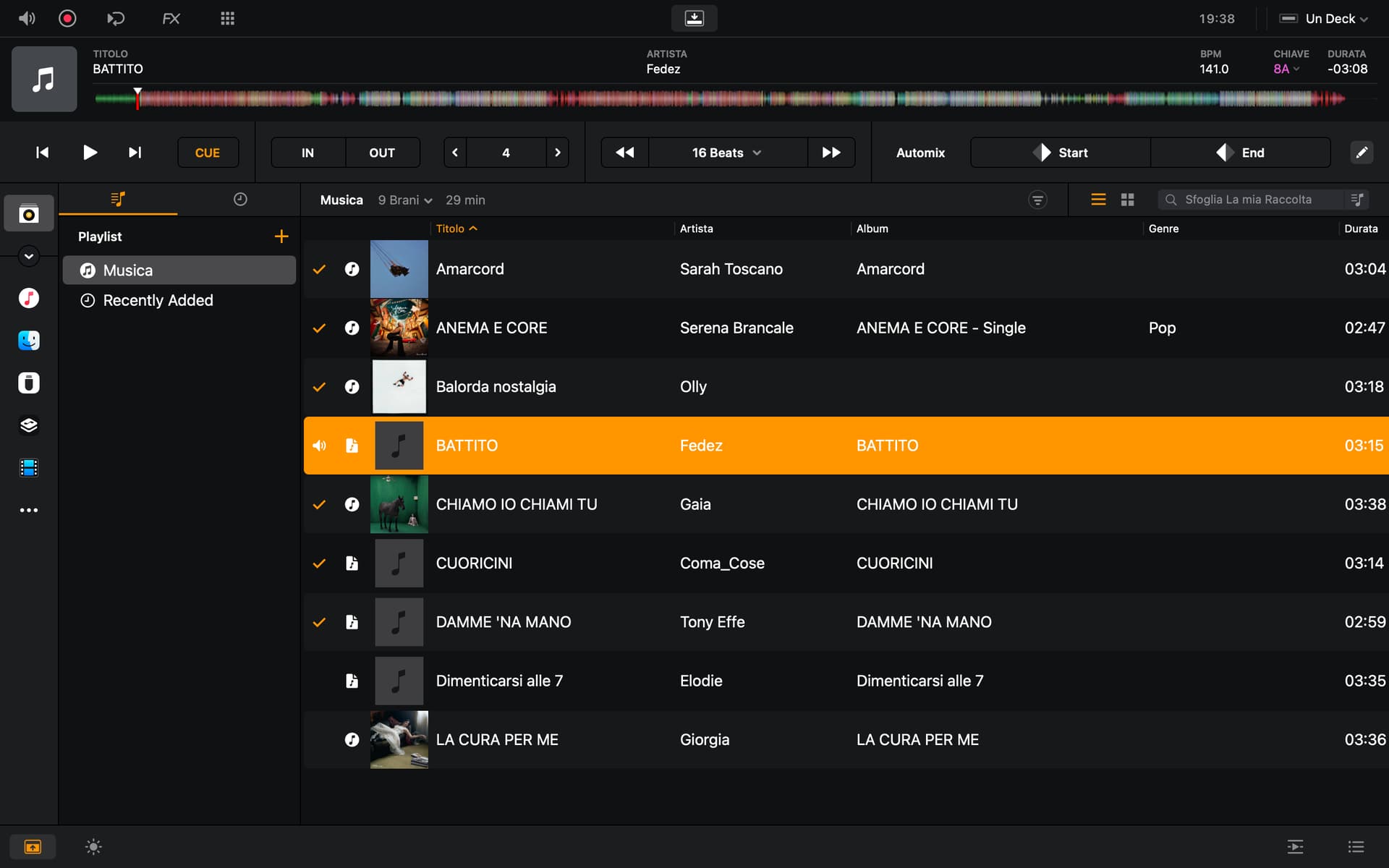
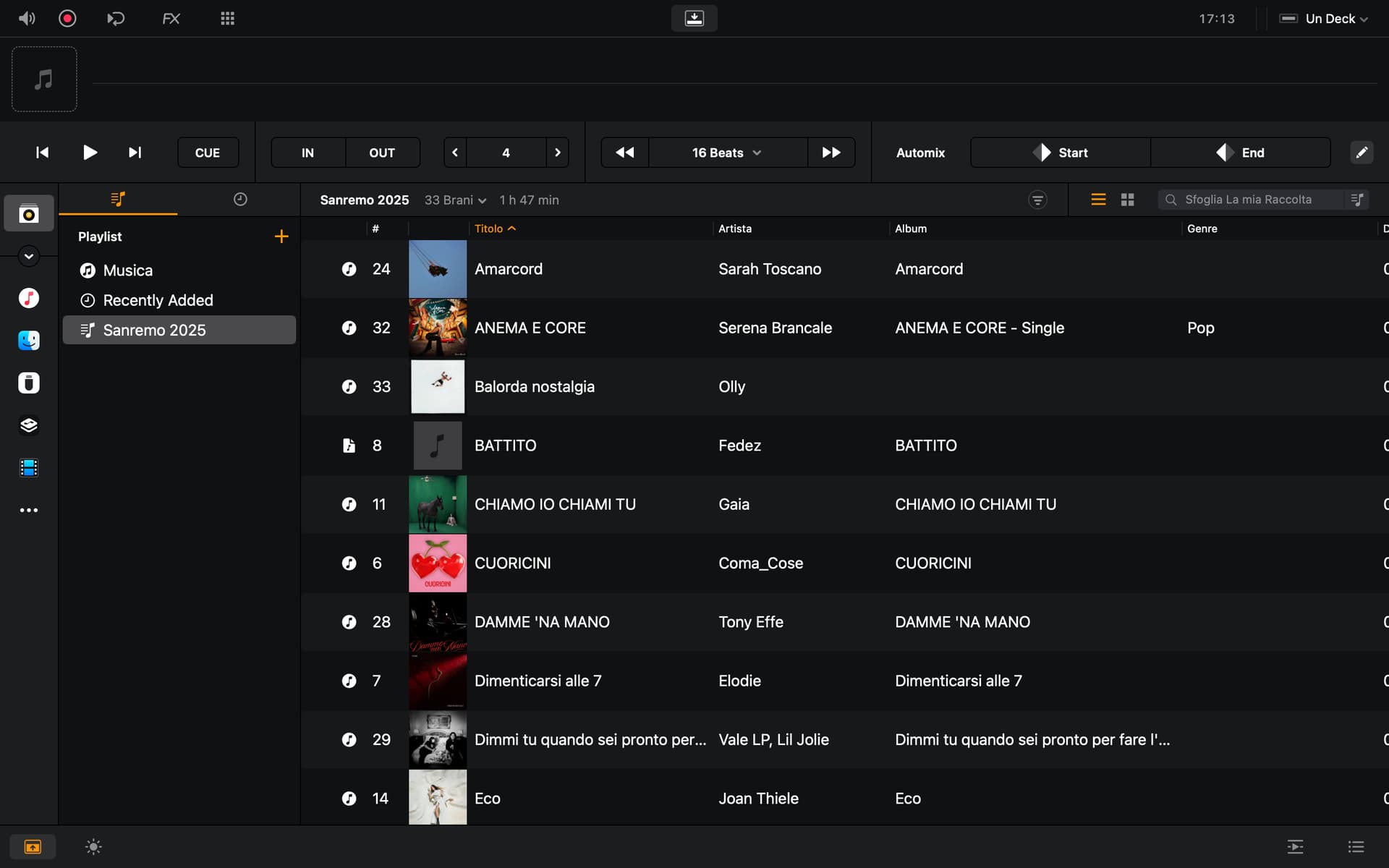
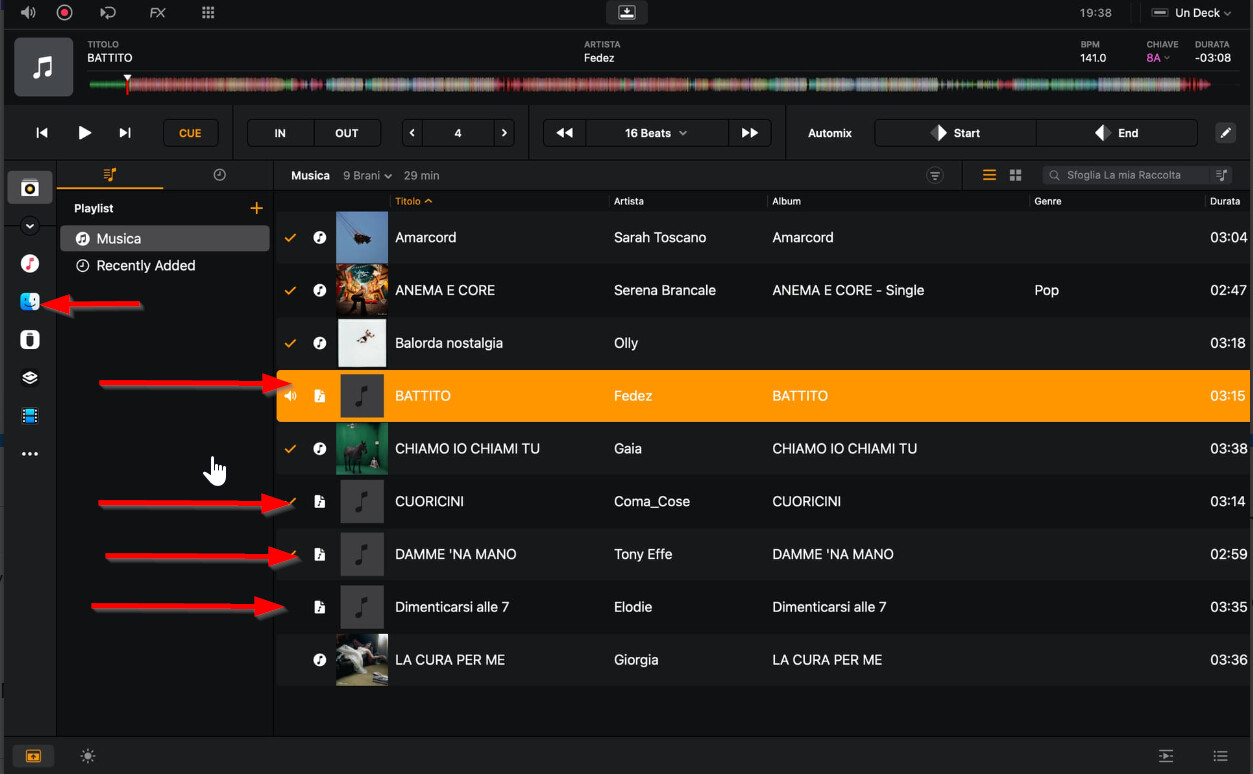
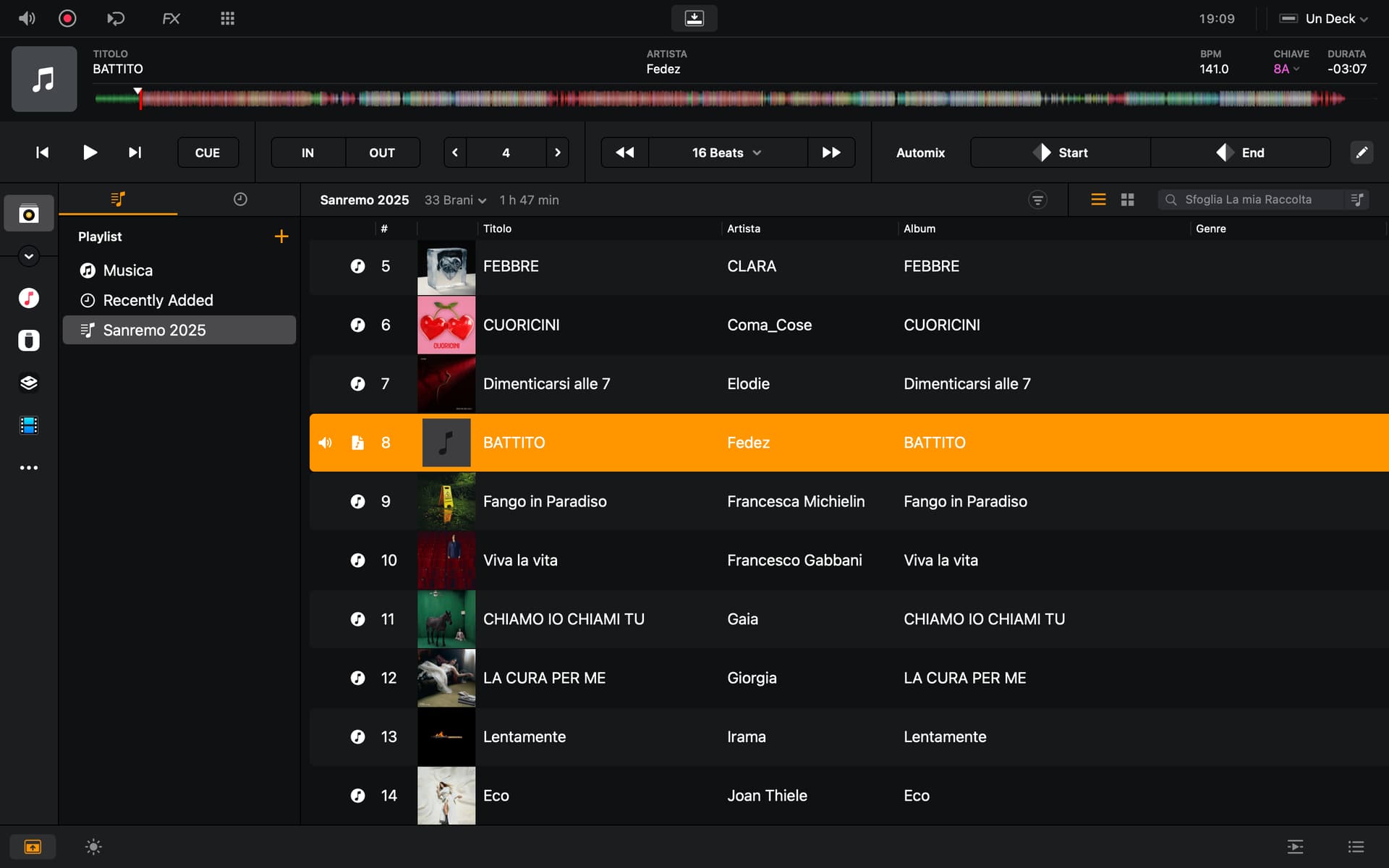
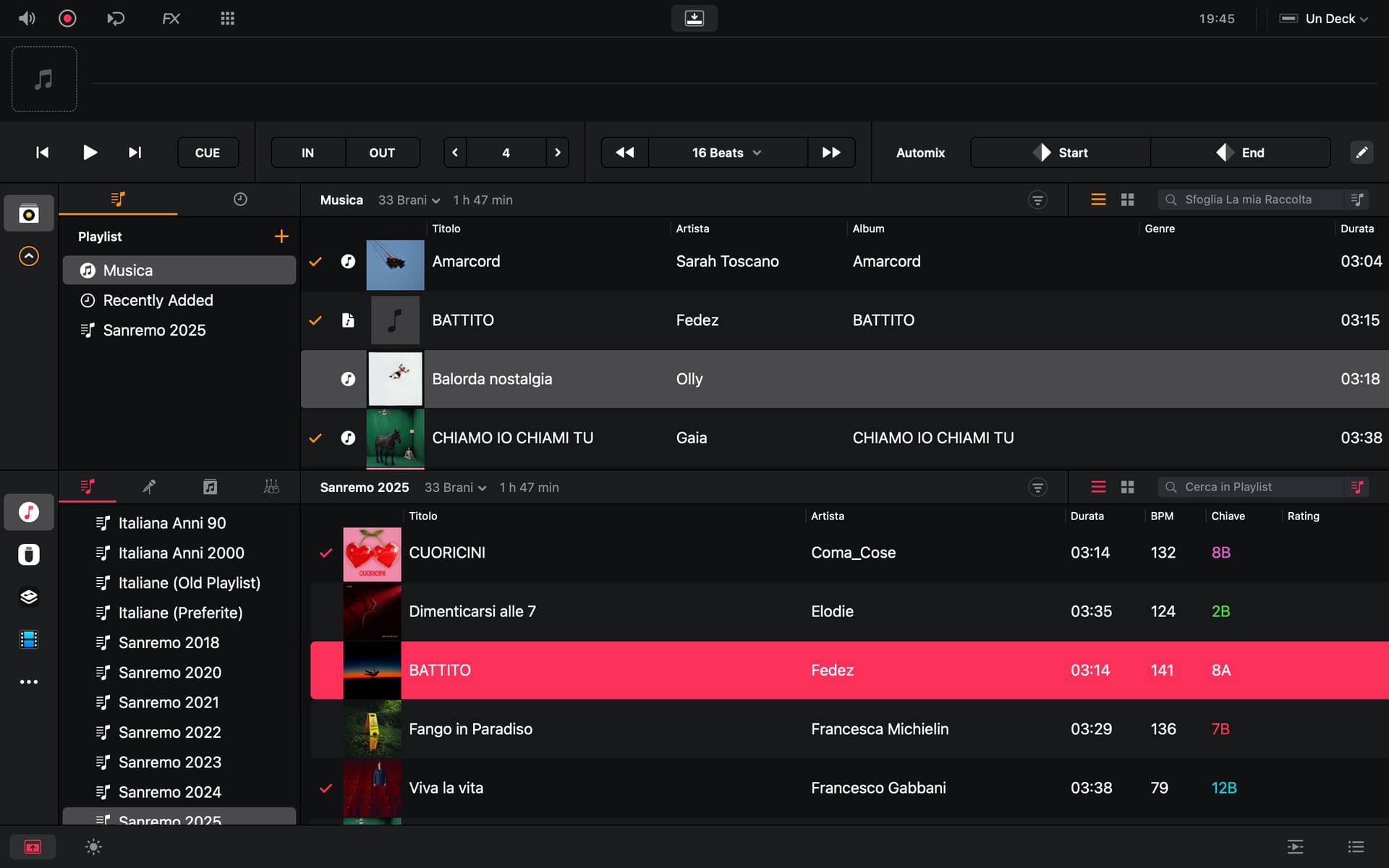
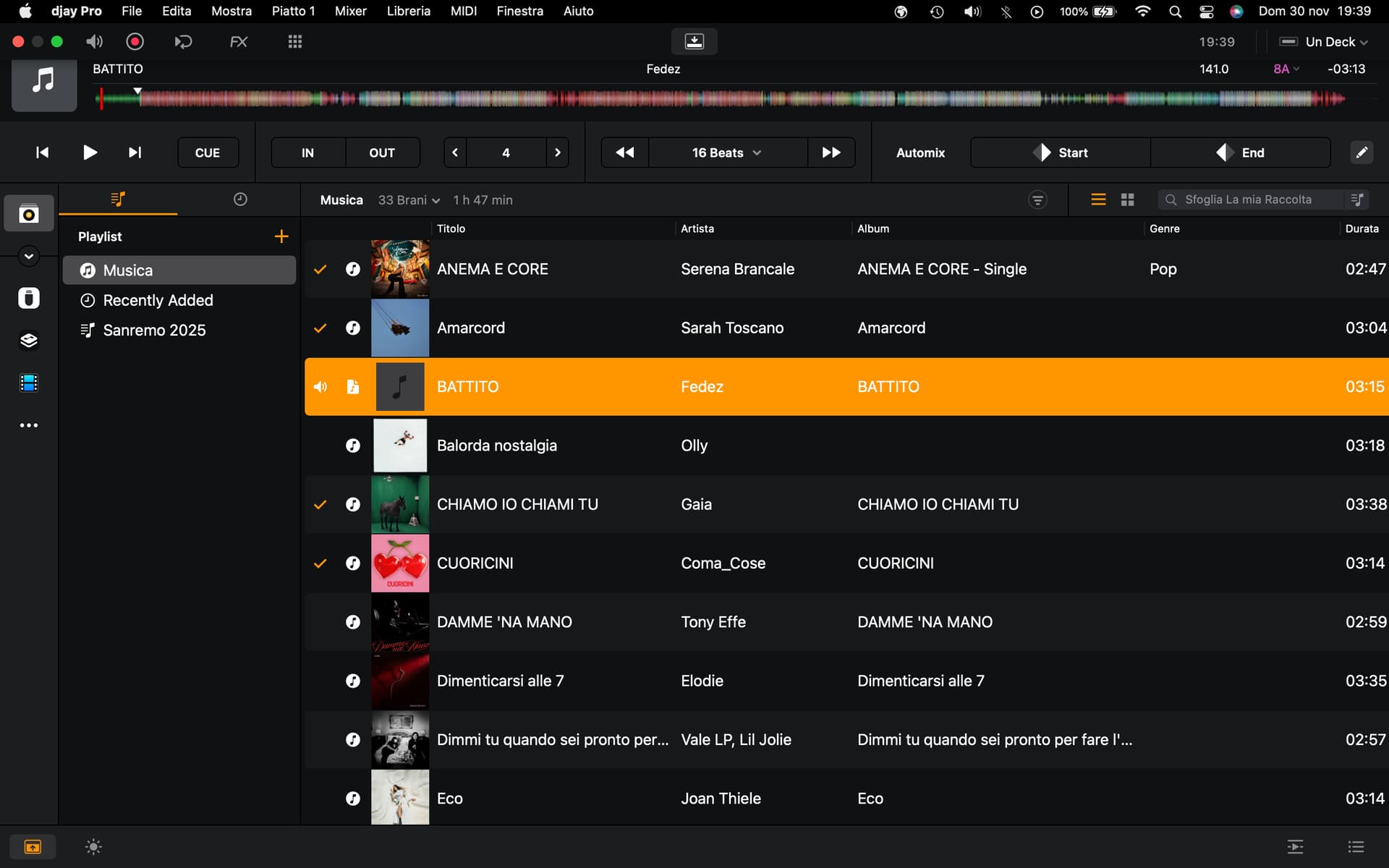
I did this further test. I deleted both the songs and the playlist from my library. I manually reloaded the songs into my library, and as you can see in the photo, the artwork now appears on some songs and not on others.

I don’t know what further tests to do.

It’s like a bug.

After a day of various tests, I’ve decided not to use this software. Forgive me, but I’m truly discouraged from using it.

Hi @Sergio1, sorry to hear you’re experiencing this issue. I was not able to reproduce this on my Mac, so I’m going to share this with engineering to see if they can. In the meantime,

  1. What file format are the songs where the artwork is not showing? Are these a different format from the ones that are showing?
  2. Are the songs stored on your Mac internal drive or only on the external USB drive?
  3. What are the exact steps you use to first get your songs onto your Mac, then into djay (My Files or iTunes Source?) and then into My Collection?

Hi Slack.

It’s nice to hear from you, and forgive me for the rant.

Now I tried adding the same playlist back to my collection, and from what you can see, there’s only one cover art. It’s a bit random.

I’ll try to answer your questions.

My music library consists of mp3 files and mostly m4a files.

The songs are all stored on my Mac’s internal drive.

I don’t use Apple Music, Spotify, Beatport, etc.

The exact steps are to select the source from iTunes and then my collection.

Since it’s a very integrated software with iTunes, I honestly wasn’t expecting this kind of behavior.

If you need more information to resolve this issue, I’m happy to help.


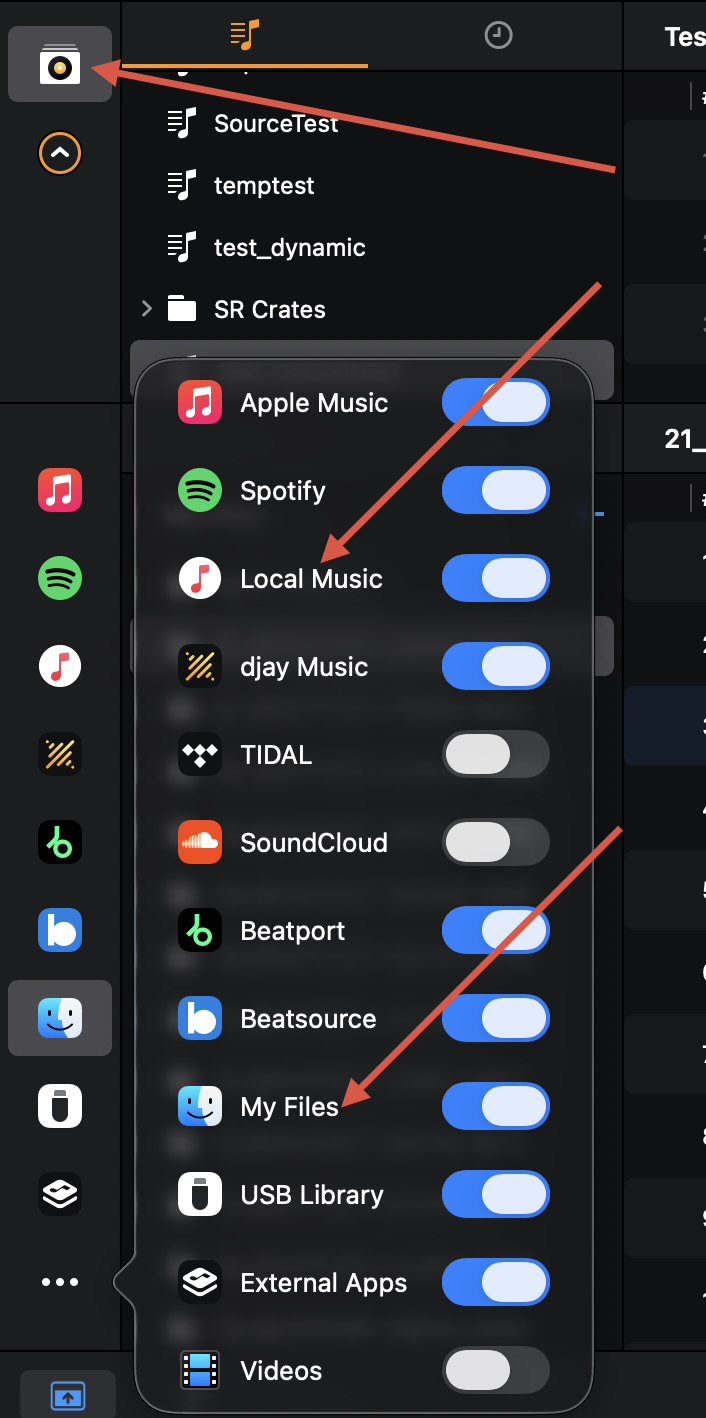
Hi @Sergio1, so you are always dragging and dropping from the iTunes/Local Music Source into My Collection and not from the My Files Source in My Collection?

Looking at your screenshots, it appears that the songs with missing files are coming from the My Files source and not the Local Music source based on the Source Icon.

Can you please try disabling the My Files source, rebooting your Mac and testing again from the Local Music source to My Collection?

Exactly. I’m always dragging and dropping from iTunes/Local Music Source to My Collection, not from My Files Source to My Collection. I’ll try your advice and update you.

1 Like

I followed your instructions. Now the only one without a cover is always the one with the different source symbol than all the others. I noticed that the others have the source symbol changed.

How can I fix this?

Thank you very much for your valuable advice.

Thanks for testing this an reporting back @Sergio1. Can you please now try removing the songs with the missing artwork from My Collection and re-add them from the Local Music source?

Done. Still without a cover and a different source symbol than the others.

Okay, thanks for checking @Sergio1. I can’t think of anything else to suggest at the moment since I cannot replicate this myself. I’ll need to pass this onto our engineering team on Monday to see if they can. I’ll report back when I have more news. Thanks!

1 Like

Is this what you mean? Disable localmusic and use only my library?

Ok. Thank you very much.

1 Like

You’re welcome @Sergio1. Sorry I couldn’t be of more help today.

1 Like

No problem. You’ve already accomplished a lot. Have a good evening.

1 Like

Thanks! You too @Sergio1

Good morning, Armigo.

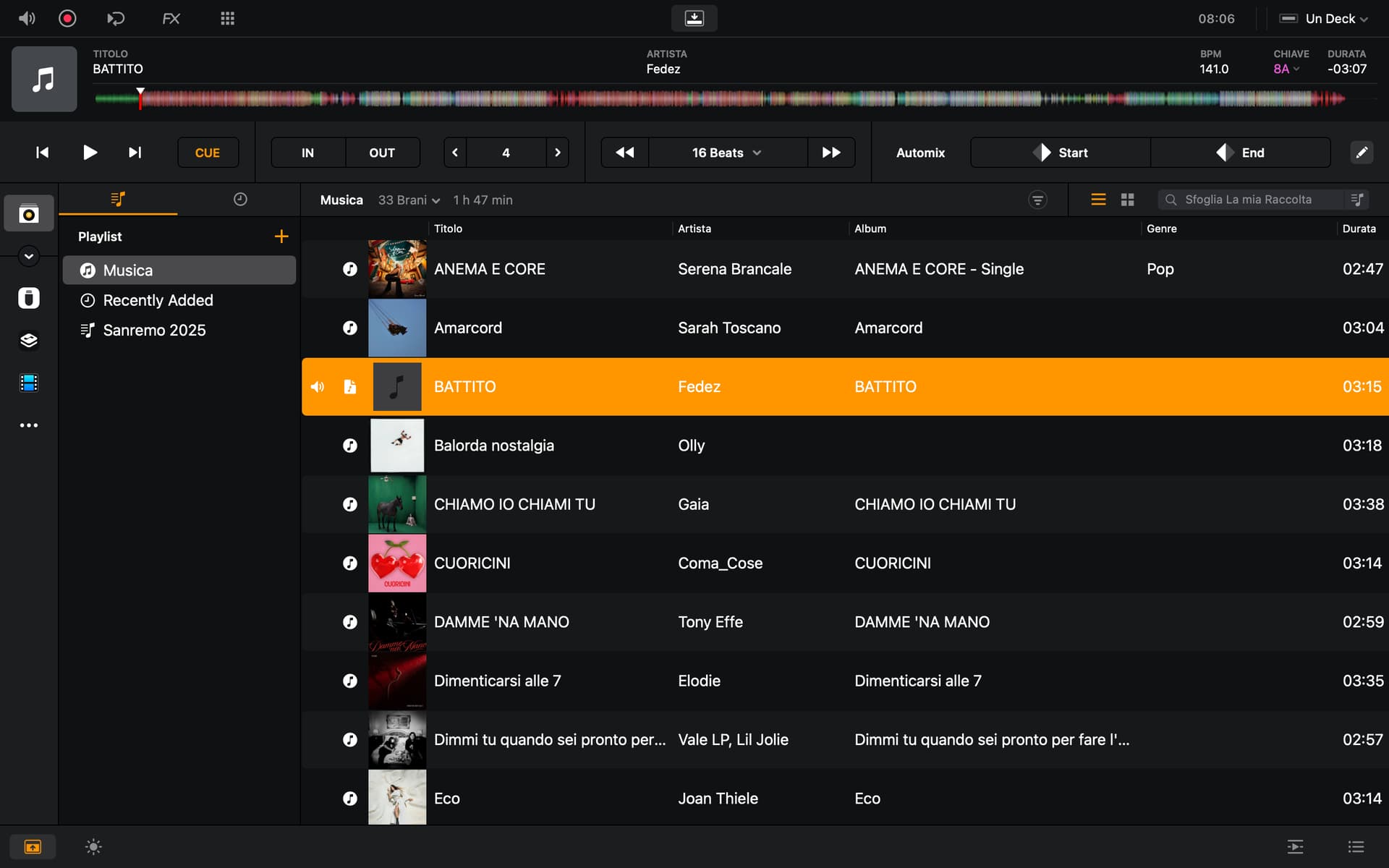
As you can see, unfortunately, it doesn’t help.

The song in question, without the cover art, always appears with the source symbol in My Files.

My Files is disabled.

Creating playlists within my library is a great thing.

The even better thing they’ve done is the ability to put everything on a USB stick and then use it on the latest-generation CDJs I use often.

I’ve been using Rekordbox to make USB sticks for decades, and I must also say that Rekordbox is excellent for library management.

If I remember correctly, back in the day, you could only make playlists with Djay Pro via iTunes.

I can’t figure out why, after creating a playlist, you can’t save it as an M3U8 file?

I’ve only seen that you can save it as a CSV file, which doesn’t serve this purpose.

I’m asking for your advice.

I’d like to move my entire library, including all the playlists in iTunes, to my library and then use my library exclusively to build new playlists.

How would you do it?

Mostly because I noticed that when you move songs from iTunes to my library, the added date refers to the day you transferred them, not the iTunes reference date.

All your advice is invaluable.

Forgive me for going on so long.

1 Like

Hi again @Sergio1, can you please share some of the files here or in a DM that have the missing artwork? Engineering would like to have a look at them. Thanks!

1 Like

Hi Slack.
Nice to hear from you again.

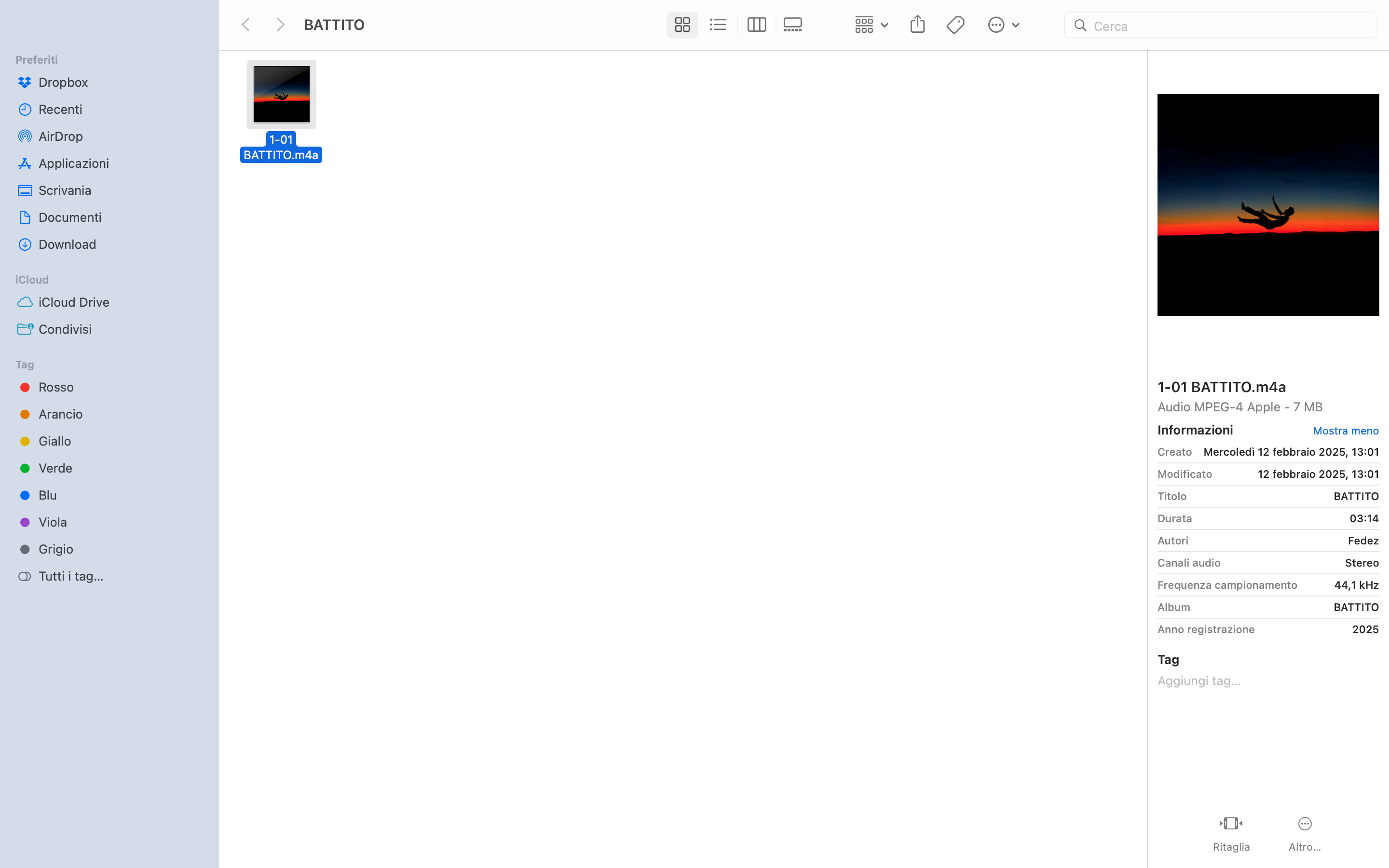
If I create a single playlist in iTunes containing all my music and then transfer it to my Djay Pro library, would it be better to see which files don’t have the artwork embedded?

You’ll have to give me some time, because I have tens of thousands of songs in my iTunes library, I think almost all of them have artwork displayed.

What do you think?