Hi
Is it possible to use the performance pads on the Reloop Mixon 8 as instant fx.
There isn’t a button to go straight to it.
Thanks
Alan
Hi
Is it possible to use the performance pads on the Reloop Mixon 8 as instant fx.
There isn’t a button to go straight to it.
Thanks
Alan
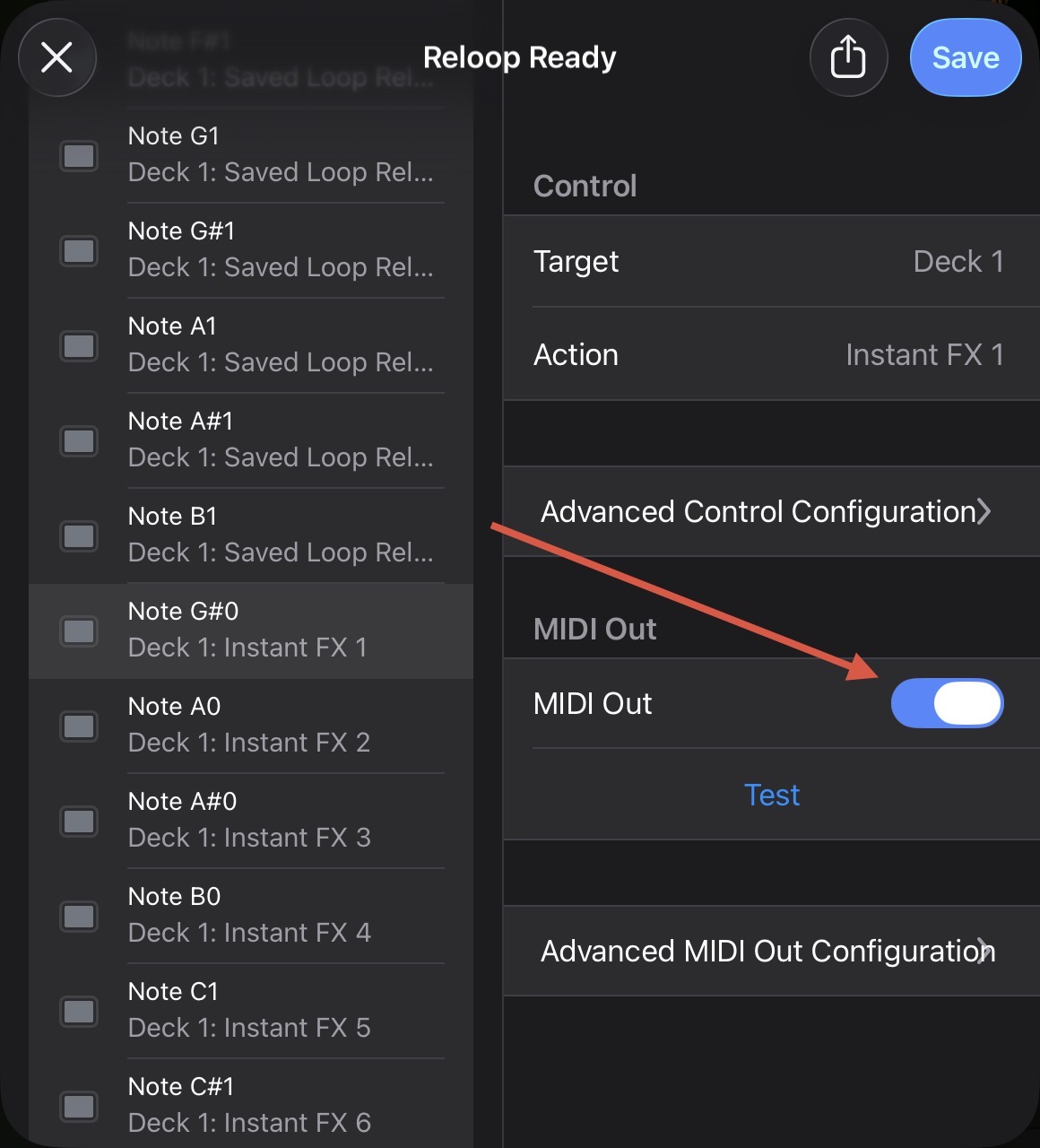
Hi @alandalton72, Instant FX are not MIDI mapped to the performance pads in the built-in mapping. You can, however, easily edit this mapping and replace one of the existing Pad Modes. In my personal mapping, I replaced Saved Loops with Instant FX (see linked topic below):
If you’ve never MIDI mapped in djay, please refer to the linked FAQs below:
Thank for the detailed reply Slak_Jaw.
That worked perfectly for me.
Just what I wanted.
You’re welcome @alandalton72. Happy to help!
When you map the pads - is it possible to get them to light up for on/toggle… for example - I keep getting caught out by Echo Out coming on with a push of the button and not releasing, but as no light comes on there is no way to know, and then I can cue up another track and mysteriously it won’t play as the channel is still echoed out…
I have tried swappign between toggle and hold when setting the pad to the instant FX but it seems to make no difference (with the echo out at least)
Hi @DJ.Dubious, welcome to the Community! To enable LED feedback you need to turn ON MIDI Out in for each of your Instant FX pads.
That’s great! Thanks very much! I shall give that a go…
In the meantime though, I have also learnt that the “Saved Flip” pad options on the Mixon 8 are already programmed for the Instant FX - which I never knew!
But very exciting to have both the User defined settings now freed up for something else entirely! 
You’re welcome @DJ.Dubious