


Based on Slak’s 2023 Layout
 Original post by Slak: iPad Remote for djay on Mac (2023)
This new version is a complete enhancement and upgrade built upon Slak’s 2023 TouchOSC layout.
It now covers about 99% of djay Pro’s desktop functions .
After two weeks of testing, all major operation issues have been solved.
Some untested edge cases may still have minor bugs, but overall it should run smoothly and reliably.
Here is the download link for midimapping and touchosc template:midimap and touchosc template V2025-11
Please excuse my English, as it is not my first language. If you run into any issues while using this template, feel free to leave a comment in this thread. I’ll be checking here regularly and will do my best to help.
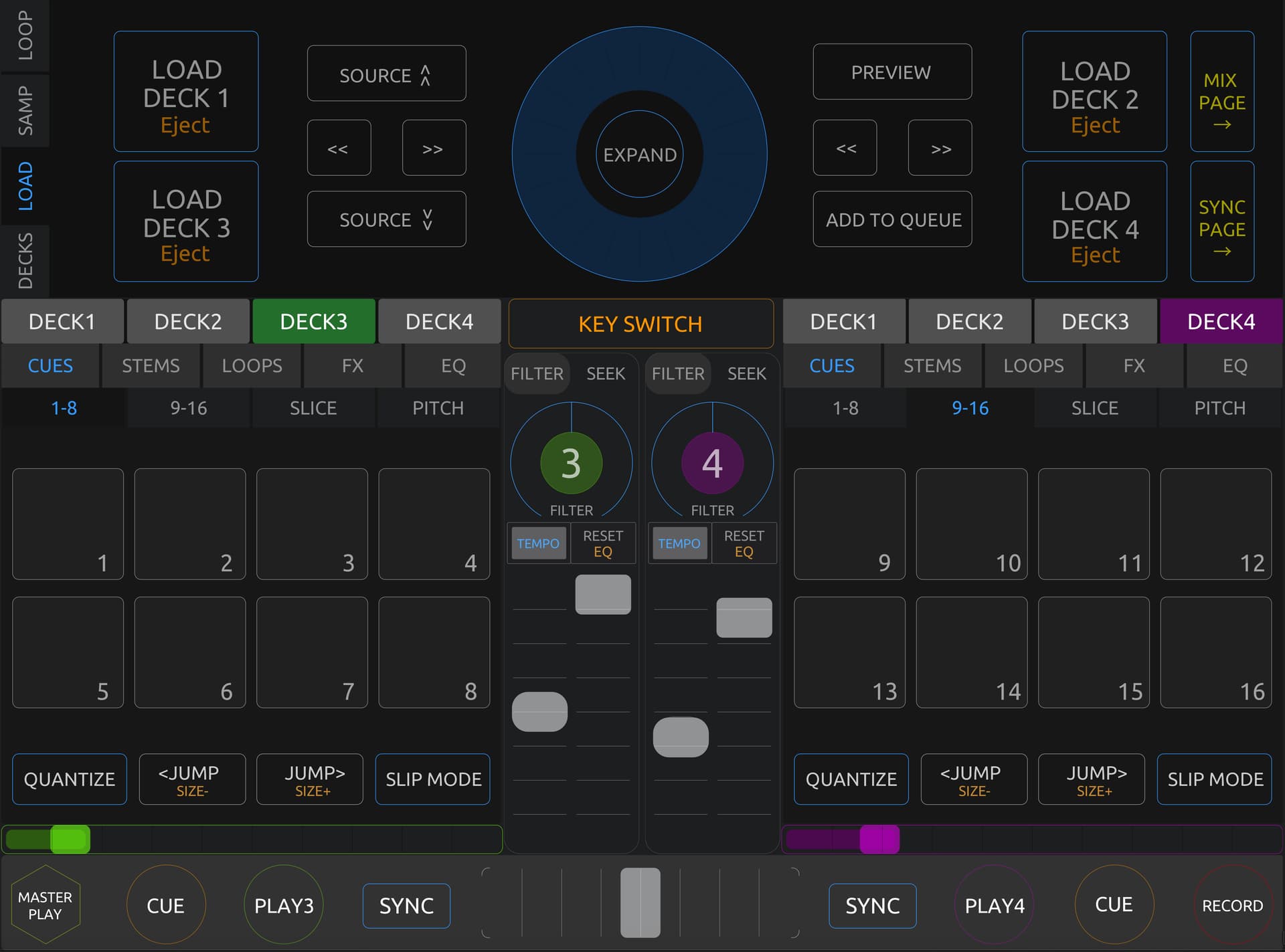
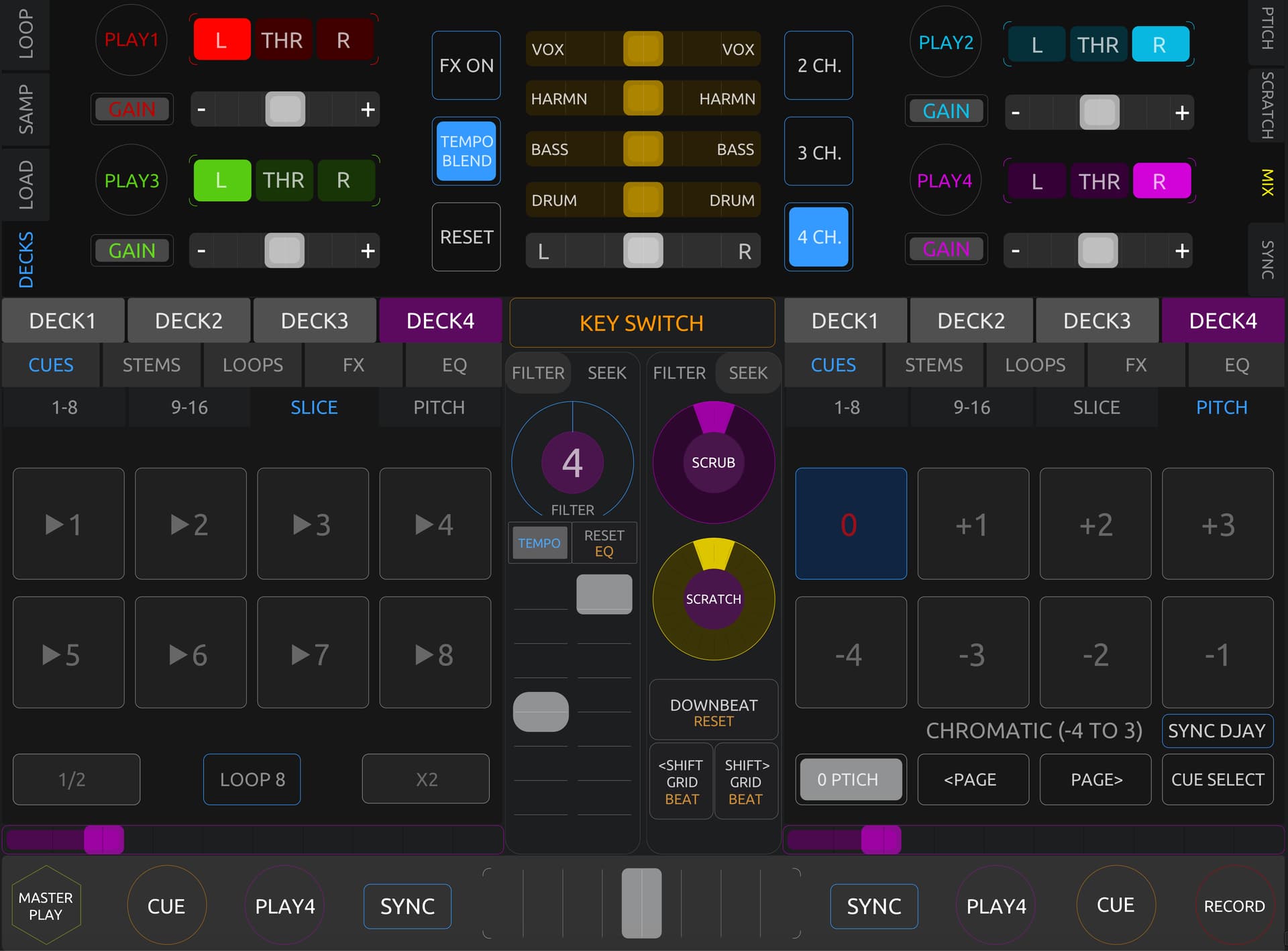
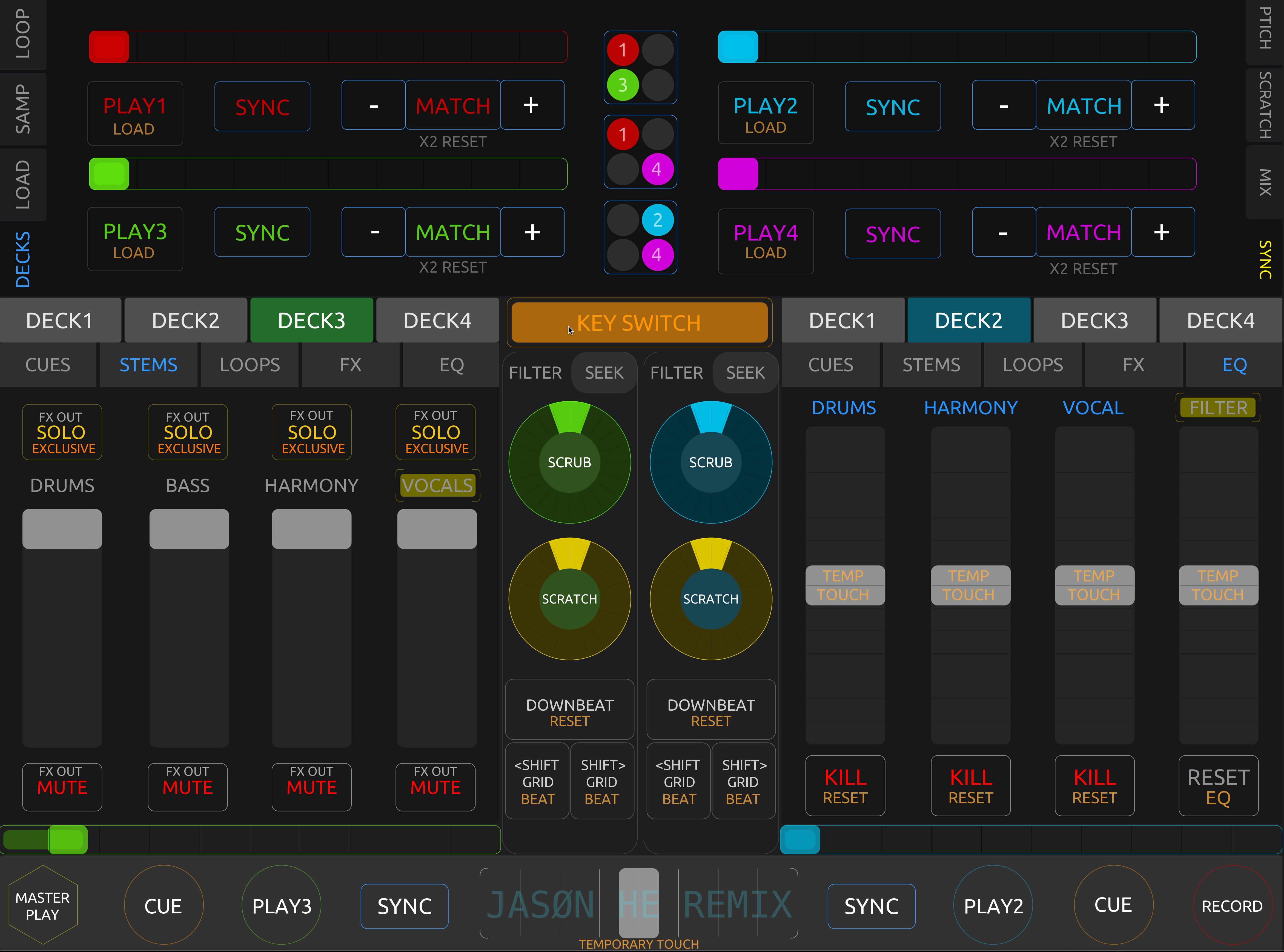
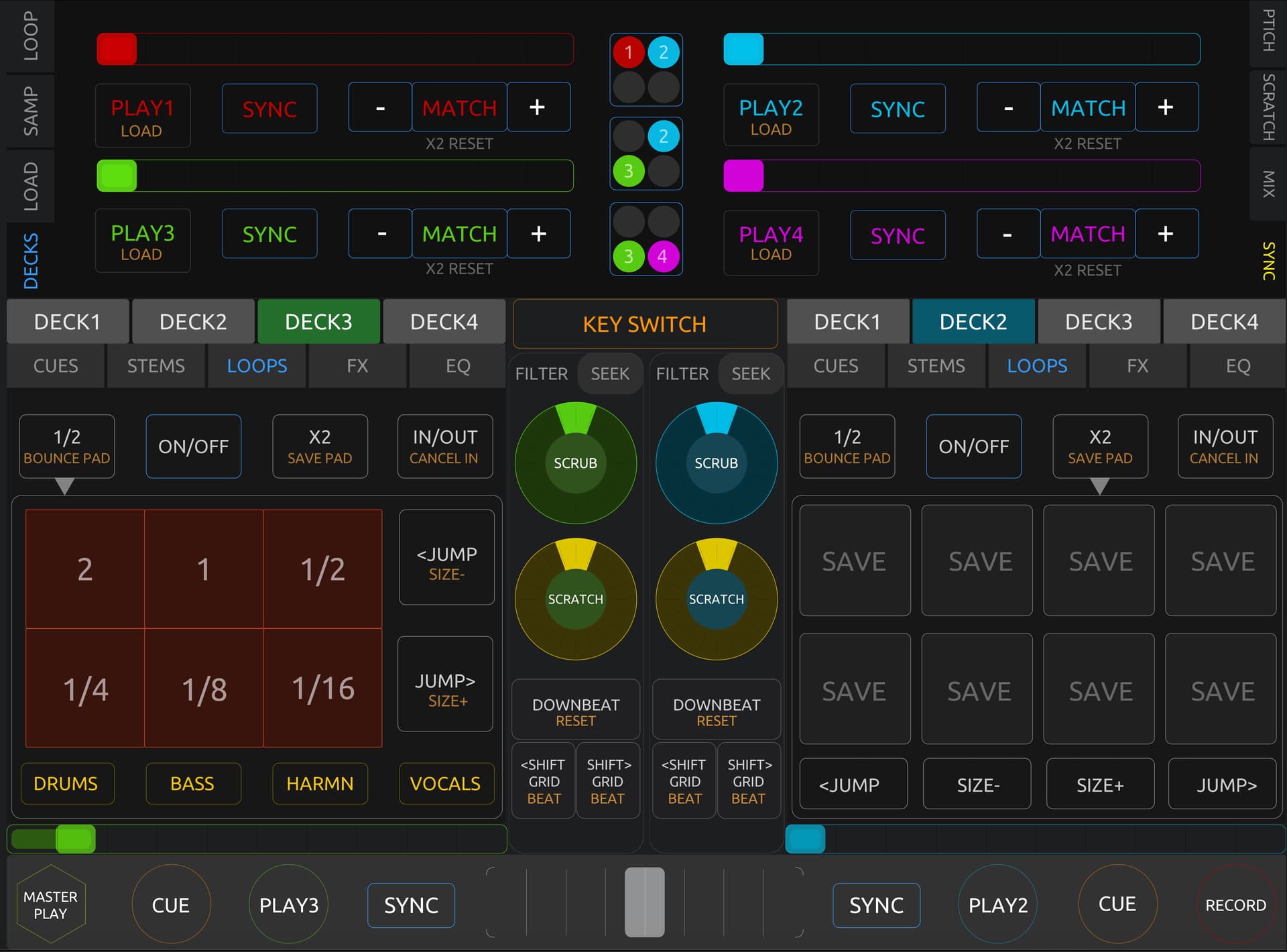
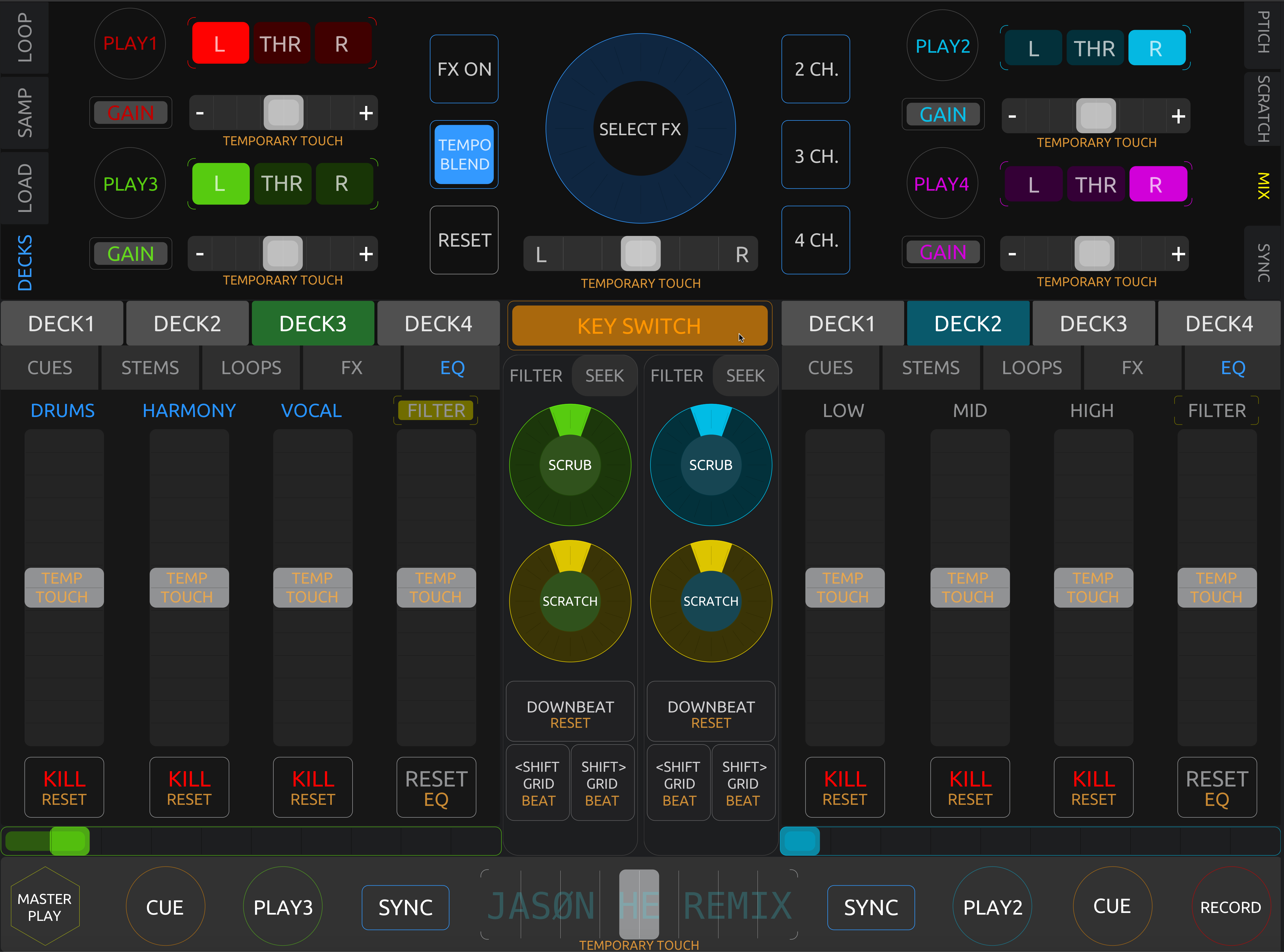
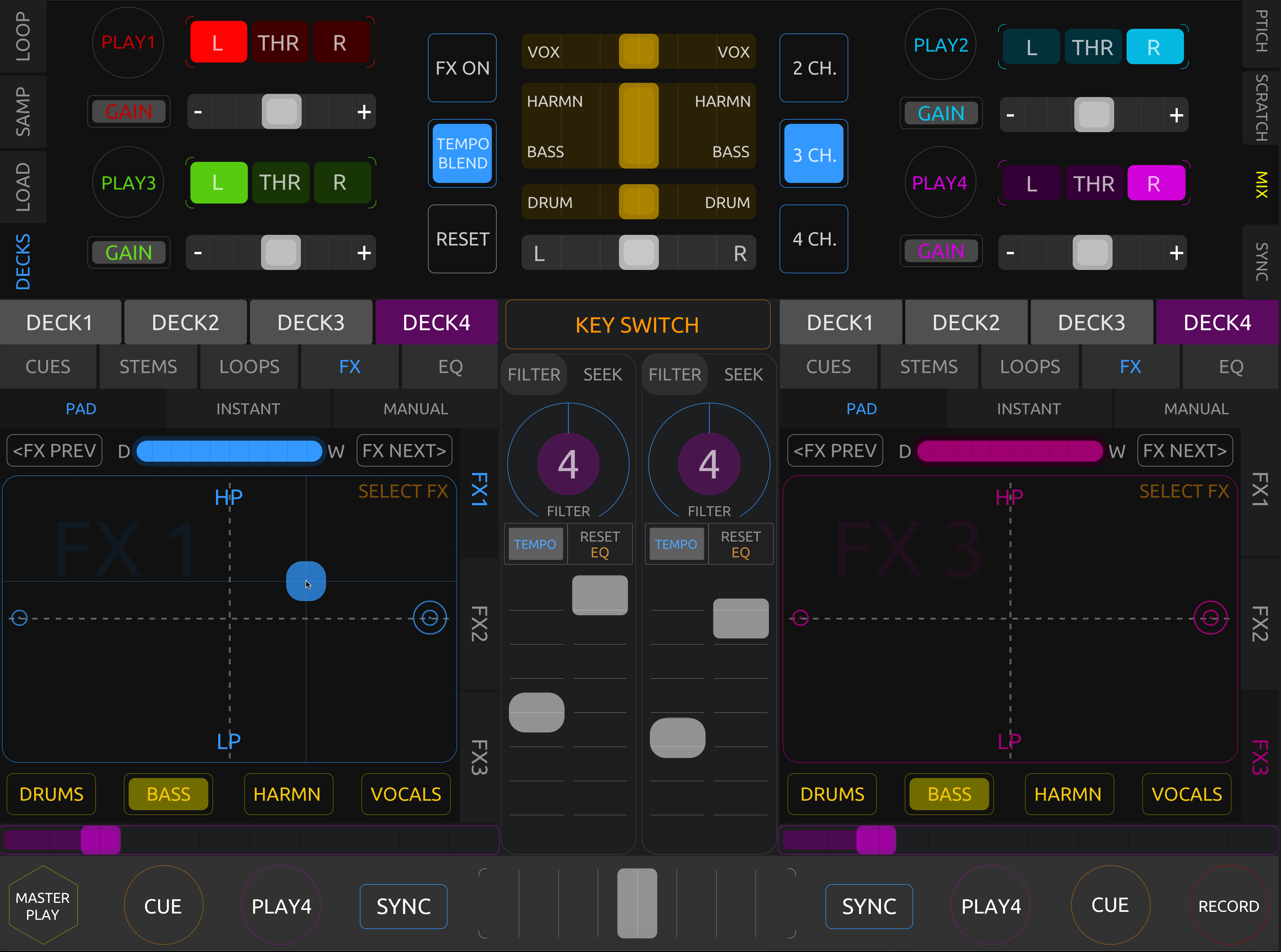
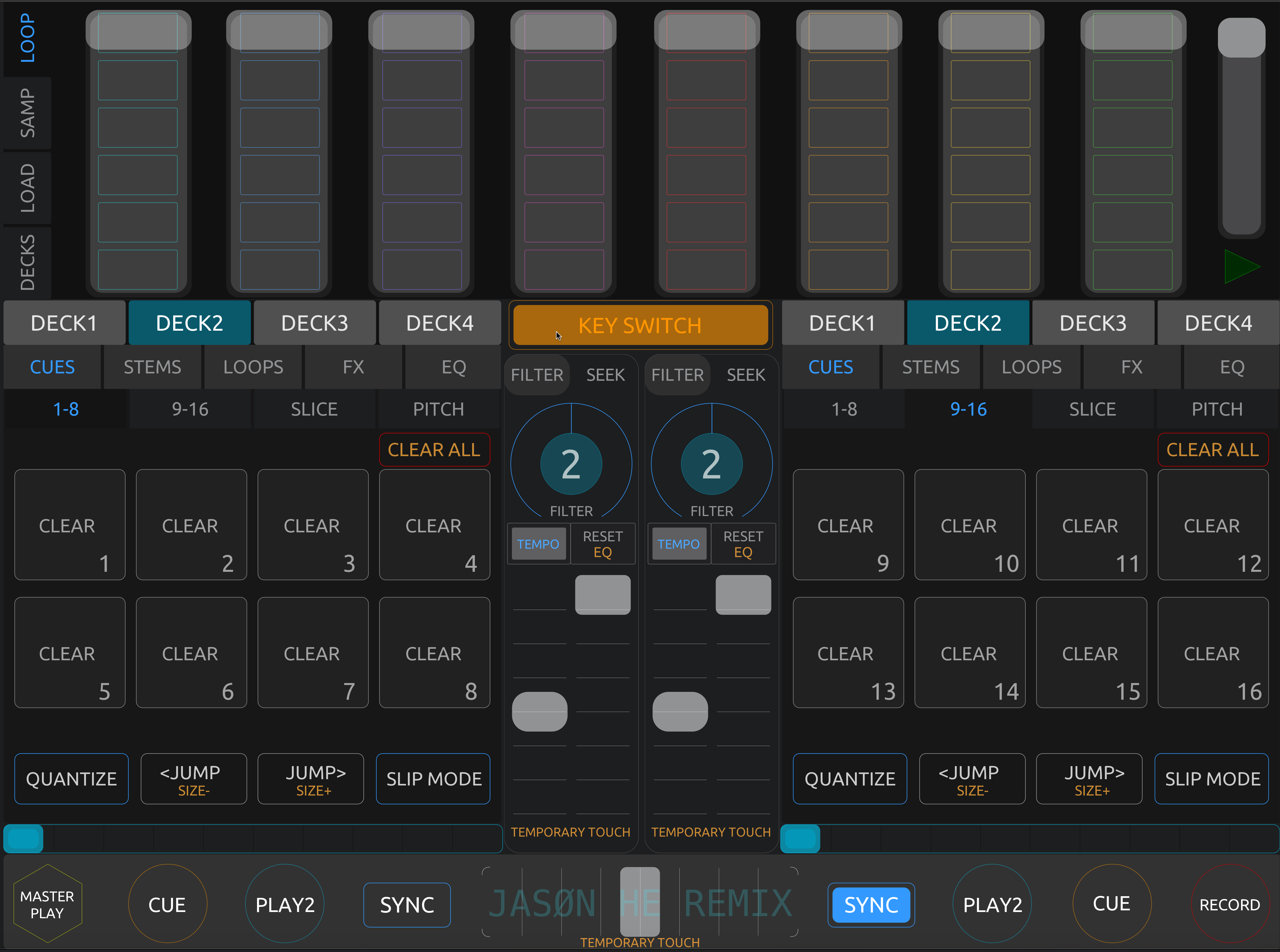
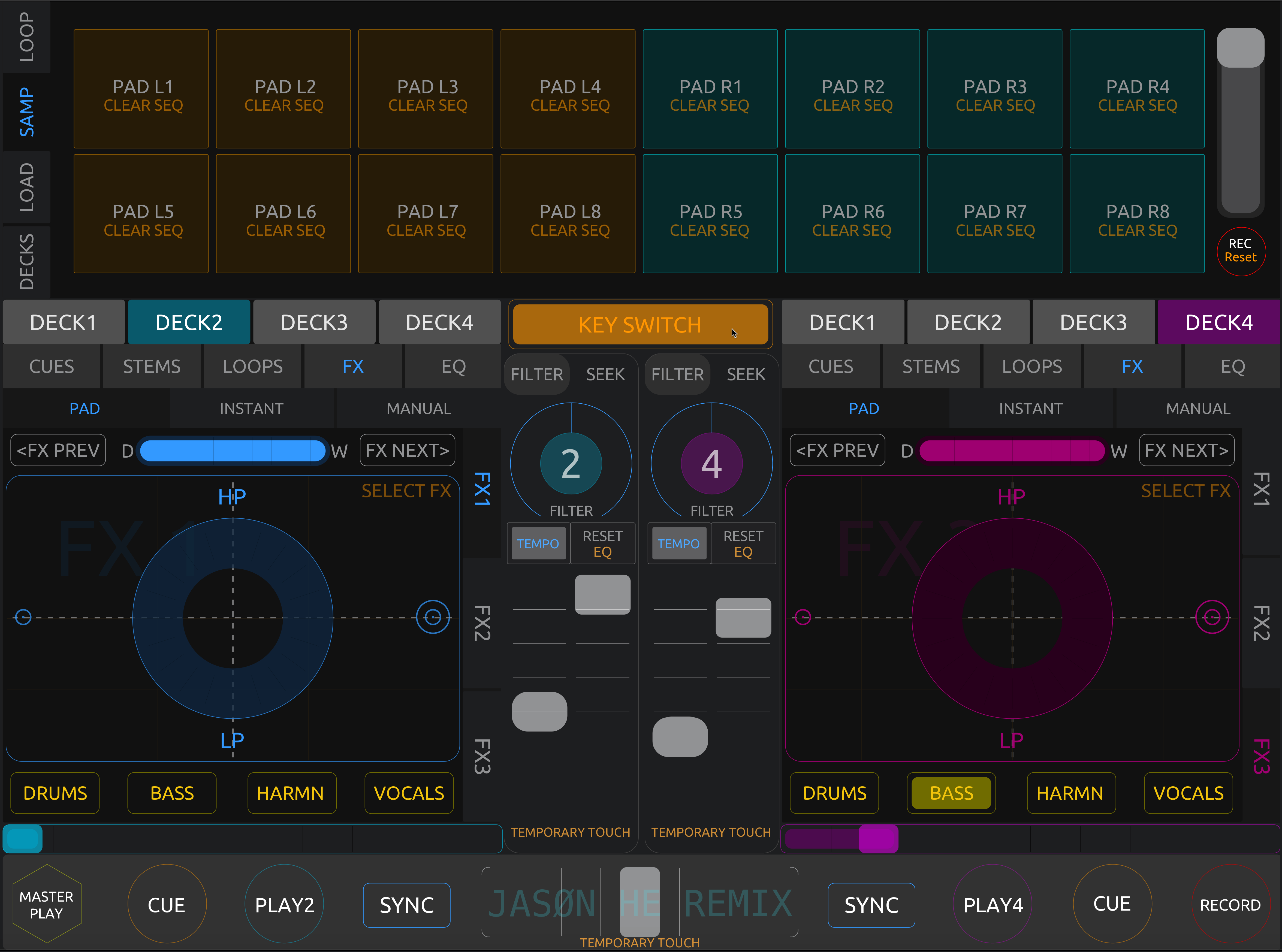
screenshots:

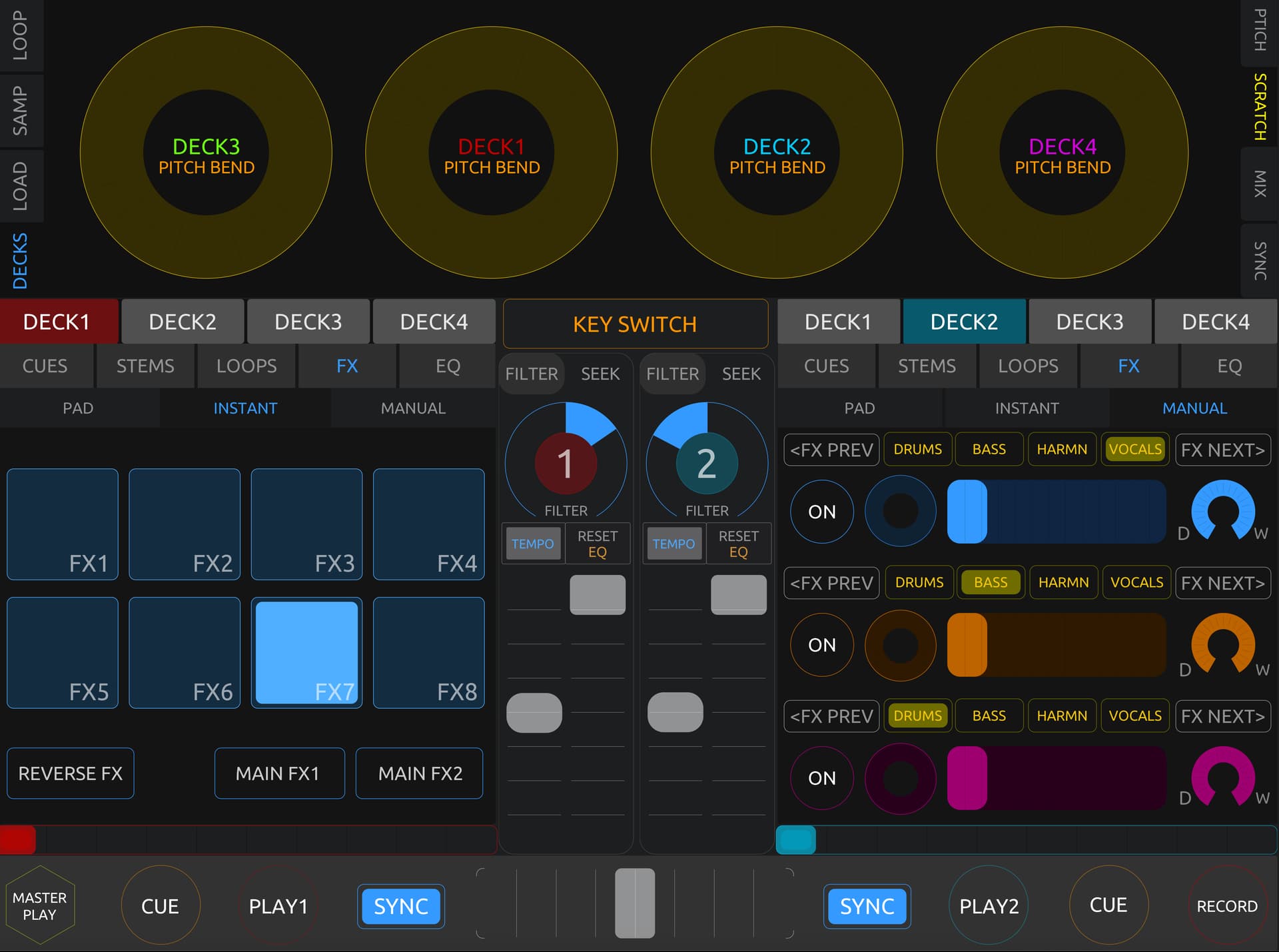
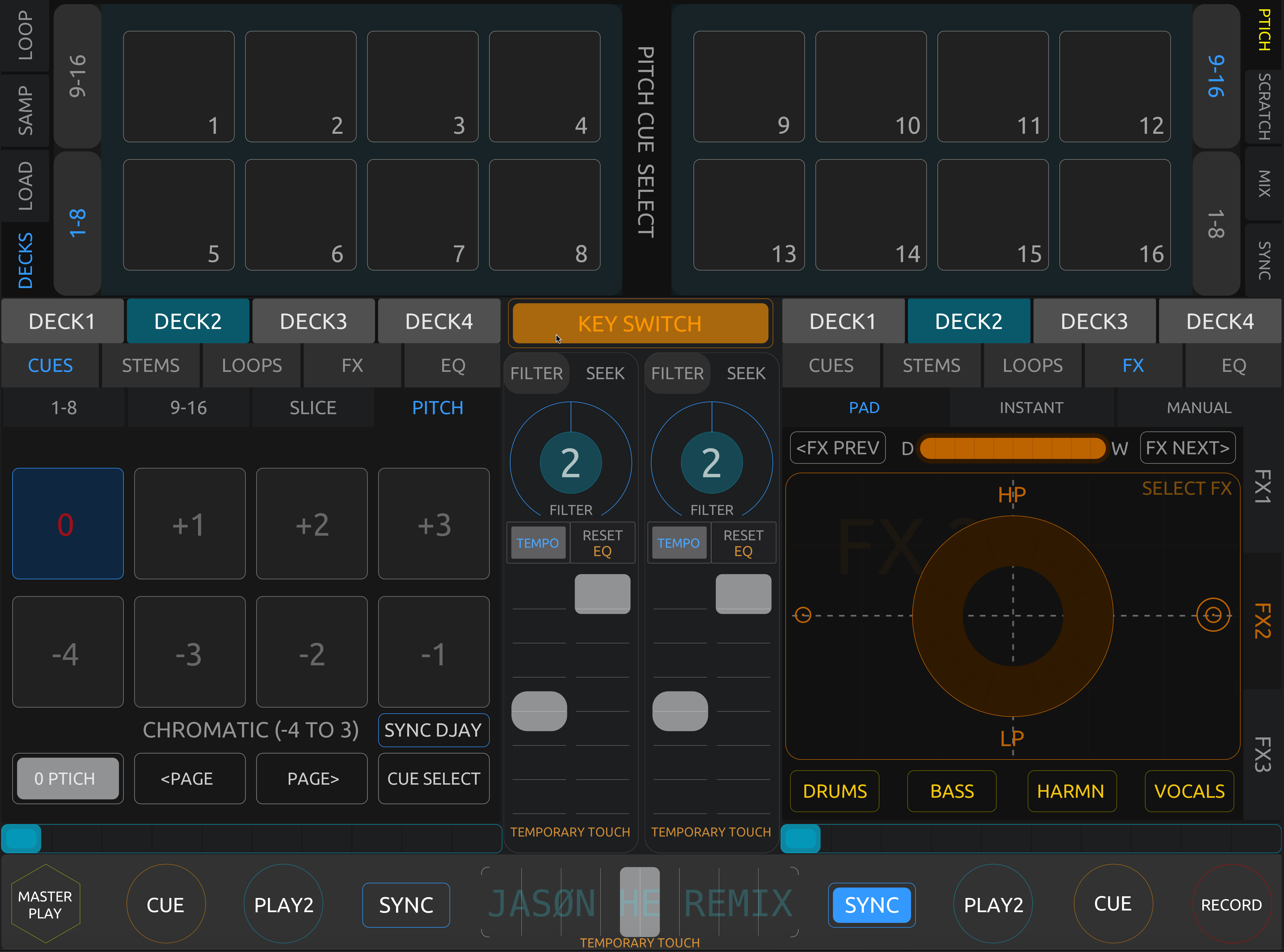
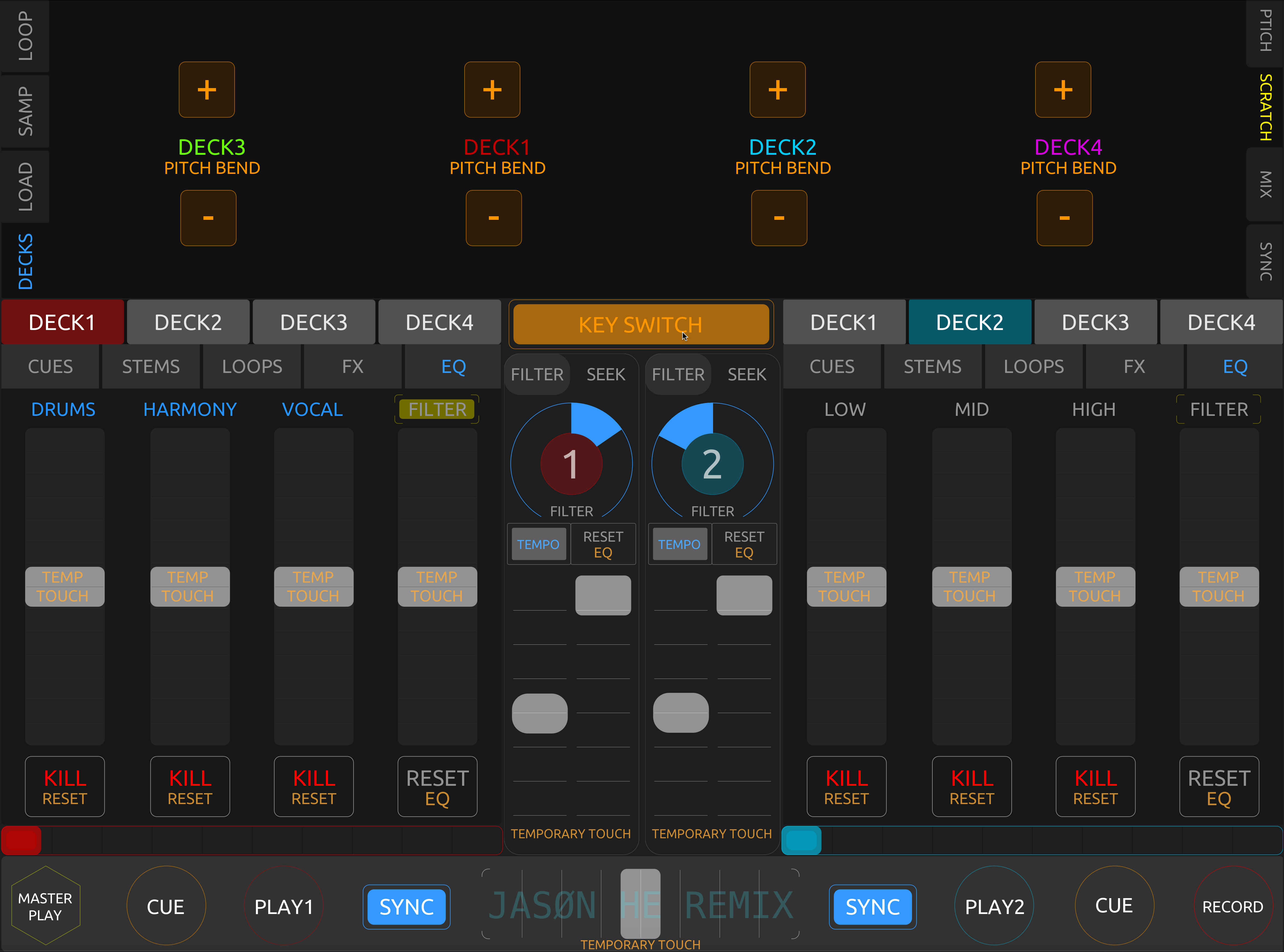
 1. 4-DECK CONTROL
-
Added full 4-deck control. You can now freely assign the left and right control panels to any deck combination.
-
You can also assign both sides to the same deck for advanced control flexibility.
-
Added timeline scrub for both panels.
 2. CUES PANEL
-
Expanded to 16 individual cue pads .
-
Pads can be cleared (hold Key Switch) and display syncs with djay.
-
Added Quantize Mode, Skip, Duration (requires Key Switch), and Slip Mode.
-
Added Slice Mode , Slice Loop Mode , and Loop Duration .
-
Added Pitch Cue with real-time pitch display and scale page switching.
If pitch scale becomes unsynced with djay, tap “Sync djay” to fix it.
 3. STEMS PANEL
-
Added Exclusive Solo (requires Key Switch).
-
Added FX Echo Out (yellow box under “Vocals”).
 4. LOOP PANEL
-
Added Bounce Pad Loop .
-
Added Manual In/Out Loop .
-
Added Loop Stem function.
-
Added Save Loop Panel (switchable via Key Switch).
 5. FX PANEL (PAD MODE)
-
Added up to 3 simultaneous Touch FX controls .
-
Works like djay’s built-in FX touch pads — press to activate, release to stop.
-
Filter range: –74% to +74%.
-
Added Dry/Wet Mix, FX Stems, and FX Select Wheel (requires Key Switch).
 6. FX PANEL (INSTANT MODE)
-
Displays currently active FX synced with djay.
-
Added Reverse FX and Main FX 1 & 2 buttons.
 7. FX PANEL (MANUAL MODE)
-
Added FX Select Wheel .
-
Added FX Stems functions.
 8. EQ PANEL
-
Added a switch between 3-Band EQ and Stem EQ (yellow box under Filter).
-
Added EQ Reset (requires Key Switch).
 9. FILTER PANEL
-
Added Tempo Adjustment and Reset .
-
Added Reset All EQ (requires Key Switch).
10. SEEK PANEL
(Mainly for positioning the playhead and adjusting the downbeat grid)
-
Added Scrub Wheel for coarse positioning.
-
Added Scratch Wheel for fine positioning.
-
Added Set Downbeat and Reset (requires Key Switch).
-
Added Grid Shift and Downbeat Shift (requires Key Switch).
 11. TRANSPORT PANEL
-
Added Master Play (global pause control).
-
Added Record button.
 12. LOOP PANEL (EXTENDED)
- Added Per-Channel Volume Control (requires Key Switch).
 13. SAMPLER PANEL
-
Added Record Sequence button.
-
Added Clear Single Pad Sequence and Clear All Pads Sequence (requires Key Switch).
 14. LOAD PANEL
-
Added Track Select Wheel .
-
Added Source Select and Selection Focus buttons.
-
Added Eject Decks (requires Key Switch).
-
Added Quick Jump Buttons to Mix Page and Sync Page .
 15. NEW GLOBAL DECK PANELS
Introduced new global panels:
Sync, Mix, Scratch, and Pitch Cue Select, giving full cross-deck control.
 16. SYNC PANEL
-
Added full Transport, Sync, and Pitch Control for all 4 decks.
-
Added 6 Quick Deck Switches, 3 of which require Key Switch activation.
17. MIX PANEL
-
Added full 4-deck mixing controls and crossfader management .
-
Added Left / Right / Through channel assignments.
-
Added Gain Control for all decks.
-
Added FX Crossfade Toggle and FX Crossfade Select Wheel .
-
Added Tempo Blend Crossfade toggle.
-
Added Stem Crossfade mode switch for Decks 2/3/4.
 18. SCRATCH PANEL
- Added Simulated DJ Scratch for all 4 decks.
Note: Due to djay’s software limitations, this feature works only while tracks are playing.
- Added Pitch Blend (requires Key Switch).
 19. PITCH CUE SELECT PANEL
-
Added a Pitch Cue selector panel to choose which cue point to control.
-
The left and right panels automatically sync with their assigned deck controls.
 20. KEY SWITCH SYSTEM UPGRADE
-
Added Temporary Touch Mode :When holding a Key Switch, fader movements become temporary — values reset to default when released.
-
Added hidden function activations via Key Switch, including:
-
FX Select Wheel
-
Clear All Pads button
-
Save Loop Panel
Try pressing the Key Switch in different panels to discover new hidden functions and features.
 Summary
This layout now includes nearly all djay Pro desktop functionalities, redesigned for a fluid, TouchOSC-based workflow.
It’s been tested on macOS + iPadOS for stability and real-time responsiveness.
Built for DJs who want full control of djay Pro from their iPad — no additional controller required.
Big thanks again to Slak for his original 2023 template! 


