NOTE: Please use the search function above before posting to avoid creating duplicate topics.
MacBook Air M"2
Sonoma 14.7.1
djay 5.6.1
native X1 mk2
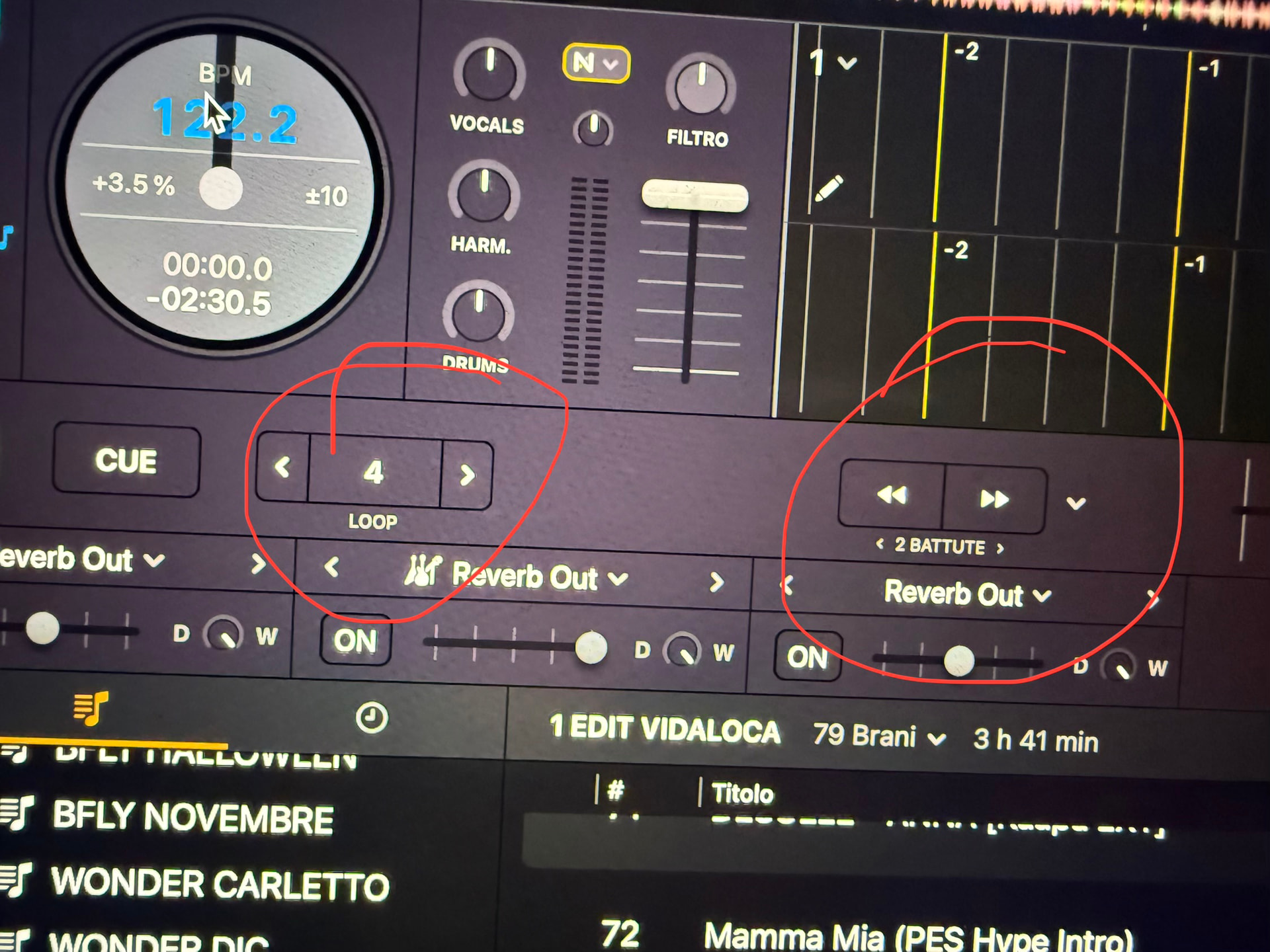
Good evening everyone, I’m having a problem. I’m noticing that DJ Pro occasionally messes up the number of loops and beatjumps. I’ve mapped a controller where the loop and beatjump values always have the same value. However, sometimes, especially when using loops and within the loop, I reduce the loop duration, and then when I exit the loop, the values are off compared to the beatjumps. Is there a way to make them always move in sync? Otherwise, once I exit the loop, I have to set the loops to maximum or minimum, and then they’ll finally be back in sync. But as soon as I use the loops again and change the duration within the loop itself, the sync goes out of sync.
This video clearly shows the problem. Look at the loops and jumps that are misaligned. Then I align them, and when I start using the loops, it loses sync.
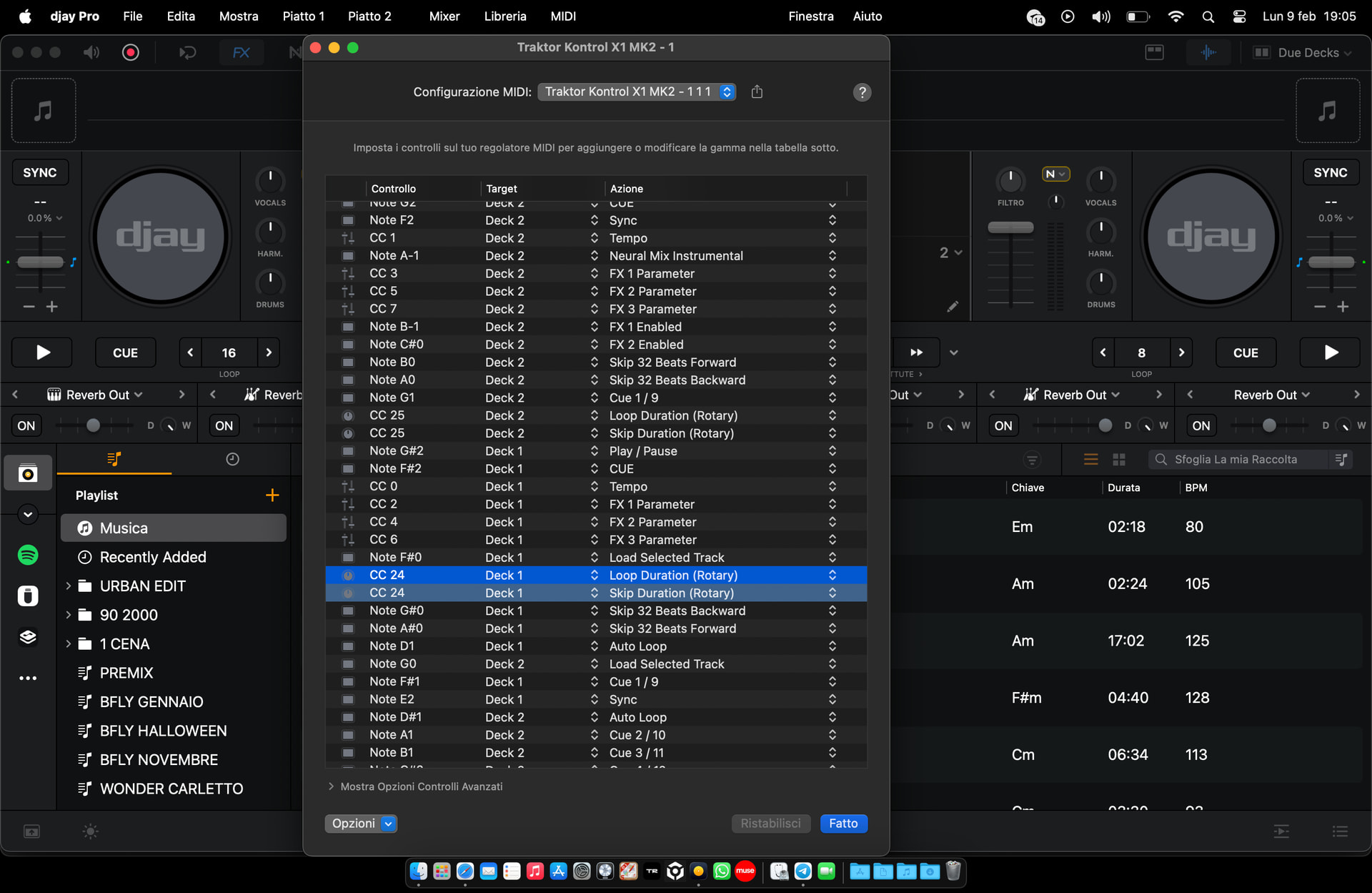
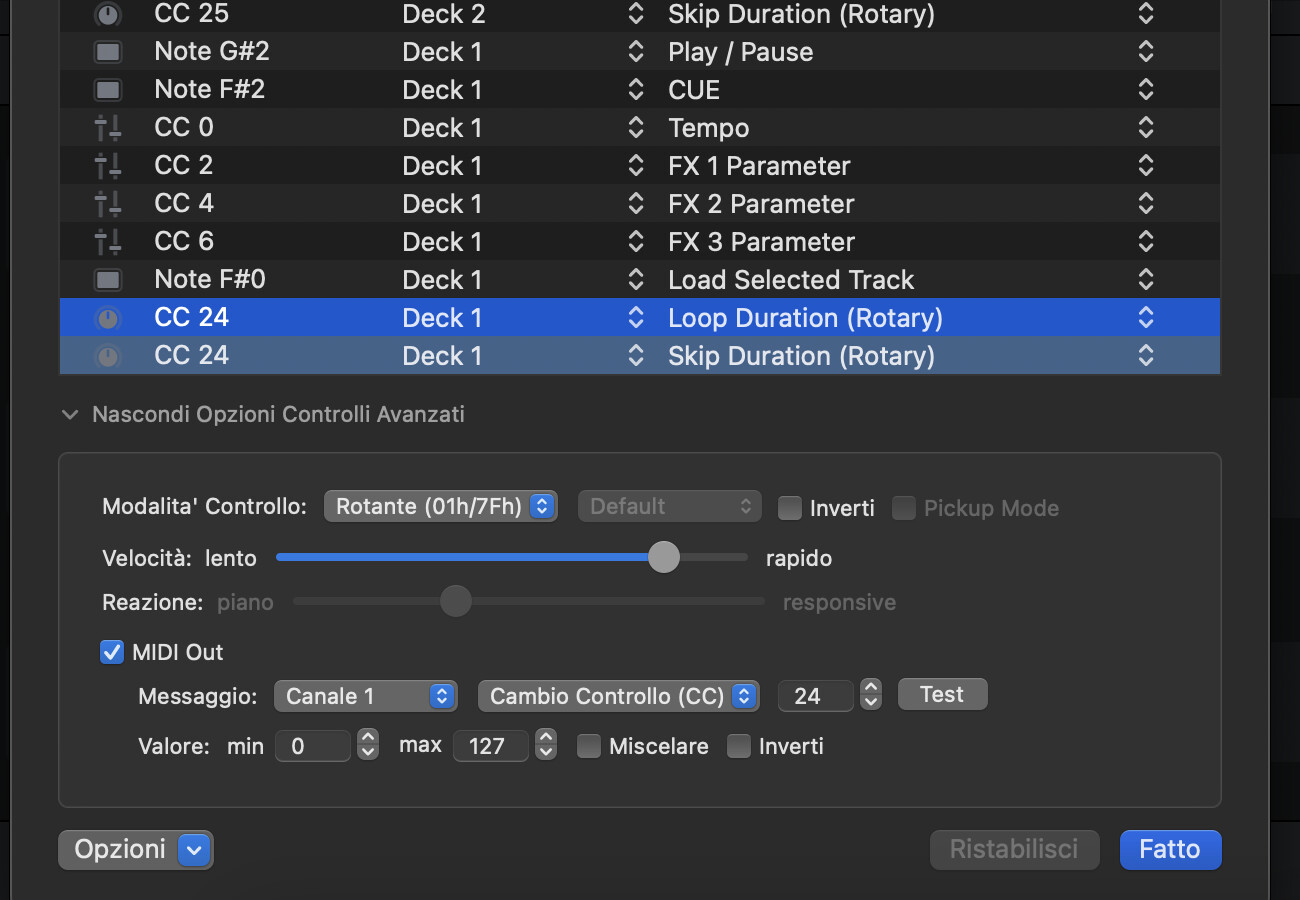
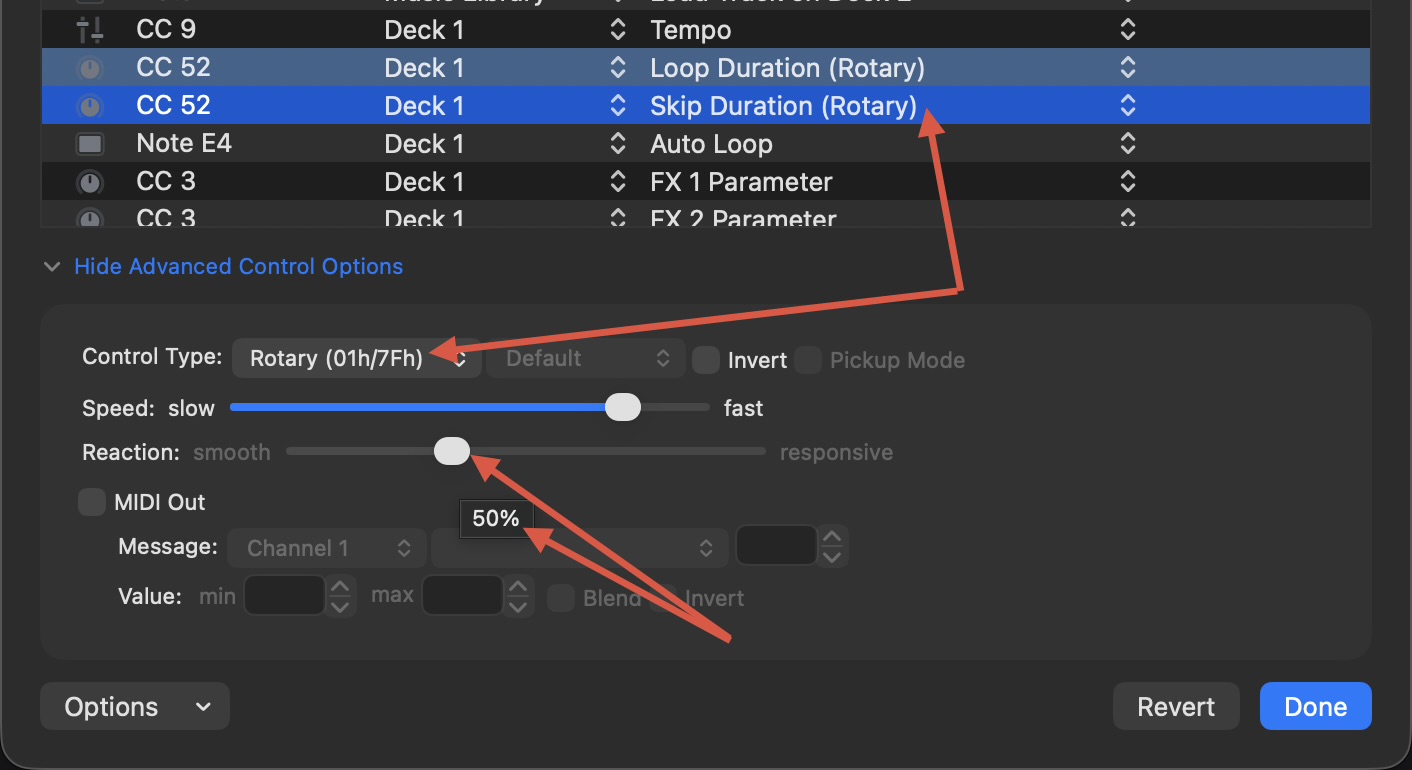
Thanks @Screma, please expand the Advance Control Options section for both knobs and confirm Rotary Control Types, Speed and Reaction for both knobs. I suspect you have a mismatch here between the 2 knobs,
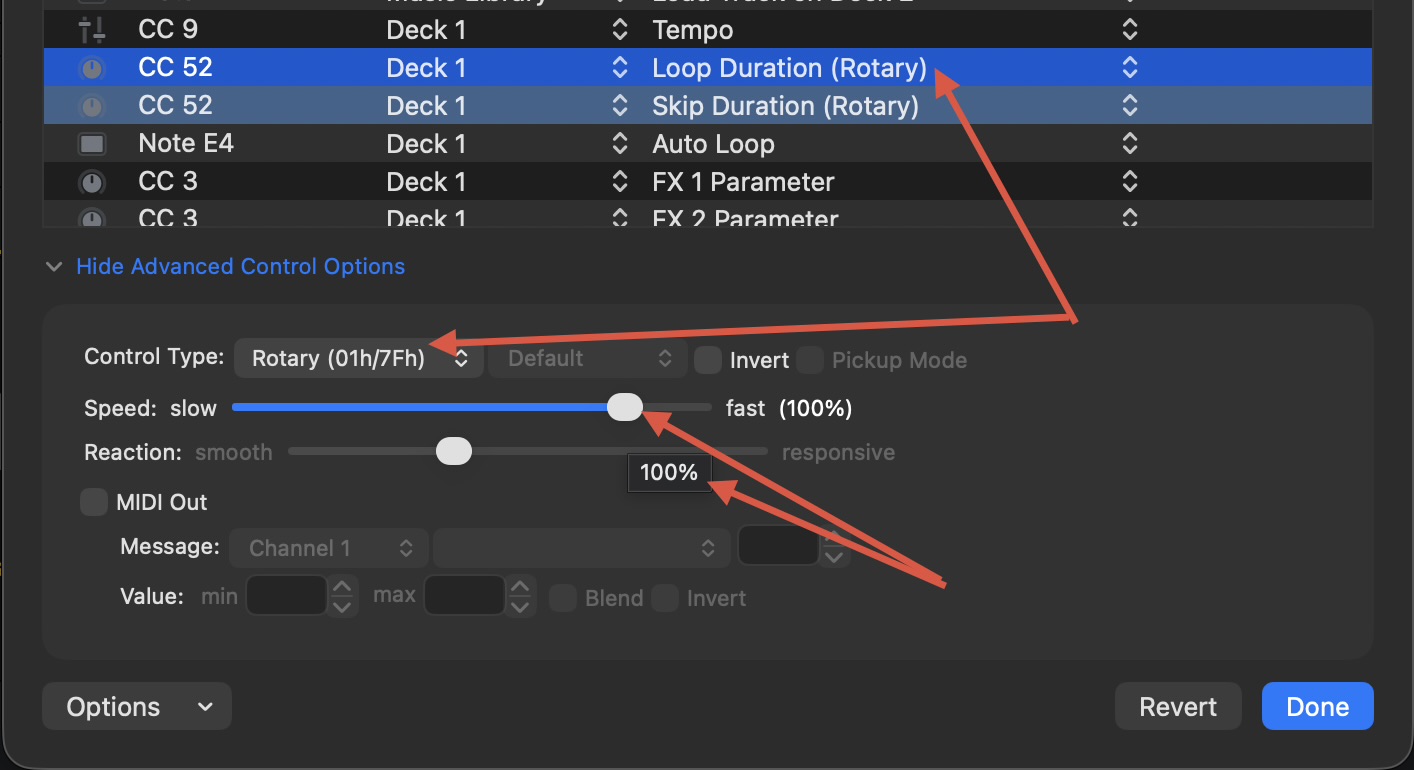
Start by selecting the first CC24 MIDI command for "Loop Duration (Rotary).
Make sure the
Control Type: is set to Rotary (01h7Fh)
Speed: 100%
Reaction: 50%
Then select the second CC24 MIDI command for "Skip Duration (Rotary) and make sure these are set exactly the same. Any mismatch in these values will cause the Loop Duration and Skip Duration to get out of Sync.
Control Type: Rotary (01h7Fh)
Speed: 100%
Reaction: 50%
Thanks for confirming @Screma. I know what the issue is then.
djay is designed to return to the “default” Loop Length you have set before you start looping.
Say you have it set to 4 before you active the loop.
While looping, you change it to 1/32.
When you exit the the loop, djay is designed to return to the previously set loop “default” loop length of 4. This is to prevent accidental issues of starting your next loop at 1/32, which in most cases would be undesirable.
The Skip Duration, however, does not follow this same logic.
So, that results in the mismatch you are experiencing.
The only way to re-sync these up is to remember to rotate your Loop Duration/Skip Duration knob all the way to the left or all the way to the right after exiting your loop.
Wow, this is a really bad bug
I hope that with the next update they can perhaps fix this problem, perhaps by letting the user choose whether they want it to return to the default 4 loops or stay as set on the PC.
I read everything, unfortunately already in 2024 they were complaining about what I see today, it seems to me that there is no solution to this, if the developers don’t fix it…
Please note, this is not a bug, this is how djay works with loops and with beat jumps. I understand that this feels like unexpected behaviour due to how you want to MIDI map your hardware. I recommend that you vote for the suggestion topic that I shared above. I will also pass on your feedback regarding the default loop size option when exiting a loop to our dev team. Thanks!
I think more time has been collectively spent on the forum asking for this feature over the years than the time it would take the devs to implement it… @Screma please upvote Beat Jump - Auto Loop Length