


Hello! It’s been another week since my last reply. I’m going to consider this topic completed for now so I can focus on others. However, please feel free to respond and we can definitely revisit this. Thanks!
Hi again…sorry to have to re-open this but it’s still happening. Happened on Friday and It has happened at every gig I’ve done. Track just drops out completely. Embarrassing…
Thanks for the follow up @Michael_Sumner.
- Are you able to catch a screen recording of this happening?
- Does it only happen when your DJ controller is connected?
- How exactly are you connecting your controller to your Mac? Any USB adapters or hubs being used?
- Have you tried a different, high-quality, properly shielded, USB cable with dual ferrites on either end?
- Have you tried using a different USB port on your Mac?
EDIT: Without seeing a video, it’s hard for me to know for sure, but many of these “track stops playing” issues are related to an intermittent connection cause by the USB cable, USB sockets or the hub or adapter. I highly recommend that you try my suggestions above and do some testing at home. Also, if the issue does not occur when you don’t have a controller connected, then this is very likely a connection issue. I hope that helps!
I replaced the USB cable with a high spec shielded one: It cut out twice in one night. Embarrassing. I will have to try it without a controller…
Thanks for the follow up @Michael_Sumner. Sorry to hear that the new cable didn’t solve your issue. Testing without the hardware connected would provide some very useful data and help to rule out a hardware or connection issue. In the meantime, you could also try connecting to a different USB socket on your Mac. I’ve personally experienced failures of the USB sockets as well.
I managed to capture a video of this happening. It’s like a ‘pac-man’ effect, the waveforms being gobbled up. I wasn’t using a controller at the time. As you can see, a transition sorts it
1 Like
Hi @Michael_Sumner, thanks for sticking with this and finally catching it on video — that’s exactly what we needed. This appears to be closely related to another topic that we’re already working on so, I’ve merged them together.
Good news is it tells us a lot. No controller was connected, so we can set aside the USB cable and port angle I pointed you at earlier. The deck itself is still running fine — the time counts down, the beatgrid scrolls — but the waveform is gone and there’s no audio, and it all comes straight back the moment Automix transitions to the next track.
I’ll pass your video along to add to this case. A few things that would really help narrow it down:
-
What file format is “Café del Mar (Sufi Soul Remix)” — m4a, mp3, aiff, flac, wav?
-
Where does that file live: internal SSD, an external drive, or a cloud/optimised-storage folder?
-
Is it the same track failing every time, or a different one each gig?
-
What exact djay version are you on? You’ll find it under djay Pro > About djay Pro.
Until it’s fixed, hitting Skip in Automix is your fastest recovery, same as the transition you’ve been using. If you’re mixing manually when it happens, instant doubles onto the other deck and fade across also gets you out of it without a reload. I hope that helps!
Hi and thanks for responding. Ok, i’m using DJay Pro version 5.6.7 on Macbook Pro. All files are stored locally (internally) in one folder. Issue has happened on different songs at different times. That particular file was a Youtube download (via Clipgrab) and it’s in MPEG-4 movie format. The vast majority of my tracks are MP4 (I just needed the video version that time) and this issue has happened on every occasion that i’ve been performing. It’s only happened to me when using Automix so i’m unsure whether it would ever happen on manual. That particular song plays fine at any other time. I can’t be absolutely certain as to whether it’s only ever happened when I’m playing MPEG-4s as it’s happened so often there’s a good chance it happens on MP4s also. ~If it happens again when I’m out I’ll try and note the track so I can check the format.
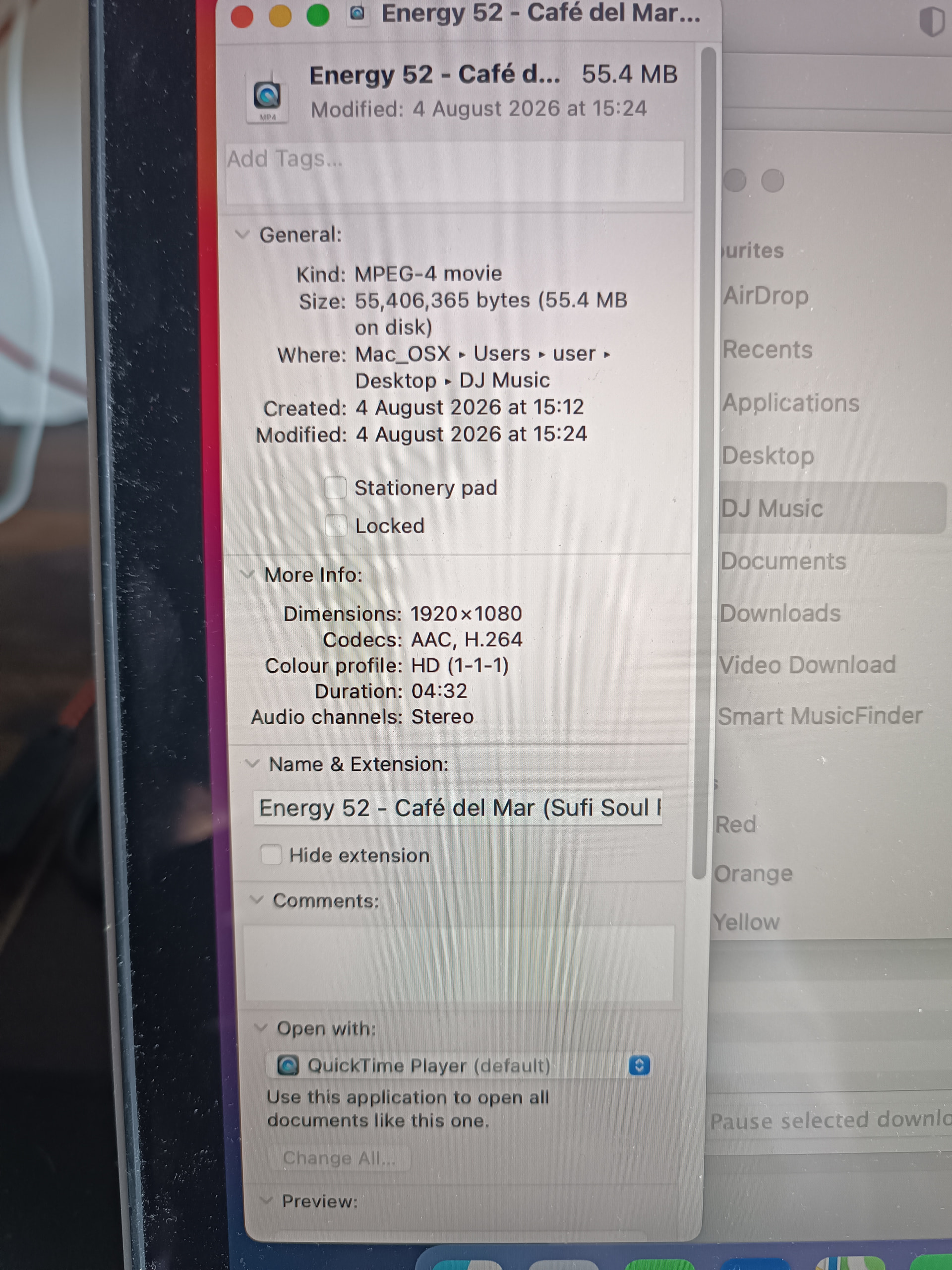
That’s really useful, thanks @Michael_Sumner. One thing jumps straight out. That file isn’t an audio track, it’s a video: MPEG-4 movie, 1920×1080, H.264 with AAC audio. So djay had its video engine running on that deck, not just audio. Our documented support is H.264/MPEG-4 up to 1080p at 30 fps, and 1080p YouTube rips often come down at 50 or 60 fps, which is outside that.
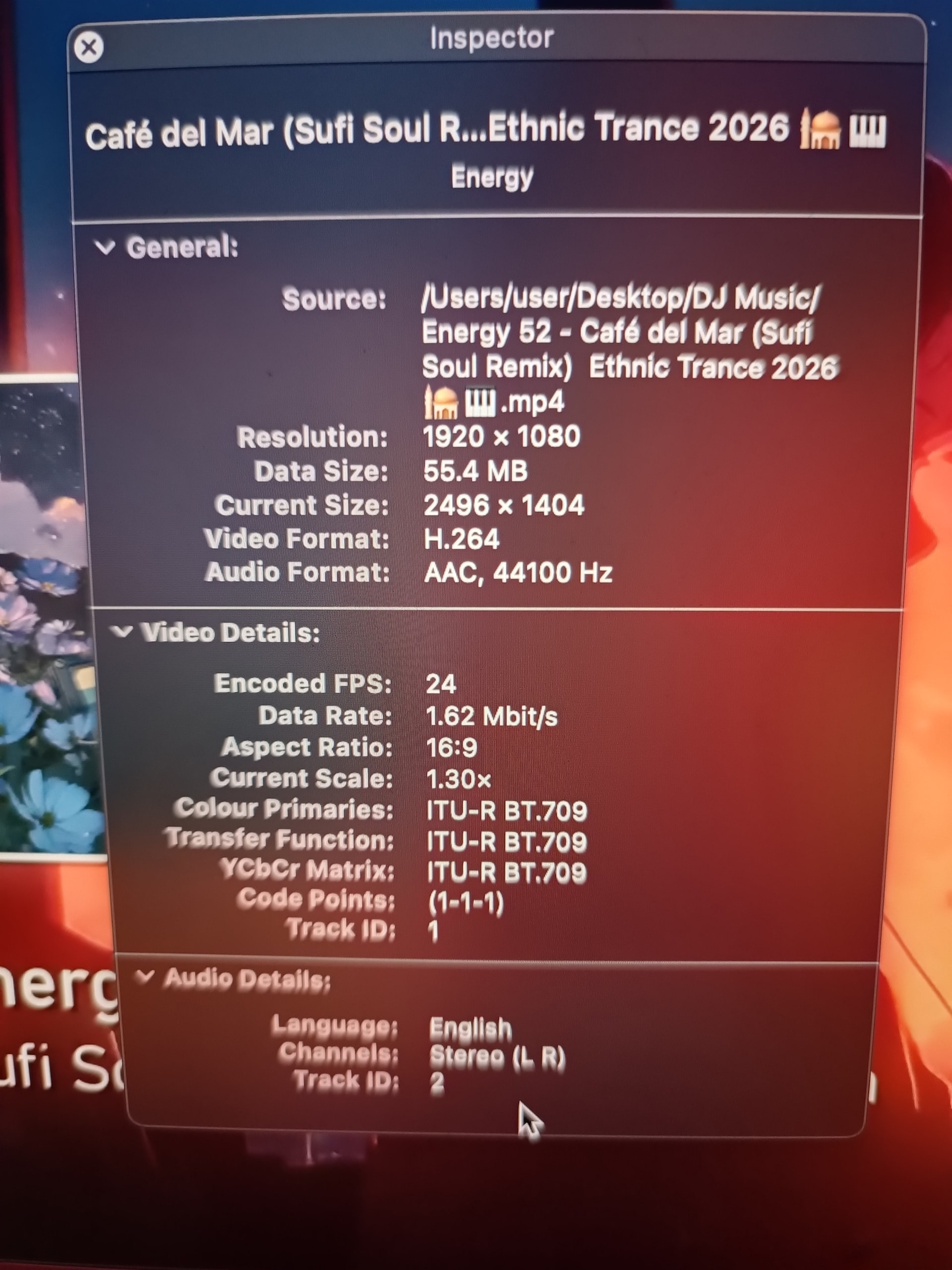
Could you check the frame rate for me? Open the file in QuickTime Player, then Window > Show Movie Inspector — FPS is listed there.
Two other things that would help a lot:
-
When you say most of your tracks are MP4 — do you mean .mp4 video files like this one, or .m4a audio files? They’re quite different animals inside djay and it changes what we’re chasing.
-
Has the dropout ever hit during a set where no video files were loaded at all?
As a workaround before your next one: since you only wanted the picture that one time, converting those YouTube downloads to audio-only, or re-encoding them to 1080p30 H.264, takes the video decoder out of the equation completely. If the dropouts stop, that tells us a great deal.
I hope that helps!
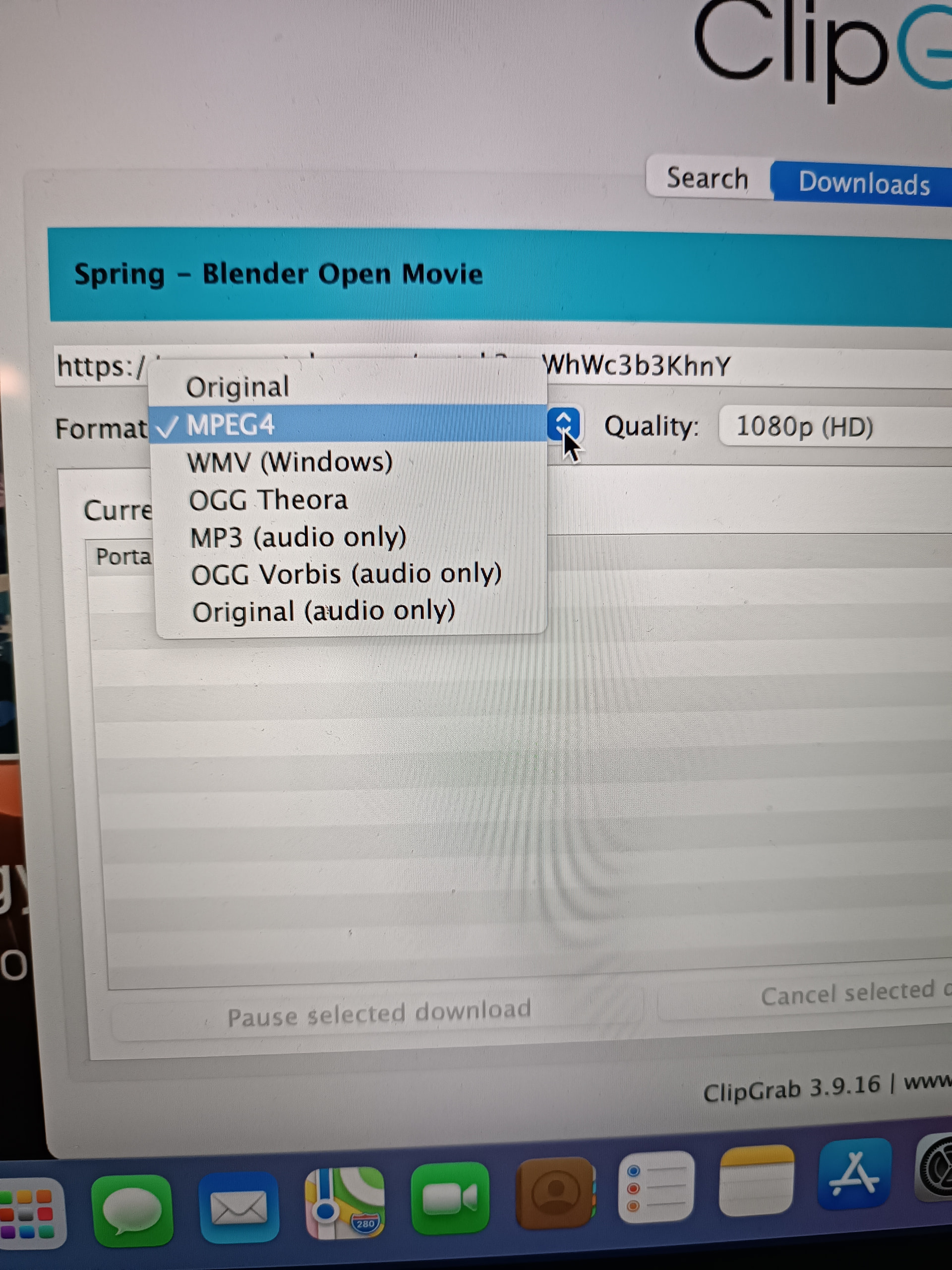
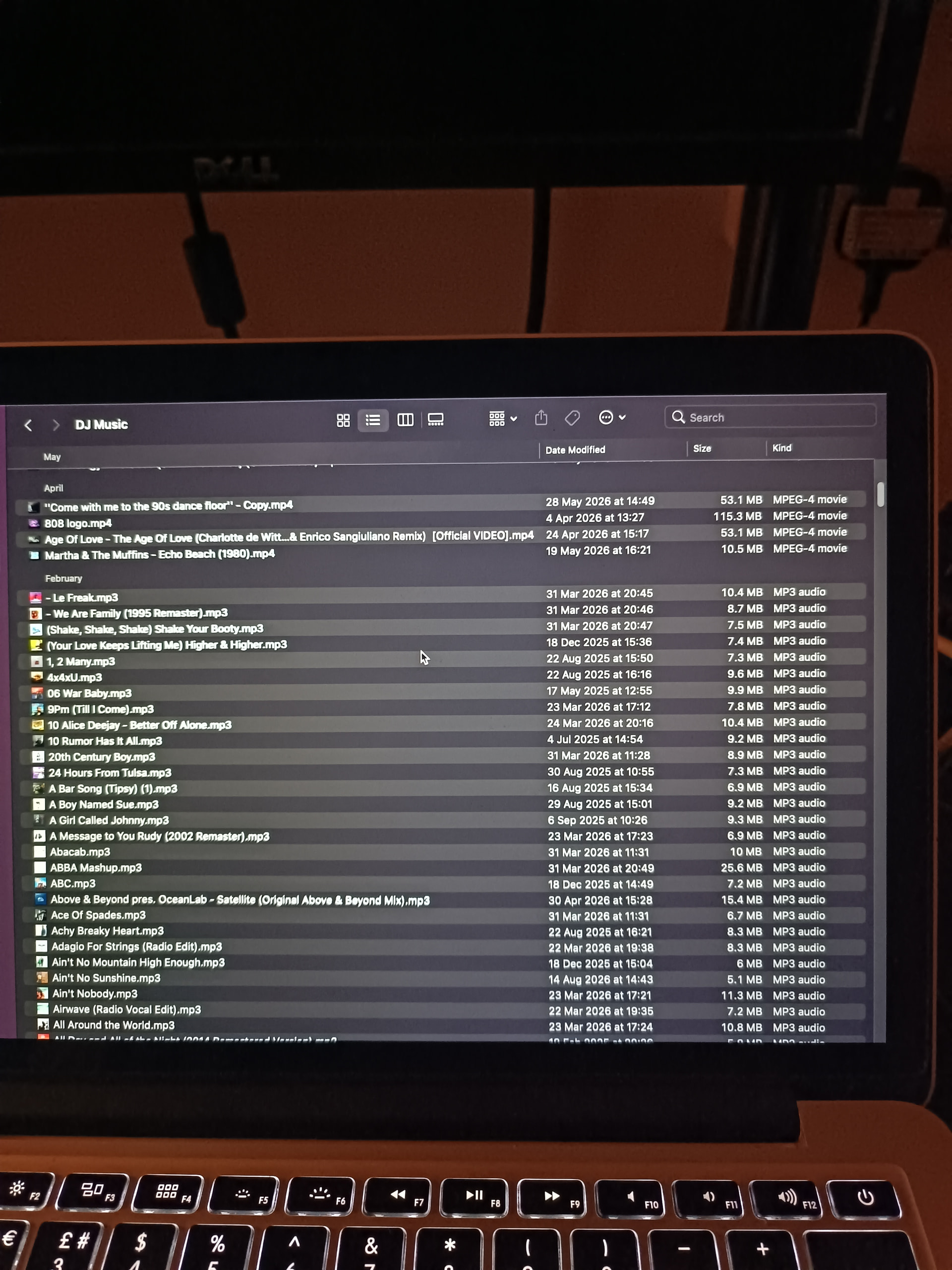
Ok, so firstly I should have said MP3 not MP4 (as in, most of my tracks are MP3 from Soundcloud) Apologies for the slip… I just looked up the spec on that track and it’s 24FPS (see attached). I really can’t be sure as to whether it only happens on YouTube downloads or not as I only every play a limited number of them for video display. I will of course check next time it happens as to what track it was. I noticed on Clipgrab (photo attached) that there’s options for different download/conversions. Would it be better to save as a different format? (but has to play on Mac of course). Anyway, sounds like we are getting somewhere…
1 Like
No apology needed @Michael_Sumner; that clears up a lot. 24 fps is well inside what djay supports, so we can close the frame rate idea off. With the rest of your library being MP3, the video angle was likely a misdirection on my part.
On your ClipGrab question: for anything you only want the audio from, pick MP3 (audio only). That matches the rest of your library and keeps djay’s video engine out of the picture entirely. For the few where you actually want the picture, leave it on MPEG4 at 1080p (HD) — that’s already the right choice, since djay for Mac supports H.264/MPEG-4 up to 1080p at 30 fps. I’d pass on WMV and the OGG options.
What would help most now is catching this somewhere other than at a gig. Since it turns up after a couple of hours every time, could you set Automix running at home on a long MP3 playlist and just leave it going for three hours or so? If it drops out, you’ve got it on a machine you can actually poke at.
If it does, this is the one thing our engineers really want:
-
While it’s still happening, open Activity Monitor (Applications > Utilities).
-
On the CPU tab, select the djay Pro process.
-
Click the gear icon in the toolbar and choose Sample Process.
-
Save the report, upload it to Google Drive or Dropbox with sharing enabled, and drop the link here.
One last thing: does your Mac’s display go to sleep during a set, and if so, does the dropout ever line up with you waking it back up? You mentioned you’re not touching the laptop at all, so it’s worth ruling out. Thanks again!
Sure. I will try that, hopefully during next week. Just to rule out the sleep thing, no, I have my laptop set to ‘never’ sleep. Also I keep it VERY clean, for DJing only. NO notifications etc, no email and almost no extra apps downloaded. Cheers.
Good to know @Michael_Sumner, thanks. A clean, never-sleeping machine takes another variable off the table, which is genuinely useful in itself. One small thing to make the soak test count: have Activity Monitor already open on the CPU tab before you start, so you can grab the Sample Process the moment it happens rather than hunting for it while the clock’s ticking. Worth jotting down roughly how long it had been running and how many tracks in, too — if it consistently lands around the two-hour mark, that’s a pattern worth having. If it runs the full three hours without a hiccup, tell me that as well. A clean run at home when it fails every time out is just as telling.
No rush, whenever you get to it. Thanks for being so patient with this one.
Why does my dj app cut off it self
Hi @Lenox_Omondi, welcome to the Community! I’ve moved your comment to its own topic. Can you please provide complete details for your setup and additional information about the issue? Please also try to capture a short screen recording of the issue. Thanks.
Device Model (ex. 2020 iPad Air 4th Gen):
Version of operating system (ex. iOS 17.3.1):
Version of djay (ex. 5.1.3):
Hardware/controllers used (ex. Reloop Ready):
Hardware Firmware Version:
Do you mean, why does a track cut off at times as your playing it? That has happened to me a few times. Not sure why but I just have to reload the song and it plays fine but im glad that hasn’t happened during a live set.
1 Like
Same here bro, i’m glad it didnt cut off while live DJing but it still gave me a heart attack. I noticed it only happen when use djay pro without Hardware connected and i think it only happen with itunes music
Hi @megaman24 and @djfeliz, I’ve moved this to its own topic so we can troubleshoot this further. Can you both please share full details of your setups?
Device Model (ex. 2020 iPad Air 4th Gen):
Version of operating system (ex. iOS 17.3.1):
Version of djay (ex. 5.1.3):
Hardware/controllers used (ex. Reloop Ready):
Hardware Firmware Version:
It would be really helpful if you could also capture and share a short screen recording of the issue. Are you using a streaming service or local music? Thanks!
1 Like
- Device : Macbook Pro M3 ( MacOs Tahoe ) - i was using Macbook Pro M1 14inch ( Catalina ) before and it still happens
- Version of Djay Pro : 5.6.4 latest ( it happened with all the version before )
It only happen when using the Software alone when im preparing a set or checkin music. It mostly happen in Local Music ( itunes - i bought songs ) and with downloaded music as well . No Streaming music ! All imported in My Collection.
I’ll try to record when it happen again
P/s never happen on iOs or ipadOs
1 Like
Thanks for the additional info @djfeliz


