not sure how to activate airplane mode on macbook, turned off wifi and started djay. history remains empty.
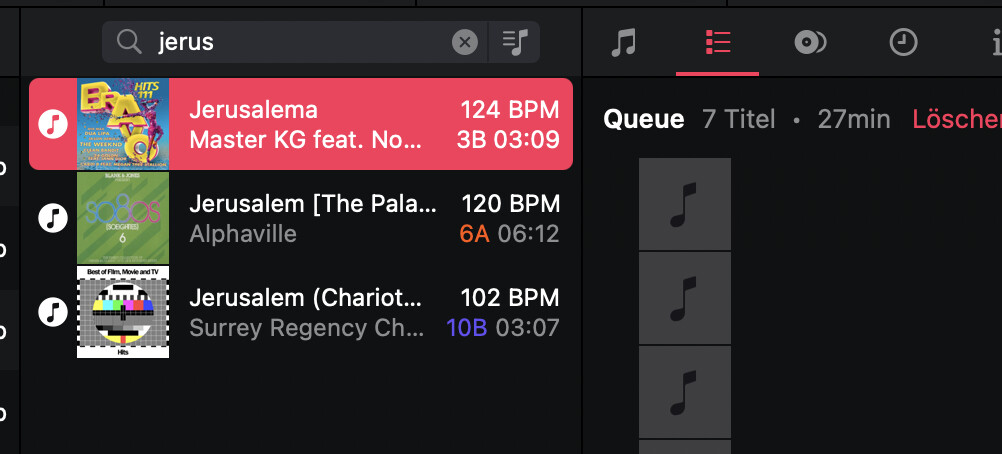
With my assumption above, I meant, that the the djay history and queue have some issues with connection or rendering the music library. The missing title in the history (#2 Jerusalema) is accessible via the standard djay offline music browser and search. In the history it’s not displayed and as visible from above screenshot was played as track 2.
And title queue is gone again.
1 Like
Thanks for the additional info @DJTimTurner
Hi @Slak_Jaw @DJTimTurner
I tested it in airplane mode. All the problems persist, as you can see in the video.
1 Like
Thanks for checking and sharing the video @brunolima
Hi again @brunolima and @DJTimTurner, have either of you recently been using Spotify with djay as well?
Hello! Not even if I wanted to. In Brazil it’s blocked, it doesn’t work.
Before AM I used Tidal, I changed it on the day AM released the integration
No, if I’m forced to use cloud music I rely on Apple amusic, as if Spotify was used an export to Music app isn‘t possible anymore.
I appreciate your suggestions and the quick replies, but how can we accelerate the problem solving? Isn‘t there anything we can do? E.g. switch back to an older djay version, analyse the djay history file, … Currently the product isn‘t working as intended and blocks me from using it. Gigs are coming up and I do not have any confidence to use the software in current state.
Hi again @brunolima and @DJTimTurner, can you both please upload your djayMediaLibrary database file to your Google Drive or Dropbox, enable sharing permissions, the send me a link to the file via DM? Thanks!
Hi did upload as zip to Google Drive and shared via DM
1 Like
Hi @Slak_Jaw
I’ll only be able to send it to you on Friday. I’m traveling.
BR
Thanks for the file @DJTimTurner.
Please also collect a log output from Console.app on macOS while replicating the issue in djay. NOTE: Make sure your user profile has Administrator Privileges.
- Open Console.app: It’s located in Applications>Utilities or simply type Console in the Spotlight search.
- Set Up Console: In the sidebar, select your Mac under “Devices.” Click “Start” in the toolbar to stream logs in real-time.
- Replicate the Issue: Open djay and perform the actions that trigger the issue. Note the exact time of the issue. Once the issue is reproduced, click “Pause” in the toolbar to pause logging.
- Filter djay Logs: In the Console search bar, type “djay” to filter logs related to the djay software.
- Copy the Logs: Shift select the relevant log entries, the press Command (⌘) + C to copy the log text to the clipboard.
- Save the Logs to a Text File: Open the TextEdit App, create a new document, then press Command (⌘) + V to paste the Logs. Now go to File>Save and name it something like “djay_console_log.txt”.
- Share with Support: Upload the .txt file to your Google Drive/Dropbox, enable sharing permissions, then share a link to the file here.
Hi,
I have shared with you the log file as .rtf in DM
Hi again @DJTimTurner, our engineering team couldn’t find anything unusual in your database or the logs.
Can you please capture a “Sample Process” using “Activity Monitor” on your Mac when djay gets into the spinning beachball state? Please make sure that you collect the Sample Process while the issue is occurring.
- Open Activity Monitor: Locate and open Activity Monitor on your Mac. Usually found in the Utilities folder within your Applications folder.
- Select CPU: In Activity Monitor, ensure the CPU tab at the top is selected.
- Choose djay Pro: Scroll down and locate the djay Pro App process in the CPU list.
- Sample Process: Click the gear icon (Actions) in the Activity Monitor toolbar and select “Sample Process”.
- Save the report: After sampling, save the generated report for submission and further analysis.
- Upload the report: Upload the report to your Google Drive/Dropbox, enable sharing permissions, then share a link to the file here.
Not sure I can reproduce it that easily, but something else I noticed. After pulling the logs yesterday, with garbled history, I forgot to close the software. It was open more than 24 hours. Now I wanted to check if I can reproduce the beachball and saw that all history files including the detail info per song played was available. I closed djay and opened again…history was gone again. Kept it open for ±3 minutes and titles of history were displayed again. After recording I kept it open again 3 minutes and titles could not be displayed.
I really do not understand what causes this random issue.
Okay thanks for the info and additional video @DJTimTurner. I’ll share this with engineering.
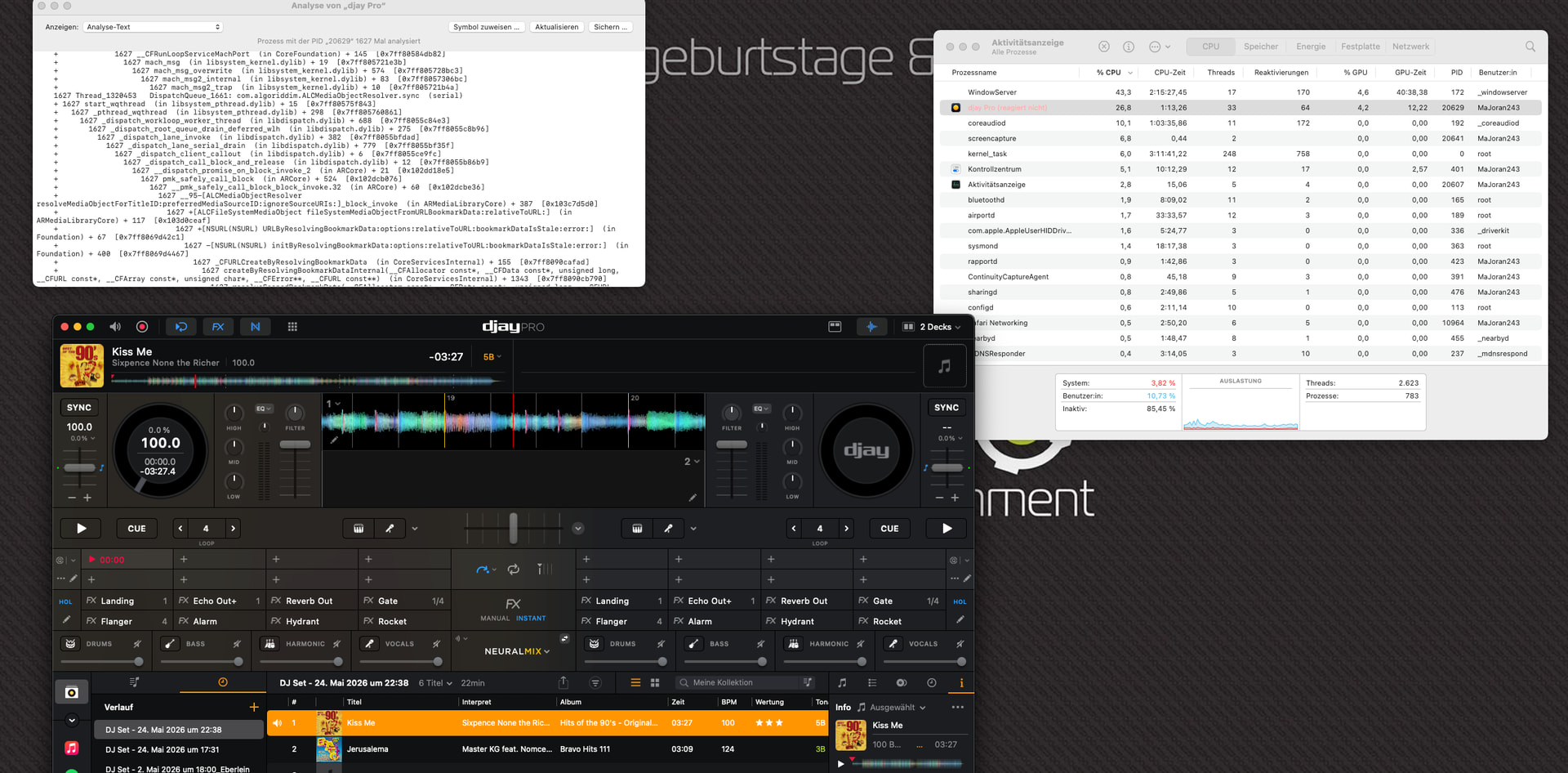
Ok beach ball was very easy to reproduce. Opened “Activity Monitor”, opened djay, activated “Process Analysis” and pulled one track from history to left deck, started playing. Beach ball, djay freezes. No option to do anything anymore.
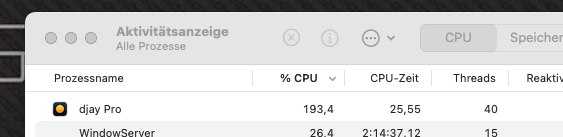
CPU is heavily consumed after opening djay, just some screenshots

Link will be sent to export file via DM
1 Like