Hardware/controllers used: Rane Four with latest fw
Summary of the issue:
Dear community
After not having found anything on my issue, I kindly ask for your support. I’m trying out djay pro on my mac, connected to a new Rane Four. It works quite goog, but I have a strange issue: any deck played will be linked additionally to channel 1 on the Rane. So e.g. if I play a song on deck 2, meters on channels 1 and 2 on the Rane show the signal. If I now load a song to deck 1, start it and blend to channel 1, the song of deck 2 is still heard through channel 1, together with the song loaded to deck 1, until I manually stop deck 2.
This does not happen when I run djay pro without controller and it doesn’t happen when I run the Rane Four with Serato, so I guess I have a SW issue or I have missed some settings.
How to reproduce the issue:
On a Rane Four, load a song to any deck other than 1 and play it.
Watch meter on channel 1: it shows your song.
Open channel fader 1: you hear your song of deck “other than 1”
I thank you for any feedback. Might be a layer 8 problem, but I don’t know what setting I could have missed.
Stephan
Hi @stoe, thanks for the details about your setup and the issue.
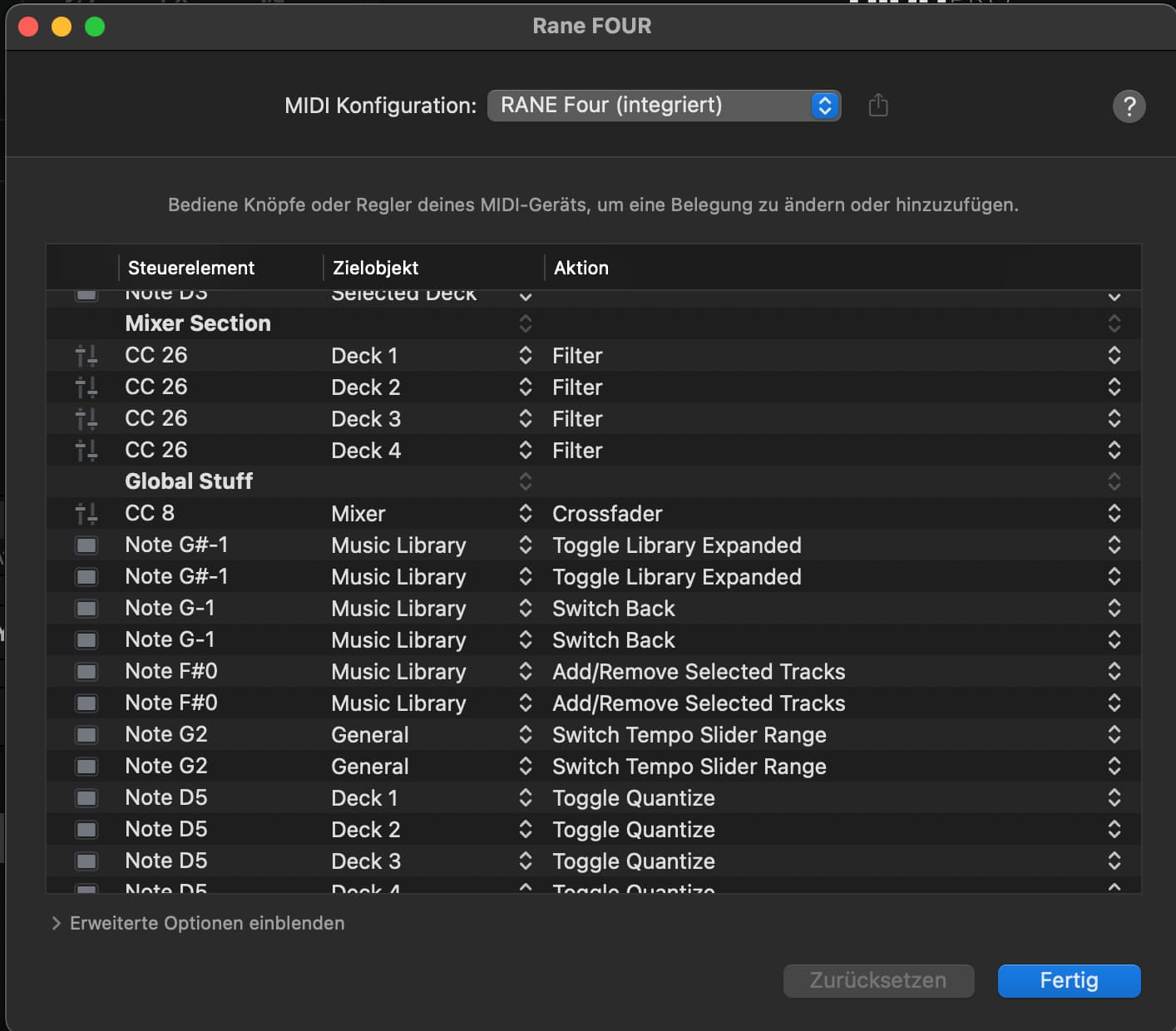
Can you please confirm in the MIDI>Configure RANE Four menu that you are using the (built-in) MIDI mapping and not a custom edit?
Do you have 1 or 2 USB cables and devices connected to the back of the RANE Four? If you’re using 2, please try disconnecting the one that you don’t need.
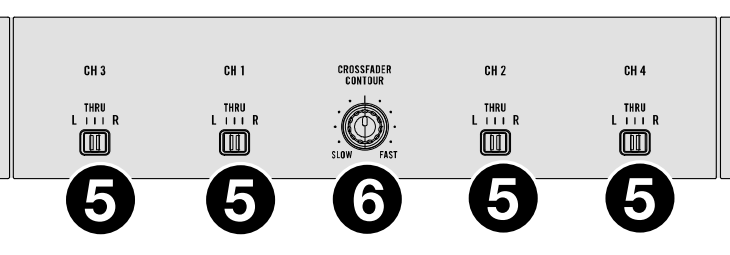
Please also confirm that both input dials on the RANE Four are set to the same USB socket you are connected to on the back of the unit and they are both set to USB not LINE.
Dear @Slak_Jaw, thank you for your quick support and even on a Saturday; very much appreciated!
I’ve double checked before all the settings you mentioned and they were as requested, i.e. only one USB cable, all switches to USB, crossfader assignement etc. It’s only the external mixer switch that I’m not sure was correct. But in the meantime I’ve rebooted my mac anyway (didn’t expect an answer so quickly) and now the Rane Four works as expected… pls see attached images. Voodoo (or reboot) always helps.
Dear @Slak_Jaw, we just cannot rely on Voodoo anymore. The issue is back.
I thought it might be related to the order the components are booted, started and connected. But it seems unrelated. Is there a preferred way to hook up djay pro to a Rane Four? ATM I can boot the mac, start djay pro so no song is loaded, connect the controller and start it, then from the controller load a song to deck 2 and see it playing on channels 1 (otherwise empty) and 2. Strange thing.
Latest FW is installed on Rane Four and I even reset it to factory settings.
What other information can I provide you with? A movie?
You’re welcome @stoe, the connection order on macOS is not super critical, although I normally recommend launching djay first then turning on the hardware.
Are you connecting directly between your DJ controller and Mac or are you using any adapters or hubs? Please try connecting directly with a single cable if you are not already doing so.
If you are already directly connected, please try a different USB cable. Ideally, a high quality one with dual ferrites on either end. USB cables can fail over time and poor quality cables can allow interference.
If the different cable doesn’t help, please try the other USB socket on the RANE Four.
If that doesn’t solve it, please try a different USB socket on your Mac.
Please also make sure your Mac is connected to power using the supplied adapter.
If none of these solves your issue, please capture and share a short video of the issue. Thanks!
Dear @Slak_Jaw, that was it. Reproducible issues when connected to USB B port A, no issues when connected to USB B port B. I’ll exchange the USB cable next week to make sure the problem persists, before I send in the Rane Four.
Thank you for your ongoing support; I wish you a great weekend.
Kind regards
Stephan
PS: if you want to see the erratic issue, pls see the video:
Dear @Slak_Jaw , just a short update: identical issues now on both Rane Four USB-B ports. New USB-B → C cables with dual ferrites arrive on friday. I’ll keep you updated.
Hmmmm… sounds like this could potentially be an issue with the hardware then. If the new cables don’t fix it then you might want to reach out to RANE hardware support.
Just wanted say - I just got a Rane Four and have this exact same issue. Would love to know if this is likely to be fixed soon as I have two weeks to return the unit. The fact the issue is identical suggests it’s a Djay Pro issue (it would seem super unlikely we both got a screwy controller…)
Dear @Lord_Fluff , thank you very much for your post. I’m very relieved that this is not a unique situation, but seems related to an objective cause. What are your specs re computer / operating system and djay pro version?
@Slak_Jaw: sorry for not informing you sooner. The new cables arrived only at the end of last week (poor delivery service) and I tested during the weekend. Result: the problems persist, so it’s either the Rane Four or djay pro causing the issues. I even hooked up an older Macbook Pro (macOS 12) with latest djay pro and the problems were there instantly.
Can I provide you with any log files? Would it be possible to downgrade djay pro to version 5.2, as iirc there were no such problems? I’ve subscribed djay pro in Apple’s App Store…
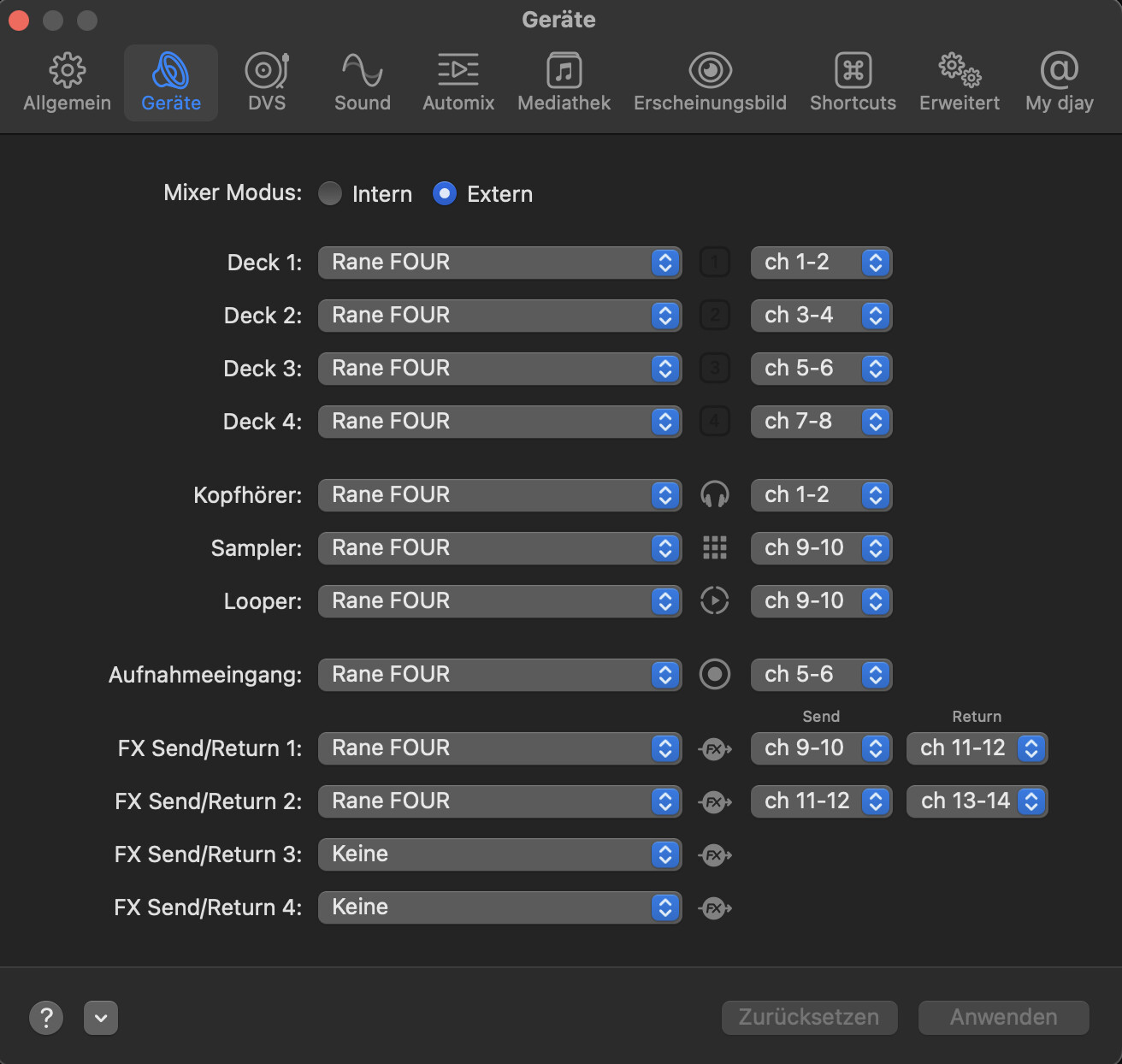
Hi @Lord_Fluff and @stoe, with your hardware connected to your Mac, please navigate to the djay Settings>Devices>Mixer Mode and change it to Internal is it already on External or vice versa. Then press the Revert button near the bottom right. This should set your outputs back to the default and normal settings. Please note that this hardware must be used in External Mixer Mode with djay NOT Internal. This is defined by the hardware and is not meant to be an optional choice. Please retest and share screenshots of your Devices Settings after you’ve performed these steps. I hope that helps. Thanks!
Dear @Slak_Jaw, what an exercise. I did follow your instructions, to no avail. The Mixer setting has always been on External, and switching it back and forth and resetting it unfortunately didn’t help a thing.
What I’ve learned though is that there is at the bottom left in the Devices settings pane the button to Reset Djay Pro to factory settings. I’ve fiddled with all possible settings and resetting combinations for a while, including reopening Djay Pro, and indeed ended up with a correct sound routing. So for the moment Djay Pro is working with my Rane Four and I’m glad I don’t have to send it in. I’ll keep observing the routing, though, and will report back if problems reappear.
One other thing I realized is that the Headphone setting won’t change anything. I can preview playing sound over my headphones attached to the Rane Four, no matter whether Djay Pro’s settings are set to Rane or empty. OK for me.
So thank you again for your support. And please do tell me if I can send you any log files for further investigations.
Hi @stoe, thanks for the follow up. So can you please confirm that everything is working as expected now that you have Reset the audio device settings? Or are you still experiencing issue? Thanks!
Dear @Slak_Jaw, I can confirm that everything is working as expected now that I have reset Djay Pro’s Device settings to factory defaults. For the moment I don’t experience any issues, but will keep an eye on the sound routing on the Rane Four.
I will let you know if the problems reappear.
I’m now experiencing these same problems with my Rane Performer.
I’ve previously been experiencing a loaded track, works fine when I’m setting or tapping a hot cue (previewing before going love) but when I go to play it live, no sound at all. No level on the channel either. Nothing.
But tonight I experienced what this gentleman described with his Rane Four. And it was a train wreck of an event. Im gonna try and reset my audio settings and see if that helps.
No. That’s because I haven’t tried resetting anything. It left me rather frustrated and things (gigs) have been too busy to spend time on it. I hope to this Sunday and will report back.