As a very happy Pioneer DDJ-XP2 DJ sub-controller user with Pioneer’s rekordbox I’m very happy to see Algoriddim Djay’s version 5.4 with Cue Loops that now can be saved as hot cues.
But one issue still prevents me from switching from Rekordbox to Algoriddim’s Djay as my main software: NO equivalent for “Active Loop” as in Rekordbox.
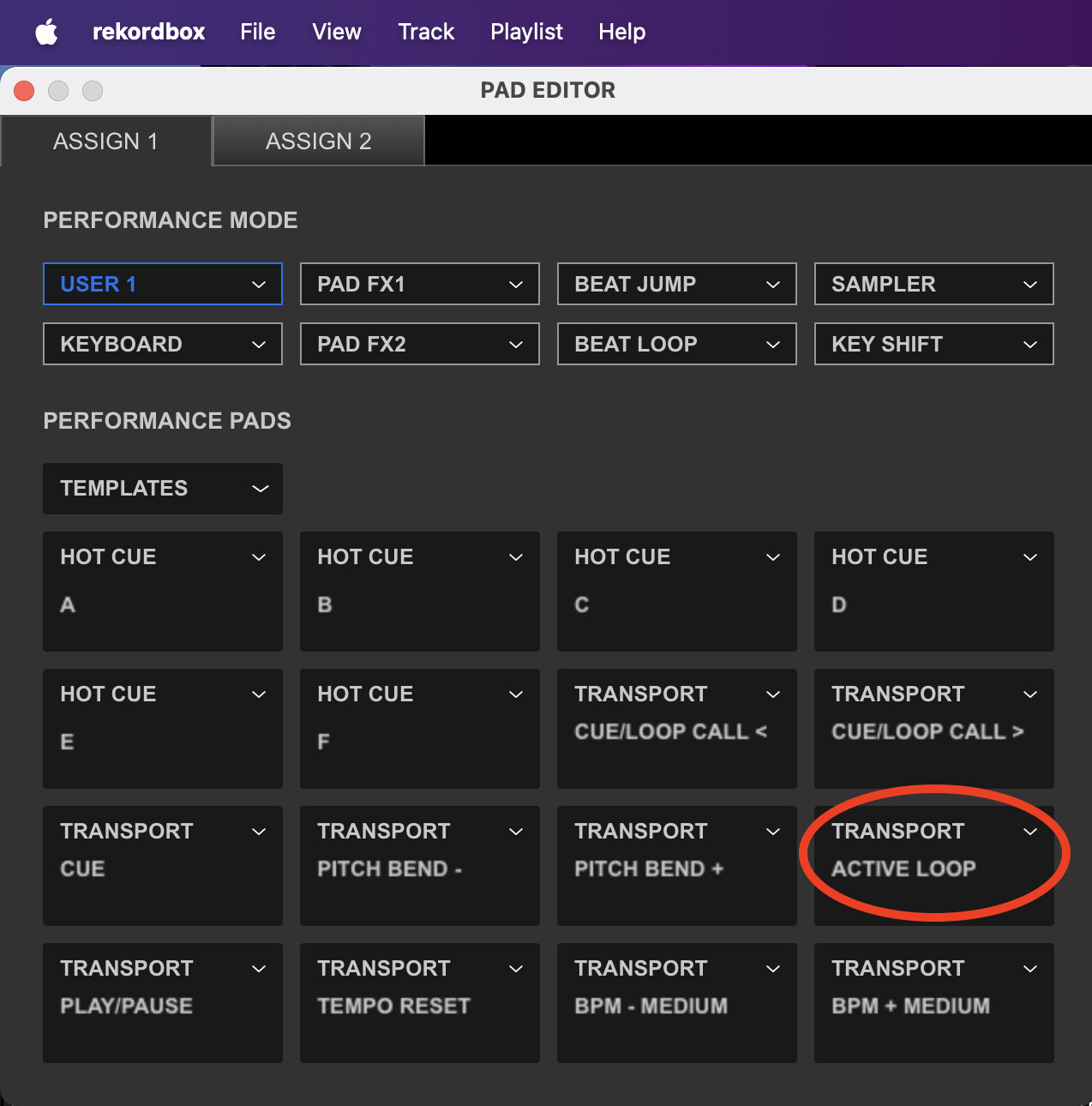
In attachment a screenshot from the PAD EDITOR in rekordbox which makes it very easy to map as you wish. I was able to MIDI MAP everything the same in DJAY (changed cue/loop call < and > with hot cue G & H) except the “TRANSPORT / ACTIVE LOOP”.
Active Loop is a very useful feature in rekordbox that automatically engages a loop at a pre-determined point in a track. This is especially helpful for creating seamless transitions or extending a section of a song, but i can’t find an equivalent for it in Algoriddim’s djay.
However, I have changed this topic to a Suggestion and have passed this onto the dev team for consideration. Please use the blue Vote button at the top left of this page. Thanks!
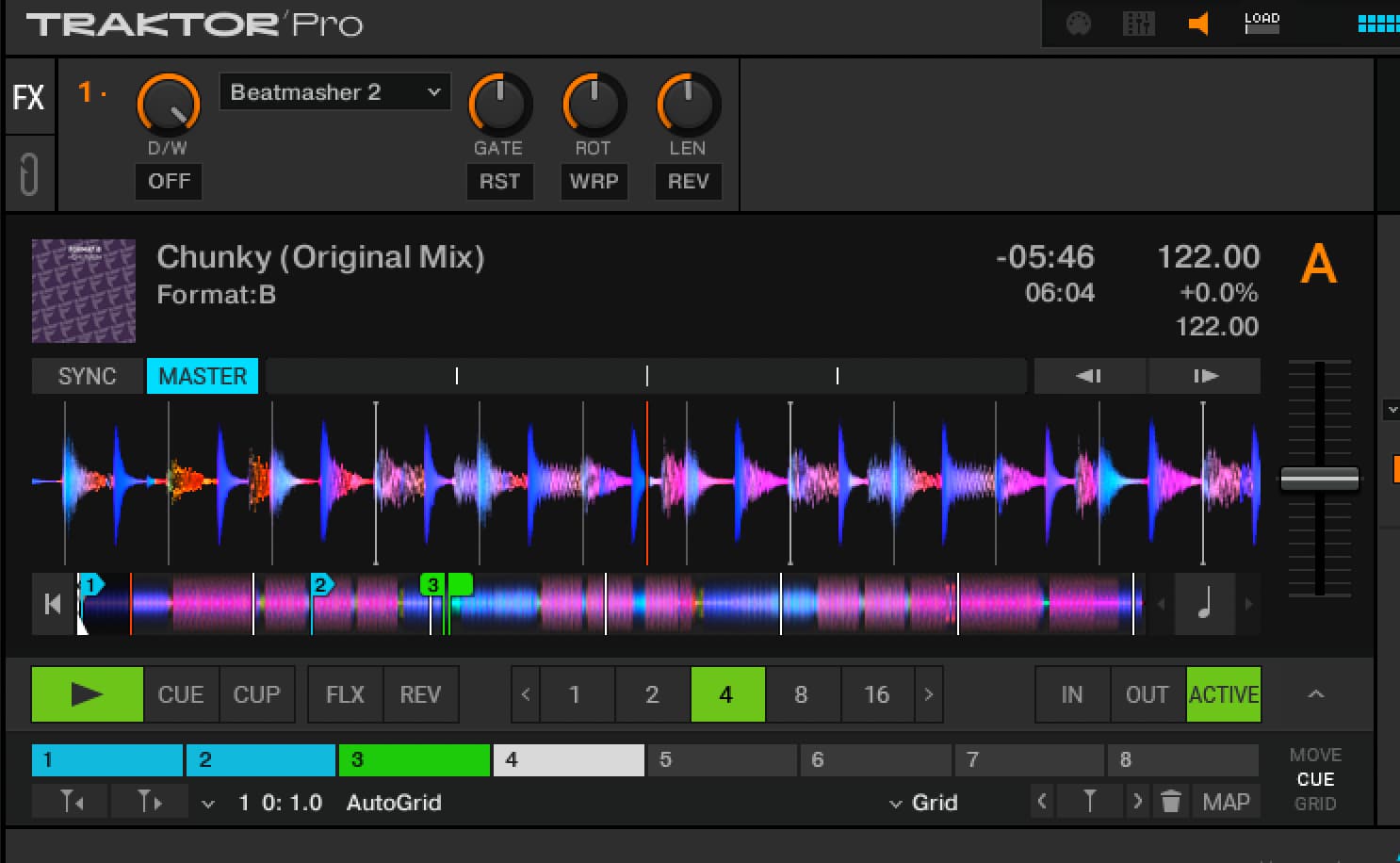
Sorry Slak_jaw : You didn’t understand me, what I meant was that before making a new thread I used the forum search and it gave me this post as a result, the user djbo asks for the “active” option and it is exactly what I need, that option is also found in Traktor .
Indeed, before i switched tot Pioneer’s rekordbox a few years ago, I was a Traktor user for more then 15 years and had MIDI mapped the “ACTIVE” button - as seen green on your screenshot - to a button on my then used Denon DJ DN-HC4500. This made it so easy to decide in the moment if you wanted to automatically activate or not at a pre-determined point in a track.
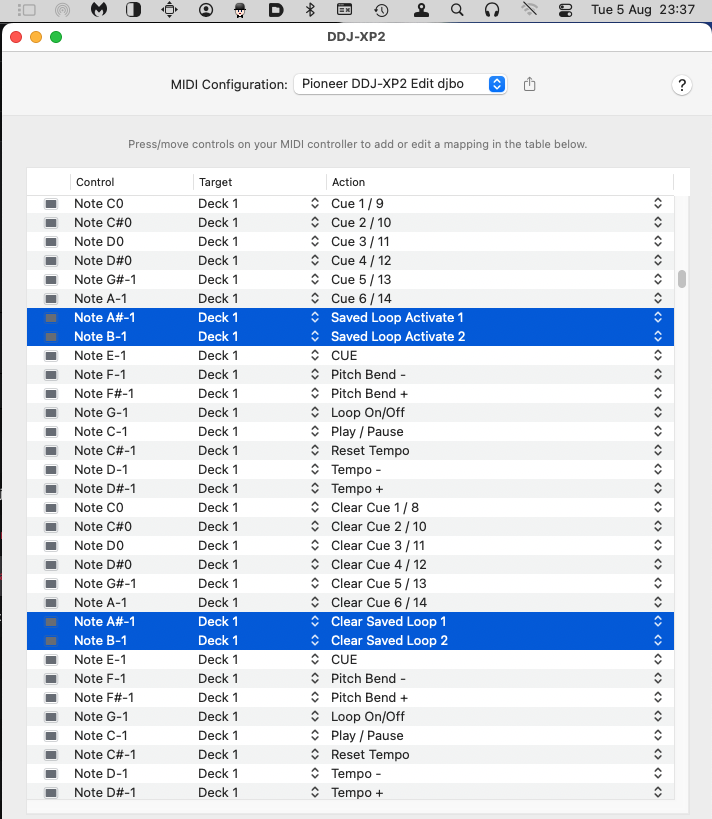
@ Mauri_Moore: You gave me an idea. Since i don’t need 8 Hot cue / loop button’s, i’ve dedicated Cue 7 & 8 to Saved Loop Activate 1 & 2! See screenshot from my MIDI settings in djay Pro.
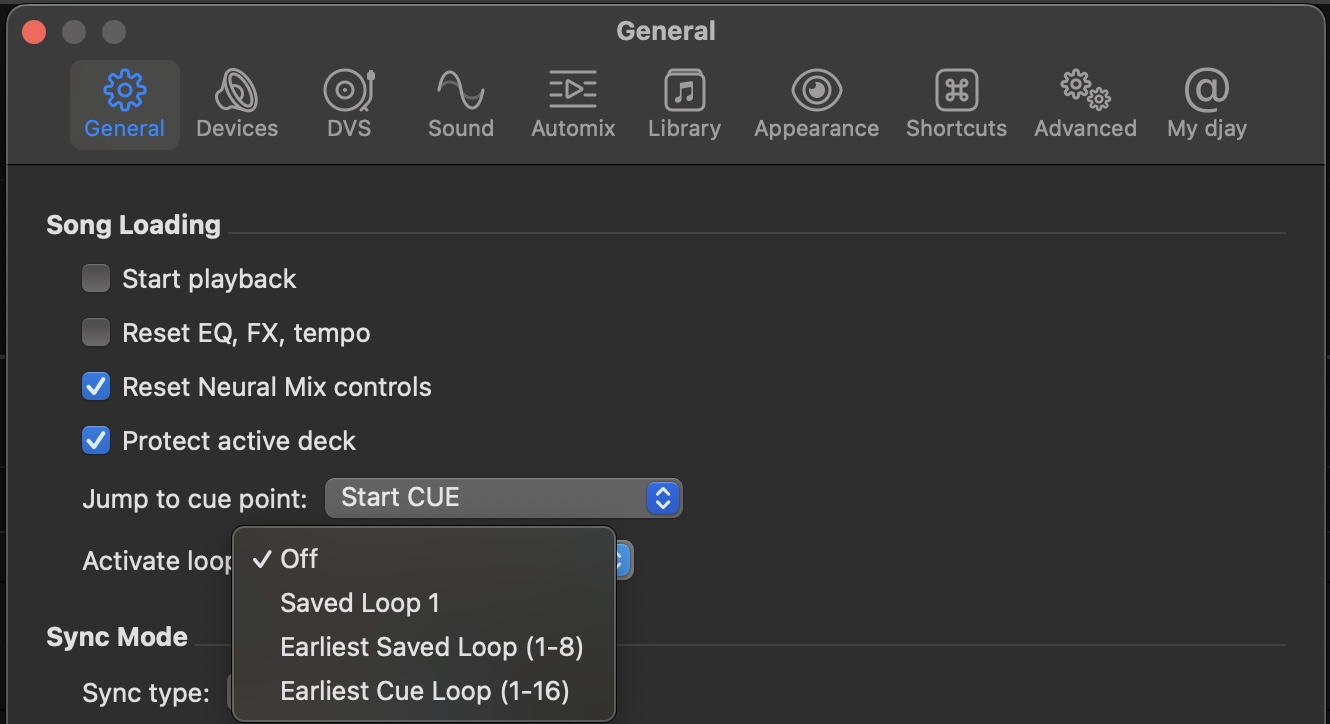
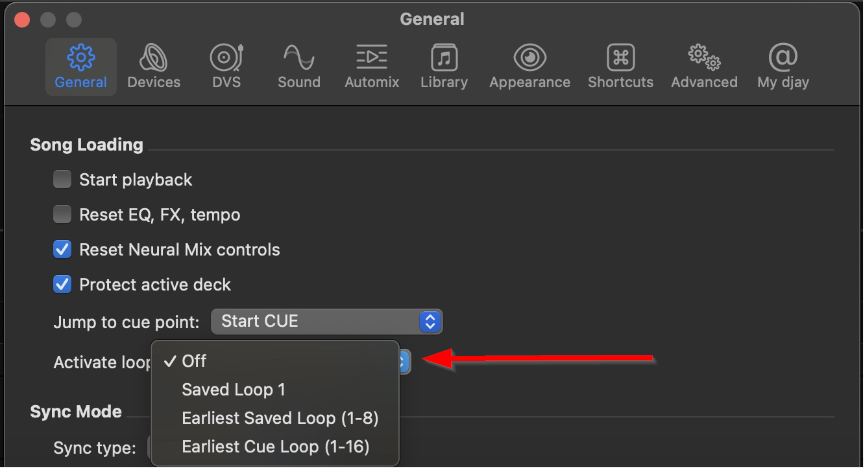
Hi @djbo and @Mauri_Moore, the dev team is curious to know if they added an additional option to the Activate loop Settings of “Activate Last Loop” if that we meet the majority of your needs or not?
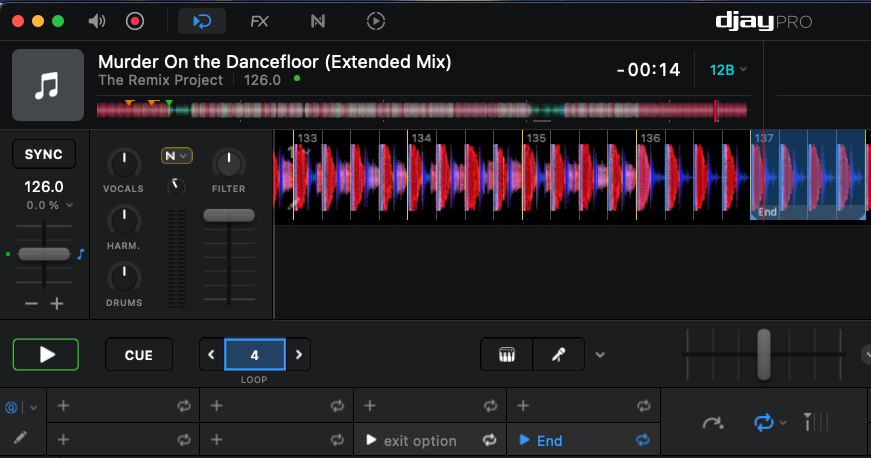
Hi Slak, thanks for asking. Adding “Activate Last Loop” to the Activate loop Settings would be a progress, but not the real solution since several times i have two and even more last loops. See track example on my two added screenshots. In this track saved loop seven is an exit option. Sometimes i have more saved loop exit options.
it’s my pleasure giving feedback. See one more screenshot with four optional loop exit’s in a track where i can come in with the next track while the loop of the first keeps on running (with FX applied on it) under the next track (for a while).
For now i’ve MIDI mapped my saved cue loops to PAD MODE 4 on my Pioneer DDJ-XP2 subcontroller (see screenshot), but switching each time from PAD MODE 1 to PAD MODE 4 only for activating the desired next coming pre-determined loop or not is not intuitive working in the heat of the battle.
Since i am still missing this Rekordbox/Traktor Active Loop equivalent in Algoriddim / Djay i took a look today in how Algoriddim mapped the 4 BEAT / EXIT button while the SHIFT button is pressed & hold on my DDJ-FLX10. Doing this in Rekordbox activates the “Auto-Engage Loop” or “Active Loop” MIDI action (that i’ve also mapped to my DDJ-XP2). Doing this in Algoriddim Djay only activates “Loop On/Off”which is NOT the same.