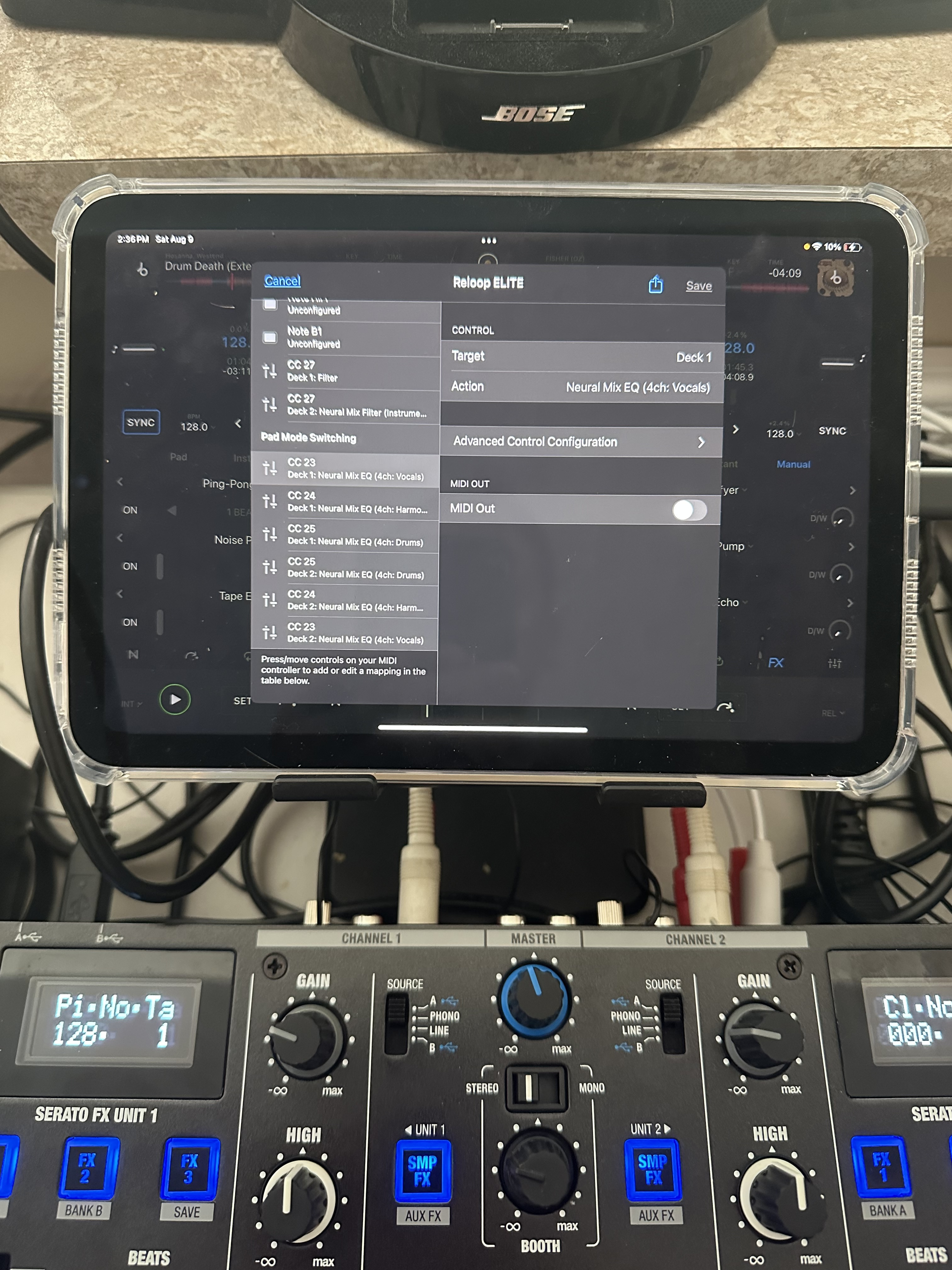
Hello everyone! I have a problem with neural eq and reloop elit mixer! I can’t get the neural eq to work… it keeps cutting off frequencies with the built-in equalizer!!! How to solve it? Please help, I have to play in two days, + spend a lot of money, and it turned out that it’s all just another adventure)
Hi @Polyura, I don’t have access to this mixer to check for myself and the hardware team isn’t available on the weekends. Can you please try checking the mixer firmware settings and advanced settings per the linked video below?
You could also try contacting Reloop Support to see if there is a setting that needs to be enabled on the mixer to bypass the hardware EQs when NM EQs are enabled in the software.
Hi again @Polyura, I think I’ve found the issue. You need firmware v1.07. Please download it here:
After installing, with the Elite connected to your iPad, please navigate to the djay Settings>Audio Devices and press the Reset to Defaults button at the bottom. I’m pretty sure this will put your device into External Mixer Mode. I hope that helps!
In this video, your firmware!!! The built-in eq doesn’t interfere with the sound!!! But something is wrong with the faders, and the Neural eq still doesn’t do what it should!!!
Hello! So I tested it for a few hours! Everything works! The only thing is that when I have deck protection, a message constantly pops up when I load a track! When I used Numark scratch, there was no such problem! That is, if the fader is in the lower position, then the track can be loaded into the deck safely, and there is no message) Maybe this can be turned on/adjusted somehow? (Because now I constantly need to pause the vinyl and then load it! I don’t want to touch the tablet all the time!