Here is a quick video showing what I want to achieve.
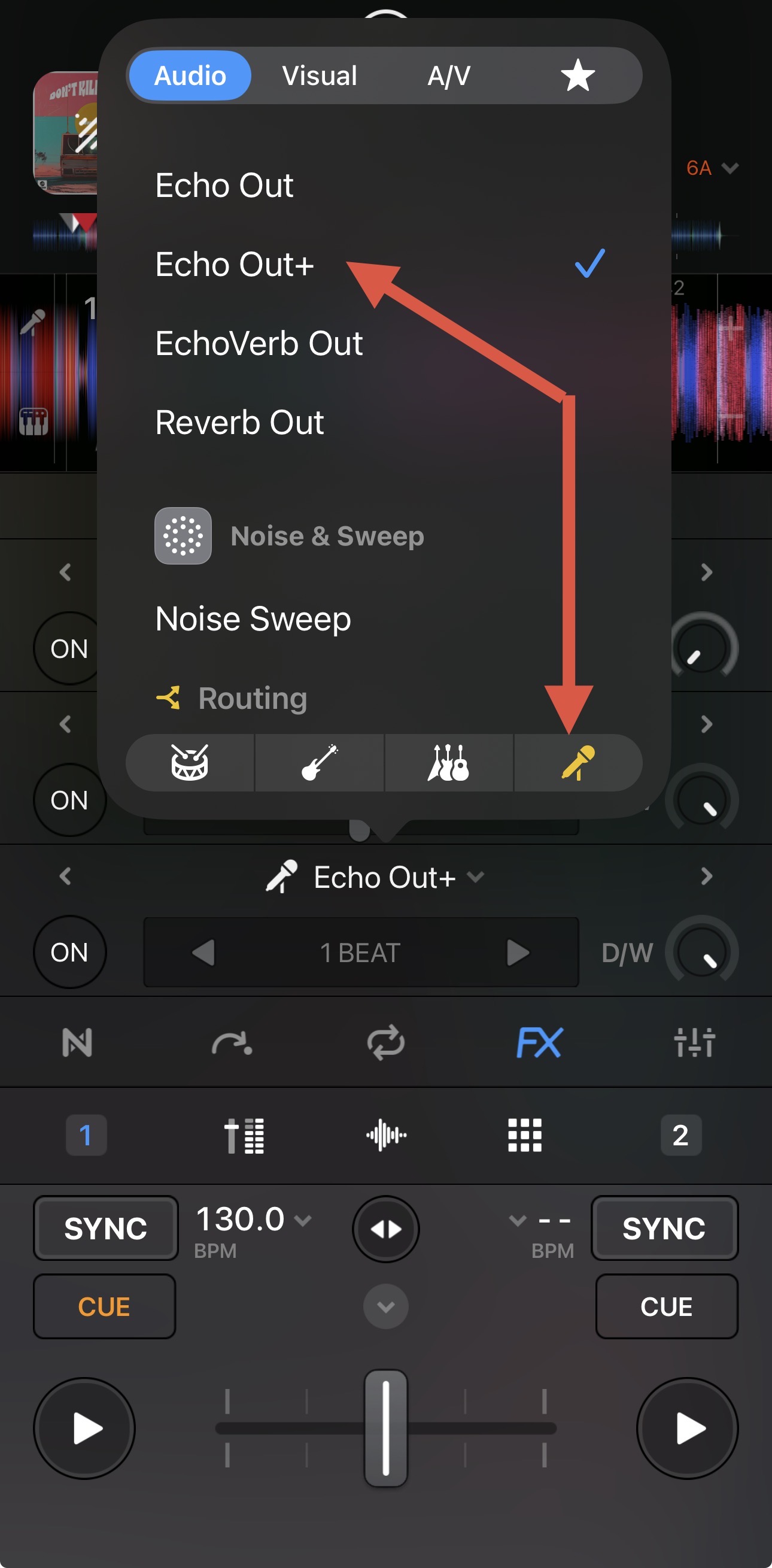
When clicking the pad below vocals at the moment it only mute the vocal, I would like to have an echo out only applied to vocals and the same for melody/bass/Drums
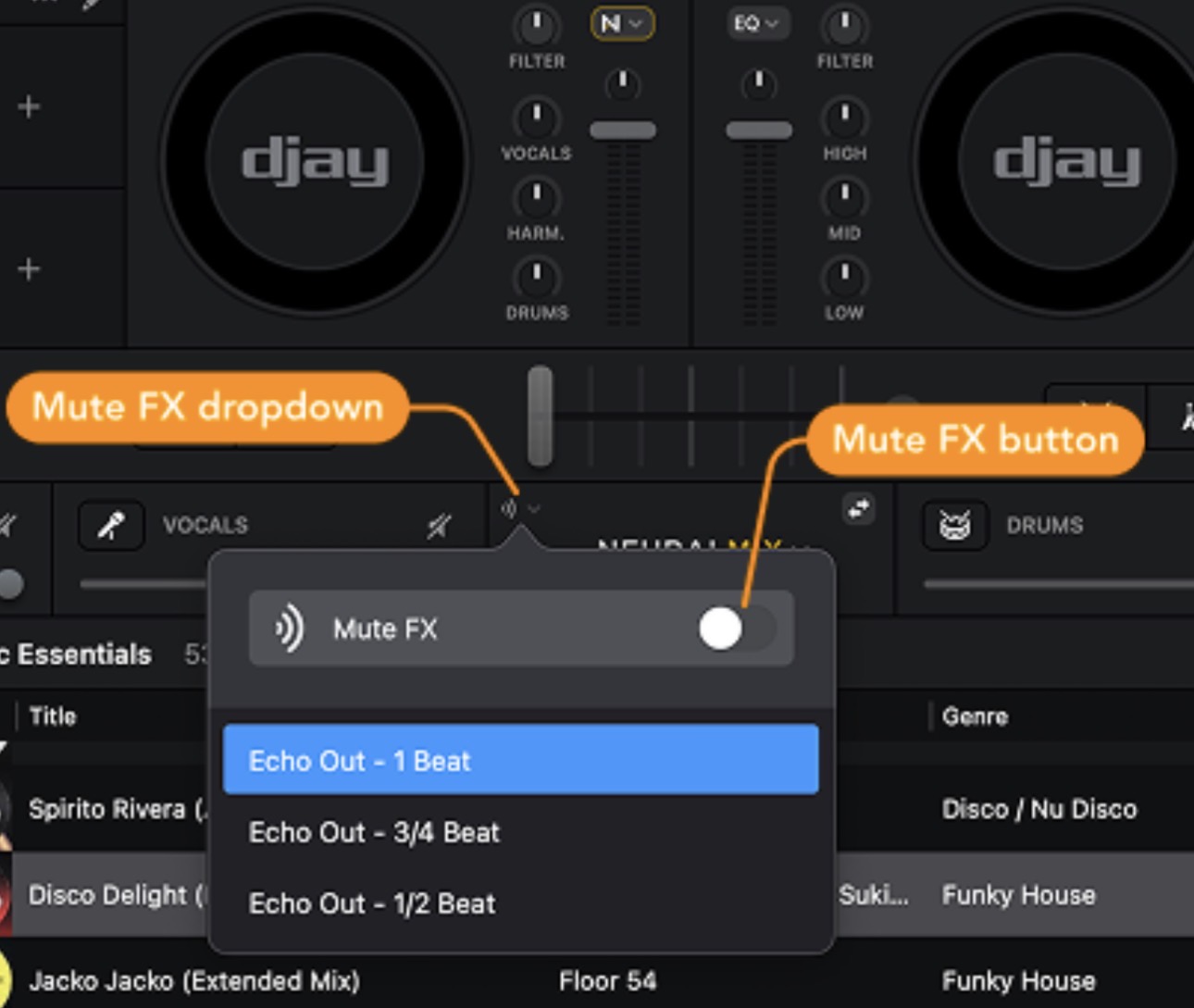
@Geoffrey_Bauduin thanks for the additional info. Please enable the Mute FX as outlined above. Then try pressing the pad on the Performer that Mutes the STEM. I believe that is the top row of pads.
If you wish to swap the positions of the STEMs Mute and STEMs Solo pads, this will require some custom MIDI Mapping and I can guide you through the process.
I’d also like to have Mute FX like the ones Serato offers. To replicate that, I’ve put together a custom mapping that uses Manual FX 2 and 3, which are applied to the desired stems. This is then triggered by the respective Performance Pads. It’s not quite as elegant as a built-in solution - especially since you end up losing 2 out of 3 effects for other purposes - but I’m perfectly fine with always using only FX 1 for effects while DJing, for transitions, and the like.
Hi again @Geoffrey_Bauduin, I don’t have access to a RANE Performer to confirm for myself, but I did look at the code for the MIDI mapping file. It appears that the top row of pads is mapped to Neural Mix Active. This is basically STEMs Mute/Unmute. I mapped this to another DJ controller and enabled the Mute FX. This seems to work similar to the Serato STEMs Echo Out.
is this available on MAC OS? im trying to have all my stems just on and off and only want an FX on the Vocals turning off im looking at this and i think this is the answer to what im looking for
Hi All, I have a Rane Four and my pads work perfectly as you request @Slak_Jaw as always has nailed it
Just enable the FX in your software first, then connect the controller, every stem pad on exit will echo to your setting 1/2, 3/4 or 1 beat
All I would request Slakjaw is in upcoming releases could we have more than just echo to these stems in this way, vinyl break for example sounds great when killing stems
Hello! It’s been nearly a week since my last reply. I’m going to consider this topic completed for now so I can focus on others. However, please feel free to respond and we can definitely revisit this. Thanks!