Tagami - Toolkit app for DJ's - Huge update

Since June, Tagami has received a whole host of new updates, making it into a comprehensive toolkit for DJ’s. Much more than a tag editor now….

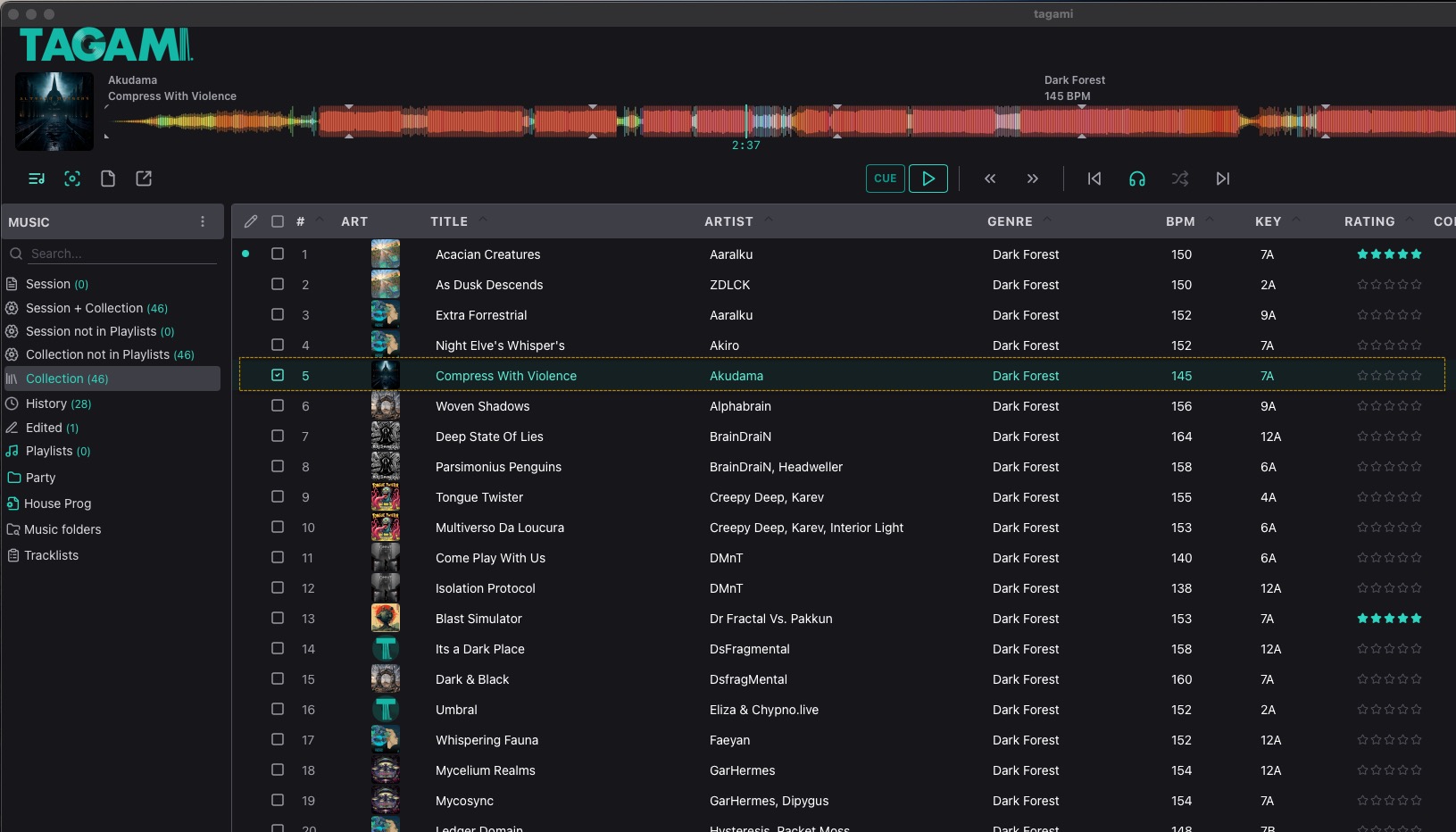
Explore your music with new and improved high quality waveforms and a zoomable second waveform. Navigate with keyboard shortcuts. Customise waveform colours in settings.

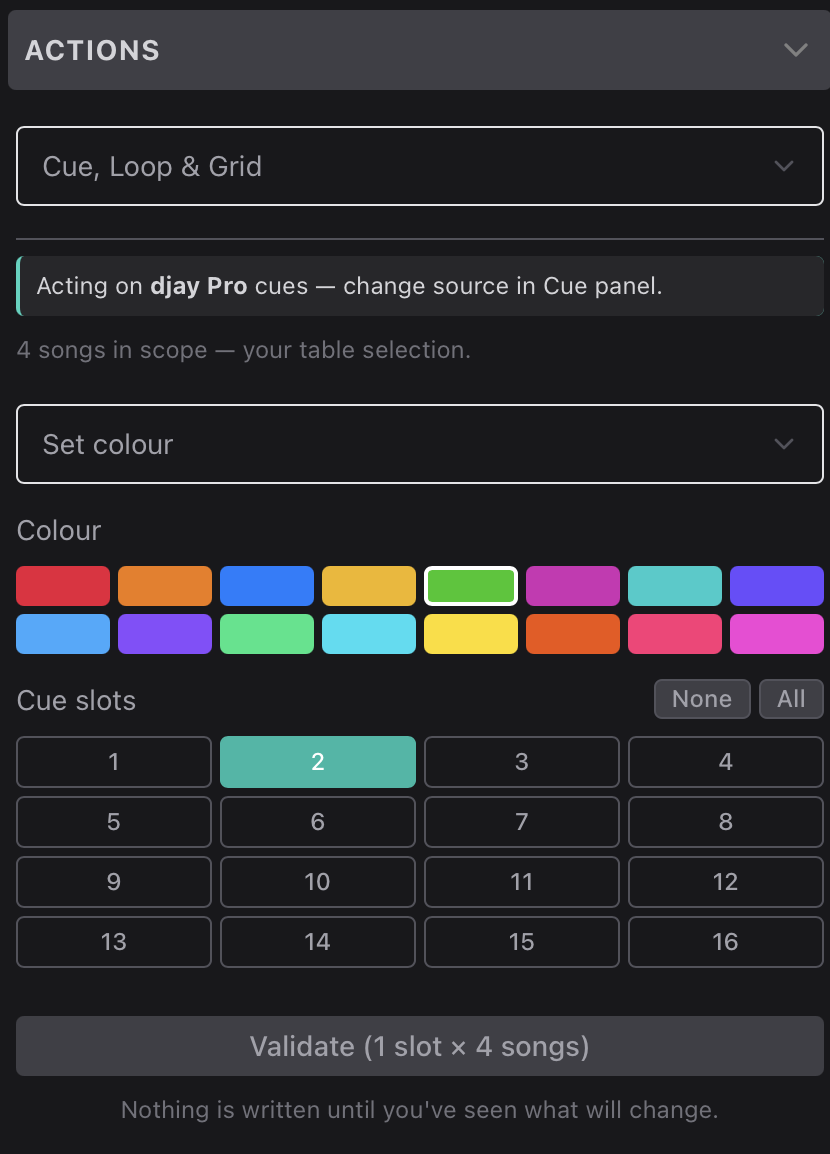
Read, write and trigger cues and loops from DJAY (and other app’s) using the toolbar, keyboard shortcuts and the new Cue/Loops panel.
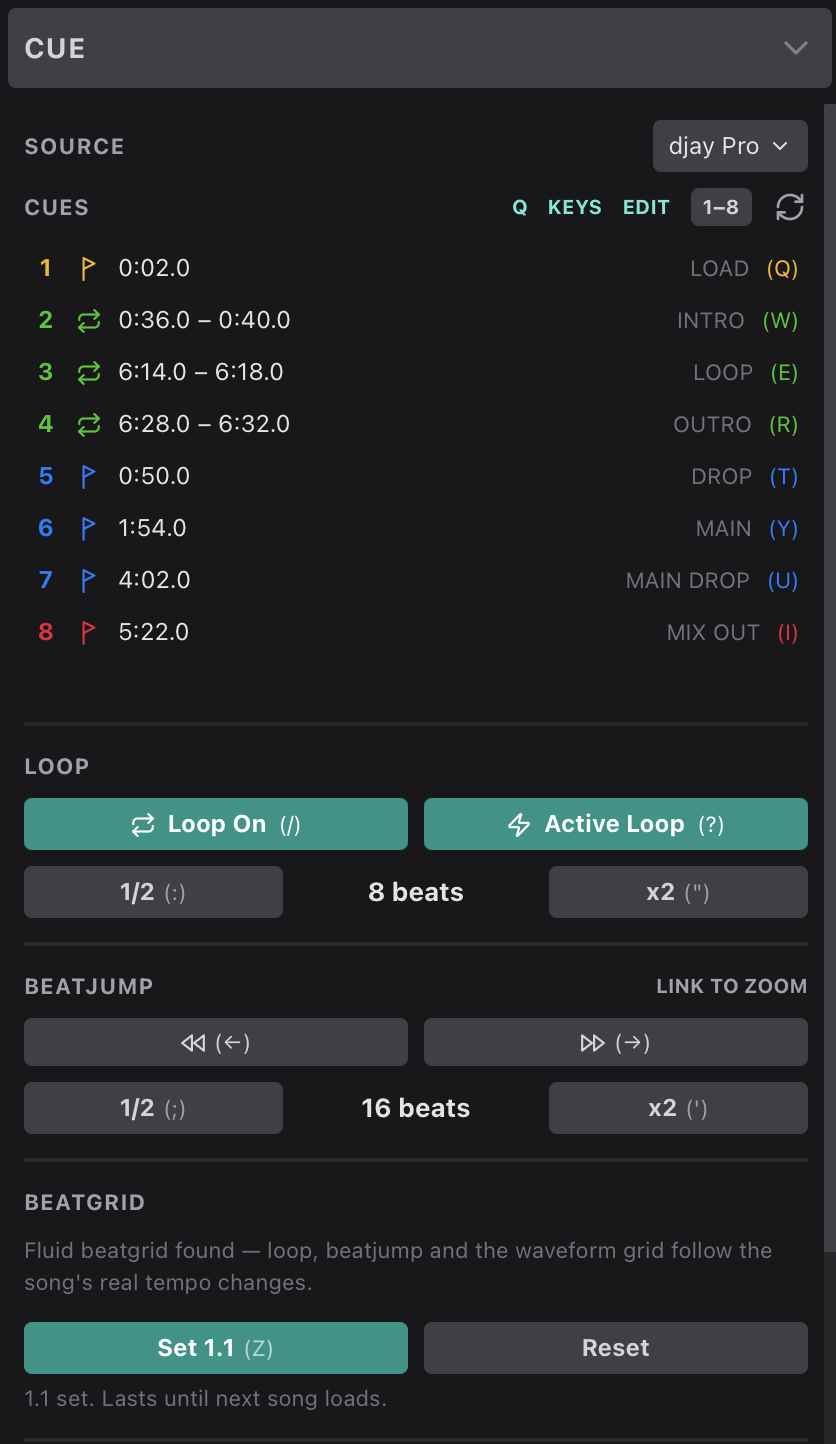
Perform bulk actions on cues and loops (for selected songs) such as

  • Set colour
  • Set name
  • Set cue slot type
  • Delete cues
  • Sort cue slots
  • Move cue slots
  • Snap cues to grid
  • Transfer cue’s to to other DJ apps

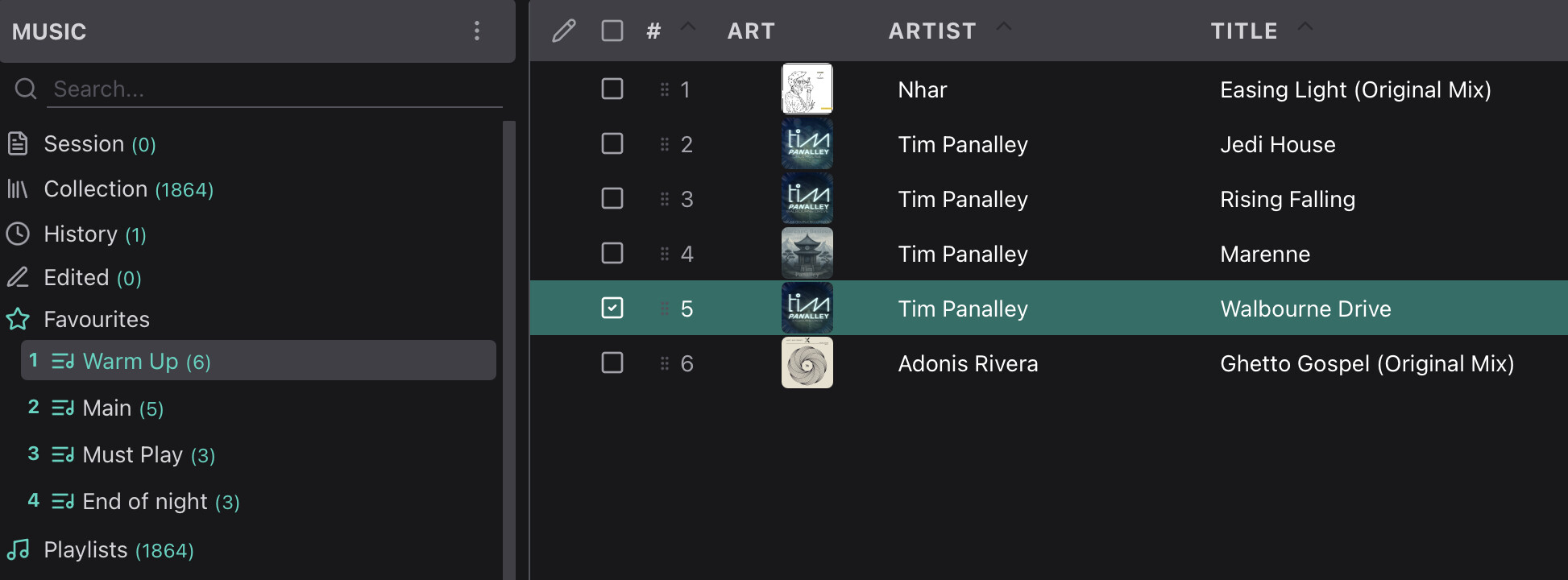
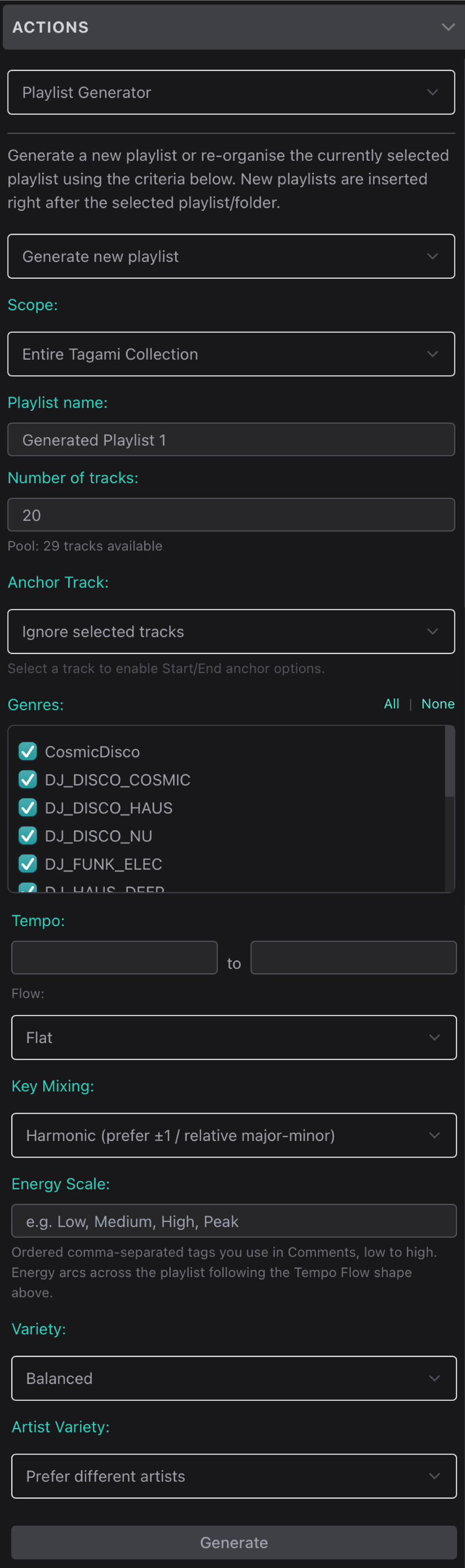
Generate new playlists (or re-organise current playlists) using defined rules with the playlist generator.
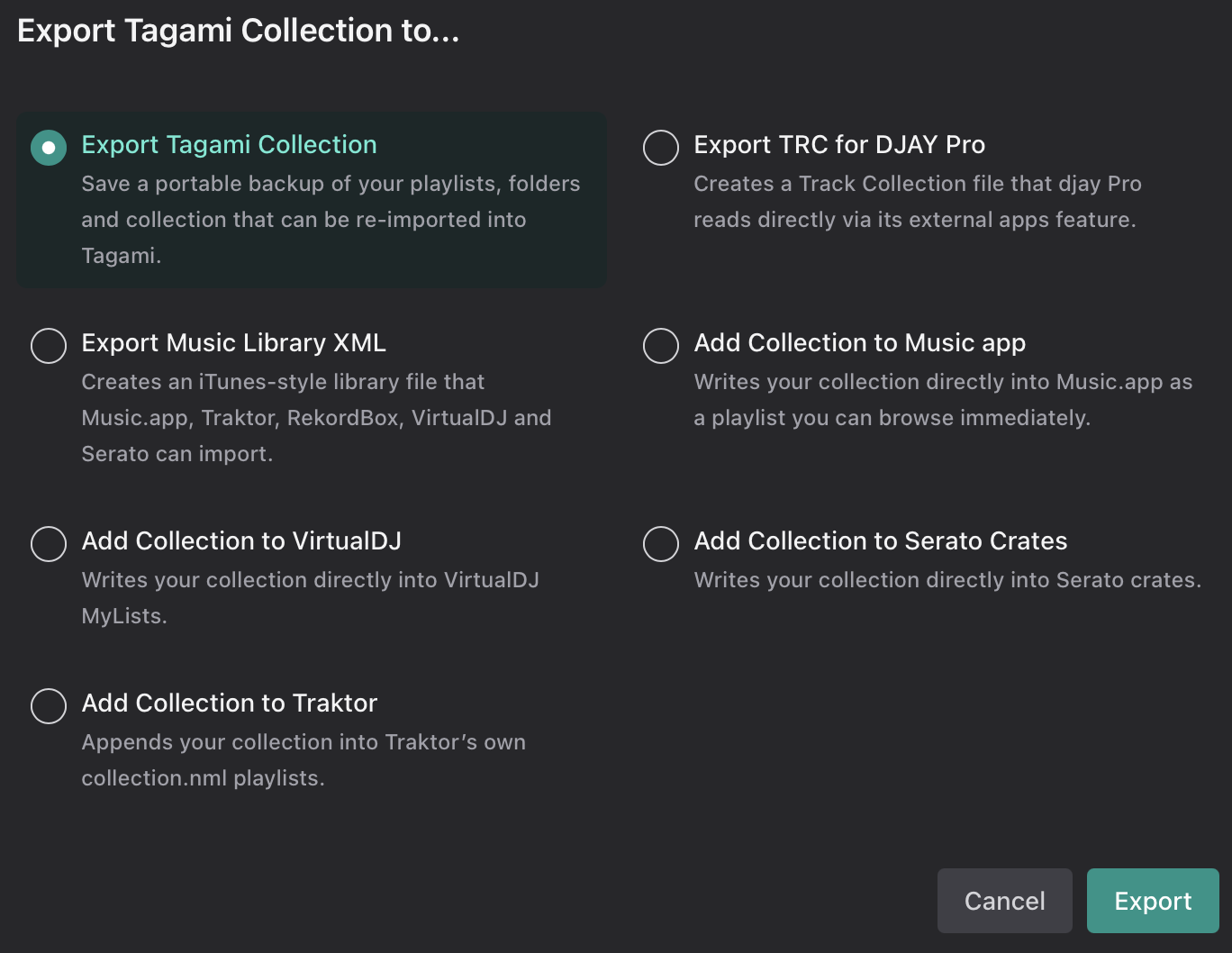
Export your entire Tagami collection or individual folders or playlists to Music.app, DJAY Pro, DJAY Pro external apps and other DJ software with the new export options…
Find music you don’t own yet with Tracklistings. Simply paste in a tracklist from anywhere and get links to find the music on your favourite sites.

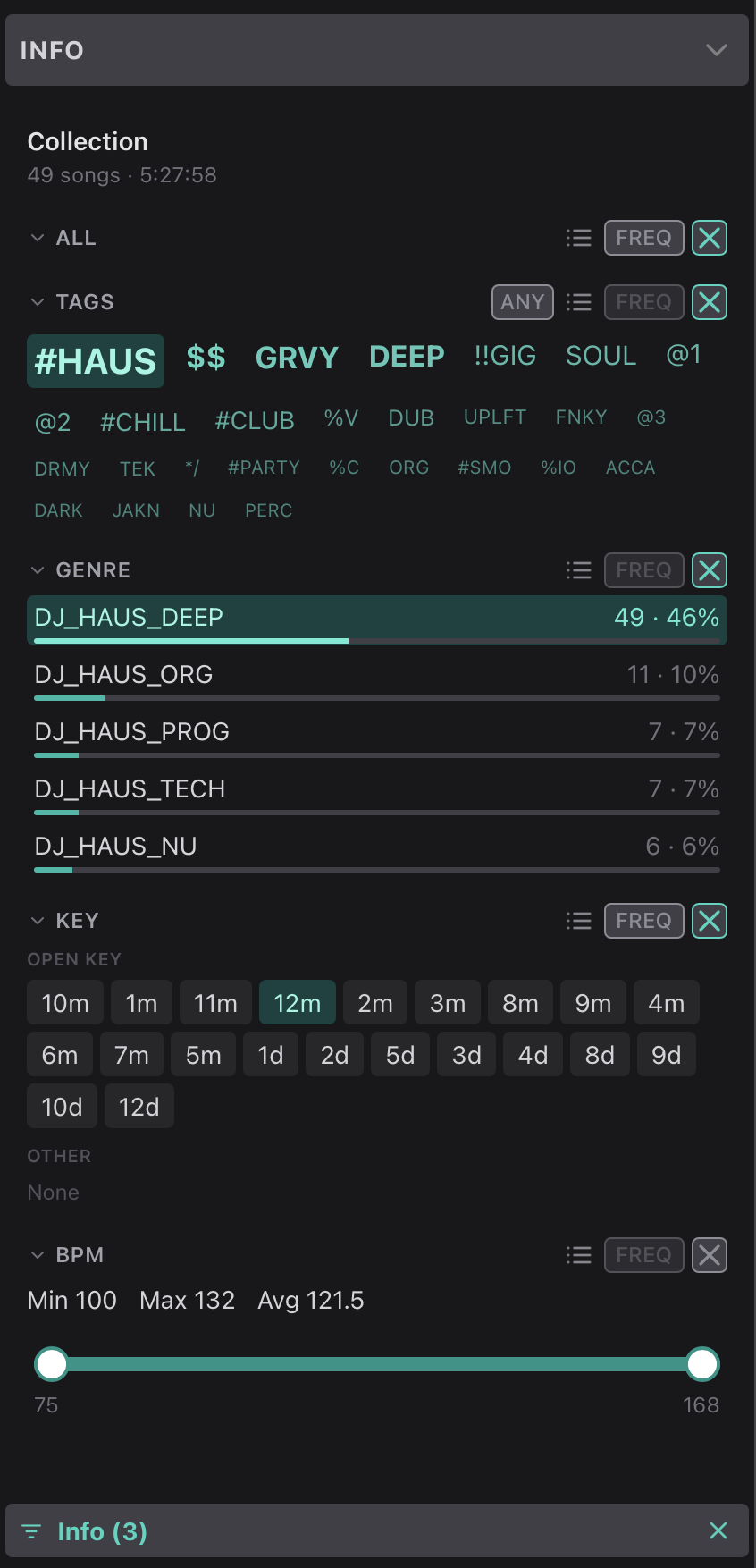
The new info panel shows entire playlist info when no songs are selected now and contains filters, for comment tags, key, bpm and genre. These can be stacked with Tagami’s smart filters and applied to any playlist, making all playlists smart lists in Tagami.
Other Tagami toolkit actions include:

  • Convert selected files to AIFF or MP3.
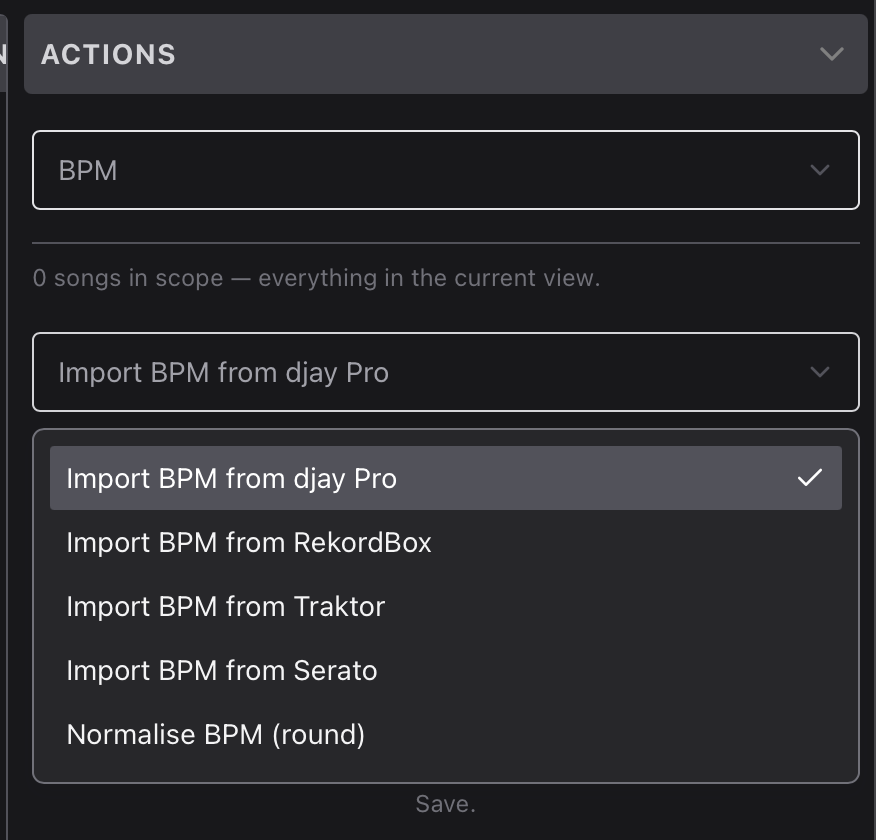
  • Import BPM from DJAY db and write to BPM field
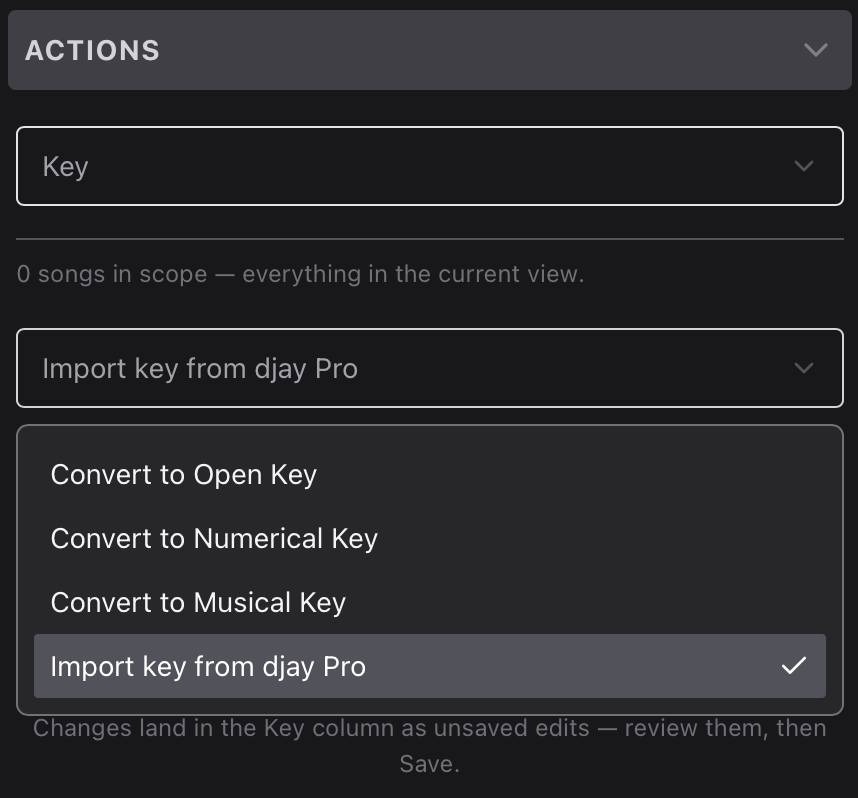
  • Import Key from DJAY pro and normalise key for selected songs to different formats
  • Rename selected files with rename patterns
  • Copy, Move files with 3 levels of destination filing structure
  • … & more

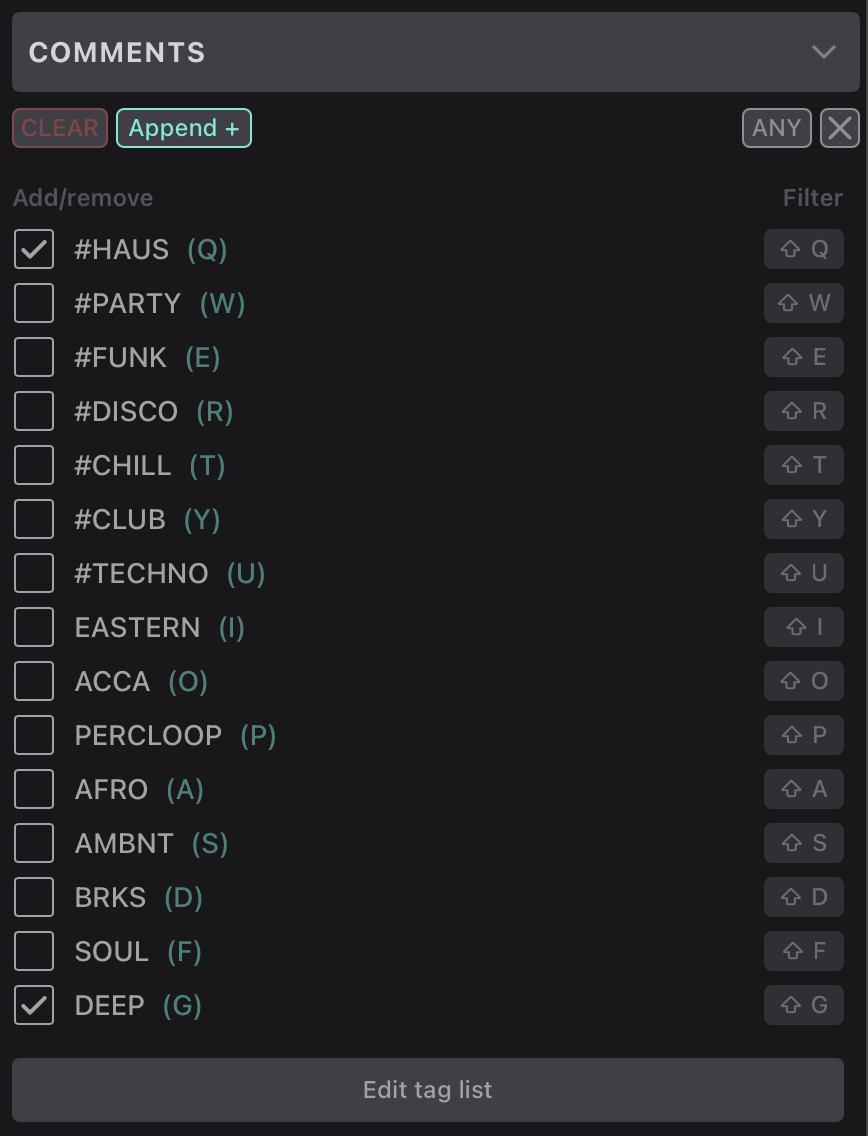
For those not familiar with Tagami, it started out as an efficient tagging tool, that offered the ability to add keyword tags to the comments field with keyboard shortcuts, so they could be used in smart playlist and DJAY filters. Just paste in a text list of tags and Tagami auto assigns a keyboard shortcut. Shift+Keyboard shortcut filters by the tag.
The 14-day trial and the save limit are gone. That’s been replaced with a free forever version and pro version with no subscription.

Check it out at: https://tagami.au/

Thanks to all those who have supported and helped with feature suggestions and bug reports.

Cheers,

Tim

4 Likes

Wow, nice update @rishi!

Looks very nice. What platform / programming language are you using? I will have a try, while the functionality seems promising

@EwoutdeBoer Hey… thanks. It’s a Tauri app, and has a react front end and a rust backend. My background is in full stack web development, and Tauri allows me to build the UI in react which is what I use at work.

1 Like

Rishi, thanks for the info. I’m a fullstack developer myself and use dotnet for the backend. Front end is Blazor, React or Vue. I planned to take a look at Rust during the coming Christmas break, just for learning. Will look into Tauri as well.

@EwoutdeBoer Tauri is great for cross platform, lightweight apps and you can bring any front-end framework.

1 Like

The latest update is superb. It contains quite a few features only available on lexicon’s top tier subscription and does them better. Great work @rishi

2 Likes

Hi.
The program won’t open. An error occurred: The “Tagami” program cannot be opened because it is not supported by this Mac computer.

I don’t have that either.

INSTALLATION…

MAC
Drag the tagami .app file to the Applications folder
Launch Tagami from the Applications folder
Only once …

  • Go to System Settings > Security & Privacy >
  • Scroll down to Security > -
  • Look for the message that says “tagami” was blocked to protect your Mac > Click “Open anyway”
    * Required until I become an Apple-certified developer
    Restart Tagami if necessary

My Mac.
Mac Pro - Intel Xeon W (2019)
MacOS - 15.7.7 (24G720)

I installed the program on Windows 11. Everything works great.
Thank you! :heart:

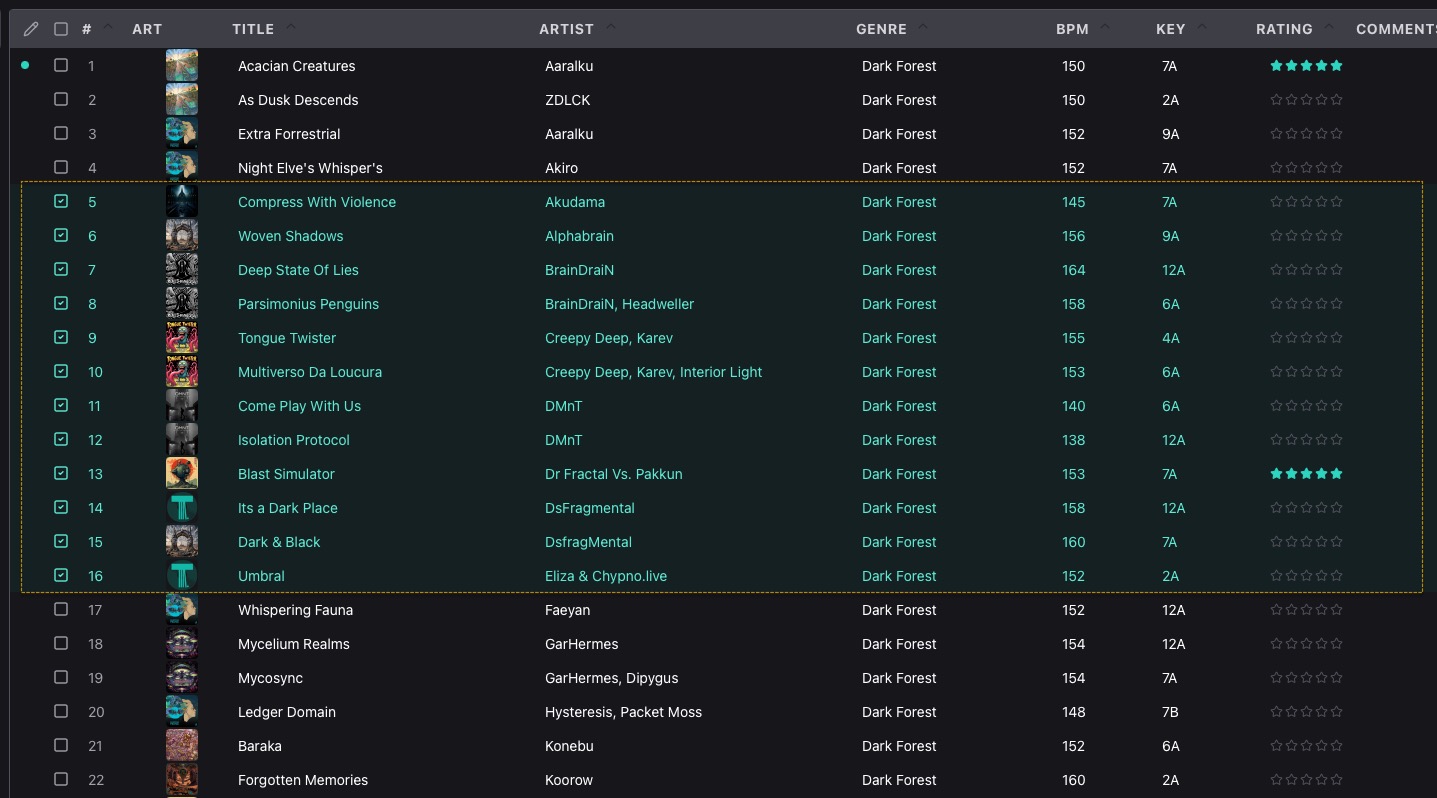
But where is the “Rating” column? I can’t live without ratings. :slight_smile: Could you please add it and also add hotkeys for assigning ratings from 1 star to 5 stars?
Is it possible to create a “Sound Waveform Preview” column with playback functionality? Like it’s done in rekordbox and Lexicon DJ, please! When I click on the sound wave with the mouse, the sound will immediately play for 10 seconds (this can be configured in the program settings), and when I press the Esc key or the spacebar, the sound will stop. This is how it’s done in Lexicon DJ – it’s very helpful for quickly selecting tracks and creating playlists.

Of course, it should be immediately taken into account that if I click on such a sound wave with the mouse, this track automatically becomes active, and it is possible to edit the metadata tags right away.

@Zirrex Hey, thanks for trying out Tagami.

I have made an update. Version 1.31 now supports macOS 10.15 (Catalina) or later.

I also updated the readme. It was a bit of out date. I am now an apple certified developer, so you shouldn’t have to go to settings for anything. You will just get the usual “tagami.app” is an app downloaded from the internet. Are you sure you want to open it?”.

Can you re-try installing on your Mac and let me know how you go please.

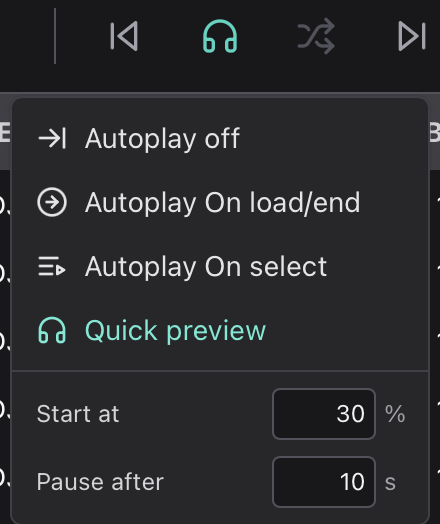
In the transport section of the toolbar there is an autoplay button. If you set this to Autoplay on select you can listen to tracks as you navigate. Arrow down in the song table and the new track will load the new track to the player and be ready for tag editing. The left/right arrow keys allow you to skip thru the track quickly. Spacebar toggles playback. Enter loads the selected song to the player (if not in autoplay on select mode). The selected song or songs are always active for editing tags in the info panel, comments panel tagging and genre panel tagging.

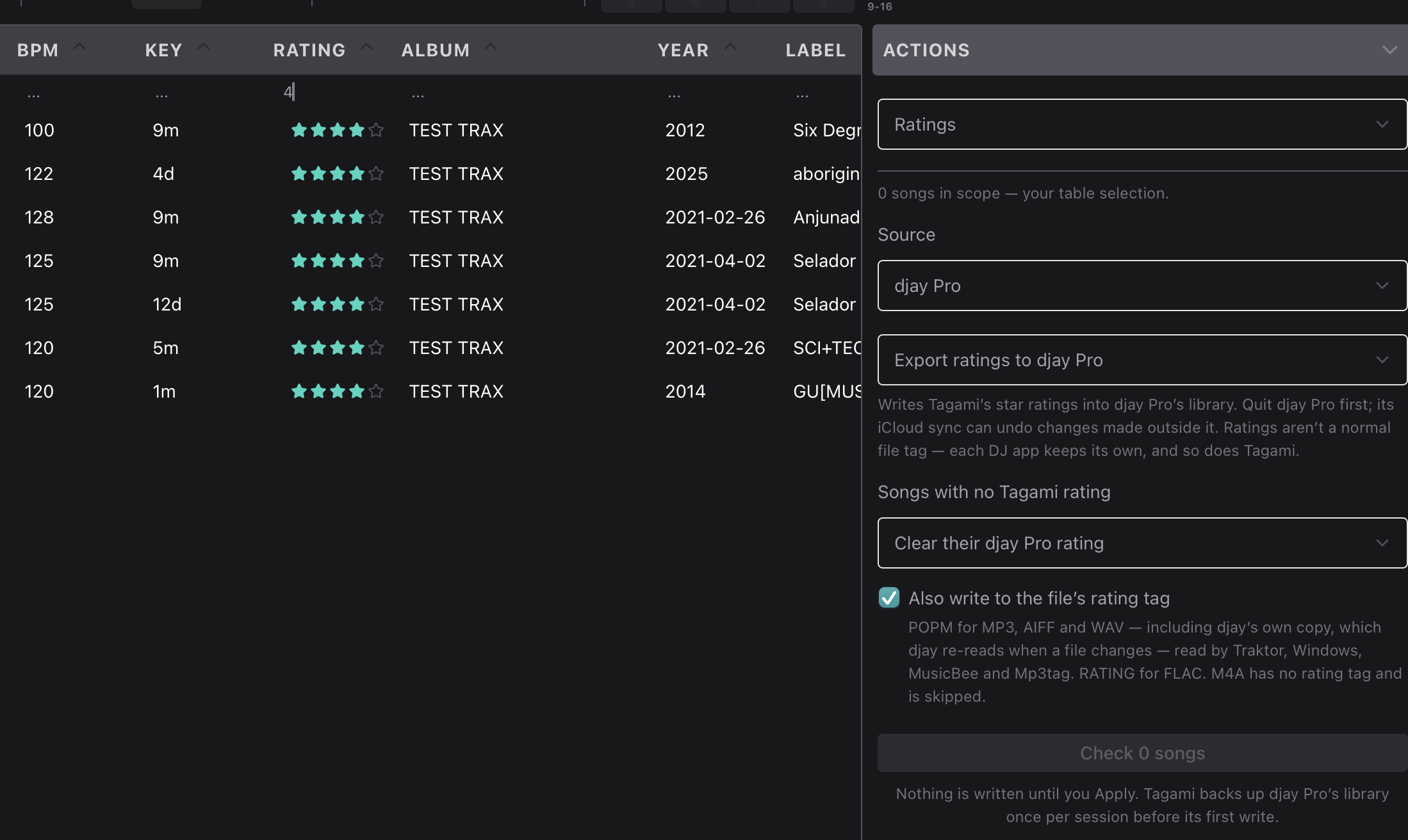
As far as the Rating column goes, I haven’t implemented it yet because it’s more complicated than it looks. Unlike BPM or key, a rating isn’t normally stored in the file’s tags. Each DJ app keeps it in its own database (Music.app, Rekordbox, djay and VirtualDJ all do this; Traktor is the only one that optionally writes it to the file too). As I understand it, Lexicon works the same way: it keeps ratings in its own database and exports them to each app when you sync. So a rating you set in Lexicon only shows up in djay after you sync back to djay. Is that your understanding and how you use it?

I’m looking into the ratings feature and the ability to import and export ratings from and to DJAY.

1 Like

@daniel_curley Thanks for the feedback. :slight_smile: Much appreciated

I downloaded the new version for macOS.
I installed it. Everything works perfectly! Thank you.

In the transport section of the toolbar there is an autoplay button. If you set this to Autoplay on select you can listen to tracks as you navigate. Arrow down in the song table and the new track will load the new track to the player and be ready for tag editing. The left/right arrow keys allow you to skip thru the track quickly. Spacebar toggles playback. Enter loads the selected song to the player (if not in autoplay on select mode). The selected song or songs are always active for editing tags in the info panel, comments panel tagging and genre panel tagging.

I’ve already figured this out. It’s an interesting solution.

About using the mouse.
When the waveform is displayed, I click on it and immediately hear the track — not from the beginning, but from the exact point I need.
This way, I can click through the tracks I want much faster and select the ones I need.
The current options for loading and scrubbing in the program are also good, but it would still be useful to be able to see the waveform and have a preview function.

As far as the Rating column goes, I haven’t implemented it yet because it’s more complicated than it looks. Unlike BPM or key, a rating isn’t normally stored in the file’s tags. Each DJ app keeps it in its own database (Music.app, Rekordbox, djay and VirtualDJ all do this; Traktor is the only one that optionally writes it to the file too). As I understand it, Lexicon works the same way: it keeps ratings in its own database and exports them to each app when you sync. So a rating you set in Lexicon only shows up in djay after you sync back to djay. Is that your understanding and how you use it?

Rating.

Yes. Officially, the metadata specification doesn’t include a “Rating” concept. However, it can be added manually, and some DJ software will recognize it.
For example – RATING
I already asked this question in this post.

Your program is the first step in selecting, sorting, and managing my music library.

Typically, my library only includes tracks rated 3, 4, or 5 stars. I don’t keep tracks rated 1 or 3 stars—there’s no point in holding on to music you don’t like.

But the 3-, 4-, and 5-star ratings help me quickly see that a 5-star track appealed to me more than a 3-star one.

I sort tracks by rating, and that also helps me put together playlists.

Yes, I don’t always give a rating, but I do about 70% of the time.

When you export from Lexicon DJ to DJ software, the rating carries over. It’s really convenient.

As I understand it, your program doesn’t analyze track keys and BPM.
If these parameters are listed in the file’s metadata, it just displays them.
Or does it pull them from databases used by other DJ software? Am I right?