Hi,
I’m using djay on iPad Pro M4/ OS26 and have a very frustrating phenomenon:
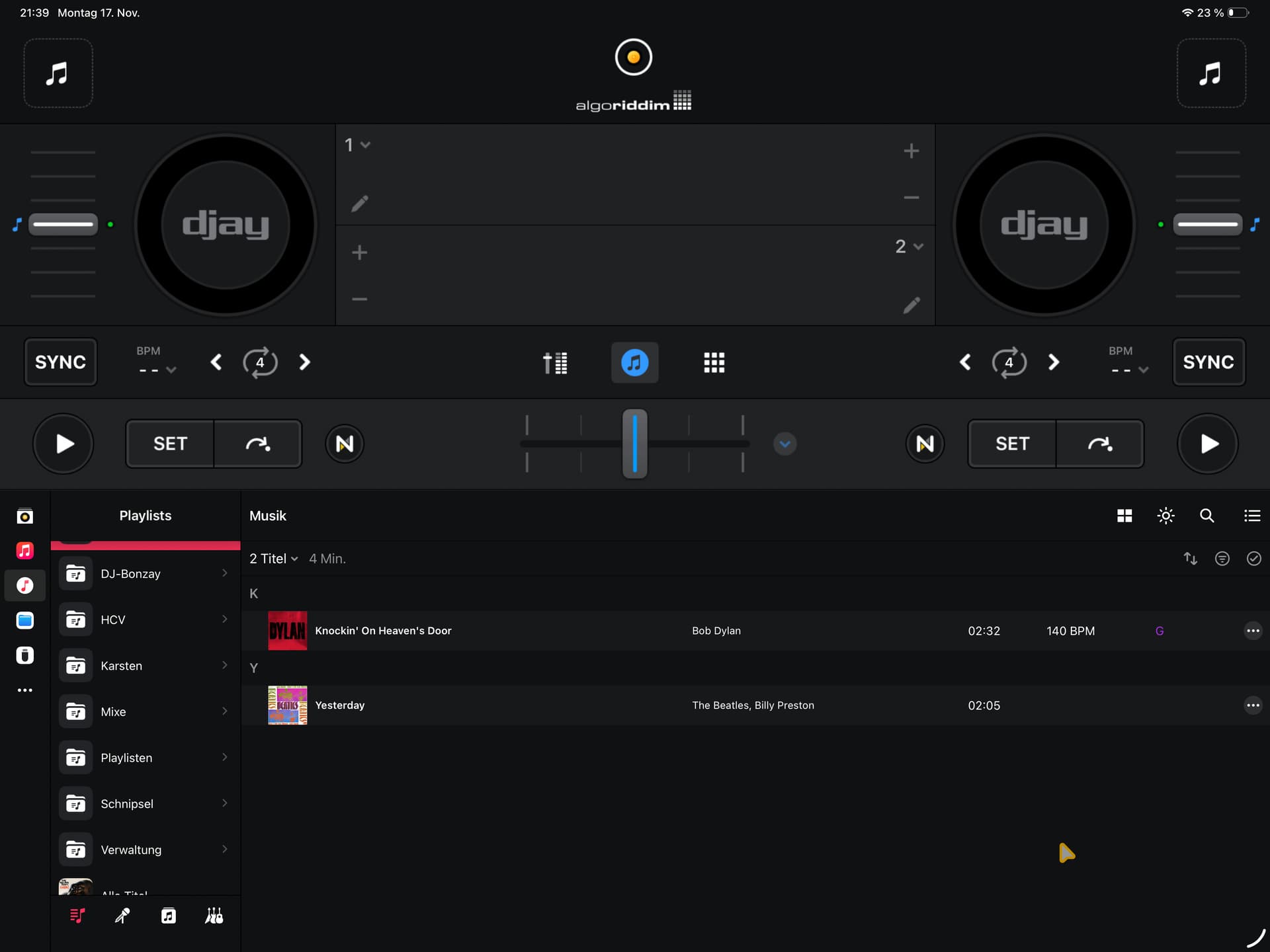
I downloaded ALL tracks to my iPAD (Playlist on MAC with all tracks → DL on iPAD) and have full access to all files in music app (even offline). Djay can only access the “local music” in offline mode (Music icon is not working). In this, I have a huge amount of missing files even they are available. I miss complete albums as well as single tracks of some albums. I the result, most playlists, created on my MAC are much shorter on my iPAD as long as I am not connected to the internet (!! they are fully available in Music app offline). Now the question: How can I “resync” the section “local Music” to see the missing songs?
iPad Pro M4 13"
iPadOS 26.0.2
Djay 5.5.1
no controller
Thanks for any help!!
Best regards,
Steffen
Hi @WIng2005, welcome to the Community! When creating new topics, please do not forget to answer the questions in our template with specific details about your setup not just “iPad” or “Latest Version”. This helps all of our community moderators to provide the most effective support to users with the utmost efficiency. Thanks!
Device Model (ex. 2020 iPad Air 4th Gen):
Version of operating system (ex. iOS 17.3.1):
Version of djay (ex. 5.1.3):
Hardware/controllers used (ex. Reloop Ready):
Hardware Firmware Version (ex. 2.7):
Since this sounds repeatable, can you please capture and share a short video of the issue to help clarify what’s happening? Thanks!
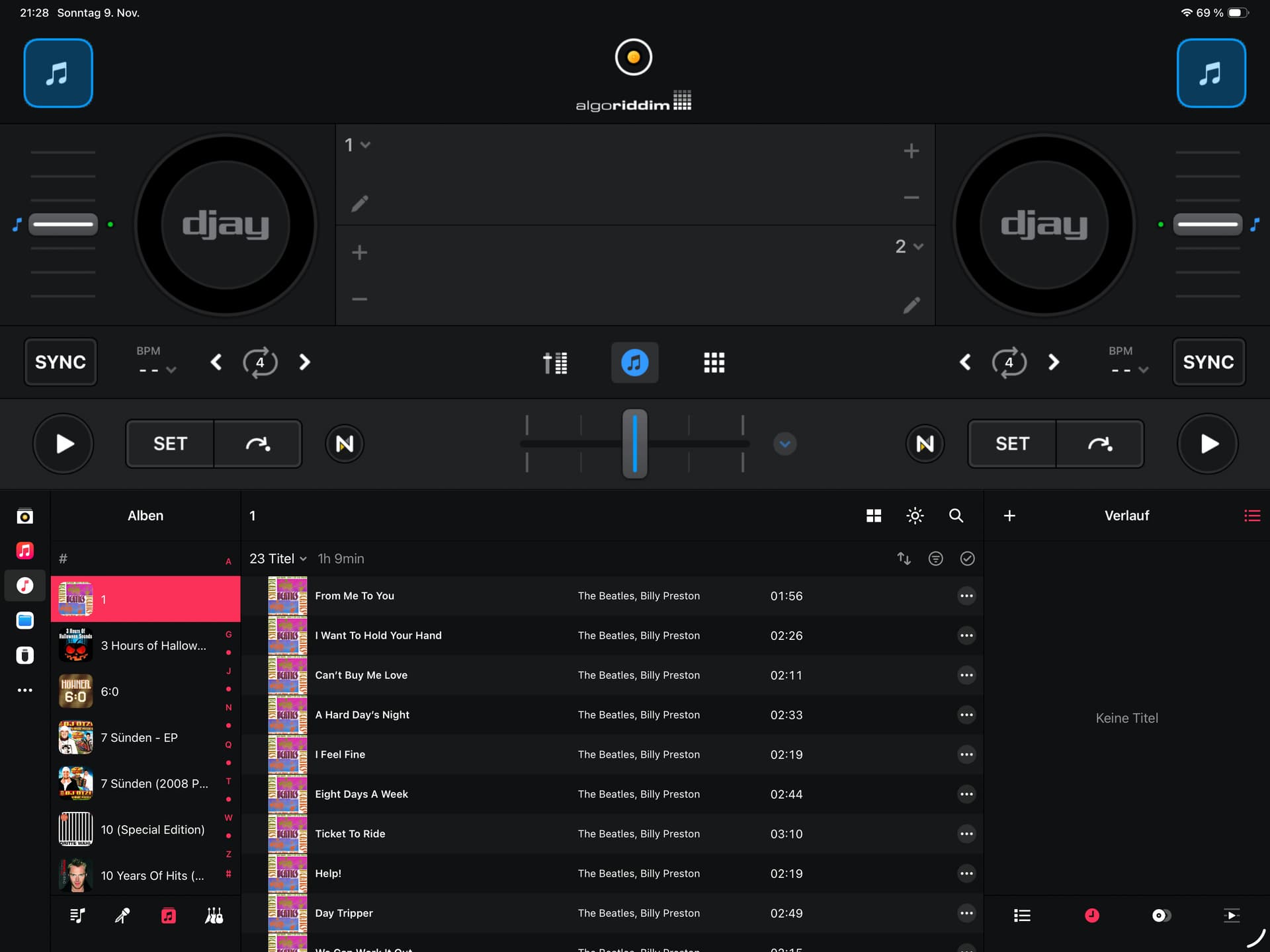
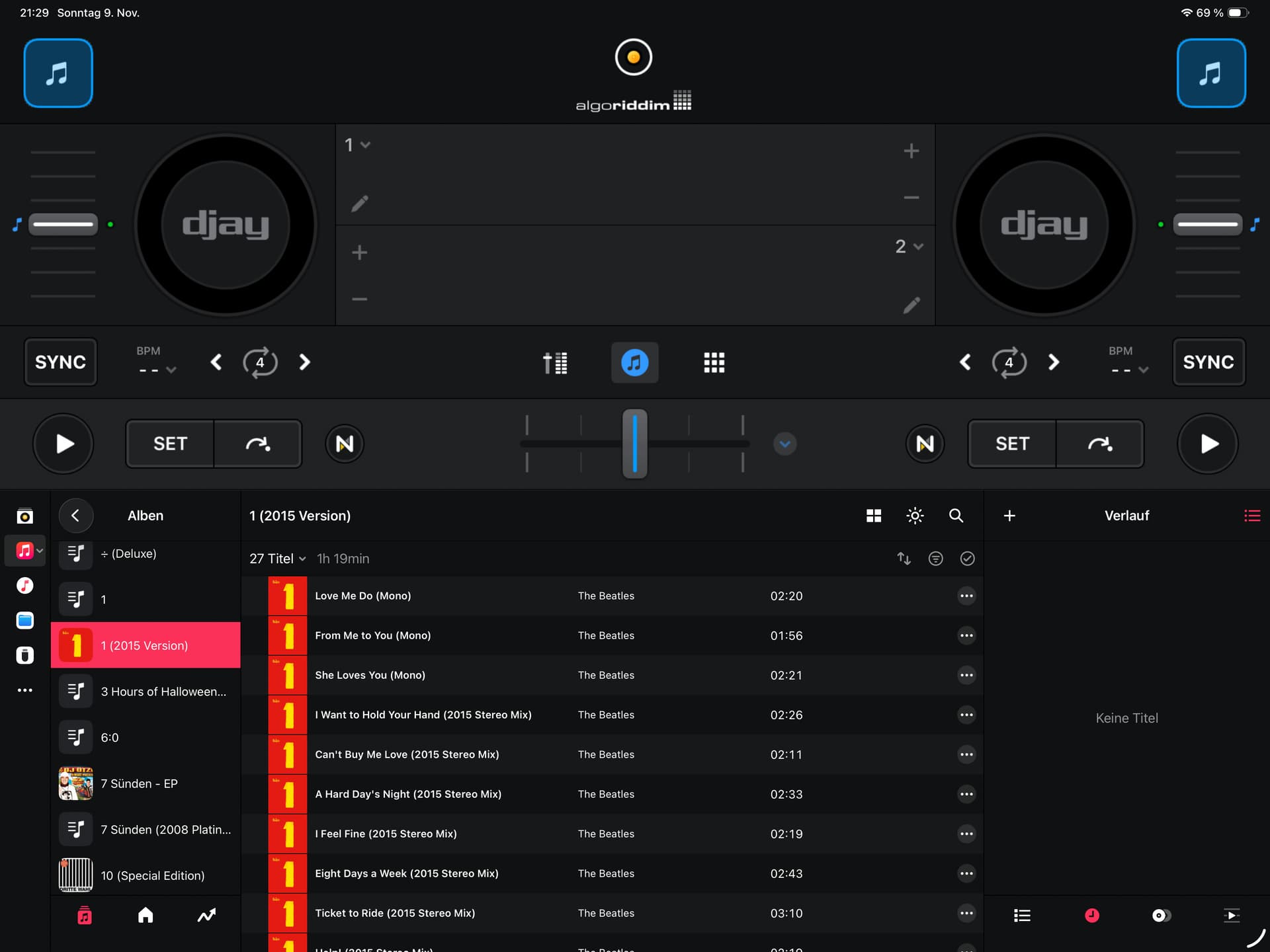
Both images same album, one out of “Music”-Section (very left icons), one out of “Lokal music”-section. This album is 27 Tracks offline available in Apple Music as it is downloaded.
In total, Lokal Music offer 22411 Track, Music Lib contains 23295 (offline) tracks
Good Morning,
Thanks for the link…unfortunately it does not solve the issue.
I still do not understand why offline Music from the Music lib is not fully accessible in Djay Pro. Best example is shown in the screenshot. Why do I have a gap of 4 songs in one Album when the whole Album is offline available on my iPad?
Best regards,
Steffen
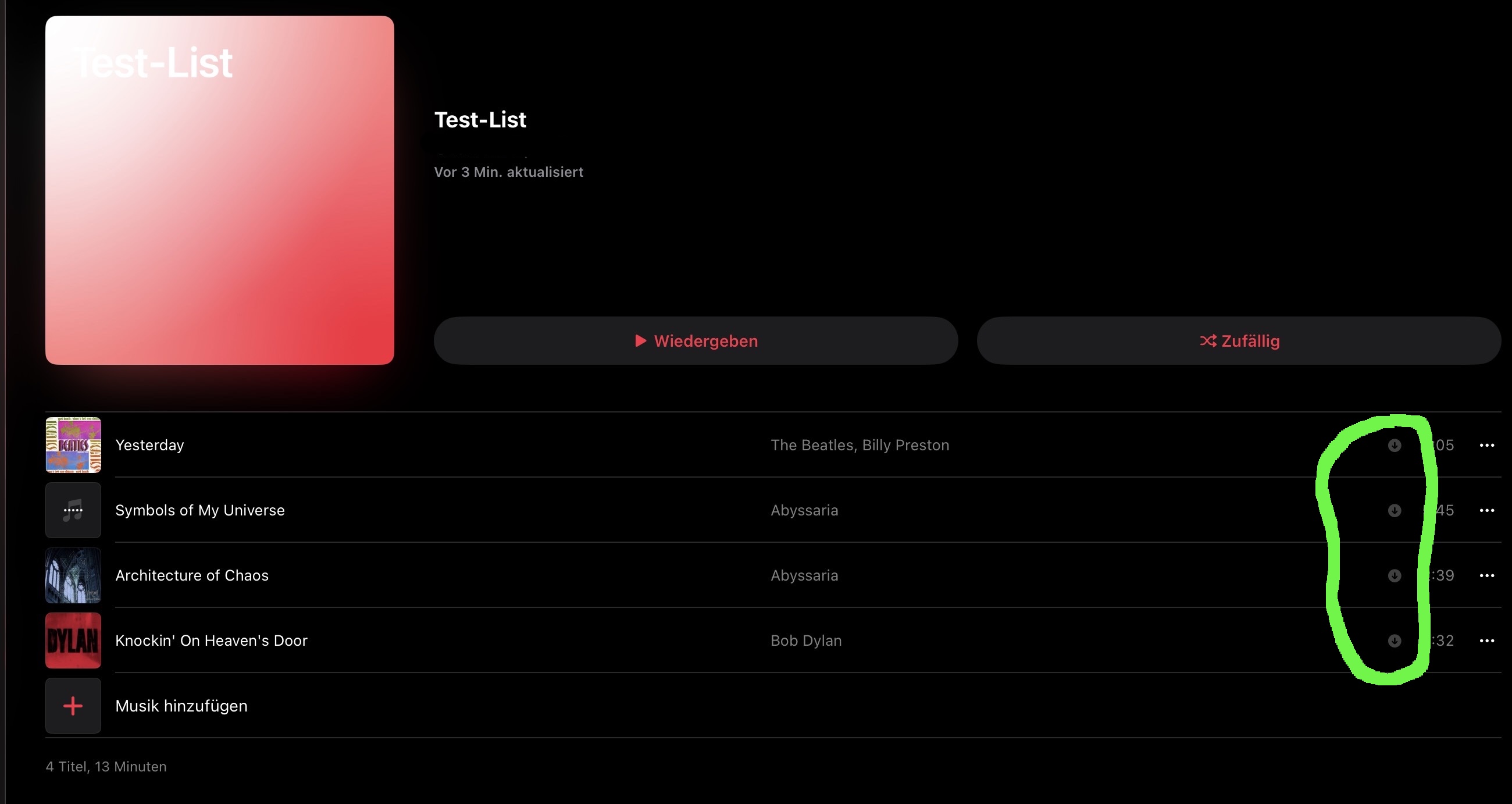
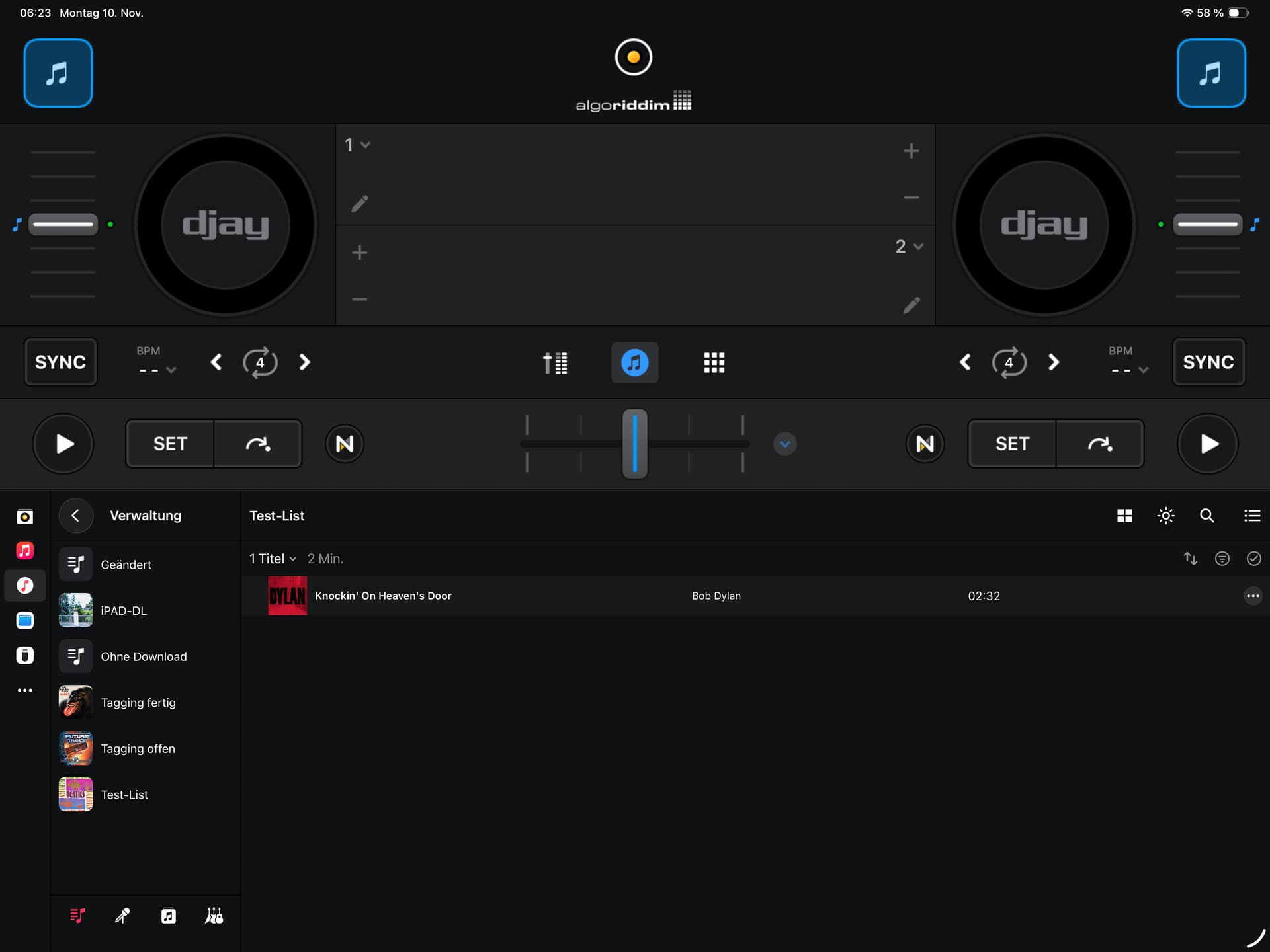
I created a Playlist on my MAC… it is synced to the iPAD, using tracks which are locally available. The Playlist contains 4 tracks…but not in Djay…there I only see 1. All 4 can be played in Music app w/o having active plan. You also can see the download status. What prevents Djay to see them in local music?
You’re welcome @WIng2005. This is because the Apple Music Source (red square icon with musical note) is a streaming source and does not support offline use within djay. The most reliable method to get your purchased music from the iTunes/Music App onto your iPad and into Local Music for offline use is by connecting your iPad to your Mac and syncing your files through the iTunes/Music app.
Hi Slak_Jaw,
Thx a lot for your Feedback. Not sure if we misunderstand: The Files are all already offline available. I can play them in Apple Music w/o wlan. Djay does not see all files in lokal part (symbol below Apple Music symbol (white circle)). Think a good example is the Beatles 1 album: 23 Track found in lokal music..4 not. But all 27 tracks are downloaded on the iPad.
In the result: playlists, which are containing downloaded files are empty in Djay but not in Apples music app.
Best regards,
Steffen
Thanks for the additional info @WIng2005. Can you please describe in detail the exact steps you use to get the Local Music onto your iPad and into djay?
I suspect the issue could be related to either of the following. Please have a look and let me know if this helps or not:
- This could be an issue with Apple Music/iTunes Match. Please refer to the linked article with some possible solutions to the issue. Seeing "Apple Music" instead of "Matched" on your iTunes tracks? Here's the fix! | iMore
- Alternatively, it could be related to this: Apple music and your library and playlist
Hi Slak_Jaw,
I use my Apple Music subscription to sync the music lib between MAC and iPad. Additionally to have all songs downloaded on my iPad, I created an intelligent playlist on my MAC which contains all songs of the lib which have a track length of more than 1s. This playlist can be downloaded on the iPad and ensures that the whole lib is offline available on the iPad. These downloaded files are visible in the local section of Djay… but out of the approx. 24k songs, I only see 22400 songs in Djay. Apple Music app on the iPad show all 24k songs withe a remark that they have been downloaded (see screenshots).
Hope that helps…
Best regards,
Steffen
Thanks for the additional info @WIng2005. I’m unable to reproduce this on my setup so I’ve shared everything with the rest of our team to see if they can replicate this. I’ll report back when I have news. Thanks.
If your tracks are recognised by Apple they are managed by Apple, and you may get the apple highress version of your tracks. These are not supported by djay.
You need to set a lower version of the tracks in yore music library to get them to work. You probably already did that on the iPad.
1 Like
Thanks for sharing @RobustaDK
1 Like
Hello Robusta,
Thank you very much for your support!!
Do you have a hint where I can switch this. Lossless audio is switched off as well as DolbyAtmos
Best regards
Steffen
Did you disable this after you downloaded the music?
Then you may need to re-download the files.
This is where I would be careful to help you.
Please bare in mind, that if you do something wrong, you may loose your music.
Delete the downloaded file, but do not remove from the library.
Test it with a non important song first.
1 Like
Hi again @WIng2005, one of our support team members was able to reproduce this on iOS 26.0.1. When they updated to 26.1 it resolved the issue. Can you please try updating your iOS and confirm if the issue persists? Thanks!
Hello RobustaDK and Slak_Jaw,
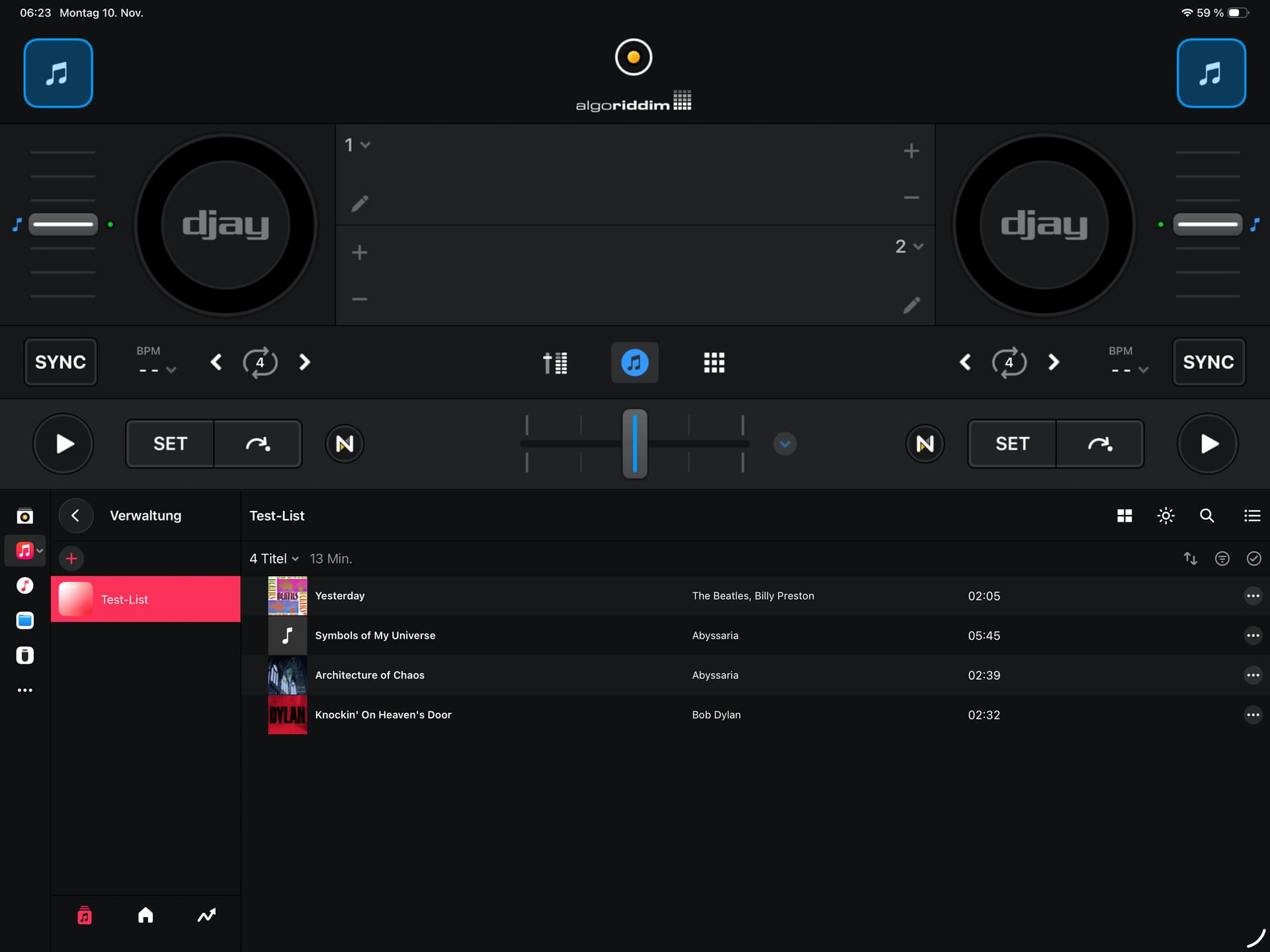
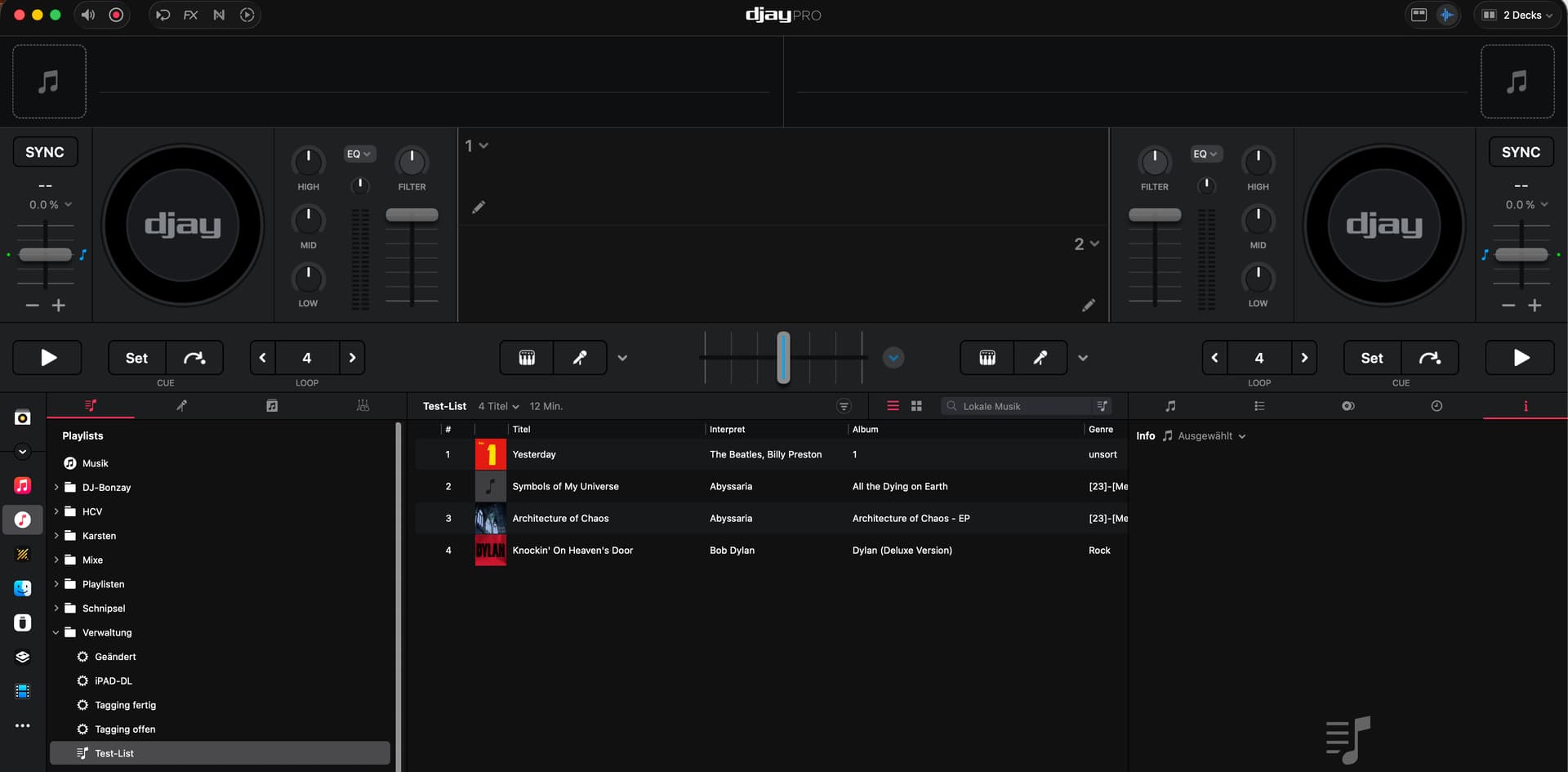
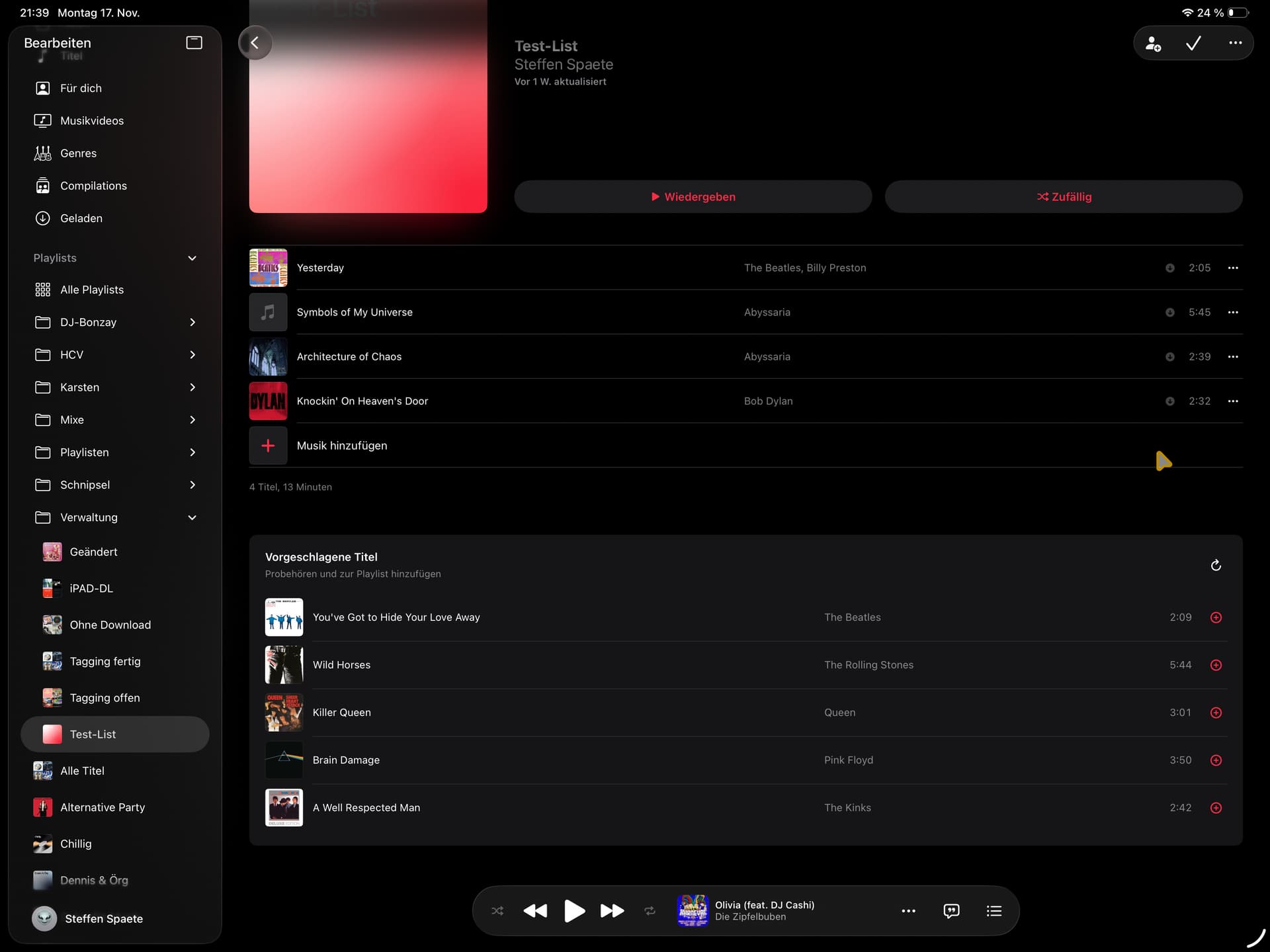
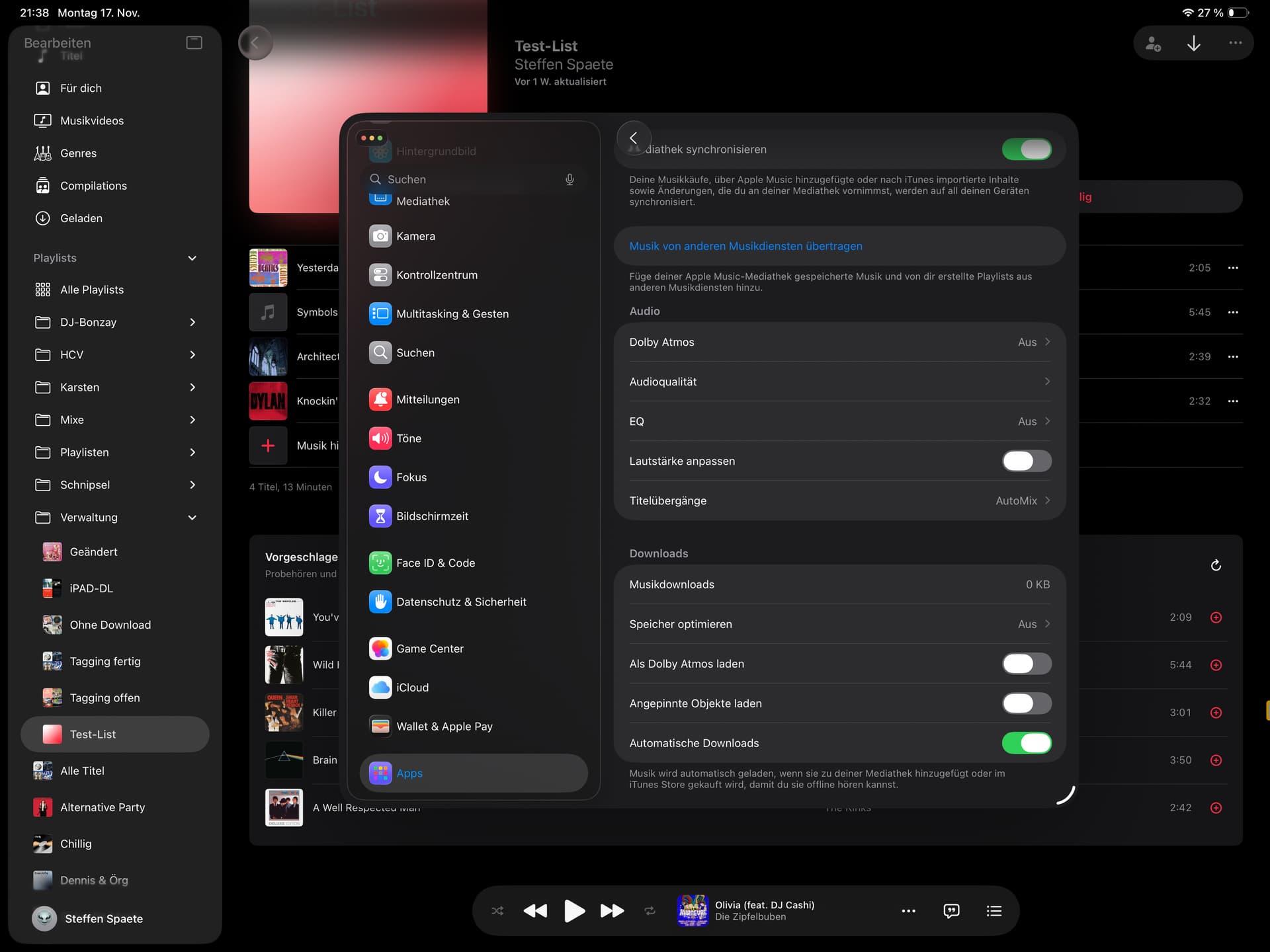
Thanks again for your support. With the tip from Robusta, I now have some progress: now there are some more tracks available but not all. The update to 26.1 did not solve the problem. I now have deleted all my downloads and focus on one singe playlist with 4 tracks. All 4 Tracks have been purchased on iTunes and downloaded the same way. Djay on my Mac show all 4 Tracks. Djay on my iPad shows 2 (previously 1…so we come closer  ). Attached 4 screenshots, 1 shows the Mac app, 2-4 show the Music app, Settings and Djay app on the iPad. Lossless audio is deactivated, dolby atoms as well. I downloaded after I checked this.
Best regards,
Steffen
And now the fun fact: I tested the same playlist on my iPhone… all 4 tracks are visible. iPad still only 2. On iPhone even dolby Atmos is set to “automatic”… all other settings are the same
1 Like
You will need to disable atmos on iPad library. Its in the settings on the Music app. You probably also need to download the music again.
Think you misunderstood…: As visible in the screenshot of the iPad settings…it IS all deactivated and the music is deleted and downloaded again. Result: 2 out of 4 tracks visible. On the iPhone I see 4.