New user here. Mac M4 Pro 14inch with latest djay Pro update. Open format DJ.
Coming from Rekordbox where the layout isn´t perfect either and I´m trying to tweak the setting here. So I have som questions:
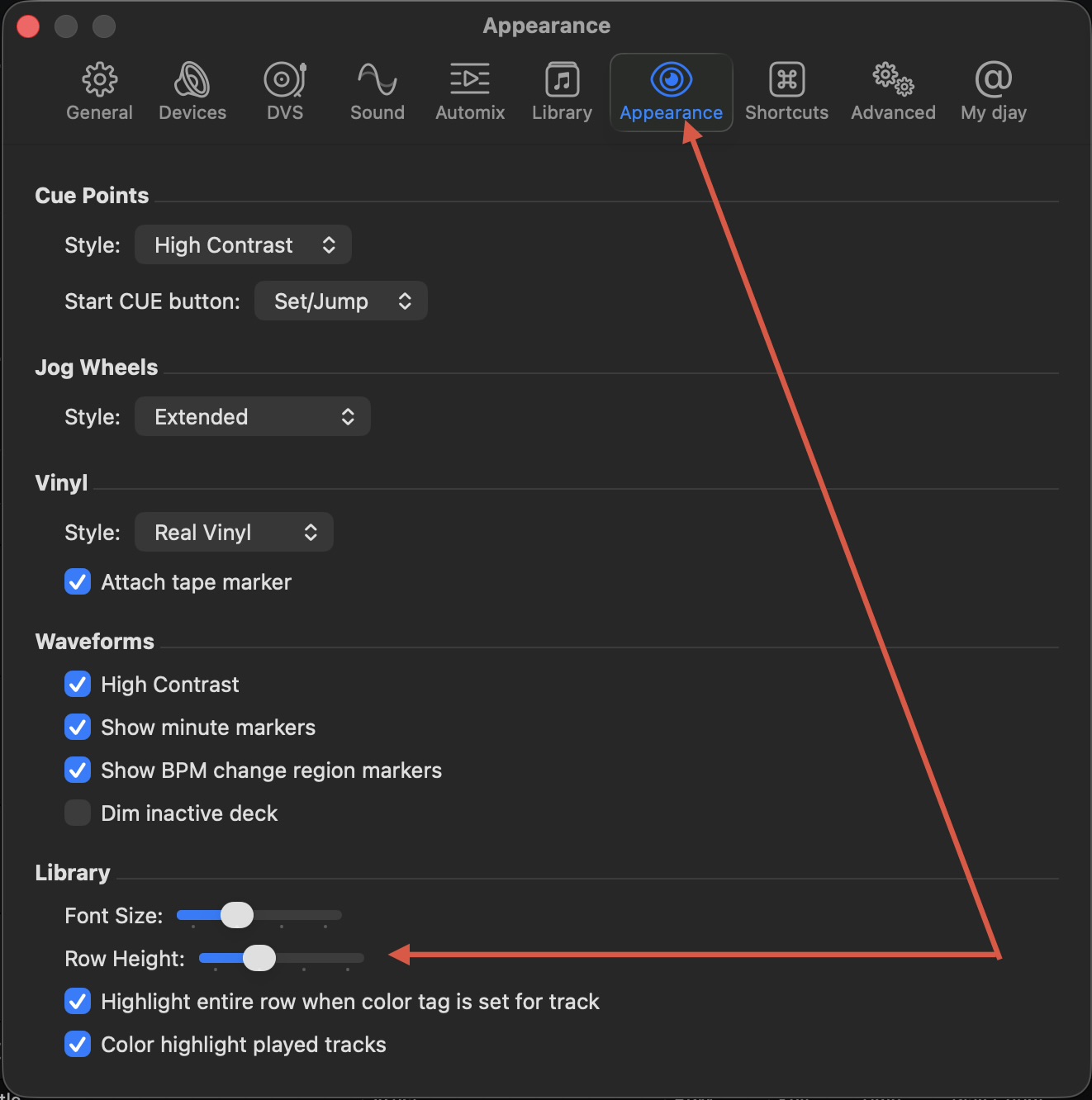
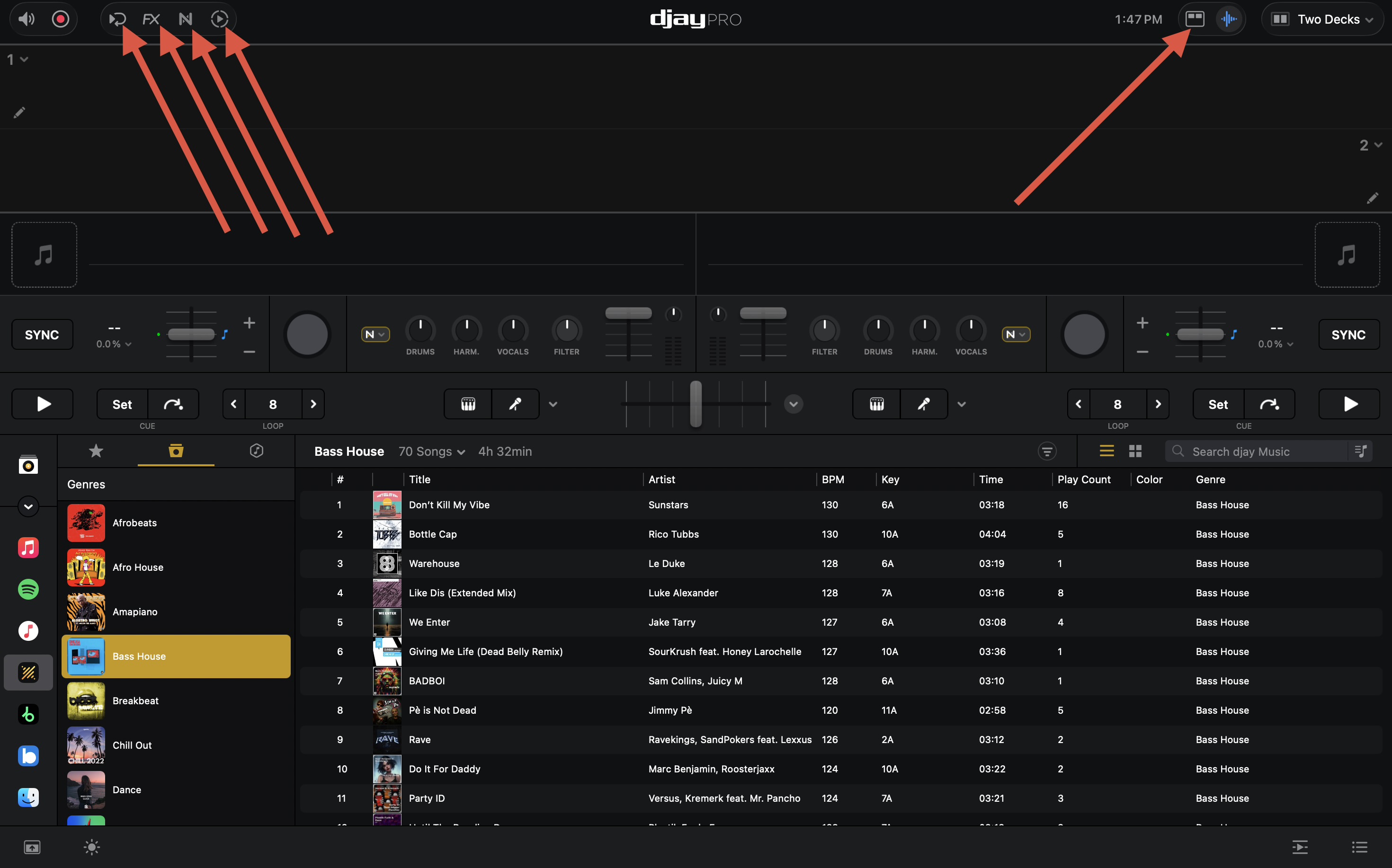
Is there a way to make the row height smaller? I can make the font small, but the smallest row height still makes it possible to have two lines of the smallest font in one row. Now I have 14 songs instead of 25 linke in RB.
Is there somewhere to select what the maximum number of song in the Match suggestions? Now there seems to be a max of 20 songs there.
Is it possible to get the smartlist to i.e. be plus/minus bpm/key relative to active deck?
I also read that someone was talking about editing config files when I searched for how to config the RZ. Is it possible to tweak something from there?
And also, is there somewhere to get an config for the RZ? I´ve gotten the basic settings, but still lacking alot ot features. I know the behavior of the midi codes are a little bit different than from some other dj software.
I´ve tried djay Pro at home and on one gig. It seems to be quite reliant, but only using the RZ I didn´t get the full experience and it seemed to behave a little bit different from what I´m used to with RB. So still not all the way convinced to buy a new controller just to test it. But it seems promising and a lot more reliable when playing video files than RB has ever been!
I think a few here have mapped the RZ themselves. I had a quick go too.
I can’t really understand why Algoriddim can’t (or won’t) support the RZ when they do natively support the SZ - which is pretty much the same unit, just for Serato.
This is not currently possible with Smart Playlists
Perhaps you mean the XML file for the MIDI mapping? You certainly can edit MIDI mappings using a text editor, but this is not recommended if you don’t have experiencing editing these files.
Using djay’s MIDI Learn tool is much easier: Mapping a MIDI device | Algoriddim Support
Also, you could try searching the DJ TechTools MIDI Mapping page to see if anyone has already created one for the DDJ-SZ. I hope that helps!
I did check the row height and size first, of course, and that is not the solution to my question or problem.
Removing all the other information just to get more space for one thing is the equivalent of cutting off your arms because the sweater is too small.
As for the other questions, I had to ask them even if I was more or less certain about the answers.
So I removed the Solved mark, as the issue hasn’t been solved — it has only been answered. Maybe you’ll add some of these features in future updates; I’ll keep checking in from time to time.
You’re welcome! Thanks for the feedback and clarifications @Chris7ian. I recommend that you create separate Suggestion topics for each item. This way you and other users can upvote them and our dev team can prioritize accordingly. Thanks again!
Here’s some more info on how suggestions and voting works in this Community. This works best when one topic is created for each suggestion because it allows us to track and monitor each one individually. I hope that helps!