


And, so what’s your conclusion?
@Albert_Maro this post of you (link) is really good info, thanks
1 Like
my conclusion so far is kind of like @Albert_Maro post: formatting of fields (the fact that field mapping exist), versions perhaps (ID3v2 etc).
So the comment field i think is clear: COMM vs TXXX (COMMENT)
Program,Where you will see the Lexicon comment,What the normal “Comment” field shows
Kid3,ID3v2 → TXXX → Description = “COMMENT” → the text you typed,COMM frame stays empty (or old value)
Mp3Tag,Two possibilities:,
,1. If Mp3Tag is set to “simple view”: Comment field stays blank,
,2. If you switch to Extended Tags (Ctrl+E): you will see a line “COMMENT = your text” under “User defined text information”,The regular Comment field stays blank
iTunes / Music.app,Completely blank (ignores TXXX),Blank
Serato,Usually shows it (Serato also looks for TXXX:COMMENT),
Rekordbox,Usually shows it,
Traktor,Usually blank (Traktor prefers COMM)
ok this is really cool now: In Lexicon i changed Genre Hip-Hop to Hip Hop.
Then i opened up Djay Pro and created a smart list with genre = Hip-Hop: see the video
That is Djay Pro auto updating it’s own genre field in the database while reading the updated mp3 files.
Holy crap. i just tried field mapping in Lexicon and this works right away.
In Lexicon i add field map Energy → Comment. This works!!!
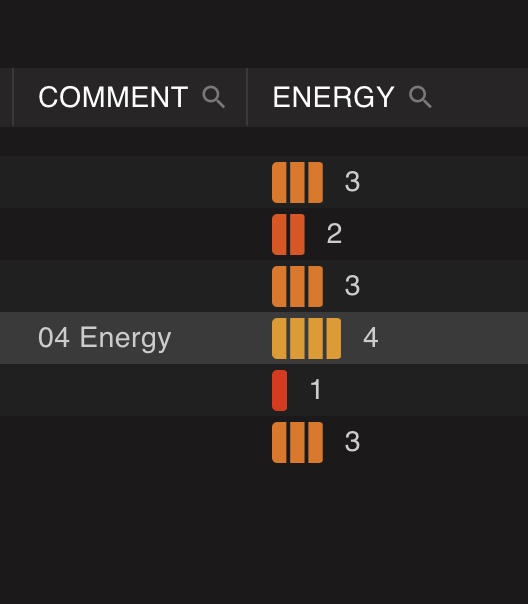
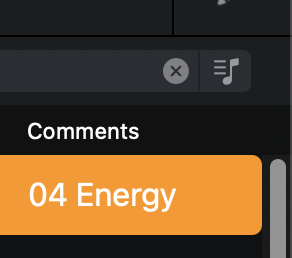
First image id Lexicon’s Enegery Field next to its Comment field. image 2 is Djay Pro with updated comment field.
1 Like
I use YATE for mass-tagging. I would love an option to reload the meta data, I mean how difficult can it be to add a feature like that?
If I make changes across say 30 files present in 20 different folders on my music drive, that would be a headache to remove, update tags and then add them back into djay however what I have learned is that if I make changes to the comment tag or album art, if I exit djay and restart, sometimes (not always) it will take on the new metadata. It could be instant, it could be 20 minutes, it’s impossible to say.
The easiest option is for there to just be a right-click option that works on a single track or multiple…“Reload Metadata” or “Reload Tags” and that fixes all the problems instantly.
1 Like
Hi, i think reloading metadata is perhaps not that simple.
Meaning: what if “Analyze” already does reload metadata, what if selecting a playlist already does this in the background? I think reloading is already done but somehow updating that in djay’s own database is not 100% working or their is some caching going on in the displaying side of tracks.
To display thousands of tracks fast you actually would want caching right?
@Slak_Jaw
If the devs could shed some light on this matter would be great.  Thanks.
1 Like
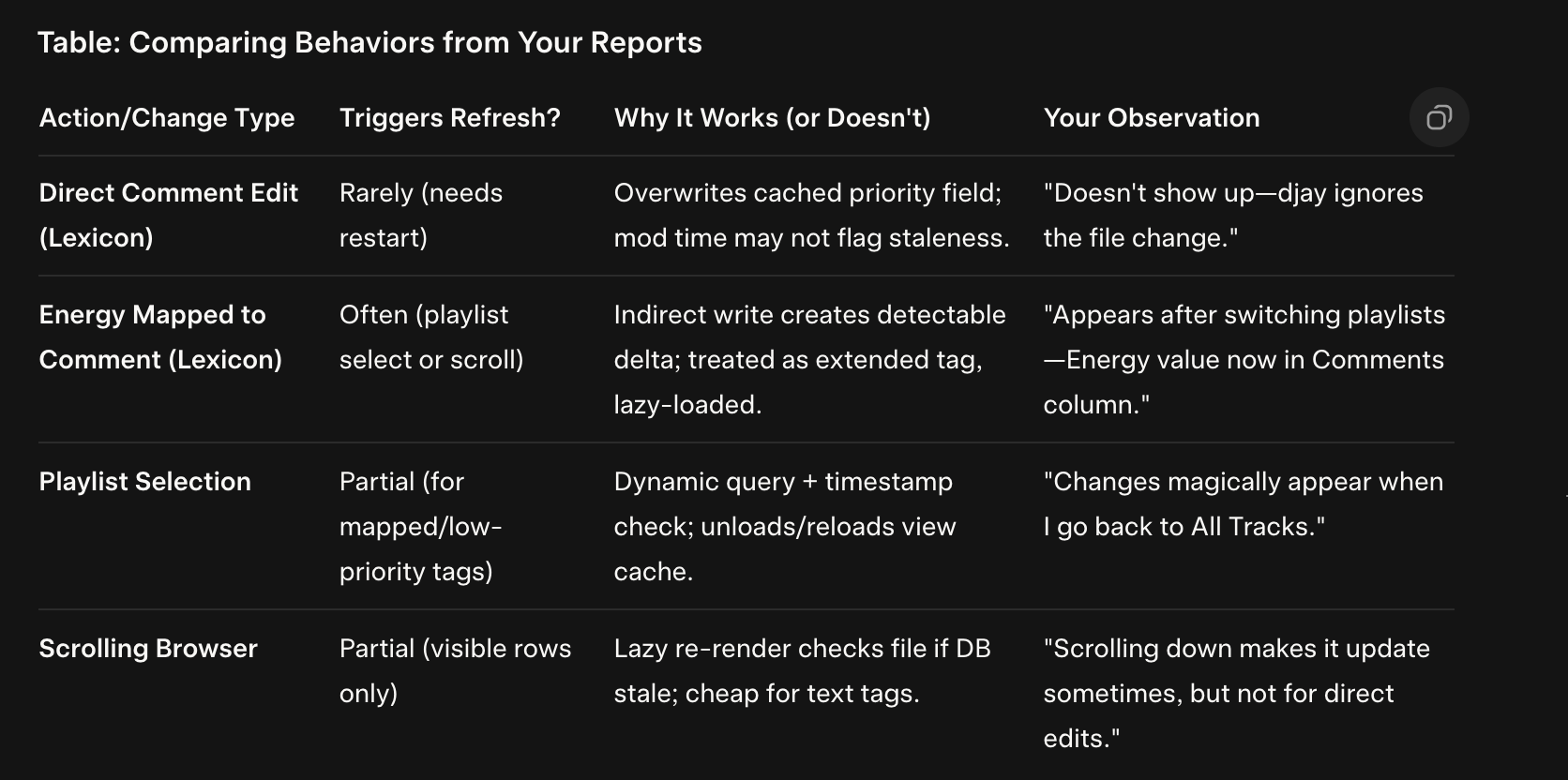
This behavior suggests djay’s cache is tiered: Core tags (Comments) are deeply embedded, while mapped/custom ones are shallower, making them easier to refresh via UI tricks. It’s efficient for large libraries (avoids constant file I/O) but frustrating for taggers like Lexicon users. Your workaround (mapping to force propagation) is clever—it’s essentially hacking the cache invalidation.
In the mean while i let a.i. have a go at it. 


