Subject: DJAY Audio Device Enumeration Issue on Windows (UWP) - Root Cause and Solution
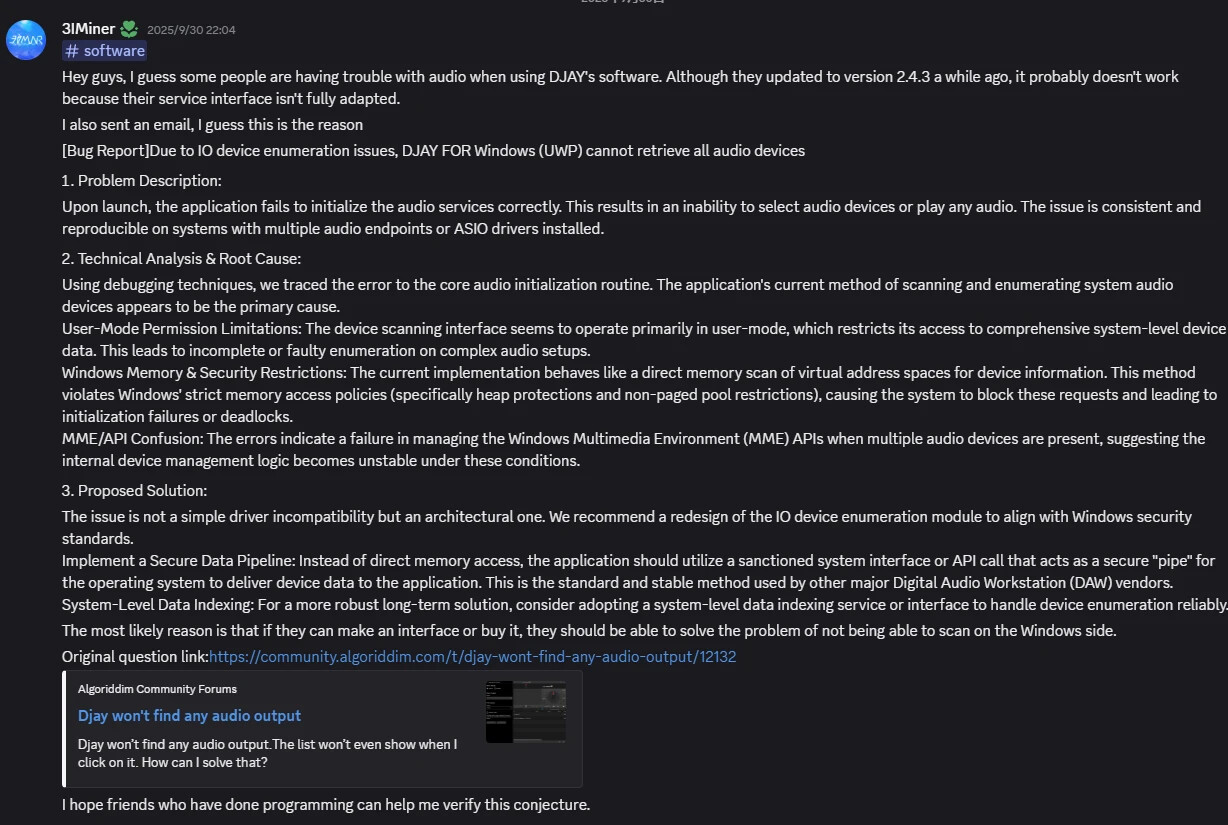
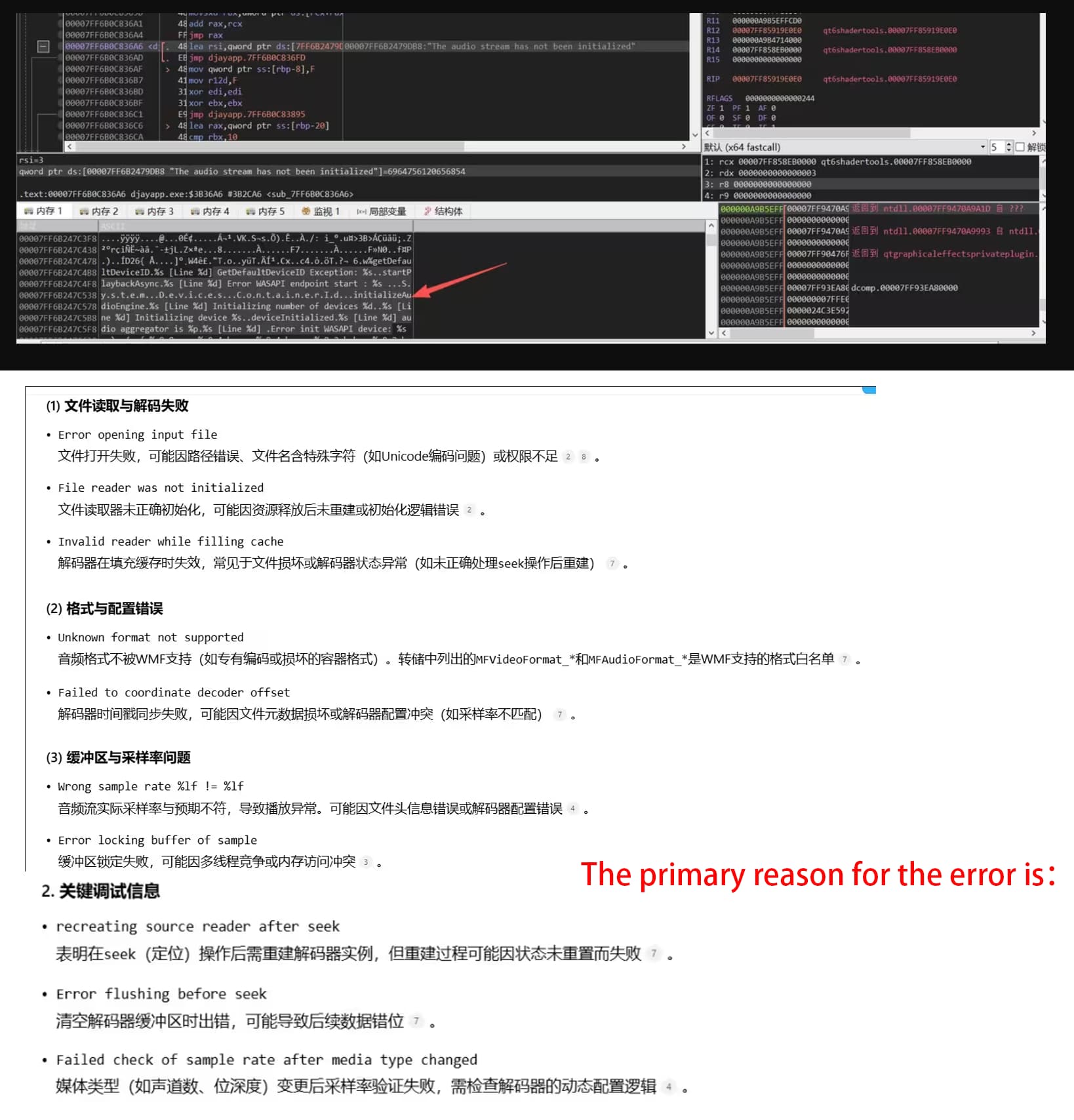
Note: This issue isn’t difficult to find, but all of the bug reports are only discoverable using debugging software (such as x64db). I(@3Iminer) discovered this issue together with another producer, @Axer, and @Curt.S from the DJing Discord community.
Problem Description:
After updating to DJAY v2.4.3 (regardless of the version), users reported persistent audio initialization failures, including an inability to detect/output audio devices. Debugging revealed that the issue stems from unsupported device enumeration methods in the UWP sandbox, particularly in multi-endpoint or ASIO setups.
Original Post: Djay won't find any audio output
Technical Analysis:
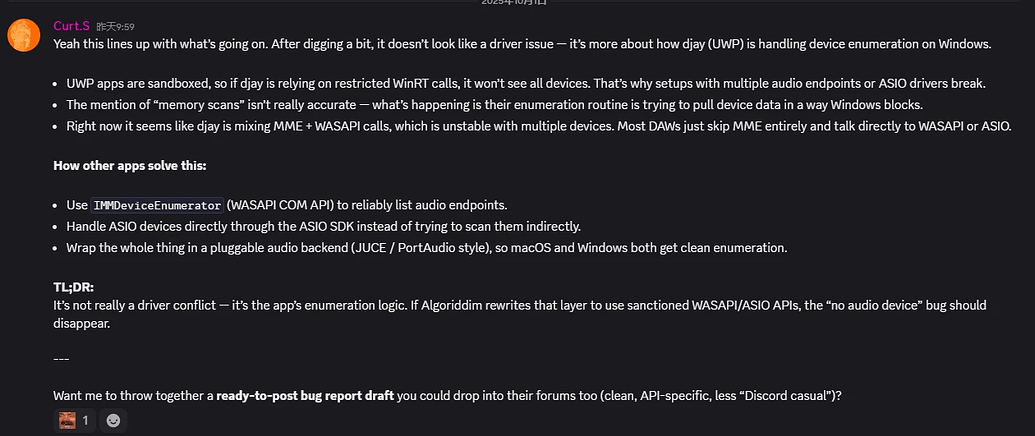
UWP Restriction: The application’s current enumeration logic violates Windows security policy, attempting restricted memory scans or mixed MME/WASAPI calls, resulting in a deadlock. API Conflict: Mixing MME (legacy) and WASAPI/ASIO interfaces can lead to instability. Most DAWs avoid MME entirely for reliable enumeration.
Sandbox Restrictions: UWP’s WinRT APIs prevent direct device scanning, resulting in incomplete lists.
Suggested Fixes:
For Algoriddim:
Replace the current logic with WASAPI’s IMMDeviceEnumerator for reliable endpoint enumeration.
Integrate the ASIO SDK directly (bypassing indirect scanning) and adopt a modular backend (such as JUCE/PortAudio).
Use UWP-approved pipelines (such as DeviceWatcher) for dynamic device updates.
User (Workaround):
Simplify audio configuration (disable unused devices).
Manually set the default output via Windows Sound Settings.
Importance:
This bug is not driver-related, but rather architecture-related. Redesigning to comply with Windows security standards (as other DAWs have done) will resolve the issue.
Hi @3IMiner, welcome to the Community! Thanks for the detailed info. First of all, can you please confirm which version of djay you are using? You stated v2.4.3, however, I suspect this is a typo. Thanks!
We recently had similar reports of output device issues on Windows that were resolve in djay 5.4.2:
No, I’m sorry, I said version 2.4.3, but it’s the latest version (any version you have), and your problem has not been completely fixed. I think your latest version only fixes the UI problem of audio, but it is only a temporary solution - because the audio cannot be initialized, the UUID value cannot be provided.
Thanks for confirming you are on 5.4.4 @3IMiner. djay already supports ASIO. Can you please try to clarify the specific issue(s) you are experiencing here? Perhaps with a short video that I can share with our engineering team? Thanks!
Thank you for your continued support. I’d like to provide further clarification on the audio device enumeration issue in djay Pro for Windows, based on the attached screenshots and technical analysis.
Issue Summary
As shown in the screenshots:
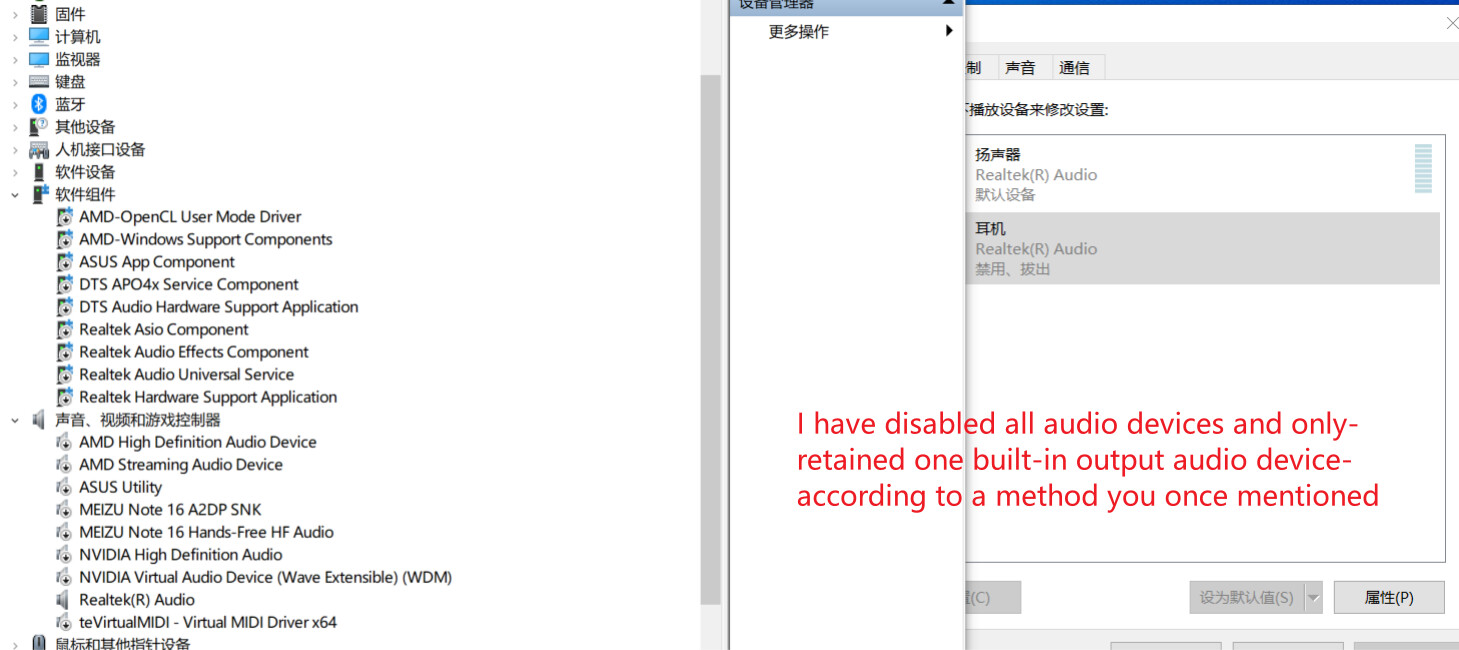
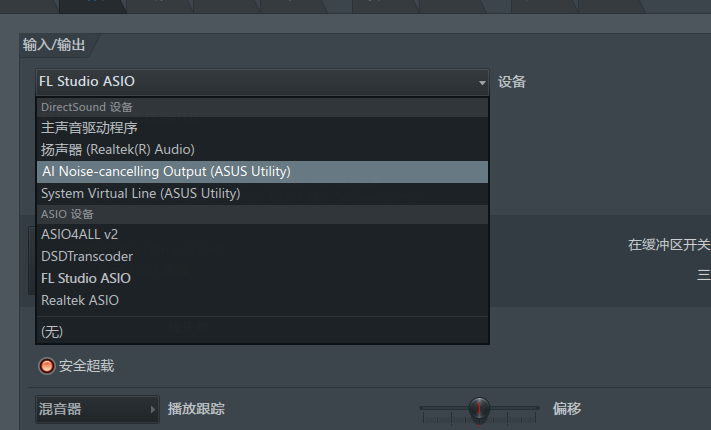
Device Manager lists multiple audio endpoints (Realtek, NVIDIA, AMD, etc.), and I’ve disabled all except one built-in output device as a troubleshooting step.
Windows Sound Settings confirm only one playback device is active (“Speakers” as the default).
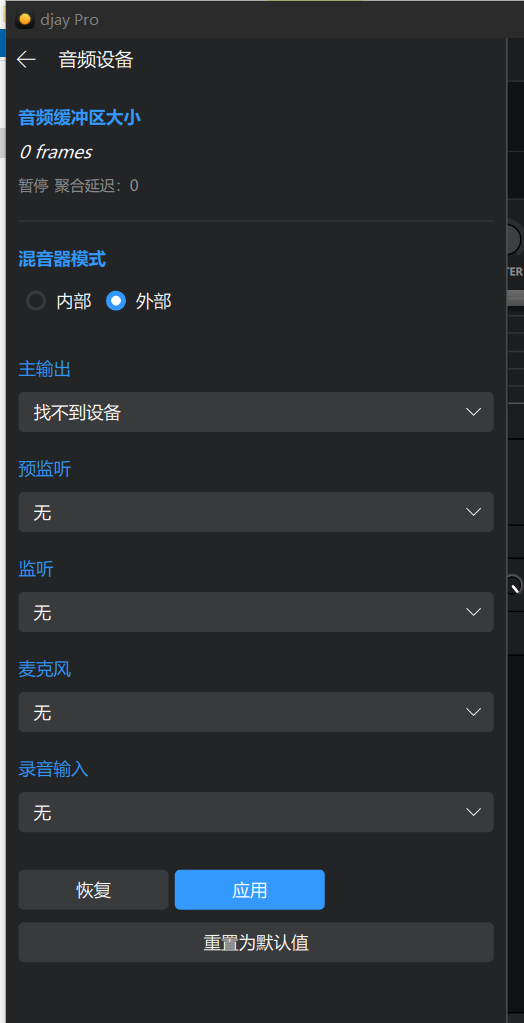
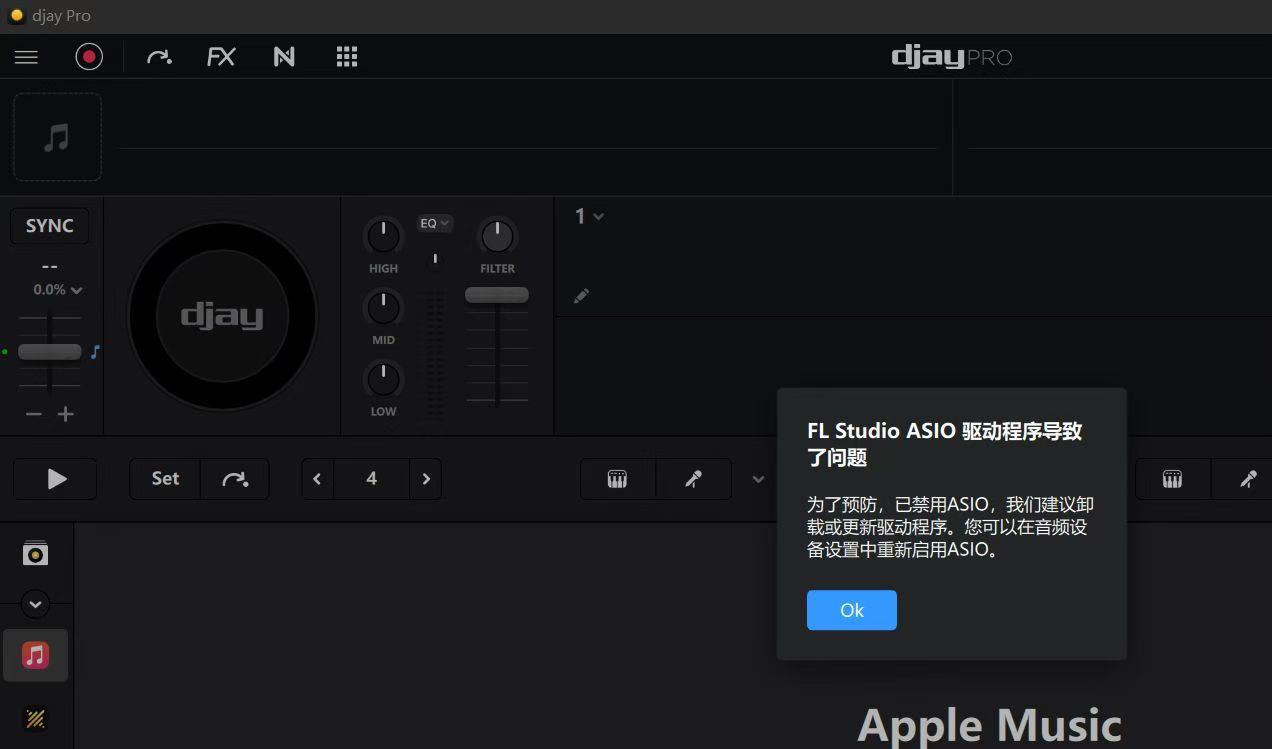
djay Pro’s Audio Device settings still show “找不到设备” (No device found) for all dropdowns (Main Output, Pre-Listening, etc.), despite the system recognizing the device.
Root Cause Analysis
This inconsistency suggests the app’s enumeration logic fails to adapt to multi-endpoint environments, even when only one device is enabled. The problem likely stems from:
UWP’s sandboxed device enumeration APIs (e.g., Windows.Devices.Enumeration) being unable to reliably detect audio endpoints under certain configurations.
Mixed use of MME/WASAPI calls, which conflicts with Windows’ audio stack when handling aggregated or complex driver setups.
Expected Behavior
djay Pro should consistently detect the default or available audio devices, as observed in other DAWs like Ableton or Traktor, which directly use WASAPI COM or ASIO SDK for enumeration.
Supporting Evidence
The screenshots demonstrate that the issue is not driver-related but tied to how djay Pro scans for devices. Temporary workarounds (disabling devices) do not resolve the problem.
I’m happy to provide additional details or test builds if needed. Thank you for your attention to this matter.
Hi again @3IMiner, please start by updating to djay 5.4.4 which we released for Windows yesterday. After updating please confirm if your issue persists with all audio devices enabled. Also if you want to use ASIO you need to install ASIO drivers for your device.
If your issue persists with 5.4.4, can you please stop using AI tools to generate your messages? What’s been written so far does not make much sense. For starters djay is not a UWP app and as I’ve previously mentioned it does already support ASIO. Please try to explain the issue in your own words or share a short screen recording of the issue. Thanks!
If you say ASIO, I really installed it.If I don’t know ASIO, I can’t use my DAW and can only use the default audio program, and I can’t set the input and output.
This message isn’t AI-generated. I was one of the first to discover this issue, and it took me two weeks to figure out the problem. I first reinstalled the Realtek Audio driver, then uninstalled and reinstalled other audio drivers, and finally disabled Windows Audio. (After disabling the Windows Audio service, this pop-up window appears when starting version 5.3.0, but not in subsequent versions.) So, I shared my feedback with the community, and a technician there later verified the issue through real-world testing. If that resolves the issue (I’m still having trouble finding my audio device as usual), I plan to reinstall Windows and try installing DJAY again.