


nice !! yea this hole news might be the thing make me go for one. and yea def the way is with ipad, you storage your library on the ipda? or would the ipad needs a dongle to connect to a external drive ? thanks for the answers, ho and also… witch zise of ipad you recommend ?
I use this accessory and have hub with three usb3.2 and external nvme ssd 4 TB with thunderbolt speed on my Ipad Pro m4 (256 gb, the basic model) and Macbook Pro m4 and all this with one power supply, controllers included (Reloop Mixtour Pro and Akai APC Mini).
It also supports hdmi output for my videos.
I actually use the newest iPad Mini - it works great!
as for storage - Either use a Thumb drive connected to a “Docking station”
something like this: Amazon.com
or depending on the size of your ipad, some of them have some massive
storage.
It’s pretty accurate, although I’m still preferring the way I mapped it
Can anyone tell me how the jog wheels work? Unfortunately, they are not so good on the Rev5 and iPad. Is the handling of the Grv6 similar to that of the CDJ 3000?
So Im considering updating a DDJ-800 to a DDJ-GRV6. Is this a real upgrade or more of a side grade? I’m concerned about the weak metering on the GRV6 and a potential downgrade in sound quality from the sound card. The 800 sounds great, I think. But I’m drawn to the CDJ-3000 layout of the decks and the stems integration on the GRV6.
EDIT: just saw it has no aux input, which is a bit of a killer. Shame.
Hi @Belford_Roxo, have you considered the DDJ-FLX10 for your upgrade? It doesn’t have an Aux input, but it does have 4 RCA line inputs.
I don’t know why but I’m just not drawn to the FLX10.
Something about it doesn’t sit right with me - might be the way the stems are implemented.
I prefer the stems layout on the GRV6.
Also seems quite expensive for what it is…
And very big!
Oh, and unbelievably, the FLX10 has a slightly worse SnR than the ancient DDJ-800! You’d hope that with such a big leap in time and price, you’d get a corresponding improvement in sound quality.
Hi all, does anyone have any experience of saving memory loops and activating them with the performance pads? In MIDI settings the ‘memory/ delete’ button on the GRV6 is not assigned.
Would be helpful to know if anyone has a solution.
Hi @SierraD, welcome to the Community! I think the MIDI commands you are looking for are Saved Loop Activate 1-8 and Clear Saved Loop 1-8.
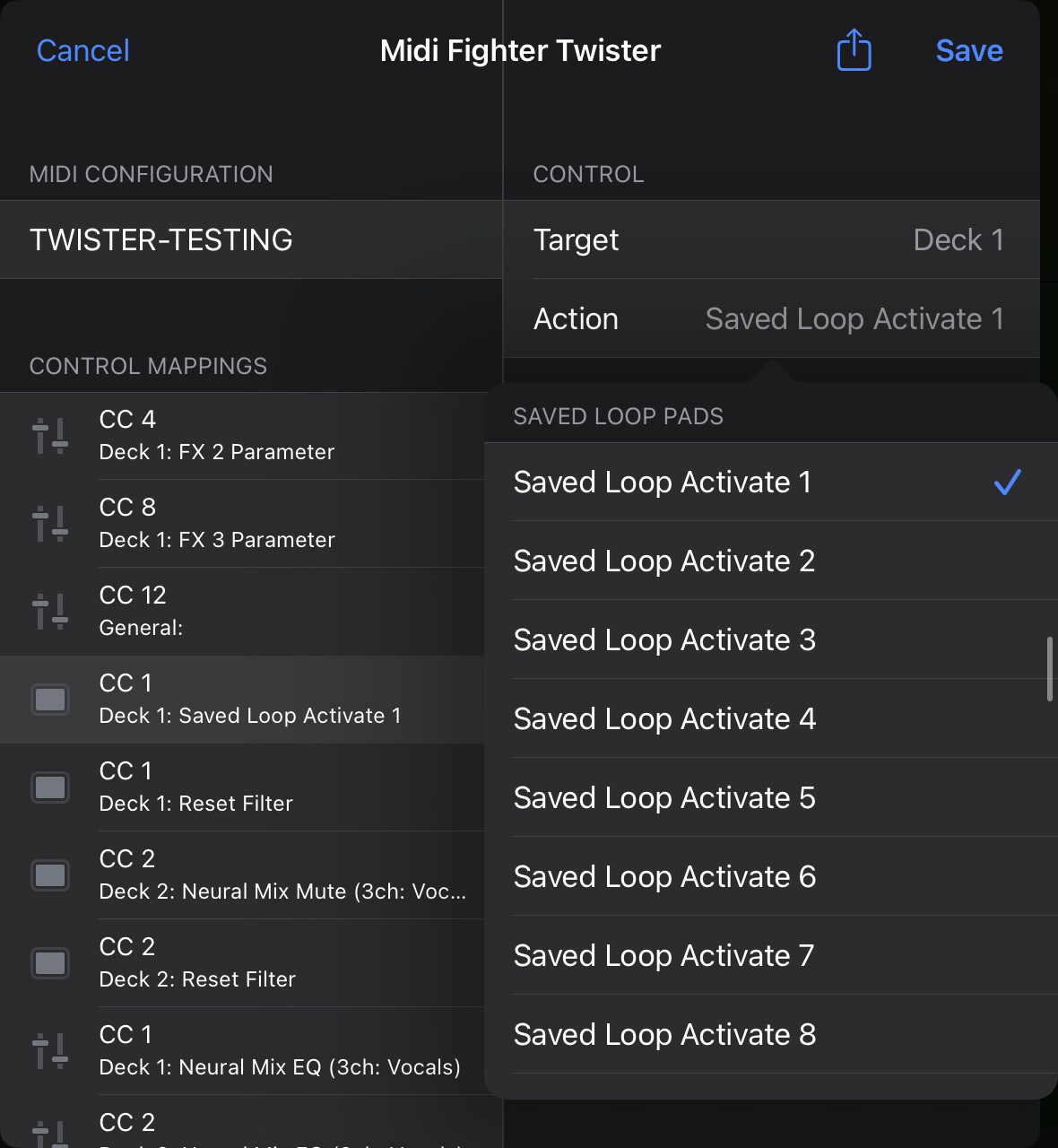
Thanks for the swift reply, the activate saved loop midi setting moved to the saved loop but didn’t play it automatically. However below that the saved loop reloop setting auto played it. Both have uses and great to have such an easy fix.
You’re welcome @SierraD. Glad you were able to sort it out.
Calling all DDJ-GRV6 owners to cast a few votes, please 
Q: How could the GRV6 Browse button “DISCOVER” (currently not used in official mapping) be mapped so that pressing:
- DISCOVER: opens the side panel “Match” with “Active Deck” with AI-discovered tracks?
- (SHIFT) DISCOVER (“Related Tracks”): opens the side panel “Info” for “Active Deck” with sub-menu “Related” open
This capability is available both in Recordbox and DJay Pro. It’s just that I can’t find a MIDI mapping command for it. Any chance to implement this (would help many other controllers, too)?
Hi @Dopplgngrr, this is not currently possible. djay’s MIDI action list has no command for selecting a specific side panel tab, so there’s nothing to assign to either DISCOVER or Shift+DISCOVER at the moment. The Library actions you’ll find in the MIDI editor cover browsing, Load, Preview, Focus Queue, Toggle Library Panel and Toggle Split Library — nothing that opens Match or Info > Related, and no way to set the Match Source from hardware either.
Worth a quick check on your end, though: DISCOVER isn’t unassigned on the GRV6. In djay’s official mapping, both DISCOVER and Shift+DISCOVER are assigned to Focus Queue — open the side panel and press it, you should see the focus jump to the Queue.
In the meantime, one workaround: set the Match Source dropdown to the currently playing track once and it stays there, so Match is always tracking your live deck the moment you open the panel. I hope that helps!
Thanks, @Slak_Jaw . I don’t have the GRV6 yet, was checking the official documentation https://downloads.support.alphatheta.com/software_info/dj-controllers/DDJ-GRV6/DDJ-GRV6_HardwareDiagram_djay_E1.pdf
Understand the work-around. But could you take this ask to development, I could imagine it’s a relatively simple effort to add MIDI commands for this?
You’re welcome @Dopplgngrr. I recommend that you create a separate Suggestion topic for this so that you and others can upvote it. Then I can properly report it to our dev team and track user demand for the suggestion. Thanks!
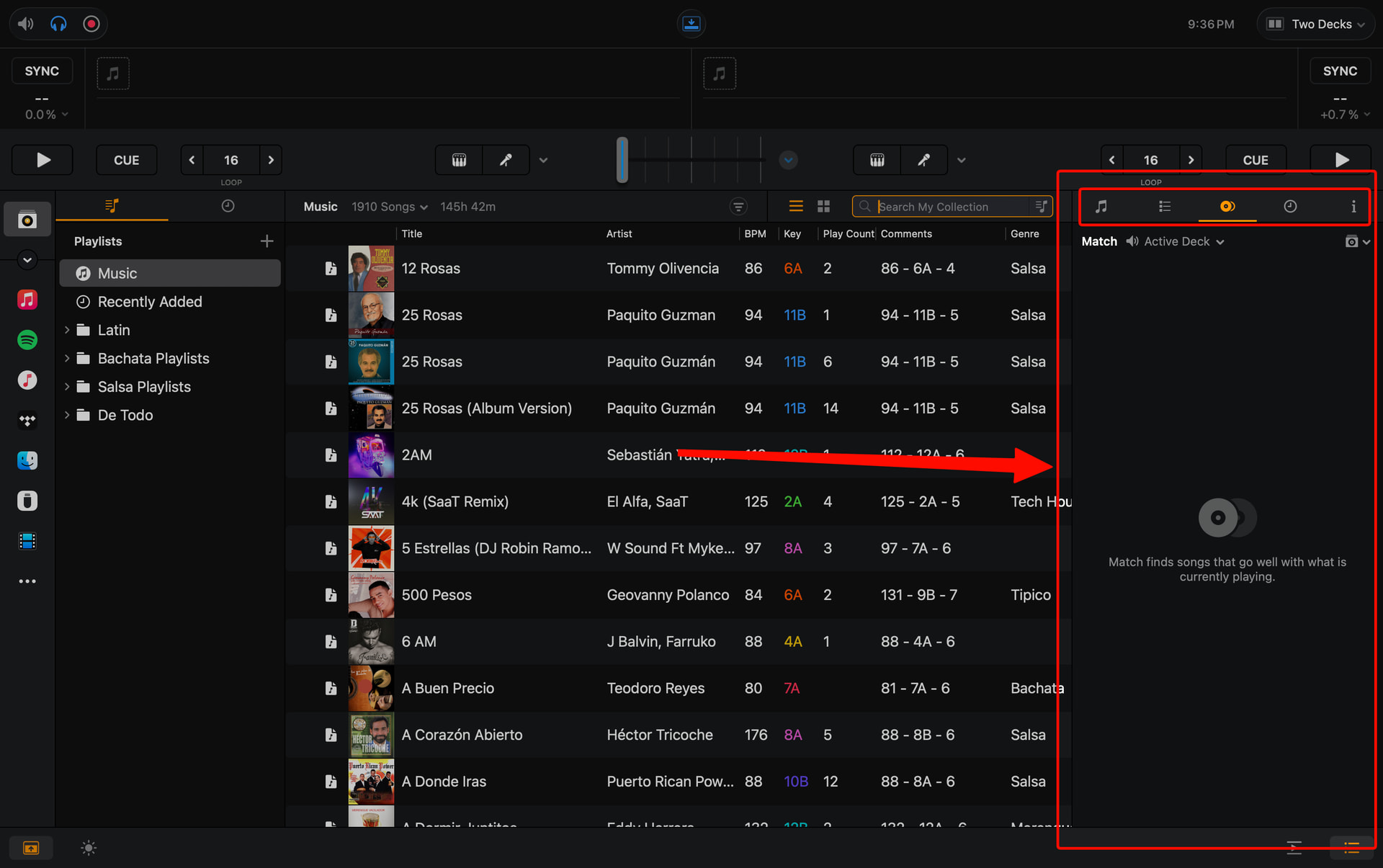
The DISCOVER button opens the side bar. Whatever your last selection was (Match, History, Info, etc.) will show when pressing DISCOVER.
Pressing it again will close the sidebar.
I just checked this now 
Nice! Thanks for sharing @gizmo
Thanks so much, @gizmo - super helpful!
I jump between “Match” and “Queue” a lot, so looking for a way to achieve that via GRV6 buttons.


