


I am having the exact same problem. Come on, surely there is an actual update on this by now?
Hi @ewanl welcome to the Community! Sorry to hear you’re experiencing this issue. Please provide specific details about your setup.
Device Model (ex. 2020 iPad Air 4th Gen):
Version of operating system (ex. iOS 17.3.1):
Version of djay (ex. 5.1.3):
Hardware/controllers used (ex. Reloop Ready):
Hardware Firmware Version (ex. 2.7):
Since this sounds repeatable, can you please capture and share a short video of this to help clarify what is happening? Thanks!
I also faced the same problem, once I tried to create a new playlist in djaypro, it looks good, but everytime I refresh it, it disappear from the djaypro app. But the original playlist was stilll in apple music on my iPhone. Can anyone help me with this issue, I will really appreciate!!! I need to play music!!! I was so disappointed
Hi @rachelz3, welcome to the Community! Sorry to hear you are also experiencing this issue. Before I can help troubleshoot this with you further, can you please provide specific details about your setup.
Device Model (ex. 2020 iPad Air 4th Gen):
Version of operating system (ex. iOS 17.3.1):
Version of djay (ex. 5.1.3):
Hardware/controllers used (ex. Reloop Ready):
Hardware Firmware Version (ex. 2.7):
Also, can you please capture and share a short video of this to help clarify what you are experiencing? Thanks!
Not sure if this is related to the iPad issue in this post, but on Mac OS26.2 (25C56) on my MBP using DJP5.6.1 no new playlists created in Apple Music are appearing in DJay Pro. All the old one created in Apple Music are there, but no new ones. I have restarted DJP, my MBP, and refreshed the library. New playlists do not appear.
This started over the weekend, BTW.
What I can do is create a new Apple Music playlist in DJP and add tracks to it. I can then view it on Apple Music. But, if I add a track to the new playlist in Apple Music it disappears from DJP.
1 Like
Same, this just started happening and its very frustrating for me. I use my Apple Playlists in DJay and now they are no longer showing up when I make new ones.
Device Model: Apple MacBookPro M1 Max 2021
Version of operating system: macOS Tahoe 26.2
Version of djay: 5.6.1
Hardware/controllers used: n/a
Hardware Firmware Version: n/a
Also Happens on my iPad, so two devices acting the same way, means its a Djay issue.
2 Likes
YEP same here ….. with is going on .. all was fine last week now … nothing iTunes updates but Djay is not showing ….. this is my first time on this forum … do the peps at djay let peps know what’s going to happen or has happen
Model Name: MacBook Air
Model Identifier: Mac14,2
Chip: Apple M2
Total Number of Cores: 8 (4 performance and 4 efficiency)
Memory: 8 GB
most up today app ….@Djay …what r u doing to fix this
Hello everyone, our engineering team is aware of this issue and is investigating further. Thanks for sharing these details - they enabled us to reproduce the issue internally as well. I’ll report back here when I have more news.
In the meantime, welcome to the community @NowhereMan73 and @djjibbsuk!
2 Likes
NOTE: Please use the search function above before posting to avoid creating duplicate topics.
-
Device model Model Name: MacBook Air
Model Identifier: Mac14,2
Model Number: MLY33B/A
Chip: Apple M2
Total Number of Cores: 8 (4 performance and 4 efficiency)
Memory: 8 GBVersion of operating system
-
Version of djay 5.6.1
-
Hardware/controllers ddjflx 100
-
IOS - Sequia 15.7.3
A) SUMMARY OF ISSUE:
-
iTunes playlist no longer updating to the djay app on Djay pro.. the most recent app and most recent IOS system updates …
-
no new playlist are showing up on the DJay pro app on MAC or iPad Pro.. works on phone at this time .. but not the Mac that I use to play out on ….
-
can see other peps are having sane issue , what can we do to fix …or is this a app issue and we have to wait for update AGAIN
B) DETAILED STEPS TO REPRODUCE:
- if you add a new playlist to iTunes it will show in iTunes,… but not Djay app.. even if you refresh library on app and in iTunes
C) EXPECTED RESULTS:
- when add new playlist it would normally update to app once you refresh the iTunes library
D) ACTUAL RESULTS:
- nothing is showing for new play lists
Thanks for sharing @djjibbsuk, I’ve merged your new topic with this existing one as they are closely related.
1 Like
what are you guys doing about this matter … ?? as I see no info on a fix for this ?
oh … just seen your other post …. ok shall hold on for the fix

Yes, our team is working on it and I’ll share more news here when I have it. Thanks!
2 Likes
My issue is happening from Apple Music, not iTunes, but if its happening in iTunes as well, thats good info for them, but just to be clear, Apple Music and iTunes are different.
Actually, they are linked. They two separate ports one you buy from one you subscribe to, but essentially they do exactly the same job in relation to the djay app.
But either way you’re right them having that information shows that there’s definitely communication between Apple Music and Apple iTunes into the app
Hopefully, they can sort it out soon
1 Like
Technically the iTunes app and Music app are related and Apple Music is a separate streaming service.
2 Likes
Then in that case my Apple Music where I create the playlist to show in my Apple Music on the app is having the issues with the playlist showing up but when I add music from my iTunes into the same playlist they’re not showing up either some do some don’t but the actual playlist is not showing up at all however the music is showing up in iTunes but not in Apple Music I subscribe and I have a shedload of music on my iTunes
Like I said, one is a subscription service and one is where you buy from or store your music that you have bought
2 Likes
Thanks for clarifying @djjibbsuk
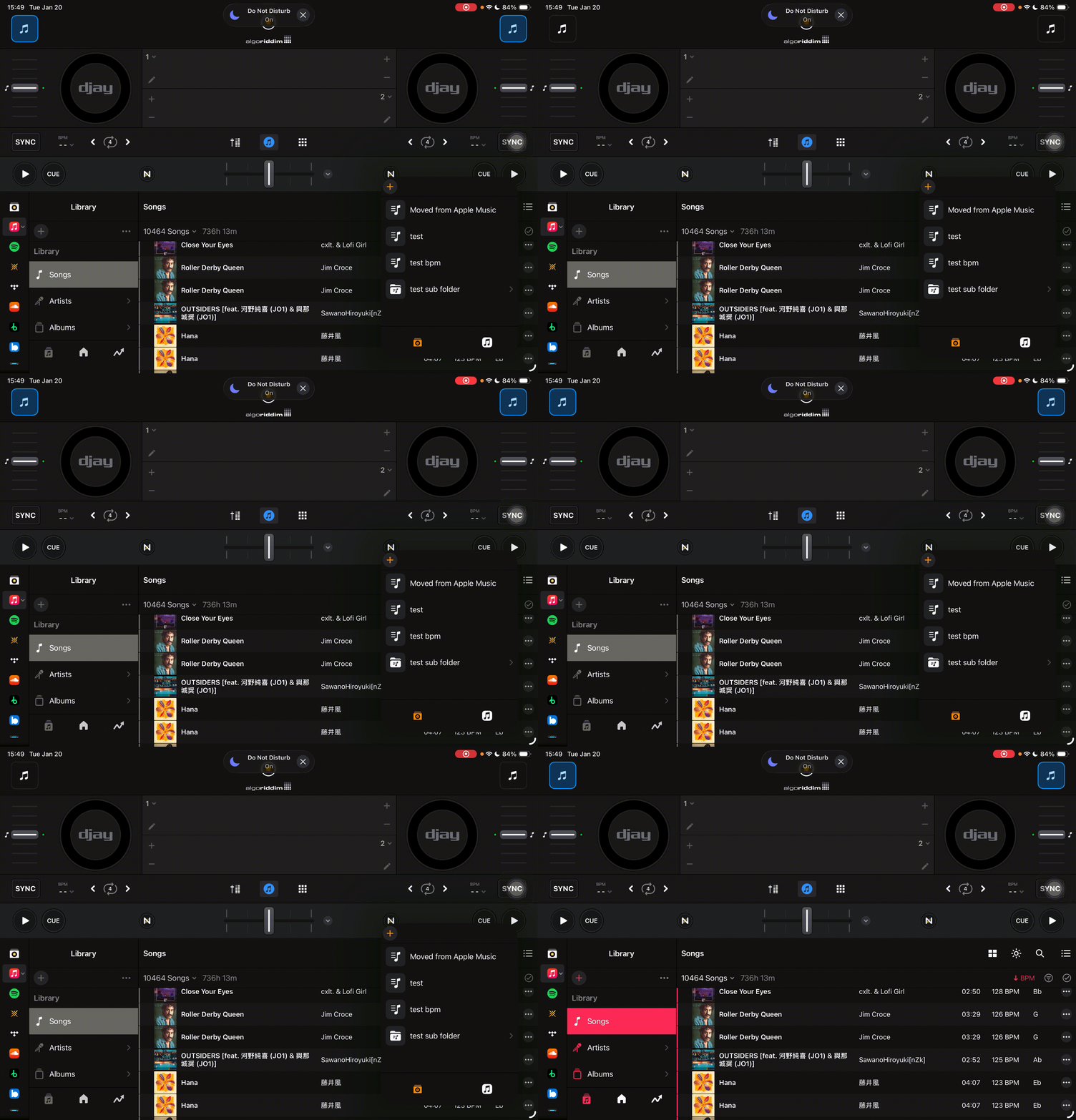
Hello again everyone! Our teams are still working on this one. In the meantime, one potential workaround is to drag Apple Music tracks into playlists under My Collection in djay. You can drag the tracks over in Split View on macOS. It can also be done by right-clicking on the tracks and adding it to the playlist in My Collection. Not a perfect solution and does add extra steps, but it may be a practical option for users who need a temporary fix while we continue our investigation.
2 Likes
I think the engineers fixed the issue, I’m now seeing my playlists and songs that are newly added, and not having to use the work around!
1 Like


