


Thanks for sharing @StevieD
Based on experience, the Flx4 can behave differently on Windows than other controllers for which dedicated drivers are provided (such as Reloop, Denon, Numark, and Hercules).
Therefore, it would probably be best to isolate the problem from other controllers when trying to pinpoint its cause.
FYI the latest early access build (b9245) of VirtualDJ has an option to disable MIDI 2.0 from the settings, which applies a fix to the whole system - so you can install VDJ, disable MIDI 2.0 then use the software of your choice!  It can also be turned back on the same way.
3 Likes
Welcome to the Community @Carl_Mbereko. Thanks for sharing.
1 Like
Hello everyone, we have created a how-to video for restarting the MIDI service on Windows. This has also been added to our main Help Center article:
In case my experience is helpful to anyone: I have an HP Omnibook X AI, it came with a 1 TB SSD and I upgraded to a 4 TB one. Then I did a clean install of Windows 11 25H2 with all its updates.
The first problem I encountered was that Djay PRO wasn’t detecting my Pioneer REV 7.
I solved it by installing the beta version of Windows MIDI Service
link: Get Windows MIDI Services SDK Runtime and Tools - Windows MIDI Services
After it detected the controller, I had another problem with the platter speed, since my platter is motorized. I solved it by installing the MIDI Fix script
1 Like
Something I forgot to mention is that I’m working with Windows 11 ARM.
Thanks for sharing @djcanitamix
This solution does it for me. I have Windows 11 25H2 pre installed so there is no way back to 24H2. Every time i’m going to use my Windows11 / Djay Pro / Steinberg UR22 / Pioneer DDJ200 combo I always perform the following steps:
- Start Windows11 on my Lenovo laptop
- Connect Pioneer DDJ200 and Steinberg UR22 to the USB ports of my laptop
- Start Powershell Terminal as Administrator and execute command net start midisrv
- After the midi service is started, start Djay Pro. The midi controller DDJ200 is immediately recognized and works well with Djay Pro
Hi @roelofjan.bouwknegt, welcome to the Community! Thanks for confirming.
Hello everyone, we released a supplemental update to Windows djay 5.6.4 on April 10 which should fix the issue where MIDI controllers are not detected. We added a small workaround which should ensure that the Windows MIDI Service is started on app launch. I hope that helps!
1 Like
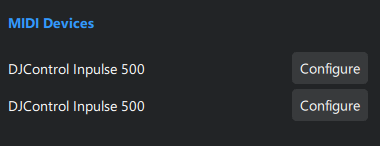
Thanks for the follow up @Apos. Our team has still not been able to reproduce this issue.
Hi again @Apos, can you please share a screenshot from your device manager:
- Win + X
- Select Device Manager
- Open the dropdown menu Sound, video and game controllers
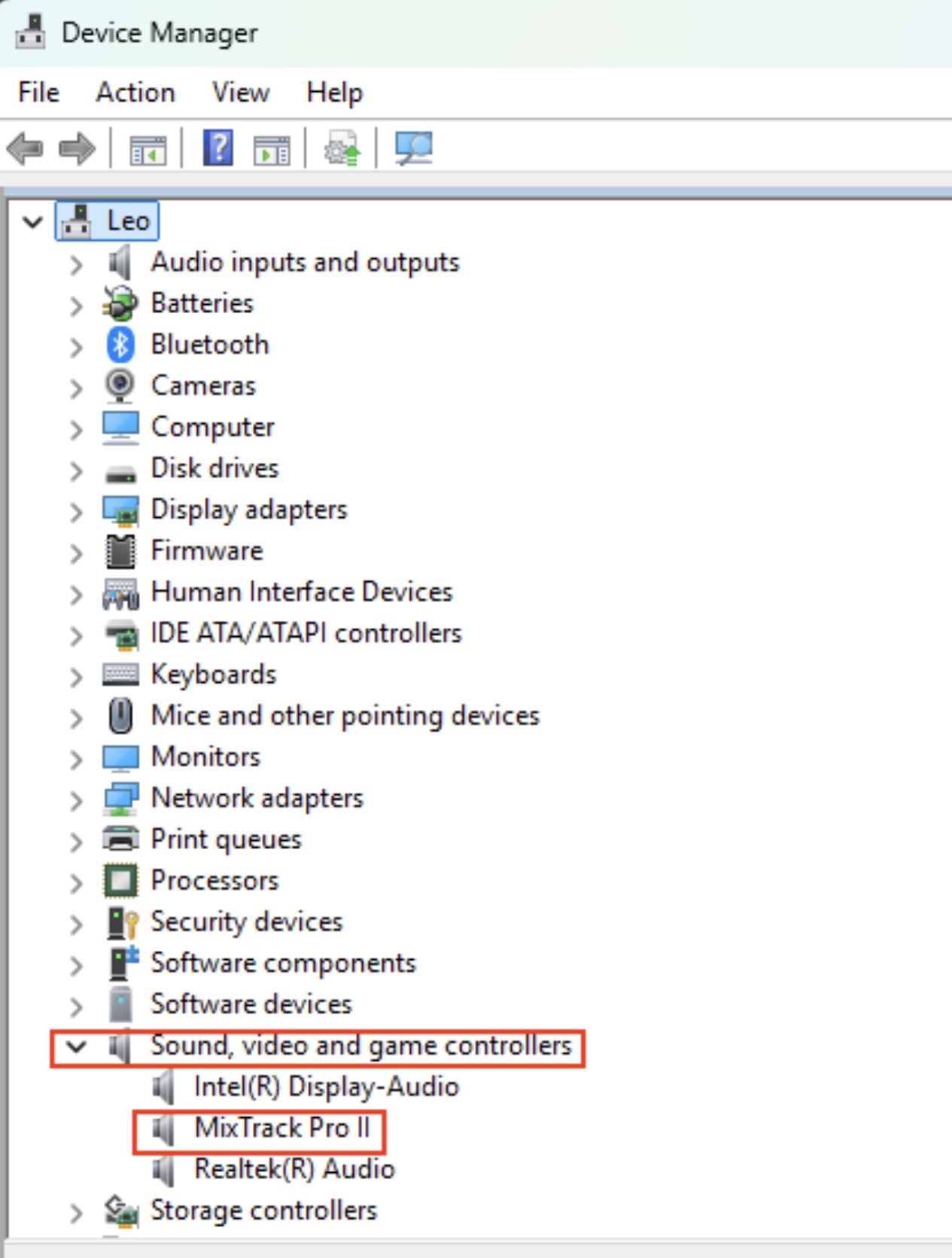
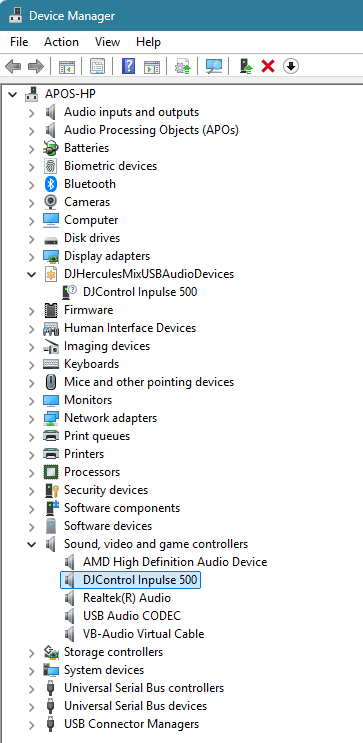
Thanks for the screenshot @Apos.
We are still not able to reproduce this issue. Can you please confirm if your controller is operating normally and if this double configuration is causing specific functional issues or not?
What is noticable is that when djay loads and after the interface has fully initialized, it takes around 20 secs for the buttons on the controller to start responding. Also if I try to do any mapping modifications, only one of the ‘Configure’ entries is responsive to buttons/faders movements.
Otherwise the controller is functioning properly.
Thanks for the info @Apos
Hi @Apos, I checked with engineering, and the delay you’re describing sounds normal. Windows MIDI can be quite slow to start up. Through all of our testing, we have not been able to reproduce the double configure entries you are experiencing. The only thing we can suggest at this point is a fresh djay installation.
- I suggest that you backup your djay Media Library database and any custom MIDI mappings, then uninstall djay, reboot your device, and reinstall the latest version of djay.
- You can find the files above in the following location: How to find your djay data and move it to a new device | Algoriddim Support
- Copy the files to a new location or external drive before uninstalling djay.
- After reinstallation, you can simply copy these files back to their original locations to maintain your Hot Cues, Saved Loops, My Collection Playlists, History and Queue.
- I hope that helps.


