


Hi again @Christophroar, have you tried rebooting your Mac? Looking at your logs, there a bunch of errors in the related to the macOS system open panel. Thanks.
I cannot allow access to the USB Drive, it is greyed out.
Format of drive is correct, and the first time it worked but when entering the drive again, it does not allow access.
What could be wrong?
Kind regards,
Jonas
Hi @DJ_Boum_Boum, please provide specific details about your setup not just “iPad” or “Latest Version”.
Device Model:
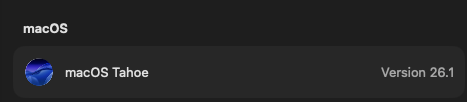
Version of operating system:
Version of djay:
USB Drive Brand and Model:
Drive Size and Remaining Free Space:
Drive Format:
Please also share some screenshots or a short screen recording of the issue.
Did you use the Eject Drive option from within djay or from your operating system?
Are you able to access the drive outside of djay?
Have you tried reformatting and renaming the drive?
Device Model:

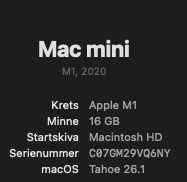
Version of operating system:

Version of djay: 5.5.1
USB Drive Brand and Model: SANDISK

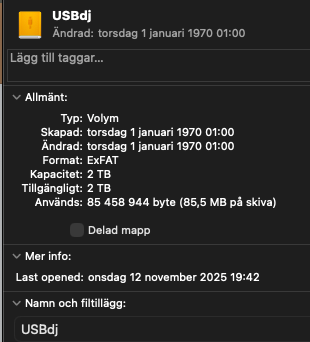
Drive Size and Remaining Free Space: Drive Format:
Please also share some screenshots or a short screen recording of the issue.
Did you use the Eject Drive option from within djay or from your operating system? Operating system
Are you able to access the drive outside of djay? Yes
Have you tried reformatting and renaming the drive? Yes, twice
It works when creating the OpenLibrary and adding Music to it, but when I close Djay and reopen it, the Allowed Access is gone and it is not possible to Reallow - greyed out.

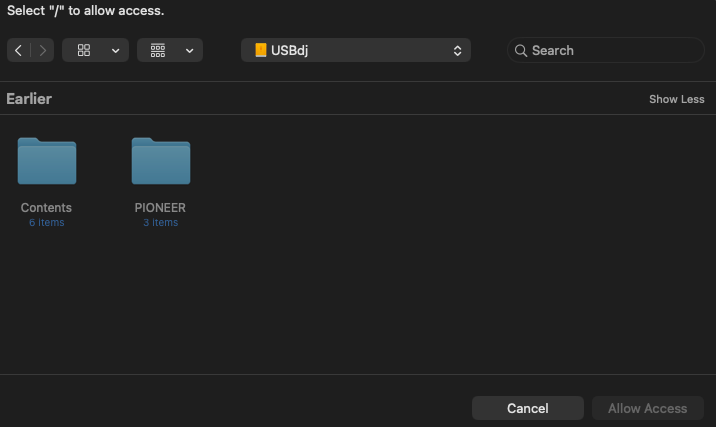
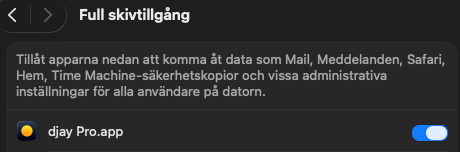
Djay has full access.

1 Like
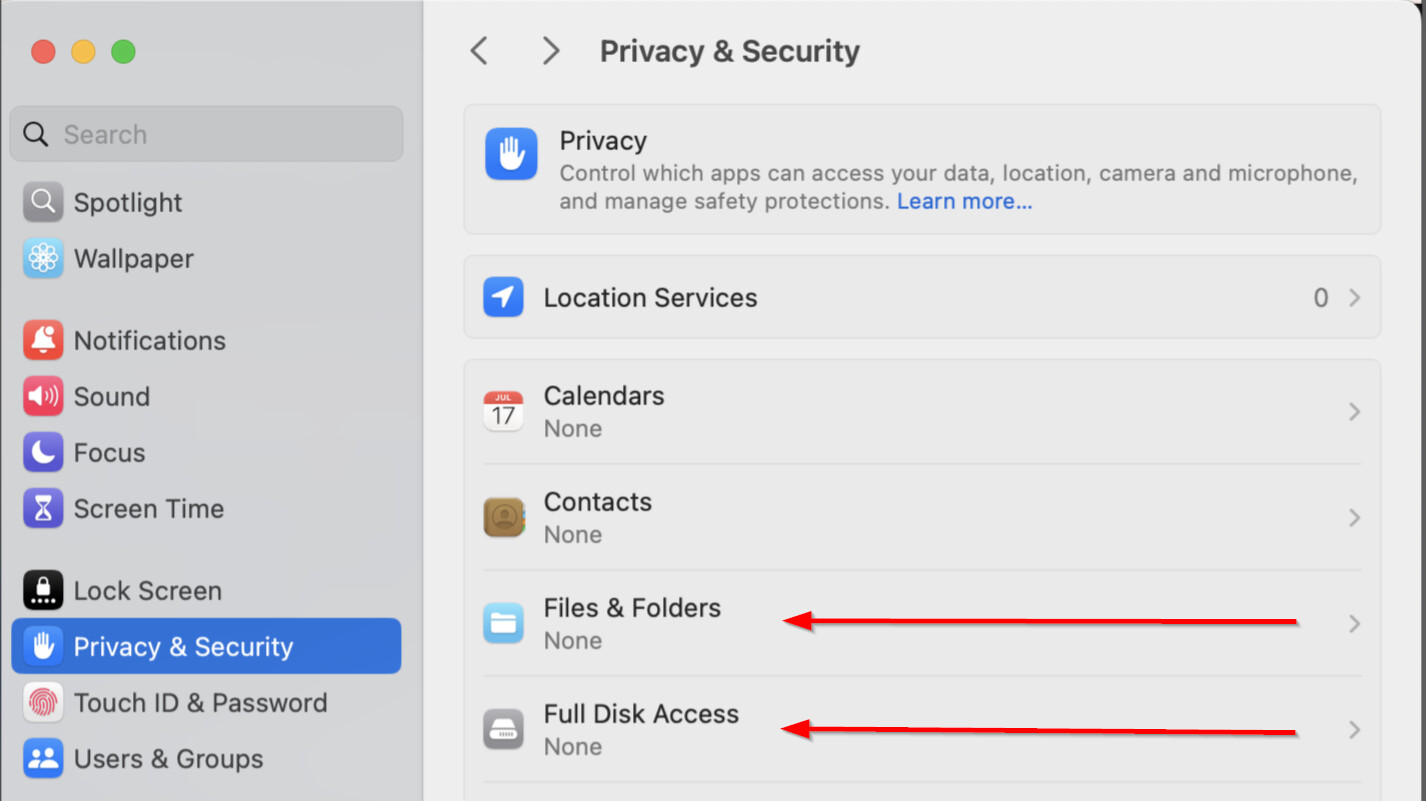
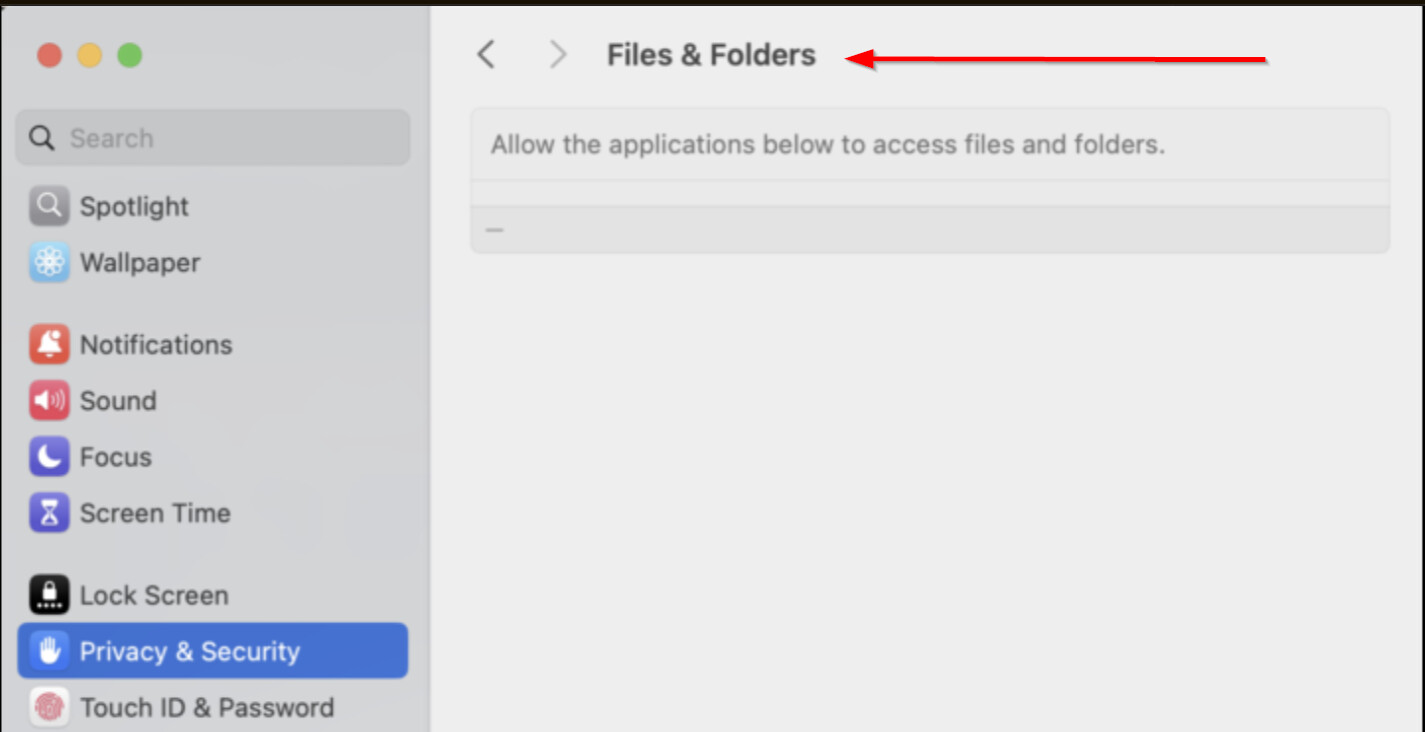
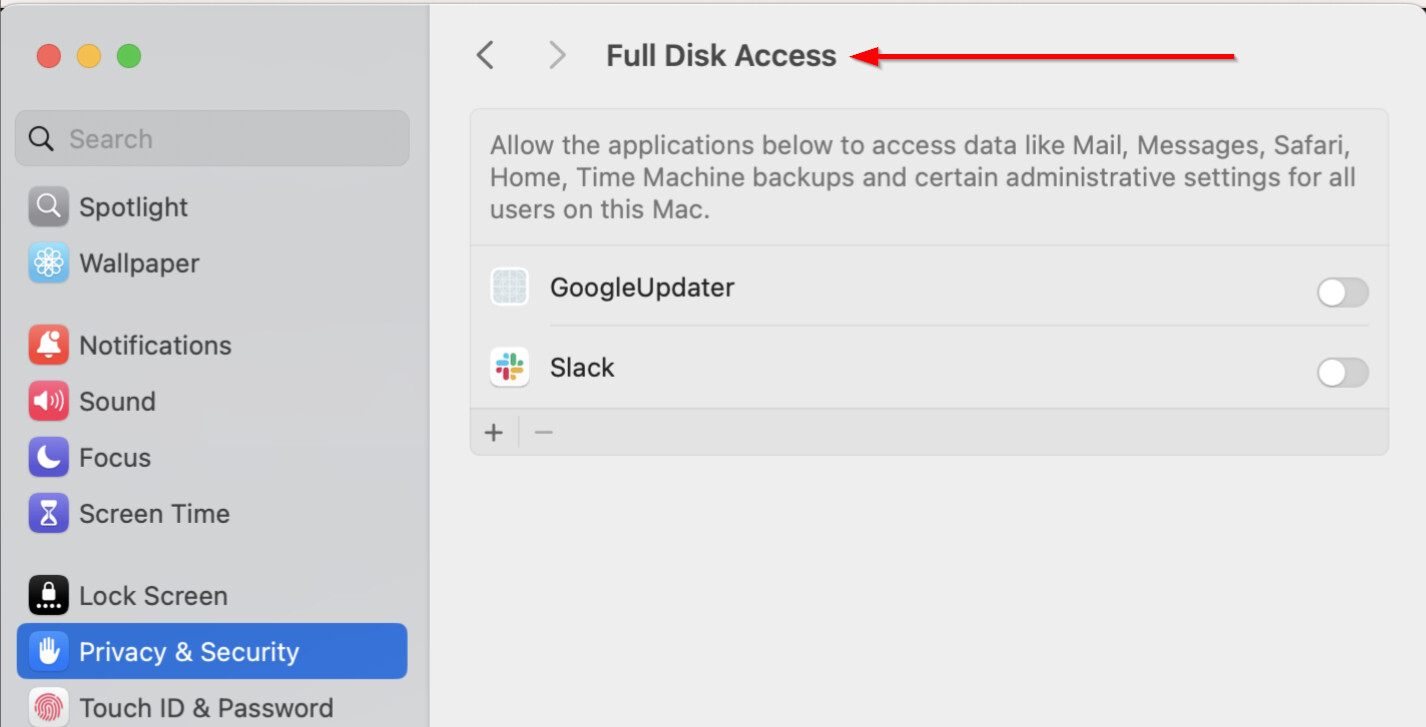
Thanks for the additional info @DJ_Boum_Boum. Please ensure djay is added to Files & Folders as well as Full Disk Access:
If that doesn’t work, please try the following steps:
- Disable full disk access
- Restart computer
- Enable full disk access
- Restart Computer
- Test behavior again in djay
First of all, thanks so very much for trying to assist and resolve the problem. Very much appreciated.
I did as you suggested:
- Disabled full disk access - Check
- Restarted computer - Check
- Enabled full disk access - Check
- Restarted Computer - Check
- Tested behavior again in djay - Check
Still the same issue though.
Kind regards
P.S. 1) When erasing and renaming the USB-drive, it works to create a OneLibrary and using it - Once. But after quitting and then reopening Djay Pro the Allow-issue persists.
P.S. 2) I moved the USB-drive to my iPad and opened Djay Pro, and it worked flawlessly being able to open and play music from the OpenLibrary on the USB-drive. Also after quitting and reopening Djay Pro.
You’re welcome @DJ_Boum_Boum. Sorry that didn’t help. Thanks for the additional info.
Please collect a log output from Console.app on macOS while replicating the issue in djay. NOTE: Make sure your user profile has Administrator Privileges.
- Open Console.app: It’s located in Applications>Utilities or simply type Console in the Spotlight search.
- Set Up Console: In the sidebar, select your Mac under “Devices.” Click “Start” in the toolbar to stream logs in real-time.
- Replicate the Issue: Open djay and perform the actions that trigger the issue. Note the exact time of the issue. Once the issue is reproduced, click “Pause” in the toolbar to pause logging.
- Filter djay Logs: In the Console search bar, type “djay” to filter logs related to the djay software.
- Copy the Logs: Shift select the relevant log entries, the press Command (⌘) + C to copy the log text to the clipboard.
- Save the Logs to a Text File: Open the TextEdit App, create a new document, then press Command (⌘) + V to paste the Logs. Now go to File>Save and name it something like “djay_console_log.txt”.
- Share with Support: Upload the .txt file to your Google Drive/Dropbox, enable sharing permissions, then share a link to the file here.
Hi @Slak_Jaw yeah I’ve restarted a few times since that log file, I’m still getting the issue of no access to the drive via Djay
Okay, thanks for confirming @Christophroar
Hope the format and the tracking is correct.
Kind regards
1 Like
Thanks @DJ_Boum_Boum, I’ll pass this onto engineering for review.
1 Like
Hi, it’s encouraging to see others are having the same issue with USB drives not allowing access to OneLibrary in Djay Pro, and that it’s not something I’m doing wrong. This has been really annoying as a new Djay Pro user, to the point where I’m sticking with Rekordbox for now. Additionally, if Djay supported memory cues in the future (as I like to see comments on my CDJ3000X’s and memory cues are the only way this is supported), I would change to Djay Pro instantly.
I have tested multiple USB drives, all formatted in FAT32. I’ve tried the suggestions above with no success. The only way I can get Djay to allow access to the USB drive is to change the name of the USB drive every time I load Djay. I’m using a MacBook Pro M1 Max on macOS Tahoe 26.2, thanks.
1 Like
Hi @ben7, welcome to the Community! Thanks for the additional info. I’ll pass this onto our engineering team.
That’s great, thanks @Slak_Jaw.
Just for completeness, the USB-C drives I have repeatedly tried are a Samsung T5 1TB and 2TB SSD and a Sandisk Extreme Pro 2TB. I’ve also tried formatting in ex-FAT and still no luck, thanks.
2 Likes
Thanks for the additional details @ben7
Also not working for me in the same way as was described by other users above within the last day. I’ve tried the steps to remedy as advised - no solution
Additionally, I have tried to use the same drive in Djay Pro on a 2nd Mac - and it won’t allow access on that device either. I have ensured full disk access and file sharing are enabled and followed the troubleshooting steps on both devices. Strange. A bug maybe?
Happy to upload logs also if it helps?
Hi @groovekitchen, thanks for the info. What version(s) of macOS are you running on both Macs?
OS 26 Tahoe.
FWIW, I have just tried with a small capacity USB stick (the last was a 1TB drive) and so far, it worked once in terms of allowing access within Djay and exporting to Rekordbox - however, it was ejecting and then reconnecting the drive that recreated the same error as before.
1 Like
Thanks for the additional info @groovekitchen
HI, I got exactly the same issue! macbook air with Tahoe 26.1, before it was working fine with this drive…need a solution asap…


