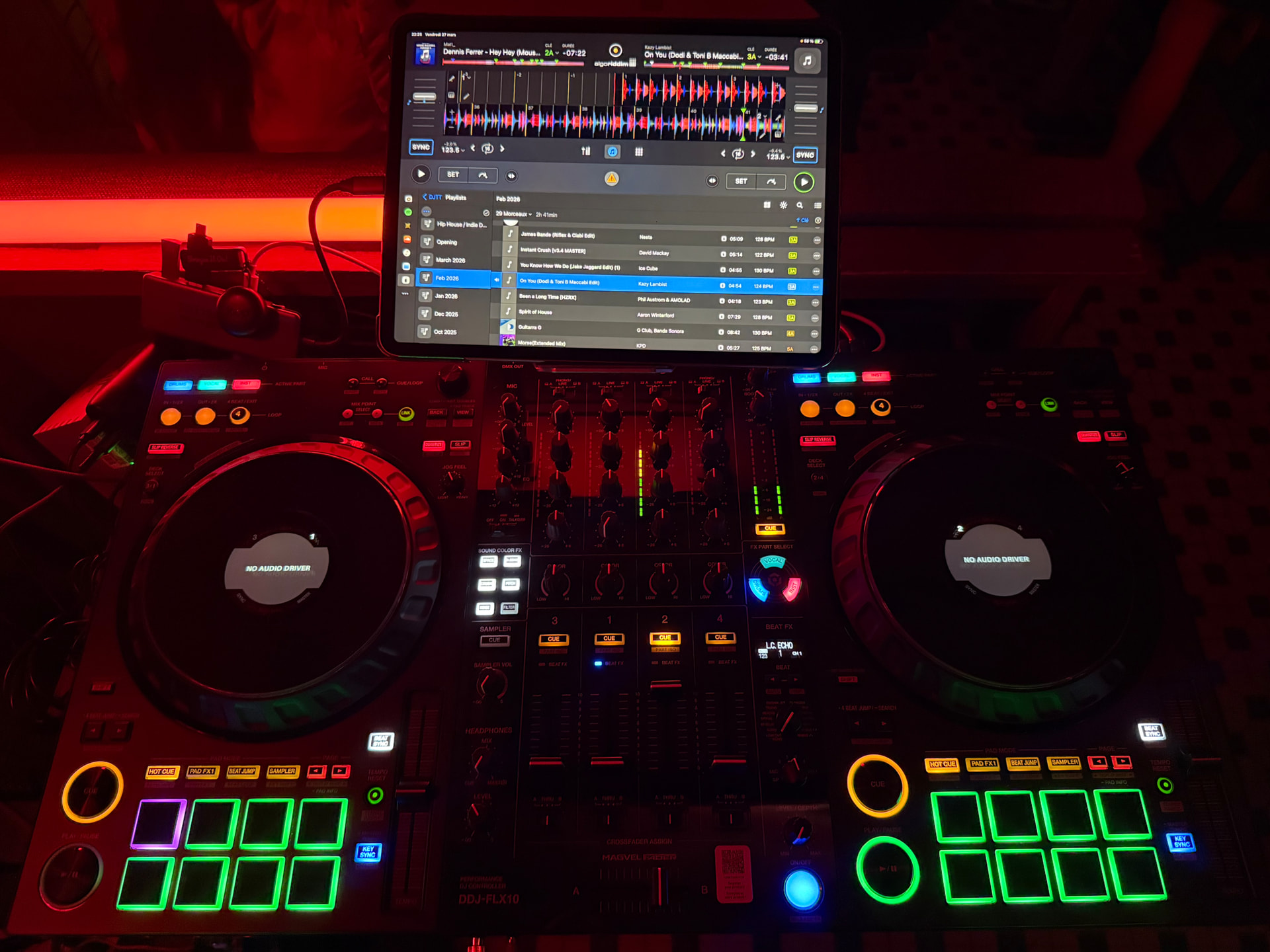
Oh didn’t notice those on the update, my bad!
Follow up question: Is it only for stems or is there a way to change them like on Rekordbox where you can set them as a specific color?
Oh didn’t notice those on the update, my bad!
Follow up question: Is it only for stems or is there a way to change them like on Rekordbox where you can set them as a specific color?
No way to change through settings. Changing ring colour is a rekordbox only feature. I believe so anyway.
Hello everyone, 5.4.2 is rolling out to the various app stores and should be available to all users over the next several hours.
For more details on the full release, please see below:
I just got a FLX 10 and I need to know how to get the jog wheel screens to work. I have the controller hooked up to a new Apple MacBook Pro
Get the newest firmware update and driver from the off. Pioneer website and after this is done, hold the shift button by pressing the page buttons. And there u r
Exactly! Thanks @DJKamyR
@Slak_Jaw hi man. Can you ask the dev team how come with Mac OS the stem split led lights are on off state as default with iOS they are on. Would be nice to have on as default for Mac to. What does everyone else think?
Hi @Dysfunk_DJ, can you please share some pictures to clarify? Thanks!
Will do when back from holiday 
Sounds good. Thanks! Enjoy your holiday!
Great after I returned it because of this. I’m never going back to Serato or Rekordbox. If it’s not supported by Djay Pro I’m not buying it. Now I’m just waiting on a real 4 channel battle mixer with stems and effects. Tired of battle of the controllers. Sticking to old school. Turntables and a killer mixer set up. Focus on the mixer. Look at the V10 or A9 big. What’s lacking is stems and performance pads. .
I found the lights and the set up of the stems button confusing so I remarked it so that when the lights are on that part of the stem is active and I press it and it turns off that part of the stem and the light goes off in my mind. It makes much more sense.
Good idea. Thanks for sharing @Nubium
Thanks for sharing. What I discovered was that if I mapped the flx 10 to heavily it would mess up and glitch. I prefer as is with lights on but that’s just me. At least it’s the same now across all my devices.
if Algoriddim would implement HID on IpadOS to get the jog screens working, it would be amazing.
Another nice improvement would be the track pre cueing (without loading the track in a deck): currently it requires to go in the … menu of the track, scroll down and then touch a small play / pause icon. It works but it’s not very touch friendly.
Thanks for the feedback and input @Herve_DELPLANQUE
Hey there you can midi map song preview. I use shift press encoder then shift cue loop call buttons to scroll through track each way. Mapping with djay pro is really easy and You can break it as default mapping will still be there.
Wow that’s a great tip, thank you so much!!!
Good suggestion @Dysfunk_DJ
Hey guys and gals, I’m trying to MIDI map Neural Mix EQ mode to my FLX10 but I could use some help please. Does anyone have a recommendation for where to map the Neural Mix EQ toggle, or switch between off/2/3/4 stem modes on the Gain/Hi/Mid/Low knobs? I tried to use the 3-way upfader switch “A/Thru/B” for this but there are way too many Midi settings for me to figure out.
I’m loving the FLX10 support and the excellent software that runs flawlessly on my 2015 MacBook Pro. Thanks Algoriddim!