Thanks for your advice.
I’ll definitely try it.
Regarding the lag I experience when searching for a song, how do I fix it?
Do I need to import my music collection, completely bypassing any iTunes connection?
If so, how would you do it?
Thanks for your advice.
I’ll definitely try it.
Regarding the lag I experience when searching for a song, how do I fix it?
Do I need to import my music collection, completely bypassing any iTunes connection?
If so, how would you do it?
There is a reason why for example Microsoft Windows has search indexing turned on.
Basicly on the background Windows is creating a database of your files so that search will be faster. In macOS, there is similar functionality built in i..e Spotlight index.
If I’m right, the problematic part for oprerating system is that those file indexing search data isn’t available for 3rd party applications. And it might not contain all needed info like do they really include all ID3 tag data ? Or just “artist”, “song title” or just “file name” ?
So applications needs to develop their own “fast method for search” for the acutal most important information.
That’s why djpro has own “Music Library” i.e. " djay Media Library which is just a normal SQL databse.
And yes, when you have your own database, it’s still there after operating system upgrade.
In Windows and macOS, who knows what will happen after os upgrades.
Hi DJ Romy.
Thank you for giving me this technical explanation of how the Djay Pro database works.
I’m sure this software will only get better over time.
I’m confident.
Thank you again.
Thanks for sharing @dj_romy_fi
Hi Slak.
As soon as I get back from vacation, I’d like to see if there’s an alternative solution to move my entire music collection
and playlists from iTunes (Music) to my own collection.
I reinstalled Djay Pro 5.6 from scratch.
I scanned my entire library.
The software runs well without any lag using only iTunes (Music) as a source.
We’ll talk about it as soon as possible so I can tell you all the problems I’ve encountered using my collection.
Thank you and have a good day.
This is an excellent website for resolving artwork issues. This will usually sort most of your artwork problems out, but you may have to do some manually afterwards.
Doug’s AppleScripts » dougscripts.com
Please consider sending Doug a small donation if you use one of his scripts, he is doing the lords work.
As far as album art goes, it usually stems from manually moving your files around after purchasing them, i reorganise my music into folders after buying and it messes the artwork up. Its 100% an Apple issue but i dont think they have any motivation to solve it as they want you to leave files where they place them after purchase.
Even though the artwork displays inside Apple Music, it isnt being shown on 3rd party apps, so the solution is to either open the ‘get info’ tab, click on the artwork page then save, or load your tracks into an MP3 tagging software (that works on other file types too) and manually upload the artwork for any that are showing as blank, i usually use Google images to find the right one if i dont have it.
I cant find the forum thread where someone explained it all, but basically Apple loses its connection to its own image DB when files are moved around.
Hi STU-C.
Thank you for your advice.
I’ll definitely check out the site you mentioned.
I’ll at least try to fix the cover art issue.
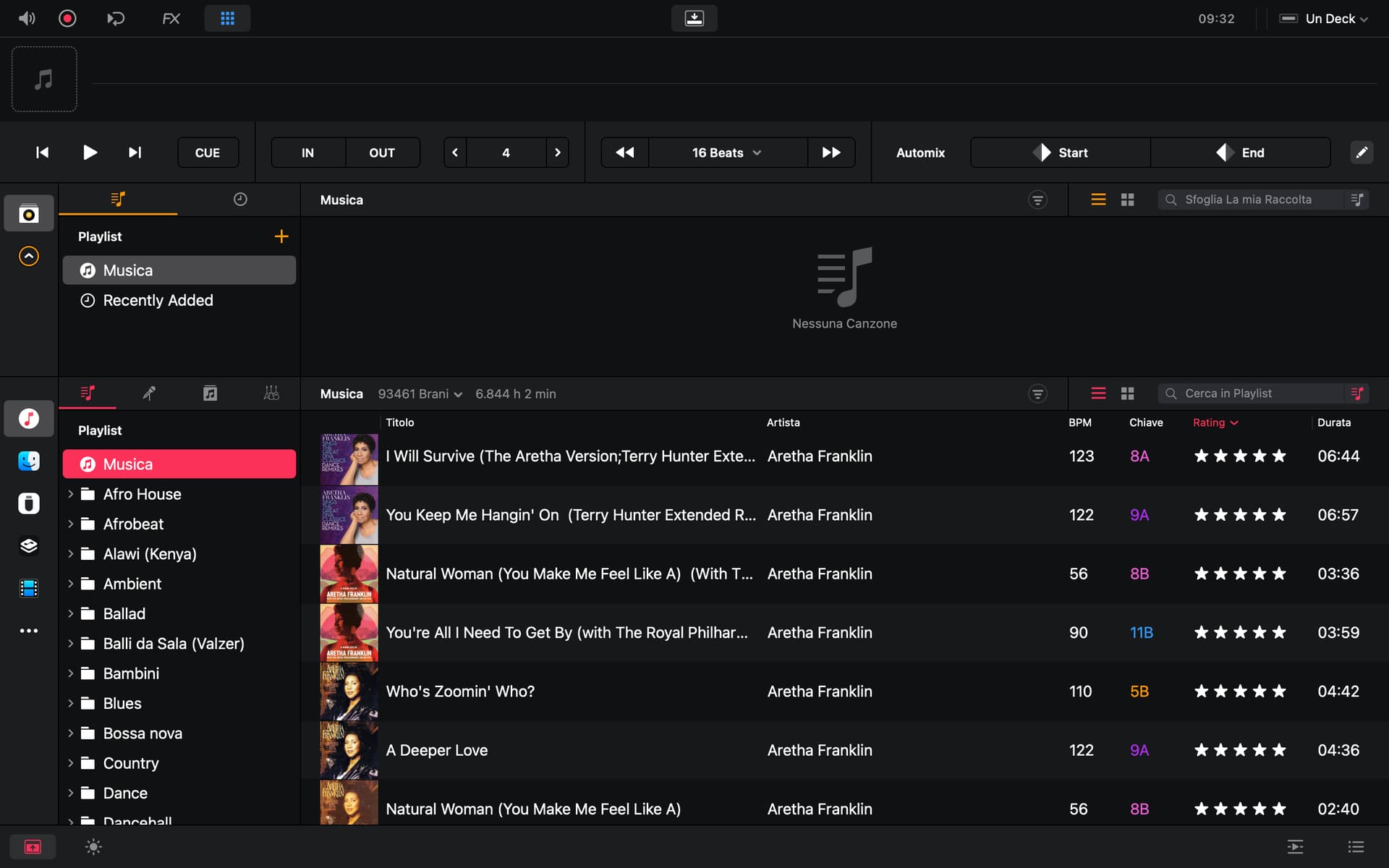
Another bigger problem is that I tried to transfer my entire music collection and playlists from iTunes to my library, but I encountered various problems.
The software gets stuck when searching for songs. The rainbow wheel comes on and blocks everything.
When I transfer songs from iTunes to my library, I see two types of symbols: one for music and one for my files. I don’t know if this is normal, since I only export from iTunes/Music.
When I try to analyze the songs in my collection, I have to do it multiple times.
Honestly, I don’t have the time to dedicate to it anymore.
I continue to use Rekordbox without any problems.
In the end, I figured mine was an isolated case.
I may be an outlier here but i organise all my music into folders myself, by genre then A-Z albums, that way i can move between software without issue.
The way i set up Djay Pro is different depending on the hardware, for the laptop i just use the Serato import feature and access my music that way (as ive already organised it in Serato), for my ipad i created a load of playlists in Apple Music (that match the names of my folders) then synced them to my ipad with a USB-C cable. Ive not had any issues so far.
Thanks for sharing @STU-C
Exactly my workflow @STU-C
I also creat my cue points and loops from serato
Good morning.
Thank you all for your interest.
My workflow is as follows:
I use iTunes (Music) as the basis for my entire music collection.
I import everything into Rekordbox and then create my playlists from there.
If I need a playlist to use in iTunes (Music), I save it as an .m3u8 file from Rekordbox and open it in iTunes.
As for album art, if any is missing from Rekordbox, I can add it directly within the software.
Then, if I find a title that needs fixing, I can fix it directly in Rekordbox and then find it already fixed in iTunes when I upload it to listen to it.
When I have some time, I’ll try exporting everything to my library in Djay Pro again to see if there have been any improvements with this new 5.6. Also, because otherwise I wouldn’t be able to transfer to a USB stick unless I go through my library to export.
I’ll keep you posted.
Thanks again, everyone.
Thanks for sharing your workflow @Sergio1. I’ve shared this with engineering.
Hi Slak.
Thanks for your reply.
I hope the engineers can somehow resolve all the issues I’ve encountered with this software, except for the cover display.
Happy holidays to you and all the Algoriddim staff, and of course, everyone here on the forum.
You’re welcome @Sergio1. Happy holidays to you as well!
Good morning, Slak. I saw there’s an update for Djay Pro.
Version 5.6.1
Does this update fix the issues I encountered with the previous version, or will everything remain unchanged?
Should I wait for new updates that can fix the issues I mentioned above?
Thank you for any advice you can give me.
Hi @Sergio1, thanks for checking in. Please update to 5.6.1 and let me know if that helps with the issues you’ve been experiencing. Thanks!
Hi Slak.
As soon as I have some time, I’ll try transferring my entire library and playlists from iTunes/Music to my library for the very first time to see what happens.
I’ll keep you updated.
I wish you all a happy 2026.
Sounds good! Looking forward to your updates.
Hi Slak.
Unfortunately, this test with version 5.6.1 was also unsuccessful.
Same problems as above.
No offense.
How can Rekordbox have such excellent iTunes/Music integration and you don’t?
Shouldn’t it be the other way around, given that Djay has always had excellent iTunes integration?
Hi again @Sergio1. Sorry to hear that didn’t solve your issue(s). Can you please explain exactly which issues you are still experiencing with 5.6.1? Thanks!