


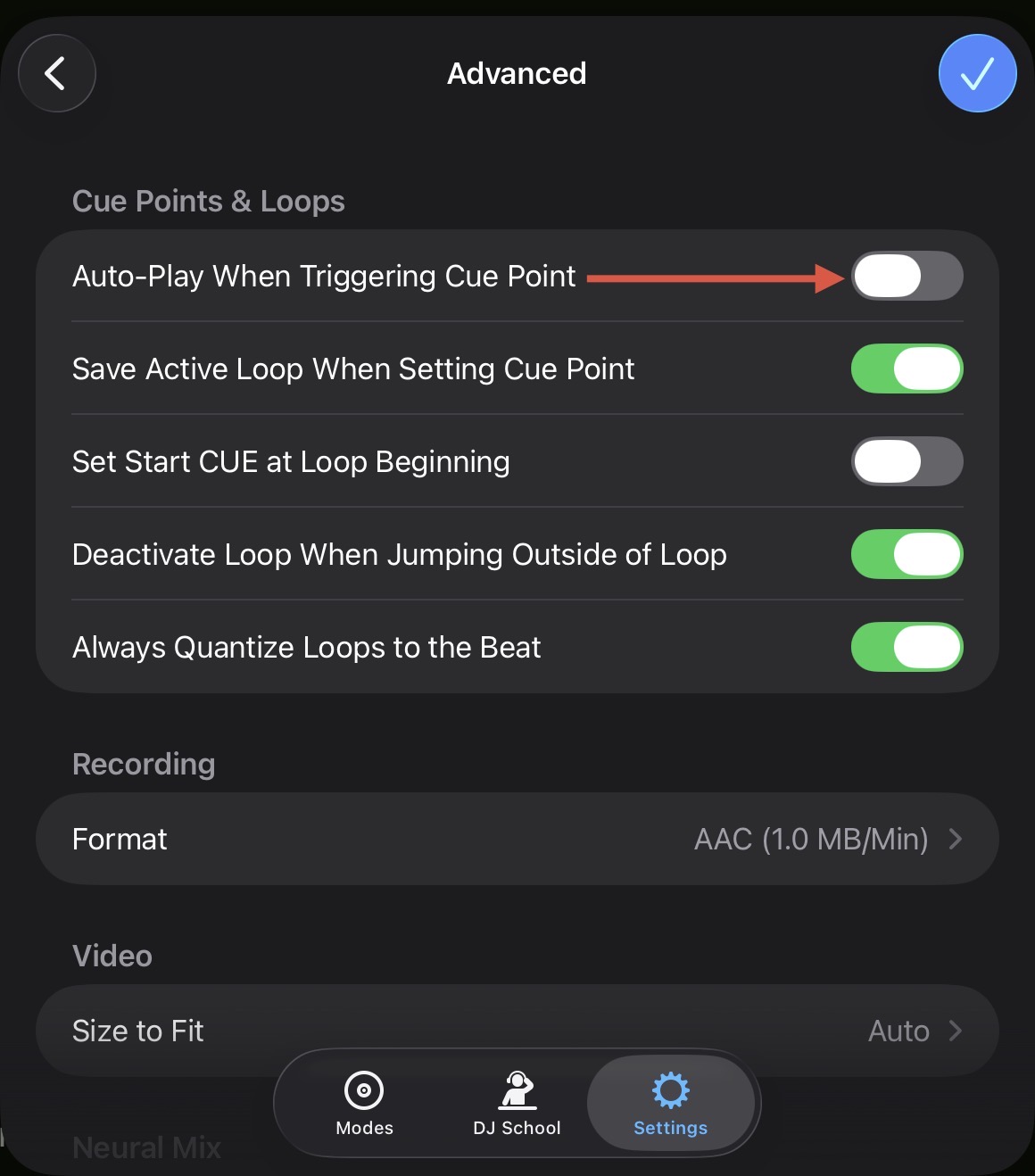
@Flunky are you sure you have this disabled in the djay Settings>Advanced?
1 Like
yep that setting is definitely not on.
Also with both my old Kontrol X1 and K3 plugged in at the same time and with the same settings and mappings the K3 continues to play when hitting a cue point where as the X1 does not
2 Likes
Ok I thought maybe the issue was on the K3 side but I think the problem is with DJay Pro. I get the same behaviour as you I think.
I can map a K3 button to a Djay pro action. Then I can map the shift + same button to a different DJay Pro action.
Then from a newly opened instance of Djay it initially does what it is supposed to - when I click the K3 button I get the primary Djay action, when I shift + click the K3 button I get the secondary action. However this is where Djay gets stuck, subsequent clicking of the regular K3 button plays the secondary action instead of the primary one.
If I close Djay and re-open it the regular action works again - until, that is, I try the shift-action then it gets stuck on that as before. So I’m thinking its a DJay pro issue?
Ok I think I fixed the issue of the Djay Cue points not behaving in the right way AND the issue with the Shift function not really working. The solution is in the Xone Controller editor all the buttons need a Switch Mode of Gate - even if they don’t behave has a gate with DJay. I previously had the Switch Mode set to Trigger and that doesn’t seem to work, but Gate seems to have fixed it.
4 Likes
Not sure if it’s related, but there’s a firmware update for the K3 too, which solves some midi issues.
2 Likes
Ah! That makes sense. Thanks for sharing @Flunky
@Flunky Thanks for your input on this!
Making the button “Gate Mode” did help the issue with the play button or im assuming other button functions as well but it disrupts the led feedback since it is in gate mode and the LED does not stay lit as the track is playing. I’m safe to guess this would happen for cue and loop buttons as well.
Also it is no help for mapping shift functions to rotary encoders 
Unfortunately I think these controllers are going back to sweetwater for someone else to enjoy.
1 Like
Solution.
- You cannot have the Xone Controller Editor open while mapping Djay pro. The midi message get all wonky.
- Make your mapping in Djay pro with the factory map loaded on the K3.
- When your done Making your mapping, save the Xone map to a new save within the Xone controller editor.
- Now edit all the colors you want for the controller. (Xone Controller Editor)
- Keep all the button actions set at default (gate/hold) (Xone Controller Editor)
Thank you to the Allen & Heath crew for helping with this one.
4 Likes
Good to know! Thanks for sharing @Ralfi711
@Slak_Jaw Do you think it would be possible to expand this setup with dvs by switching to lets say a XONE 24C mixer and of course 2 Turntables?
I am asking because i am looking for exactly this kind of setup and since @Erwin_Deschoenmaeker already did a great job with his setup, I really wanna try this out but with dvs capabilities.
Hi @stsc82, welcome to the Community! Since this hardware is not currently supported with djay, I think this is a better question for the Allen & Heath support team.
Yeah well there is still the possibility to use the DDJ-XP1 or XP2 instead of the XONE K3 i guess since they are officially supported and iOS compatible.
@stsc82, the XONE: 24C is a DVS supported mixer on macOS, iOS and Windows. Adding another MIDI controller (like the K3) should not be an issue. However, until the K3 is officially supported, you will need to map it yourself or use someone else’s custom mapping.
Happy to chip in here
I can confirm that if you connect Xone:K3s directly to one of Xone:24C’s USB-C hub ports, djay PRO will recognise both the mixer and controller/s on the same USB host connection.
djay PRO take’s care of the audio routing setup for DVS, but as Slak_Jaw notes, you currently need to map K3s yourself (hope to have news on this for you soon …)
2 Likes
Hi @al.xone, welcome to the Community! Thanks for sharing.
Hello everyone, we have added official support for the Xone:K3 in the djay 5.6.3 release. Thanks!
5 Likes
Thank you, for the update. If you use 4 decks, your midi mapping ist realy good. For two Decks , I like my own mapping more. But its only a matter of taste.
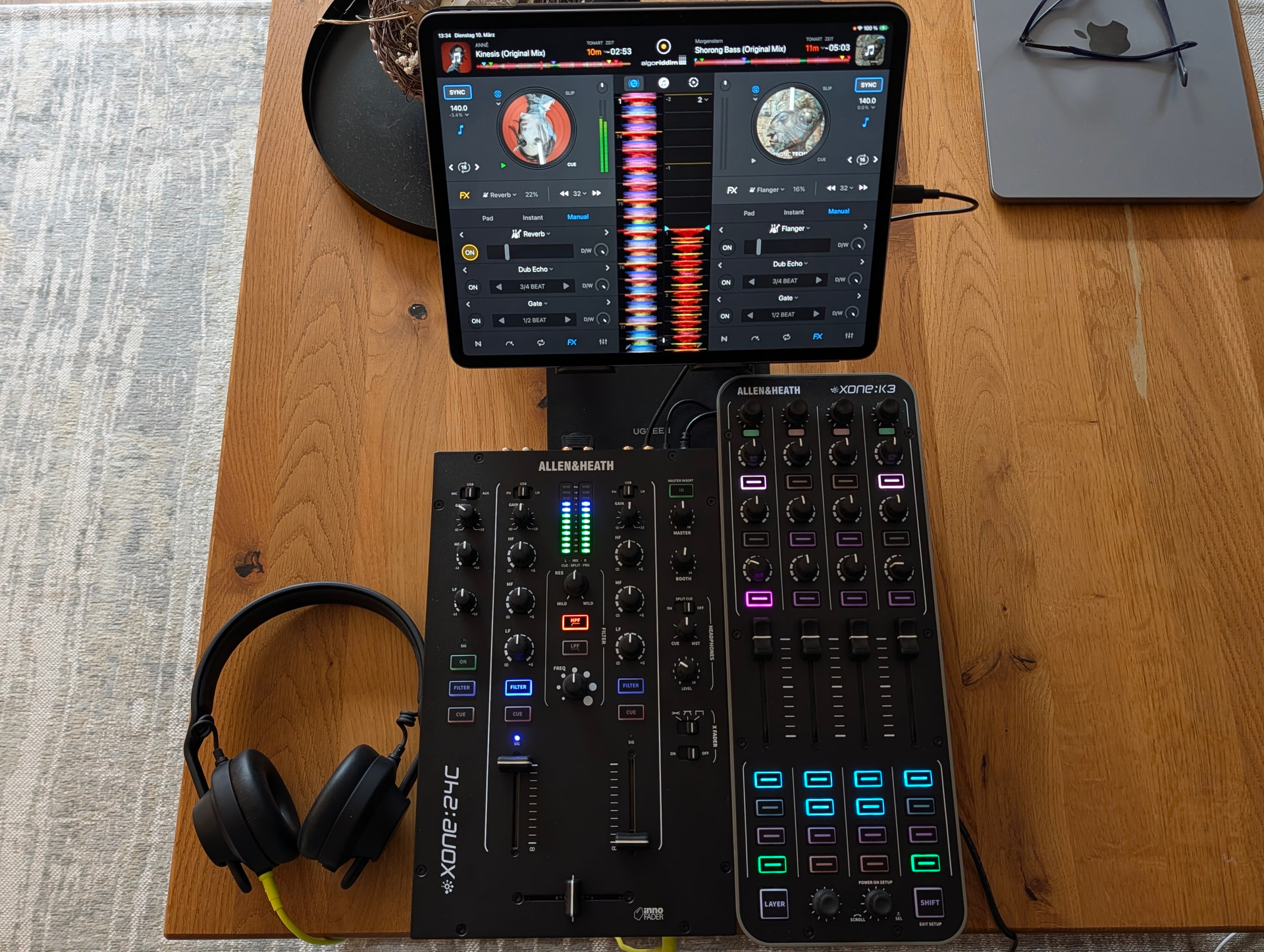
You’re welcome @T_Boyle. Thanks for the feedback
How did you managed it, that the color of the Hot-Cues are the same in the app and the controller? I did not managed this.
This cannot be done within the MIDI Learn tool. You need to understand how to do this via the XML code.
Your easiest option is probably to modify the official (built-in) MIDI mapping to add your preferred parts from your own mapping.


