Djay 6.0 dream features?

No AI needed.

  1. Program compatibility on any iOS, PC, or Android platform – the same features and functions.

  2. Integrate the Mixed In Key program or introduce a track analysis function like in Recorbox with cue point suggestions.

  3. Add a transition editor between songs and the ability to assign them to pads.

  4. Greater freedom in MIDI mapping, e.g., one key or knob can control/activate multiple things simultaneously.

  5. Ability to control from another device, e.g., a tablet with a touchscreen effects interface – a virtual equivalent of the Reloop Performance Pad.

2 Likes

Thanks for the continued input everyone.

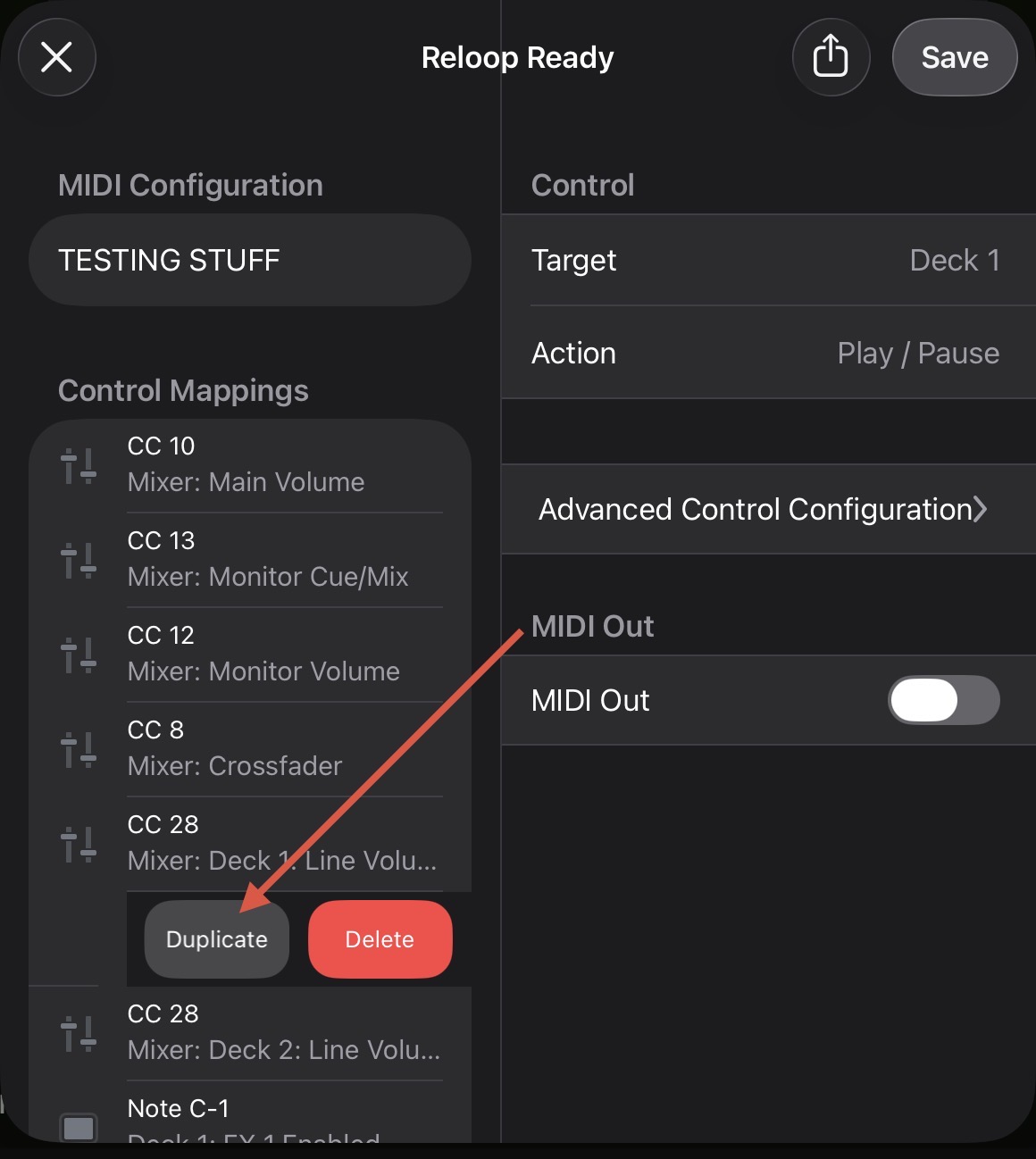
Can’t we already do point 4, using the duplicate option in the midi mapping section? I’ve just been doing exactly creating a stem split across another channel, which had 3 commands on one shift button.

Yes, using the Duplicate feature by sliding left on the MIDI command.

For the life of me I cannot figure this map out.

@DJ_A_Diffrance I explain how I mapped STEMs split here:

1 Like

Library View Mode (Deck Views)
Next to Two Decks, One Deck, Automix, Four Decks, Video add a Library View Mode.
All focus on the library. The view would give more room for all library related functionalities.

External display
The dream would be to be able and drag it even to a second display, so that you can have separate little display mounted anywhere to view the library.

(btw, i‘m aware of this one, not exactly the same)

2 Likes

Hi @Dysfunk_DJ and DJs using Djay Pro. My “dream” functions are more “discrete”, let’s put it that way:

  1. Possibility to adjust JOG WHEEL SENSITIVITY on the software. Most of the new controllers don’t have jog settings on their hardware and, if you put a skin on them, it gets impossible to scratch. This happened on my DDJ REV1: I put on a beautiful white skin, but had to remove the ones from the jog wheels because they got too little sensitve. According to some of my research, Virtual DJ and Serato have this possibility (correct me if I’m wrong).
  2. Improve the possibilities of the CONTROLLER SHIFT KEY mapping. I mean, when you map a button as a Shift key, it only has the possibility to be a “Default” button on “Advanced Control Configuration”. I’d like to map it as a TOGGLE button, for example, then I could transform a 2 deck controller on a 4 deck controller by mapping the other funcions using the shift.
  3. Still related to the Shift possibilities, when you map a button as a Shift and then combine it with other keys, you never get to the MIDI OUT funcitions (it stays hidden on the software), so you can’t apply colours or even led functions to it. The other “Advanced Control Configuration” settings also don’t apperar (Toggle, Hold, etc.), it always comes as a Default setting.
  4. Possibility to adjust INSTANT FX parameters, dry/wet values, routing (Instrumental, Acapella, etc.). They are “pre-selected” and they’re not customizable at all.

It would already be great for me if Algoriddim worked on the items 2 and 3.

Thanks for sharing @Carlos_Alexandre_Cam

in sync mode play quantized

1 Like

Hi @Mauro_Cafasso, welcome to the Community! Can you please rephrase your comment? It’s a bit unclear what you are asking for or commenting on. Thanks!

Hi Slak,

To be clearer, let me explain what I really don’t understand about this wonderful software.

When I use the sync button, if I make a small mistake when starting, the playback doesn’t begin perfectly aligned with the transition, but it corrects itself within half a bar. It’s nothing serious — with a little care it doesn’t cause any problems — but I don’t understand the reasoning behind this choice.

Let me explain better by comparing it with Traktor and Serato. Traktor is essentially a four-deck version of Ableton. Once the grids are set, it’s precise, instant, and error-proof, and it’s clearly designed for live remixing.

Serato, on the other hand, is inspired by the classic two-deck system and almost discourages the use of sync. However, if you really want to use it, it offers two options: a simple sync that sets the two decks to the same speed but leaves beat alignment up to you; or, if you prefer, Smart Sync — by double-pressing the button — which immediately aligns the grids.

These are two different but coherent philosophies. I don’t understand why the Djay team chose a third approach. What inspired this decision?

Sorry for my English.

3 Likes

Adding the ability to sort the order of streaming service playlists would help me out immensely, considering My Collection has this feature already.

2 Likes

As DJ’s we must always hold the roots of DJ’ing, having an ear for music of all types, disection of music by intro, chorus, breaks, bpm and the knowledge of the vocals and instruments in a song. Since my start, 1982 to be exact I had to learn a lot, no technology just 2 turntables, a mixer, and outboard equipment to polish the sound, racks of compressor’s, eq’s, etc. Technology grows within a range of 2 to 5 years. Having worked at IBM we made chips that are in phones, tv’s, credit cards, who knew that a cell phone would carry the weight it does, from phone calls, texting, watching, tv, measuring, flash light, and of course DJ’ing, other things also but this is a dj forum so I will try to keep focus on that. DJ software has also come a long way, I remember using Final Scratch then Serato Scratch Live to Serato DJ Pro, and off course other dj software. But for me Algoriddim DJay Pro is way advanced and I do not need some “celebrity” dj, nor YouTube content person to tell me anything about DJ’ing or the “right” equipment or software to use. I recently had a crowd lose their minds in one of those “blend battles” when I used all vinyl to transition between songs and make them sound as one. Yes do use your software, but do not always 100% rely upon it to do the work for you, know your music know your equipment, have confidence in your skills and for God’s sake unify yourself with the crowd and venue you are playing for. Do I have “dream” features for Algoriddim DJay Pro, well yes and that is the unison between Apple and Algoriddim tresearch and development to someday come out with a series of controllers, battery powered, motorized platters, and the possibilities of running off a network, like Verizon, Spectrum, AT&T, the technology is definitely here to do it just designing it, remember I mentioned series of controllers, trust me my IPad is solid for doing DJ’ing on the spot. And yes I still have vinyl ( some in storage, my Wife hates when I go to thrift stores and find crates of records :rofl: ) I have Rane Mixer’s, Denon mixer’s, turntables, Denon SC5000’S (6), Akai Mpc’s, NI stuff, but Ai also have something to go with it skills. And I respect any dj that knows how to use and utilize their equipment, and Yes Algoriddim is the BEST DUE TO THEY ARE NOT AFRAID TO COME OUT WITH TECHNOLOGY USER FRIENDLY SOFTWARE, just need to work on that loop in, loop out fine adjustment thing​:thinking:, just saying.

1 Like

Midi Mapping experience update

  • “mirror” functionality. If I customize a knob or button on one deck there’s a high possibility I’d want that same functionality on the other deck
  • A search function. As the midi mapping options continue to grow having to scroll through all of these options, especially through touches, is a little tedious.
  • Dual mapped function: instead of duplicating then applying a new function to the same button maybe add an option to add multiple functions to the same button/knob
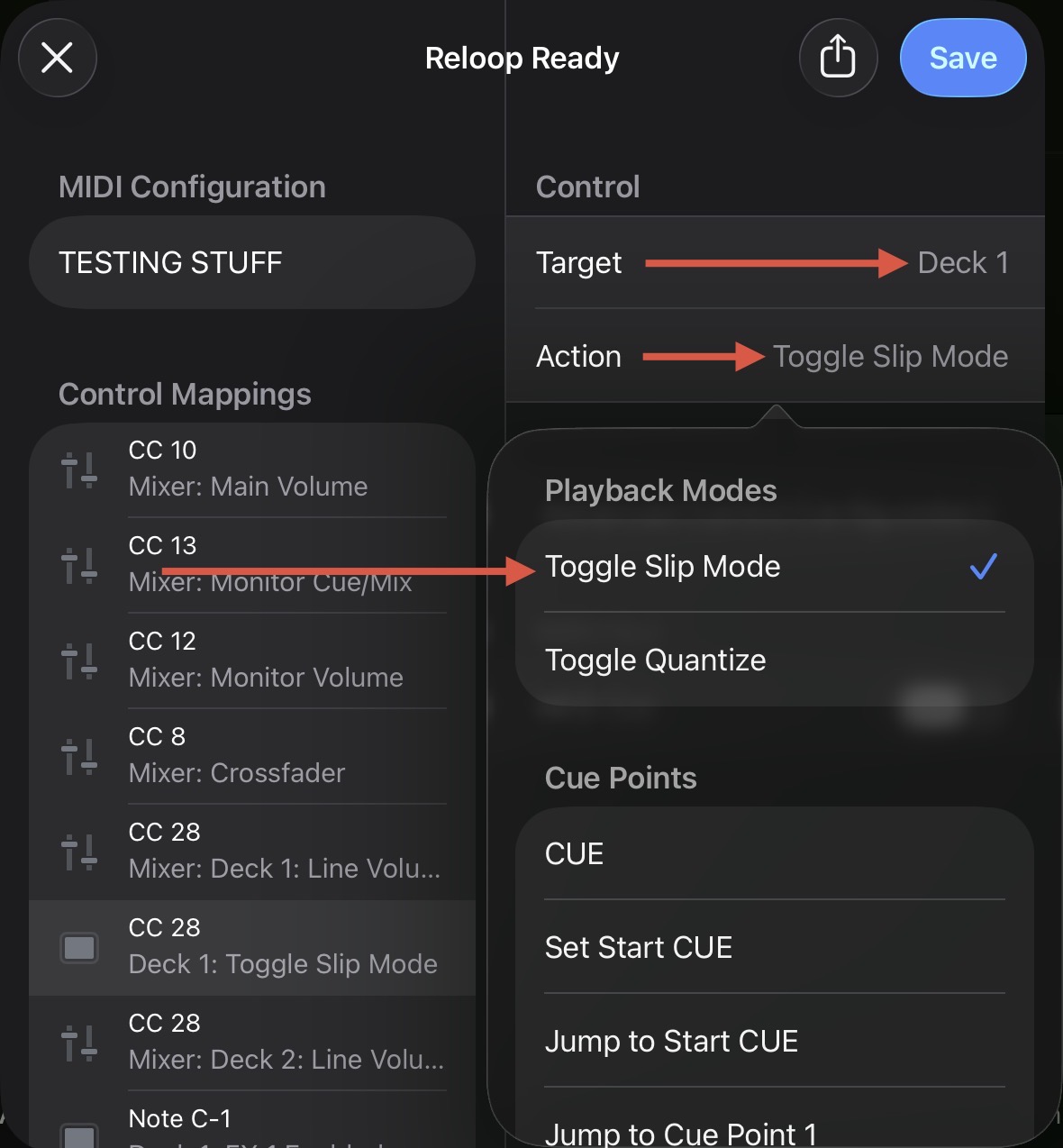
  • Add midi functionality to map slip mode. Maybe this is available already but I couldn’t find it. Maybe if I was able to search for “slip mode”…

Interface update

  • Give me a crossfader toggle for either cut mode and possibly hamster mode or anything else. This is on higher end controllers and makes perfect sense
  • In automix mode, provide buttons to add automix in and out cues instead of switching to whatever non automix mode is
  • Make both beat jump and the 2 effects toggles both available at the same time instead of choosing beat jump or effects

Nice to have functionality

  • Volume fader effects or at least echo out(found this in engineos).
  • In automix mode let us choose more than one transition style to stick to vs just one or shuffle everything
  • Allow syncing of collection playlists. This should’ve been fixed a long time ago
2 Likes

That is already possible. But I have also noticed that, depending on the connected controller, the same options are not always displayed in the MIDI editor. Perhaps that has something to do with it.

1 Like

This might be the issue. I’m trying to map slip mode using a numark mixstream.

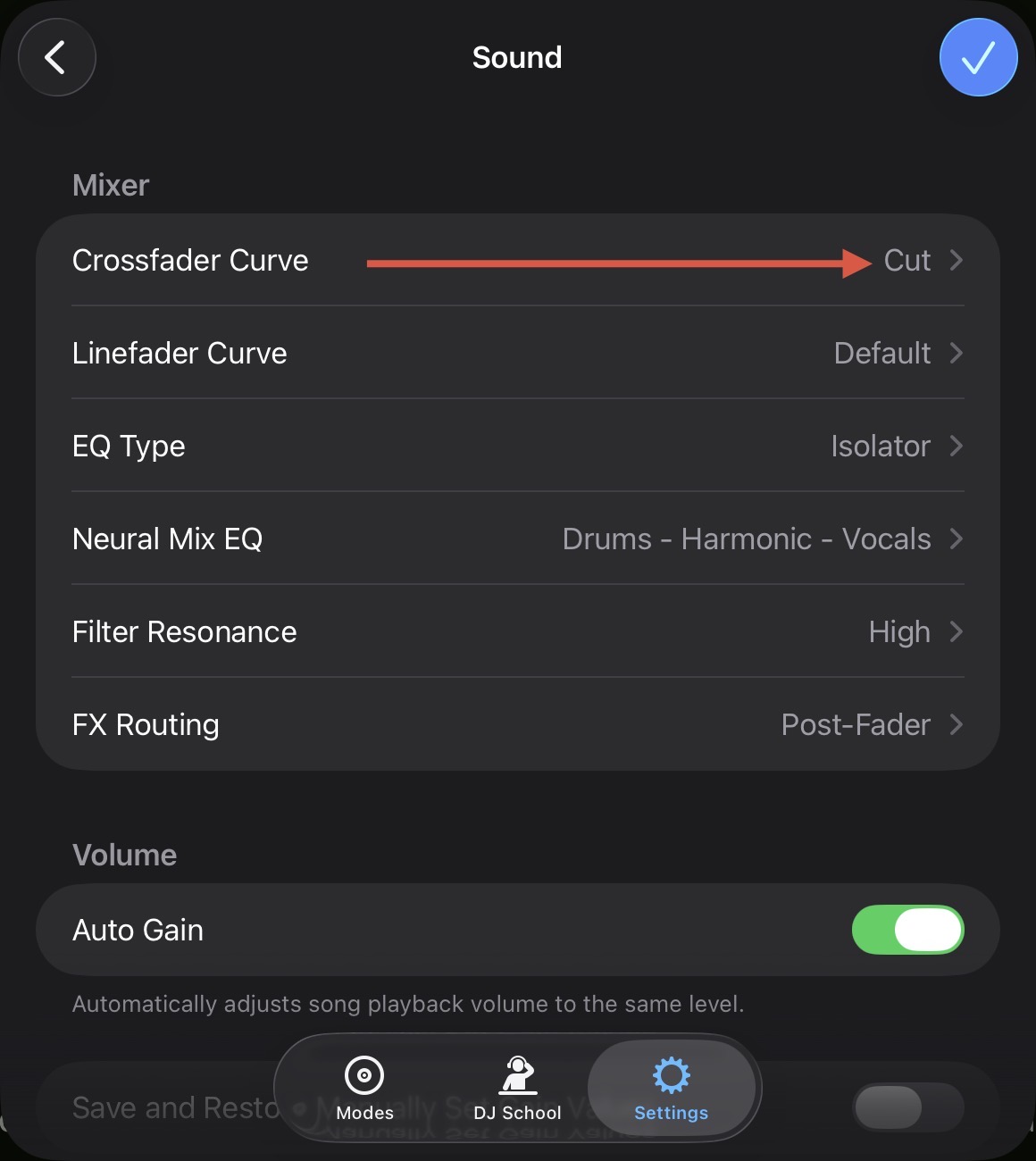
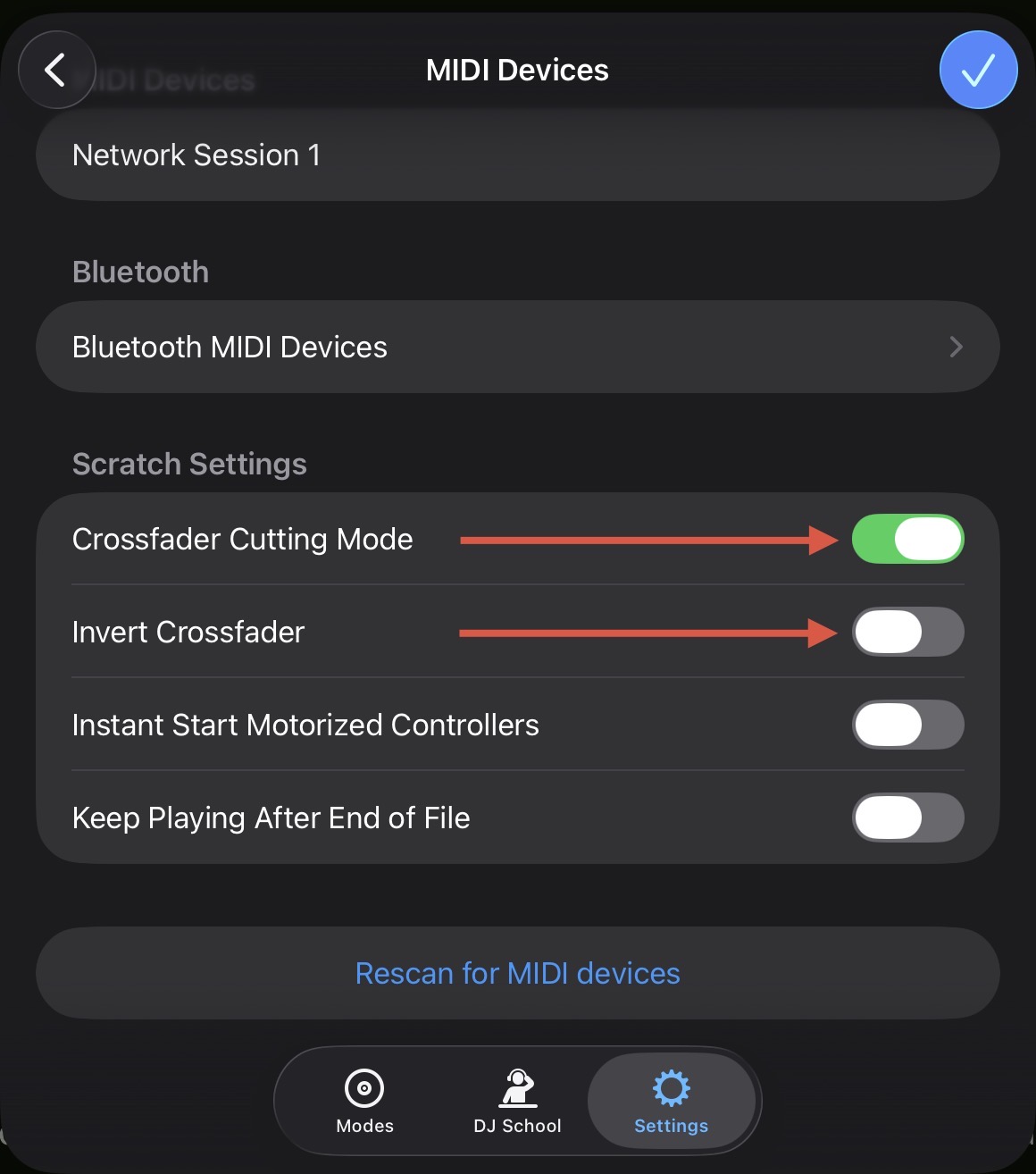
You can find Crossfader adjustments in the Settings>Sound and Settings>MIDI Devices:

1 Like

Thank you for the reply.

What I meant from a interface approach is to make those toggles more on the surface so we don’t have to dig so much into settings to make that toggle for the crossfader settings.

I’ve seen on some higher end controllers they have the physical version of these toggles close to the crossfader. The way it’s “hidden” in the settings is like if pioneer put the crossfader settings in the back of the controller.