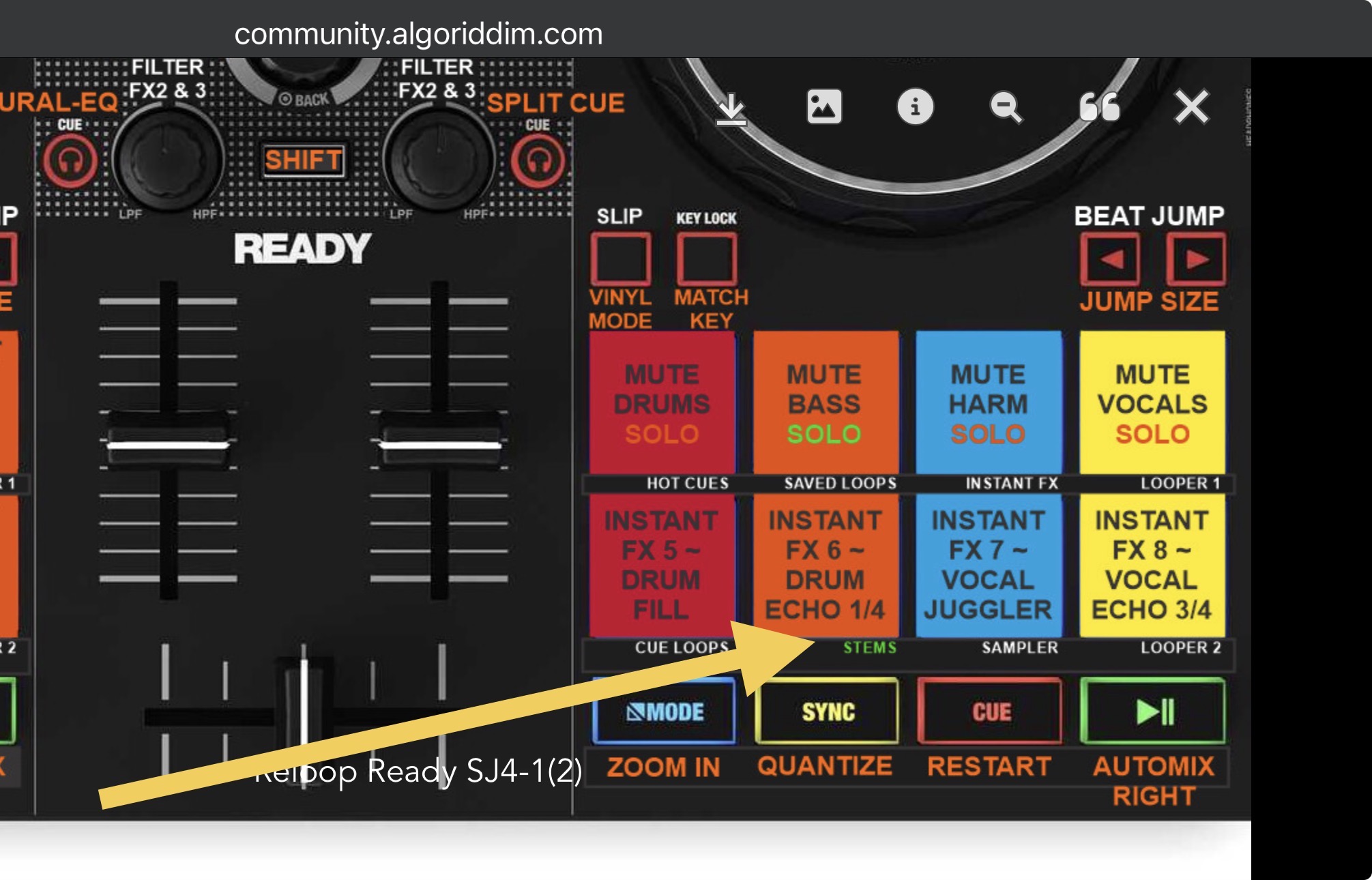
@Slak_Jaw love you work on this one, it looks like you have covered all the major requirements.
Is there any chance that you can drop in the Reloop Ready Midi Mapping file here, so that we can copy and paste into our files? 
@Slak_Jaw love you work on this one, it looks like you have covered all the major requirements.
Is there any chance that you can drop in the Reloop Ready Midi Mapping file here, so that we can copy and paste into our files?
Hi @SPININ_DISK, the mapping file is included at the bottom of the first post in this topic
Sorry mate, completely missed it, I thought that was the link to download the image  Thanks!
No problem. You’re welcome @SPININ_DISK
Hi, @Slak_Jaw , have you tried any mapping on the USER Pad MODE ? If so, when you look ate the mapping in Notepad, is it defined as “ modifier1 == 8 ” (for deck 1) and “modifier2 == 8 “ (for deck 2)?
Hi @Carlos_Alexandre_Cam, I have not.
Just found a deal on one of these and couldn’t resist. This thread definitely gave me ideas on what to remap already. I’m turning the parameters into instrumental/vocal stems
Nice! Thanks for sharing @eyeseeyou01
Question, does the pad mapping replace the default hot cue pads or is this a specific pad mode it replaces?
Hey @eyeseeyou01, I don’t have this controller anymore to confirm, but I’m pretty sure I left the hot cues where they were in the default spot.
I think I may be misunderstanding your post, is “STEMS PADS” a pad mode?
Yeah it’s Pad Mode #6. djay doesn’t offer entire “Pad Mode Switching” like Serato does. Each button must be MIDI mapped individually. In the case of my mapping, I mapped the top 4 pads to NM Mute and the bottom 4 pads to NM Instant FX.
Thank you.
I’ll have to look up how to install this midi mapping again.
Hey @eyeseeyou01, here are the instructions for installing and sharing MIDI Mappings from the User Manuals.
Since this is an old mapping I wonder if things shifted around. Pad mode 6 is the standard default mapping. Everything seems to work besides the Stems splitting and the pad mode 6 stems.
I can manually map the stems pad mode but I need to re read the steams splitting. That seems a little advanced.
Also for the auto transition. That works but it doesn’t auto bpm sync. Does the crossfader fx need to be enabled?
Yeah it’s possible things changed a bit. I made this mapping almost 3 years ago and no longer have the hardware.
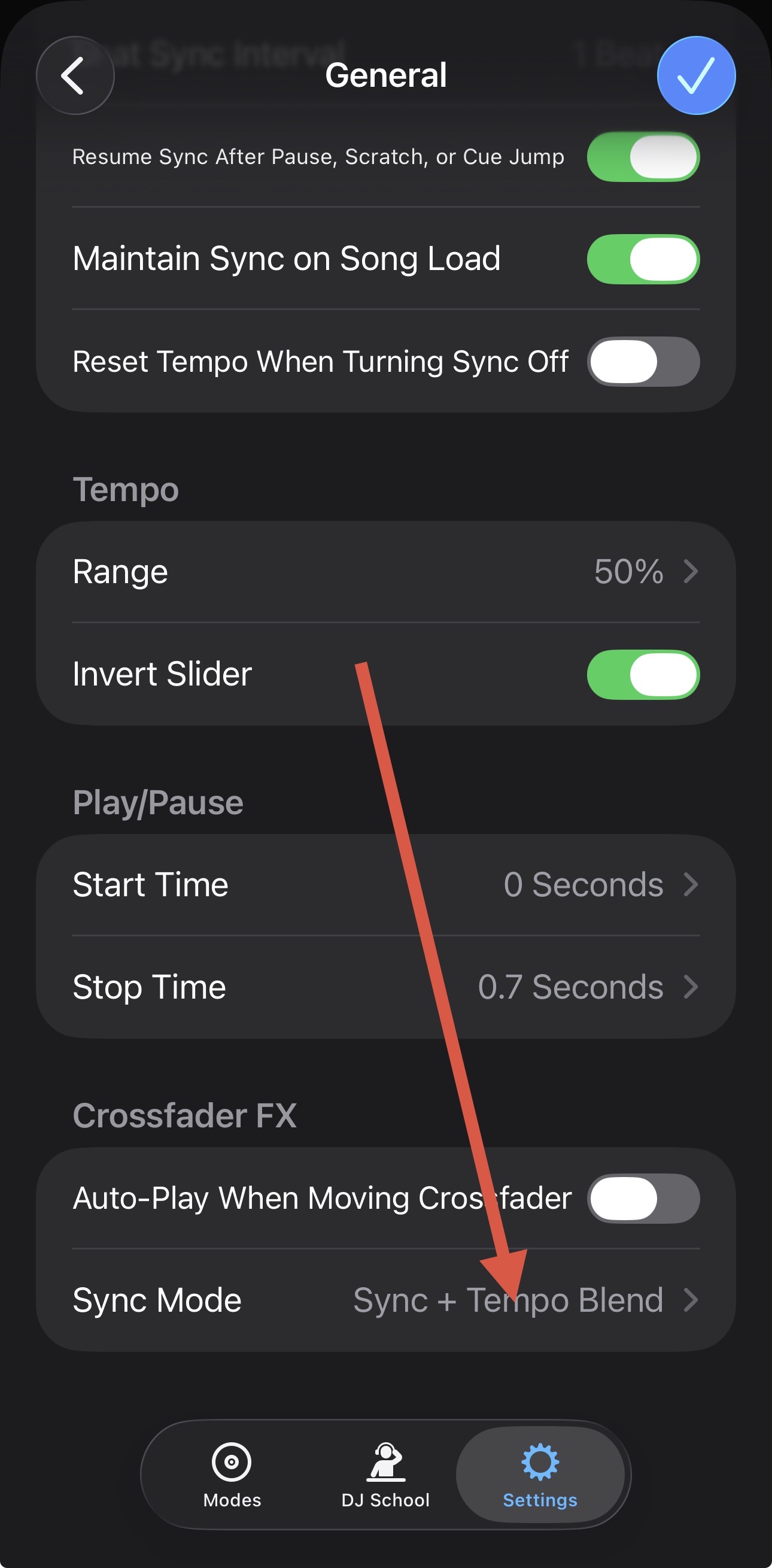
For the auto transition, you need to enable Sync or Sync+Tempo Blend in the djay Settings>General>Crossfader FX
I looked through my old mappings and found these. Maybe give them a try…
Reloop Ready SJ5.0.djayMidiMapping (144.3 KB)
Reloop Ready SJ5.1.djayMidiMapping (144.6 KB)
I have confirmed that the crossfader fx does need to be enabled for the beat auto sync to function which is fine but also when the crossfader fx is enabled pre cuing is disabled at least with neural fx enabled.
I’m assuming the 5.1 is the newest?
On the original posted midi link, in 2026, the shift + load shows preview forward as the functionality mapped to that combo.
There seems to be multiple things going on with the original intention of that midi map. I’m pretty comfortable with the tool and I’m struggling to imagine how many custom mappings were done to enable all of those things to happen at the same Time.
Thanks for confirming. Yes, 5.1 is the latest, but I likely changed things compared to the image at the top of the page. I don’t recall what I changed though.
Yeah, there are multiple Duplicate commands require to perform the STEMS Split function
@eyeseeyou01, I explain the STEMS Split in more detail here: